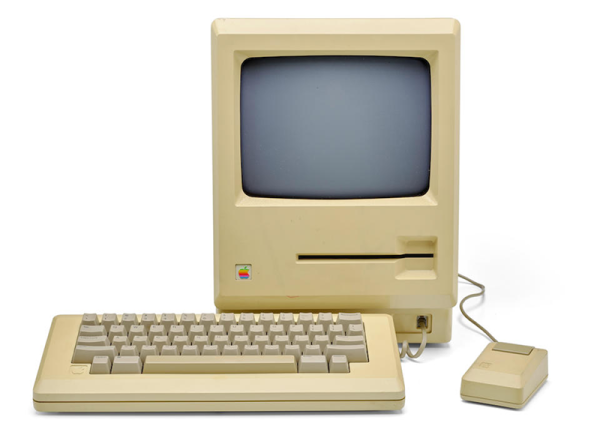
We do love a bit of retrotechnology around our workspace. But we have to admit, we really want to find this prototype Apple Mac under the tree this year. There’s only one problem. There’s only one for sale and only two like it known to exist, for that matter. The auction house thinks it will fetch up to $180,000. We will guess that number is low, but we will find out on December 4th.
The 1983 computer has a pre-production plastic housing and a 5.25 inch “twiggy” drive. Apple provided this machine, apparently, to Encore Systems so they could develop MacWrite ahead of the machine’s release date.
It’s easy to take power supplies for granted in modern computing, but powering vintage hardware is not always so simple or worry-free. The power supplies for old electronics are themselves vintage, and the hardware being powered can be quite precious. A power problem can easily cause fried components and burned traces on a board. As [Doc TB] observes, by the time you hear crackling, it’s already far too late.
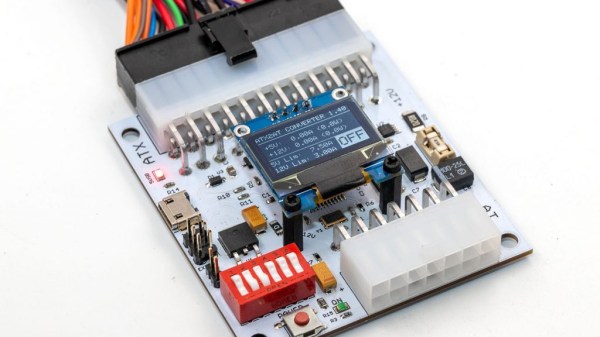
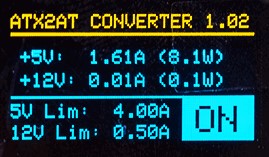
To address this, [Doc TB] designed the ATX2AT Smart Converter as an open source project and recently decided to make it available through a Kickstarter campaign. ATX2AT is a way to safely and securely replace some vintage power supplies with a standard PC ATX power supply, and adds a large number of protection features such as current monitoring and programmable reaction time for overcurrent protection. All of this can help prevent a retrocomputer enthusiast’s precious vintage hardware from being damaged in the event of a problem. It’s not just for powering known-good hardware; it can be invaluable when testing or repairing hardware that might be in an unknown state.
When we first came across [Doc TB]’s ATX2AT project we recognized it as a well-made device to address a specific niche, and to do it well. Assessing risk takes into account not only the probability of a problem occurring, but also just how bad things would be if it did happen. If your old hardware is precious enough to warrant the extra protection, or you are into repairing or assessing old hardware, then an ATX2AT might be just what you need. You can see it in action in the video embedded below.
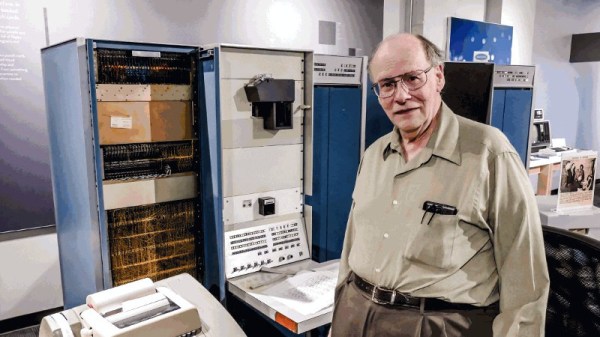
WIth the 50th birthday of the UNIX operating system being in the news of late, there has been a bit of a spotlight shone upon its earliest origins. At the Living Computers museum in Seattle though they’ve gone well beyond a bit of historical inquiry though, because they’ve had UNIX (or should we in this context say unix instead?) version 0 running on a DEC PDP-7 minicomputer. This primordial version on the original hardware is all the more remarkable because unlike its younger siblings very few PDP-7s have survived.
The machine running UNIX version 0 belongs to [Fred Yearian], a former Boeing engineer who bought his machine from the company’s surplus channel at the end of the 1970s. He restored it to working order and it sat in his basement for decades, while the vintage computing world labored under the impression that including the museum’s existing machine only four had survived — of which only one worked. [Fred’s] unexpected appearance with a potentially working fifth machine, therefore, came as something of a surprise.
To load the OS a disk emulator was connected to the machine, and for possibly the first time in many decades a new UNIX version 0 device driver was written to enable it to be used. The first login was the user “dmr”, a homage to UNIX co-creator Dennis M. Ritchie.
The most notable of the home computer and console hardware from the 8-bit golden era didn’t get their impressive sound and graphics from off-the-shelf silicon, instead they relied on secretive custom chipsets to get the edge over their competitors. Unfortunately for vintage gaming aficionados, those chips are now long out of production and in many cases there’s little information to be had about their operation.
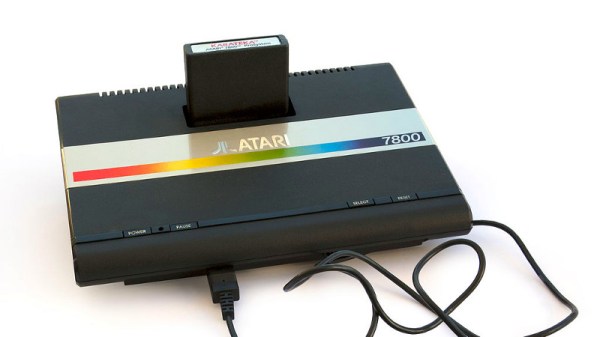
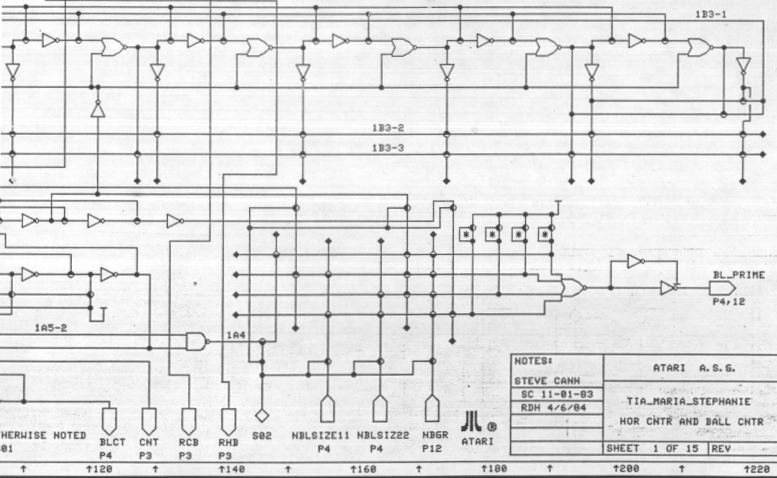
Which makes discovery of the schematics (PDF link) for the “Tia Maria” graphics chip found in the Atari 7800 console an unusual occurrence, and one which should be of special interest to the emulation community. They can be found alongside the rest of the Atari Museum’s 7800 information.
That such a useful document is available at all is due to a lucky find in a dumpster following the demise of Atari, when a treasure trove of documents was discarded. It seems that the existence of these schematics has been known within the Atari community for some time, and we expect before long this information will find its way into FPGA implementations of the 7800; especially since the system features nearly complete backwards compatibility with the massively successful Atari 2600.
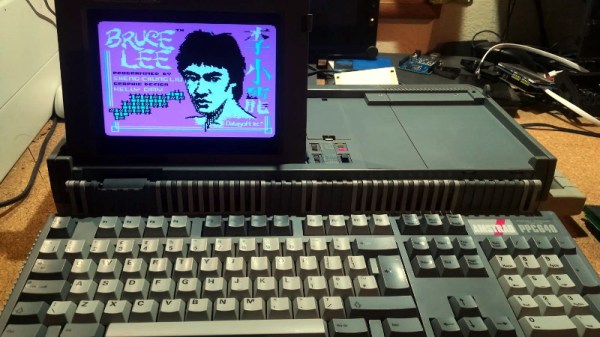
Playing classic games on the real hardware is an experience many of us enjoy, but sometimes the hardware is just a bit too retro for modern sensibilities. A case in point is the miserable monochrome LCD that was originally installed in the Amstrad PPC640 portable 8086 PC that [Drygol] recently picked up. He decided that his portable Amstrad sessions would be far more enjoyable if he swapped it out for a display that didn’t have 30+ years on the clock.
To quell the complaints of any of the vintage hardware aficionados out there, it’s worth mentioning that the original LCD was actually damaged and needed to be replaced anyway. Granted [Drygol] could have tried to find a contemporary panel to replace it with, but looking at the incredible before and after shots of the modded PPC640, it’s hard to argue he didn’t make the right decision by throwing a modern display into the otherwise largely original computer.
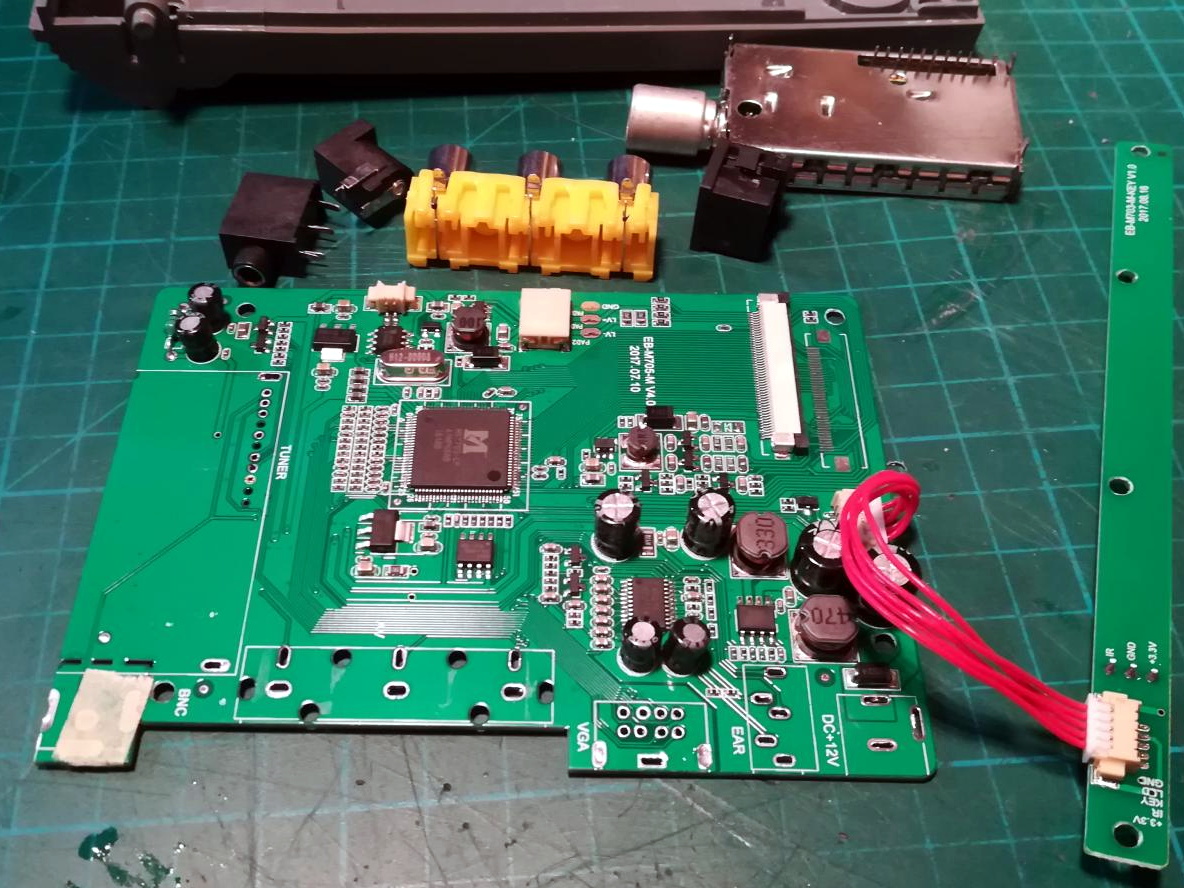
Getting the new LCD’s PCB ready for installation.
[Drygol] says he picked up a cheap 4:3 LCD TV on eBay, and as luck would have it, found that the new panel dropped perfectly into the original frame. Getting it buttoned back up required the removal of the RF can and all the female connections on the TV’s PCB, plus he had to cut some holes in the back of the display enclosure to mount the LCD’s controls, but overall it looks very stock.
Of course, getting the new LCD display in the original frame was only half the battle, it still needs to be connected up to the computer somehow. To get everyone playing nicely with each other, [Drygol] is using a commercially available MDA/CGA/EGA to VGA converter that is installed where the batteries would have gone originally. Wired to the PPC640’s external monitor connector, it allows him to drive the new display without having to use the original LCD interface.
[Drygol] has made something of a name for himself by performing some of the most impressive restorations and modifications of retro hardware in recent memory. From the unbelievable work that went into repairing a smashed Atari 800XL case to his gorgeous custom Amiga A500, his projects are sure to please the retro hardware lovers in the audience.
Our more youthful readers are fairly likely to have owned some incarnation of a VTech educational computer. From the mid-1980s and right up to the present day, VTech has been producing vaguely laptop shaped gadgets aimed at teaching everything from basic reading skills all the way up to world history. Hallmarks of these devices include a miserable monochrome LCD, and unpleasant membrane keyboard, and as [HotKey] found, occasionally a proper Z80 processor.
It started, as such things often do, with eBay. [HotKey] found that the second hand market is flooded with these decades-old educational gadgets, often selling for just a few bucks. As it turns out, children of the smartphone and tablet era don’t seem terribly interested in a “laptop” from 1991. At any rate, he ordered about a dozen different models and started tearing into them to see what made them tick.
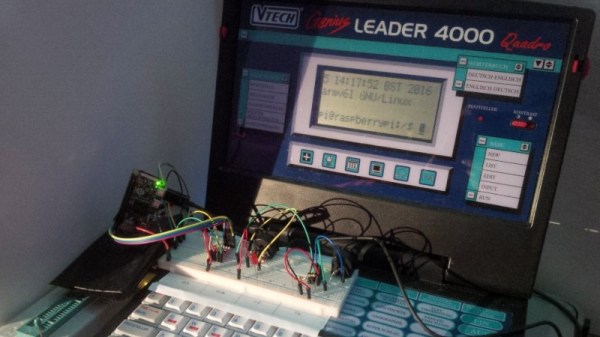
He found that the VTech machines of around 20+ years old were using the Z80 processor, and what’s more, they shared a fairly standardized external cartridge interface for adding additional software or saving data. Upon attempting to dump some data from the cartridge port, [HotKey] discovered that it was actually connected to the computer’s main bus. He realized that with a custom designed cartridge, it should be able to take over the system and have it run his own code.
After more than a year of tinkering and talking to other hackers in the Z80 scene, [HotKey] has made some impressive headway. He’s not only created a custom cartridge that lets him load new code and connect to external devices, but he’s also added support for a few VTech machines to z88dk so that others can start writing their own C code for these machines. So far he’s created some very promising proof of concept programs such as a MIDI controller and serial terminal, but ultimately he hopes to create a DOS or CP/M like operating system that will elevate these vintage machines from simple toys to legitimate multi-purpose computers.
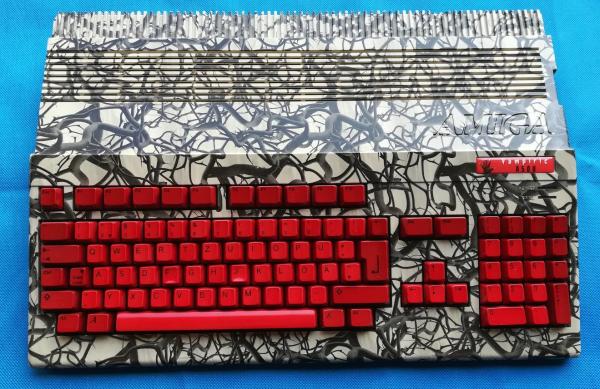
The last Amiga personal computer rolled off the assembly line in 1996, well over 20 years ago. Of course, they had their real heyday in the late 80s, so obviously if you have any around now they’ll be in need of a little bit of attention. [Drygol] recently received what looks like a pallet of old Amiga parts and set about building this special one: The Vampiric Amiga A500.
The foundation of this project was a plain A500 with quite a bit of damage. Corrosion and rust abounded inside the case, as well as at least one animal. To start the refurbishment, the first step was to remove the rust from the case and shields by an electrochemical method. From there, he turned his attention to the motherboard and removed all of the chips and started cleaning. Some of the connectors had to be desoldered and bathed in phosphoric acid to remove rust and corrosion, and once everything was put back together it looks almost brand new.
Of course, some other repairs had to be made to the keyboard and [Drygol] put a unique paint job on the exterior of this build (and gave it a name to match), but it’s a perfect working Amiga with original hardware, ready to go for any retrocomputing enthusiast. He’s no stranger around here, either; he did another extreme restoration of an Atari 800 XL about a year ago.

 To address this, [Doc TB] designed the