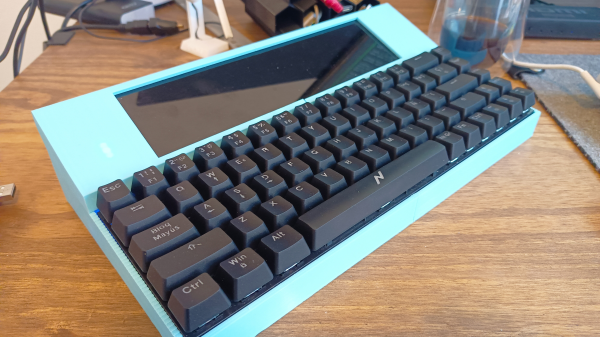
A NABU PC opened up and powered on

NABU PC Gets CPU Upgrade, Emulates A TRS-80

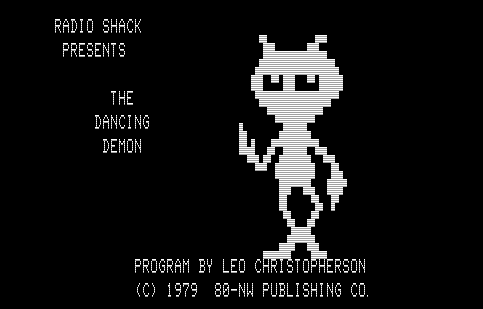
The NABU PC caused a bit of a buzz in the retrocomputing community a couple weeks back. After all, it doesn’t happen often that a huge batch of brand-new computers from the 1980s suddenly becomes available on eBay. Out of the box, the computer itself isn’t that useful: with no internal storage, or any application software whatsoever, it can really only serve as a bare-bones development platform. But since its hardware is quite similar to that of other contemporary home computers, emulating one of those shouldn’t be too difficult, which is exactly what [Ted Fried] did: he managed to turn his NABU into a TRS-80 clone by using his MCLZ8 CPU emulator.

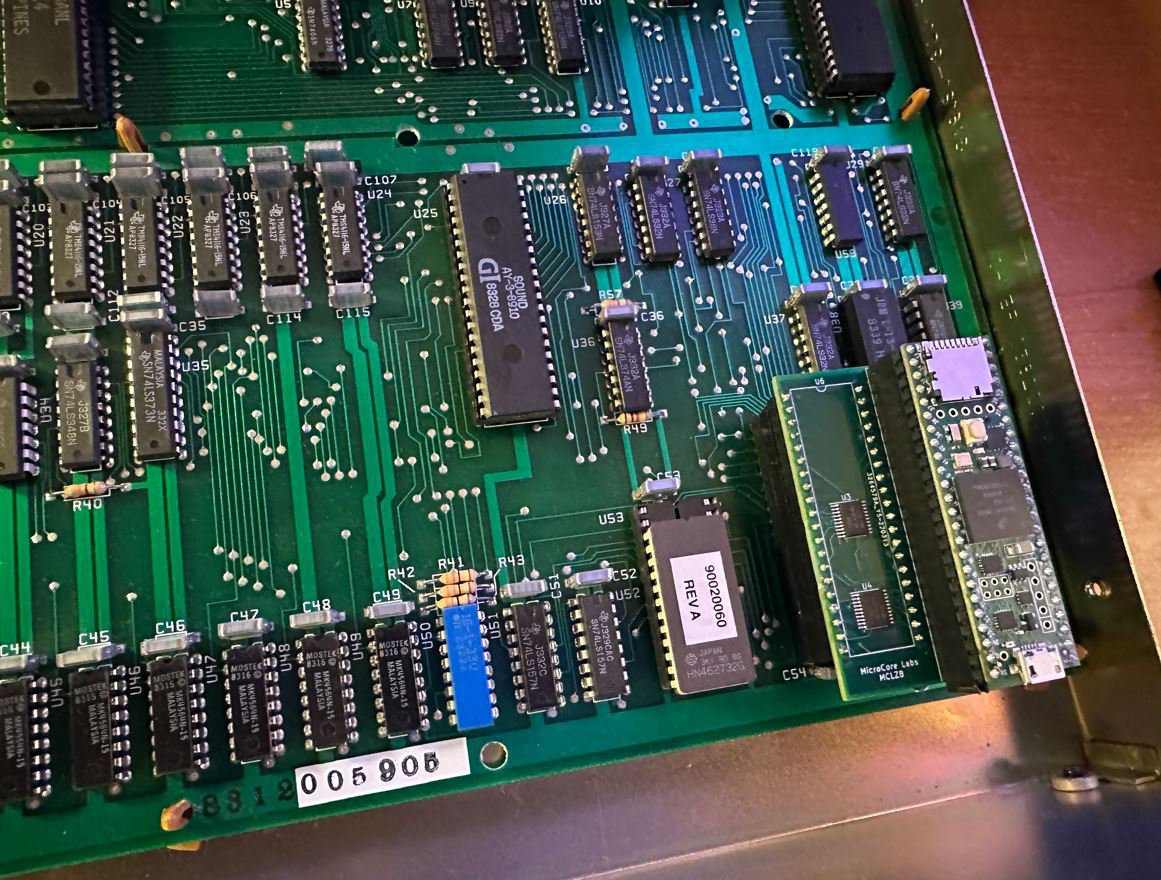
The MCLZ8 is basically an 800 MHz Teensy CPU with an adapter board that allows it to be plugged into a Z80 socket. It emulates the Z80 CPU in real-time, but it also holds the TRS-80 ROM and performs real-time translation between peripherals. On the input side, it reads out the ASCII characters coming in from the NABU’s 8251A UART and stores them in the virtual TRS-80’s keyboard buffer. On the output side, it transfers the TRS-80’s video data to the NABU’s TMS9918 video chip.

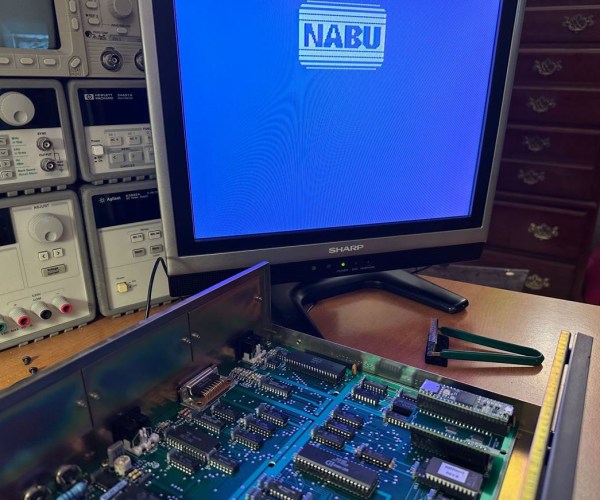
The motherboard of a NABU PC with a Teensy-based CPU upgradeOne problem [Ted] ran into was a difference in screen resolution: the NABU has a 40×24 character display, while the TRS-80 generates a 64×16 character image. [Ted] solved the vertical difference by simply keeping the NABU logo on the screen at all times, and decided to just ignore the 24 characters that drop off the right side – it’s not a big issue for a typical BASIC program anyway.

The repurposed NABU might not be a perfect TRS-80 clone, but that’s not the point: it shows how easily the NABU’s hardware can be reprogrammed to do other things. For example, [Ted] has already started work on a new project that doesn’t emulate the Z80, but instead runs code directly on the Teensy’s ARM A9 processor. As you might imagine, this gives the NABU several orders of magnitude more processing power, although the practical use of this is limited because the CPU still has to wait for the NABU’s slow data bus and display chip. [Ted] explains the setup and runs a few impressive demos in the video embedded below.

[Ted]’s NABU experiments are a great example of the Teensy board’s flexibility: we’ve already seen how it can emulate a Z80 as well as an 8088. We’re also curious to see what others will develop with the NABU’s hardwareif they can still buy it, of course.

Continue reading “NABU PC Gets CPU Upgrade, Emulates A TRS-80”

Dirty TRS-80 Has A Surprise Hack

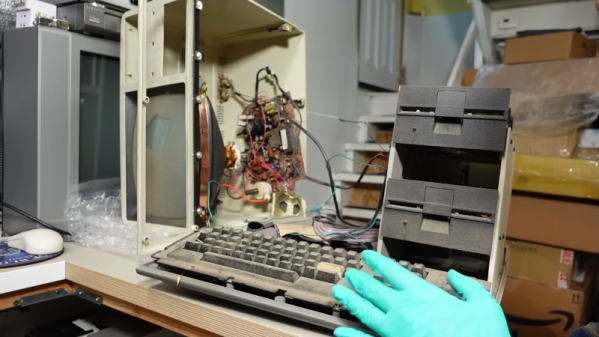
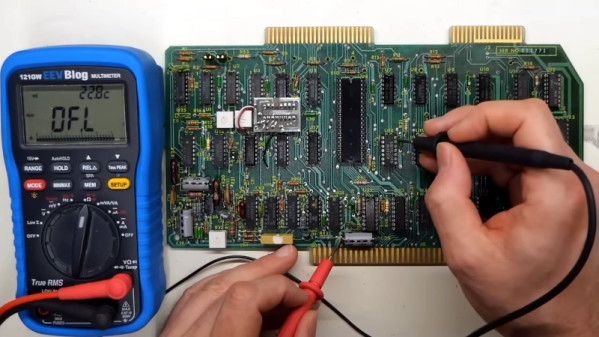
[Adrian] had a TRS-80 model IV that looks like it was stored in a mulch pile. However, it seemed to have some surprises. The first hint that something was up was that the keyboard looks like a model III and there are two mystery knobs in the back.

So what’s going on? You” have to watch [Adrian’s] video below to find out. At about the six-minute mark, you’ll find that things are not at all what you might think.

Continue reading “Dirty TRS-80 Has A Surprise Hack”

TRS-80 Gains Multiple Monitor Support, And High-Resolution Graphics

To call [Glen Kleinschmidt] a vintage computing enthusiast would be an understatement. Who else would add the ability to control and address multiple VGA monitors to a rack-mounted TRS-80 Model 1? Multiple 64-color 640×480 monitors might not be considered particularly amazing by today’s standards, but for 70s-era computing, it’s a different story.

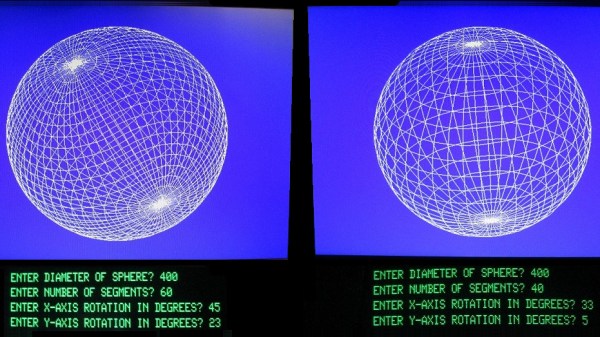
Drawing this sin(x)/x ripple surface can be done in only 17 lines of BASIC.

How does a TRS-80 even manage to output anything useful to these monitors? [Glen] wrote his own low-level driver in machine code to handle that. The driver even has useful routines that are callable from within BASIC, meaning that programs written on the TRS-80 are granted powerful drawing abilities. Oh, and did we mention that the VGA graphics cards themselves were designed and made by [Glen]?

Interested in making your own? [Glen] provides all the resources you’ll need to re-create his work, including machine code drivers and demonstration BASIC programs as downloadable audio files, just as they would have been on original cassette tapes.

Watch things in action in the videos embedded below. The first draws a Land Rover, and the second plots a simple Moiré pattern star. Not bad for 70s-era hardware and 74xx logic!

Continue reading “TRS-80 Gains Multiple Monitor Support, And High-Resolution Graphics”

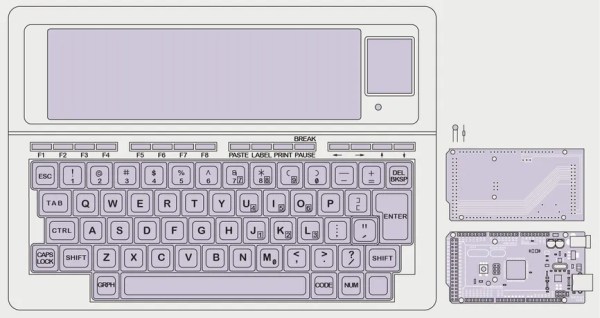
Sketch of a Tandy TRS-80 Model 100 with Arduino Mega 2560

TRS-80 Model 100 Gets Arduino Heart Transplant

When [Stephen Cass] found himself with a broken Tandy TRS-80 Model 100 portable computer, the simplest solution was to buy another broken one and make one working computer from two non-working computers. However, this left him with a dilemma — what to do with the (now even more) broken one left over?

LCD layout is unusual by modern standard, but optimized for fast updates

Naturally, he did what a lot of us would do and used modern hardware to interface with the original parts that still work. In this case it meant replacing the motherboard with an Arduino Mega 2560.

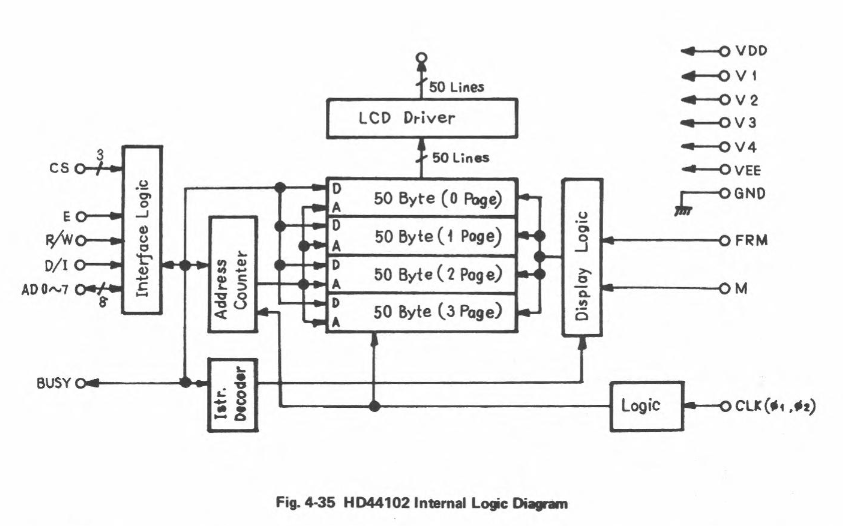
Luckily, the Model 100 has a substantial fanbase and there’s a lot of helpful information available online, including the detailed service manual, that helped [Stephen] to understand how to drive the unusual display.  The LCD has a resolution of 240×64 pixels, which are broken down into eight zones of 50×32 pixels, and two zones of 40×42 pixels.  Each zone is then further divided into four banks, eight pixels tall, so that each column of eight pixels corresponds to a single byte.

Every one of the ten zones is controlled by an individual HD44102 driver IC, connected to a 30-bit wide bus for selecting the correct chip, bank and column.

With the Arduino handling the data, the old LCD still needed a -5 V supply for contrast and an RC filter to smooth out the PWM signal [Stephen] is using to adjust the viewing angle.

With the new interface, [Stephen] is able to access all of the pixels on the original display, and to use modern graphics libraries such as displayio. With the display issue solved, he intends to use a separate Teensy 4.1 to connect with the keyboard matrix and provide a VT100 terminal interface.

Schematic of the HD44102 driver circuit

Upcycling old, broken hardware can be a lot of fun and is always educational.  Understanding why certain design decisions were made at a time when the engineering trade-offs were different can lead to insights that are directly relevant to modern designs when resources get tight. In this case, the quirky LCD drivers were a response to making the display of text as efficient as possible, so as not to overburden the processor.

The TRS-80 computers are ripe for hacking, with their “built-for-service” designs, and we’ve featured a few in the past.  Some have replaced the motherboard with something newer, like [Stephen], whereas others have also replaced the display, or connected them to the cellphone network.

Have you found new ways to get old hardware working? Tell us in the comments below or send us a message on the Hackaday tips line.

Thanks to [nb0x0308] for the tip!

TRS-80 Model II Lives Again

A lot of people had a Radio Shack TRS-80 Model I. This was a “home computer” built into a keyboard that needed an external monitor or TV set. Later, Radio Shack would update the computer to a model III which was a popular “all in one” option with a monitor and even space for — gasp — floppy disks. But the Model II was not nearly as common. The reason? It was aimed at businesses and priced accordingly. [Adrian] got a Model II that was in terrible shape and has been bringing it back to life. You can see the video of how he’s done with it, below.

The Model II was similar to the older “Trash 80” which had been used — to Radio Shack’s surprise — quite often by businesses. But it had more sophisticated features including a 4MHz CPU — blistering speed for those days. It also had an 80×25 text display and a 500K 8-inch floppy drive. There were also serial and printer ports standard.

There were a few interesting features. The floppy drive’s spindle ran on AC power and if the computer was on, the disk was spinning. In addition, there was bank switching so you could go beyond 64K and also you didn’t have to share your running memory with the video display. In theory, the machine could go beyond 64K since half the memory was bank switchable. In practice, the early models didn’t have enough expansion space to handle more than 64K physically.

Continue reading “TRS-80 Model II Lives Again”

A TRS-80 with a small PCB attached

Hackaday Prize 2022: Modern Plug-in Gives TRS-80 Its Voice Back

Like artificial intelligence, speech synthesis was one of those applications that promised to revolutionize computing in the 1980s, only to fizzle out after people realized that a robotic voice reading out predefined sentences was not actually that useful. Nevertheless, computer manufacturers didn’t want to miss out on the hype and speech synthesizers became a relatively common add-on for a typical home computer.

Those add-ons were usually built around a custom voice-synthesis chip. If that chip fails, you’re out of luck: many were made in limited quantities by small companies and are impossible to find today. So if you’ve got a Tandy TRS-80 Voice Synthesizer with a dodgy SC-01-A chip, you’ll definitely want to check out [Michael Wessel]’s Talker/80 project. It’s a plug-in module for the TRS-80 that’s software compatible with the original Voice Synthesizer, but built from modern components. Synthesis is still performed by a custom IC, but now it’s using the more common Epson S1V30120 text-to-speech chip.

A speech synthesis PCB for a TRS-80The Talker/80 also has an ATmega644, which connects to the TRS-80’s expansion port on one side and to the Epson chip on the other. It can either emulate the original SC-01-A, in which case it expects text to be split into separate phonemes, or it can be set to an “advanced” mode in which it can directly process normal English text. In either case the voice sounds quite different from what original, although the new voice is arguably a little clearer.

We’ve seen modern speech synthesizers made for several classic computers: you can hook up the same Epson chip to an Amstrad CPC, or an ESP8266 to a VIC-20. If you’ve got an actual working SC-01-A but no vintage computer to use it with, you can also control it with an Arduino.

Continue reading “Hackaday Prize 2022: Modern Plug-in Gives TRS-80 Its Voice Back”

TRS-80 Luggable Gets Fresh Face, New Gear

It’s true that this TRS-80 Model 4P “luggable” was in better shape than many of the vintage machines that pass through the hands of [Drygol], but that doesn’t make the end result of its refurbishment and upgrade process any less impressive. After all, not every rebuild has to be a once-in-a-lifetime achievement.

No, the case didn’t have to get pieced back together by hand, and the board didn’t need to have half of its traces recreated. But the outer plastic was certainly in need of a good retrobright treatment, the keyboard was overdue for a cleaning, and the capacitors in the PSU were predictably due for retirement. After [Drygol] got through with it, the machine was back in like-new condition. But then, we can do a little better than that…

Installation of the new Grafyx board.

So into the refreshed computer went several community-developed modifications, including a M3SE expander that adds Compact Flash and Ethernet support to the TRS-80 and a high-resolution Grafyx video board. In classic [Drygol] style, every effort was made to integrate these upgrades as seamlessly as possible. After struggling for a bit to find a 5.25″ drive that would write a disk the TRS-80 would actually read, all the necessary files to get the upgrades working were transferred over, and the system was booting into TRSDOS.

We’ve covered a lot of [Drygol]’s restorations, and never get tired of seeing how these old and broken machines get a new lease on life once they come out the other end. Whether it’s a relatively easy task of swapping out some dud chips, or using every trick in the book to piece together what’s left of a computer’s case, they always show an incredible level of dedication and attention to detail that you can’t help but admire.