Final Key : A Mooltipass-like Device

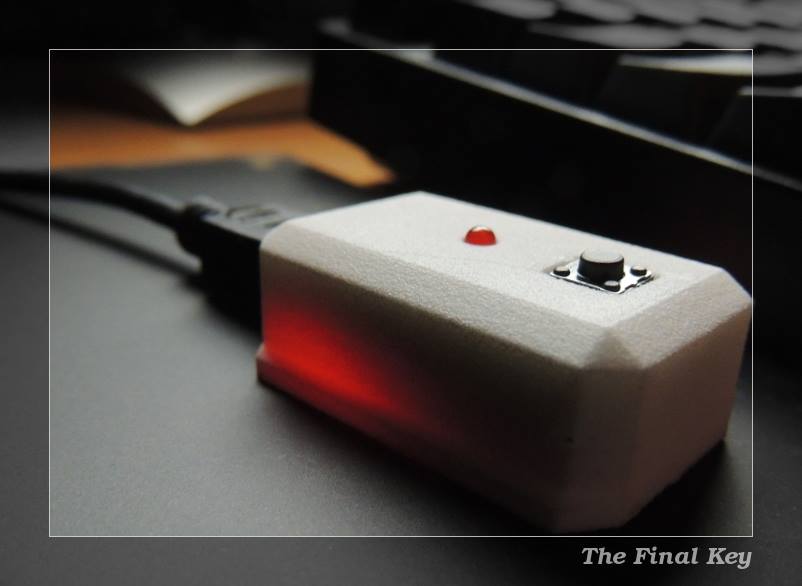
Since the Hackaday community started working on our offline password keeper, Mooltipass, we’ve received several similar projects in our tips line. The Final Key may be the most professional looking one yet. Similarly to the Mooltipass, it is based on an Atmel ATMega32U4 but only includes one button and one LED, all enclosed in a 3D printed case.

The Final Key is connected to the host computer via USB and is enumerated as a composite Communication Device / HID Keyboard, requiring windows-based devices to install drivers. AES-256 encrypted passwords are stored on the device and can only be accessed once the button has been pressed and the correct 256 bit password has been presented through the command line interface. Credentials management and access is also done through the latter. Unfortunately, the Arduino source code can’t be found on [cyberstalker]’s website, so if you see interesting features that you would like to be integrated in Mooltipass you may send us a message to our Google Group.

USB Datalogging With Arduino Using V-USB

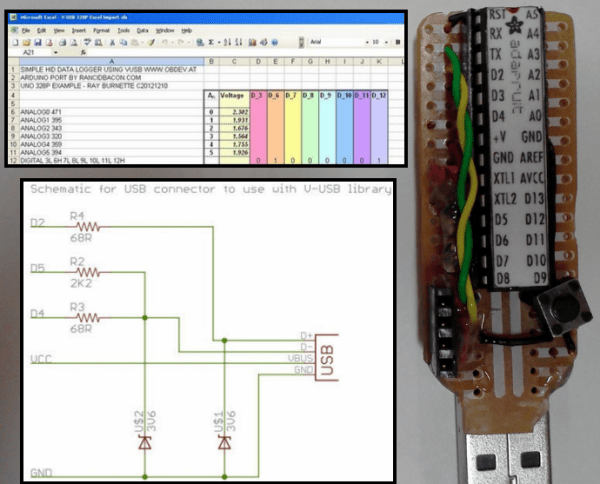
Adding USB functionality to your Arduino projects used to be a pain, but thankfully, the V-USB project came along and gave your ATMEGA328 the ability to control the USB lines directly and mimic simple (low-speed) USB peripherals. [Ray] shows an implementation of the V-USB project by logging the status of the Arduino’s I/O pins to an open Excel spreadsheet

V-USB (Virtual USB) is especially useful for those of us who build standalone Arduino projects with the ATMEGA328. Unlike the Arduino Leonardo and its ATMEGA32U4, the ATMEGA328 does not have a built-in USB controller. The circuit required to tie into the USB lines is made up of just a few basic components, and [Ray] provides a reference schematic and BOM to get you started. The Arduino is programmed to mimic a keyboard, so the datalogging is achieved by allowing the Arduino to ‘type’ the data into an open Excel spreadsheet. In this example, the status of 8 digital pins and all 6 Analog Input pins are logged.

For those of you who prefer the PIC microcontroller and are in a similar position of not having a built-in USB controller, there is the 16FUSB project to help you out.

An Arduino Library For The PS4

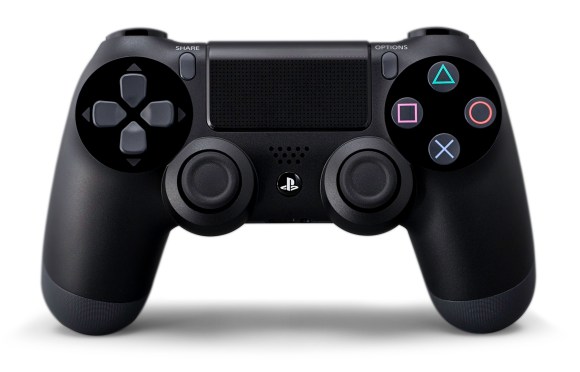
PS4 Controller

Looking to interface your Arduino with the PS4 controller? [Kristian] has updated his USB host library with support for the controller. The library makes it easy to read most of the inputs from the controller. Currently the buttons and joysticks work, and support for the light sensor, rumble, and touchpad is on the way.

To get this working, you will need the USB Host Shield for the Arduino and a Bluetooth dongle. Once you have the hardware setup, you can use the library to pair with the controller. When connected, simple function calls will let you read the state of the device.

While this does require some additional hardware to connect, all of the code is open source. If you’re looking to experiment with the PS4 controller yourself, [Kristian]’s work could be a helpful starting point. Of course, all of the source is available on Github, and the example sketch shows how easy it is to roll the PS4 controller into your own Arduino project.

Fubarino-Contest: 1980’s CD Player With MPD

fubarino-cd-shelf-player

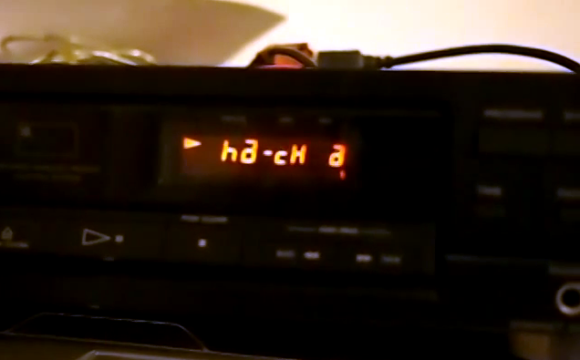
[Ronald] had to scramble to get his submission in, but we’re glad he did. His demo video shows the display of a 1980’s CD player working with Music Player Daemon. It’s really just the original display itself that works, but the project is not yet finished. However, is far enough along to show our URL when a track reaches the 22:00 mark.

The display is driven by an ATmega32 chip which uses a USB connection to receive commands from the computer running MPD. [Ronald] had troubles figuring out how to send int values over USB so he hacked his own protocol that just uses the LSB of each byte coming over the bus. After the break you can see the video, and read the description which he included with his submission. There is also a code package available here.


This is an entry in the Fubarino Contest for a chance at one of the 20 Fubarino SD boards which Microchip has put up as prizes!

Continue reading “Fubarino-Contest: 1980’s CD Player With MPD”

UsbXlater For PS4 Keyboard And Mouse Action

USB

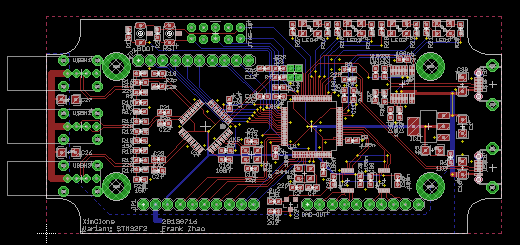
[Frank Zhao]—an awesome guy, an inadvertent Hackaday contributor, and an Adafrut fellow—has come up with a device to use a keyboard and mouse with Playstation 4 games. He calls it the UsbXlater, and even if [Frank] can’t get it working with his PS4, it’s still going to be an awesome tool.

On the board are two USB ports and an STM32F2 microcontroller. The micro provides a USB host interface and a USB device interface, enabling it to translate mouse movements and keystrokes into something a PS4 can understand.  While this project was originally designed to use a keyboard and mouse on [Frank]’s shiny new PS4, it’s not quite working just yet. He’s looking for a few gamer/dev folks to help him suss out the communication between a keyboard/mouse, the UsbXlater, and a PS4.

Of course, even if this device is never used for what it’s designed for, it’s still a very, very interesting tool. With two USB ports, the UsbXlater could act as a signal generator for USB devices and hosts, analyze USB traffic, or provide other applications that haven’t even been thought of yet.

[Frank] is hitting his head against the wall trying to figure out the PS4 protocol, so if you have some USB skills, feel free to hit him up for a blank PCB, though preference falls to people who will game with it and to those with a USB traffic analyzer. If you lack the skills for USB development, [Frank] is still looking for a better name for his device.

Repairing Dead USB Flash Drives

Over the last few years, [Tobias] has repaired a number of USB Flash drives. This strikes us as a little odd, given small capacity Flash drives are effectively free in the form of conference handouts and swag, but we’re guessing [Tobias] has had a few too many friends lose their thesis to a broken Flash drive.

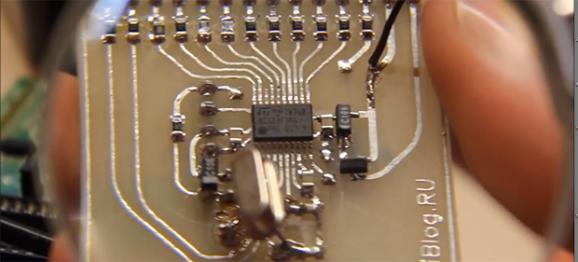
In all his repairs, [Tobias] found one thing in common The crystal responsible for communicating with the USB controller is always broken. In a way, this makes a lot of sense; everything else on a Flash drive is silicon encased in an epoxy package, where the crystal is a somewhat fragile piece of quartz. Breaking even a small part of this crystal will drastically change the frequency it resonates at making the USB controller throw a fit.

[Tobias]’ solution for all his Flash drive repairs is to desolder and change out the crystal, bringing the drive back to life. Some of the USB Flash drives even have multiple pads for different crystal packages, making it easy to kludge together a solution should you need to repair a Flash drive five minutes ago.

FT230X Brings USB Charging Detection To The Serial IC Game

FT230XS-breadboard

Here’s a new chip from FTDI which brings a nice little feature to the USB-to-serial converter family: charging detection. That means that it is capable of detecting when a battery charger is connected. What does that actually mean? The top of the datasheet gives you the short version, but let’s look at the investigation [Baoshi] undertook to test the full extent of this particular feature. We agree with him that the listed capability leaves those in the know with a lot of questions:

USB Battery Charger Detection. Allows for USB peripheral devices to detect the presence of a higher power source to enable improved charging.

Obviously the chip will be able to tell when a charger is connected, alerting the device when it’s time to start lapping up the extra milliamps. But what type of chargers will actually trigger the detection circuit? After rigging up the test circuit shown above he ran through several scenarios: connected directly to the PC USB port, via externally powered and non-powered USB hubs, and with multiple wall wart chargers. Full results of the tests are included in the post linked above.

[via Dangerous Prototypes]