
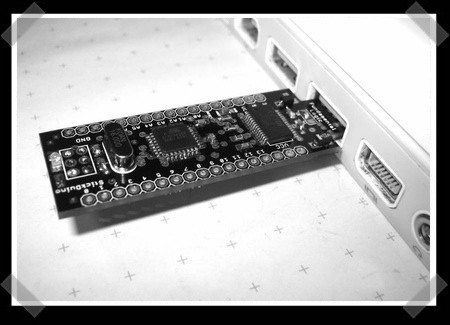
The Arduino hardware clones keep rolling in. This weeks entry into the modern dev board’s roster is the StickDuino. The board is designed to be fully hardware compatible and plugs directly into your USB port. The StickDuino uses all SMD components. The creators know that this can make assembly more difficult so they’ve space the components out, opted for larger pads, and collected some links to SMD tutorials. The board feature two more analog inputs than the Diecimila and it has a jumper so you can switch it to 3.3V. All around it looks like a great product; frankly we love anything with full board layouts.
usb669 Articles
Shell Case Your Flash Drive
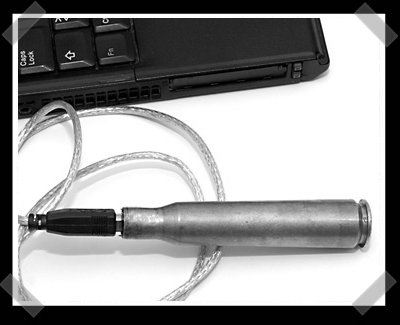
[Aki] sent in his collection of projects. We like his bullet shell cased USB flash drive and his take on our friend, the simple parallel port based logic analyzer. The flash drive uses a B style USB connector, mounted inside a big freakin’ bullet shell. The logic analyzer is the classic version, but uses a rather nice unix compatible piece of software that supports up to 1mhz sampling rates.
SONAR Controlled USB Missile Launcher
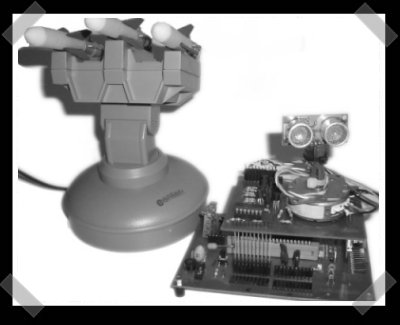
Check out this add on for that cheap USB missile launcher we know you bought last year. It uses ultrasonic sensors to provide sonar feedback for the aiming system. A PIC 18F455 drives a servo to aim the sensor and massage the signal from the sensor. It still depends on a PC application to put everything together. If you’d rather play with faster hardware, keep your eyes open for this years defcon bots contest.
HandUSB Data Gloves Interface
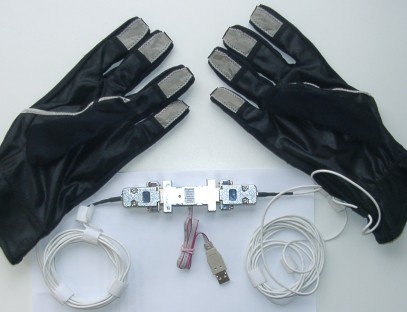
Following today’s earlier post on data gloves, HandUSB is a glove interface designed to relay fingertip touch data to a computer via USB. Although the gloves themselves are not extremely interesting or useful for your average hacker, the project has some good documentation. The electronics are all open source and he has links to the EAGLE files and the AVR Libc code. You can also find a demo program written for DOS. This project uses AVR-USB by Objective Development so if you are looking to move on from your USB-serial chips, this project would be a good resource to study.
[via YourlTronics]
USB Popcorn Popper
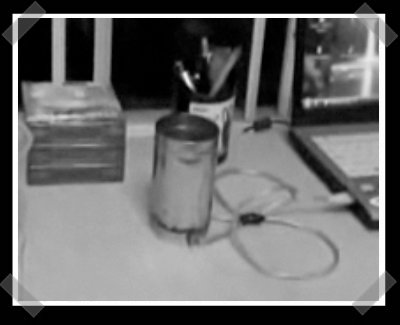
[sophia] sent in this interesting little video of a USB popcorn popper. It might just work too – we’ve burned our digits a time or two on a hot flashlight. The bottom is a jar lid, fitted with a pair of high intensity flashlight bulbs. These are wired directly to a USB cable (maybe a bit unwise). When plugged in, the bulbs are on and heat the metal container. Just add oil and popcorn… As usual, you can catch the video after the break.
IronKey USB Key Has Military Grade Encryption

Plenty of USB storage keys are on the market, but Ironkey is the first to use military level encryption. Sold in 1GB, 2GB, and 4GB sizes, the key features a processor called the Cryptochip, which uses Public Key Cryptography ciphers linked to an online account to create encryption keys on the hardware. A Federal Information Processing standard 140-2 compliant true random number generator on the Cryptochip ensure that encryption keys are extremely secure and totally random.
Ironkeys come in different sizes, but there are also three different versions, each with unique features. The basic version has a very James Bond-esque feature to destroy the data on it in case of an emergency. The personal version is loaded with Firefox 3 with various addons that make browsing encrypted and anonymous. The enterprise version is made to order with no specific price on the IronKey site, just a form to order one built to your specifications. All of them support Windows, OS X, and a large amount of Linux distros, and they all come in tamper proof and water resistant cases with a brushed metal finish. We tend to think this level of security is overkill for the average person, but people can’t seem to get with our freewheeling approach to security; remember, we leave our WLAN open.
[via LinuxDevices]
Always On USB Charge Port
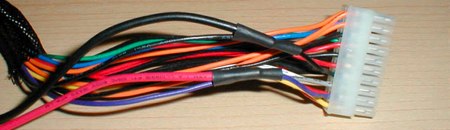
This simple and clever guide to installing an always on USB port comes from the Team Hack-a-Day forums (originally created for the team’s Folding@home efforts). [Cerberus] added a USB port to his computer case that always has power, even when the computer is off. The power comes from the +5VDC standby line in the motherboard connector. You can use this new port to charge any USB based device.









