Touch Panels Make This Christmas Tree Interactive

The city of Liverpool, famously known as both the home port of the Titanic and the birthplace of The Beatles, also seems to have a thing for interactive public art installations. Witness this huge interactive Christmas tree that can be played by passersby.

The display in the city’s busy Williamson Square was commissioned by a municipal business group and built by [Adrian McEwen]. The idea was to adorn the 10-meter natural tree with large geometric ornaments covered with Neopixel strips. [Adrian] documents the build process in some detail, including that fact that over 170 meters of WS2812b strips went into the ornaments for the tree. While the strips themselves at IP68 rated, the connections needed when attaching them to the custom-made frames were not, and that had to be overcome with ample application of heat-shrink tubing. OctoWS2811 adapter boards were dangled about the tree to control the lights and connected together with garlands of Ethernet cables. Pressure sensors were used to control the lights when the EMI from the beefy power supplies needed to run everything proved too much for the original touch sensors. After a lot of bench testing and a few long nights working with the city crew to hang the display, passing Liverpudlians can now play the tree and enjoy the Christmas season.

Would you rather a smaller display for your own Christmas tree? This somewhat hyperactive indoor light show might be what you’re looking for.

Continue reading “Touch Panels Make This Christmas Tree Interactive”

Hackaday Links: April 16, 2017

Guess what’s going on at the end of the month? The Vintage Computer Festival Southeast is happening April 29th and 30th. The event is being held at the Computer Museum of America and is, by all accounts, a really cool show.

Walk into any package sorting facility or Amazon fulfillment center and you’ll find a maze of conveyor belts, slides, and ramps that move boxes from one point to another. Conveyor belts are so last century, so here’s a fleet of robots.

In 2017, the CITES treaty — an international treaty for the protection of endangered species — changed a lot. While the original treaty protected individual species, in 2017, enforcement of this treaty on tropical hardwoods changed to an entire genus. This is a problem when it comes to rosewood; previously only Dalbergia nigra was covered under CITES, now the entire Dalbergia genus is covered. This sucks for guitar makers, but a Dutch guy is making guitars out of newspaper. We’re probably looking at some sort of micarta thing here, but it sounds acceptable.

Where did Apple’s Spinning Beach Ball of Death come from? 1984, or thereabouts. The ubiquitous Apple ‘wait’ cursor is from the first versions of the Macintosh Toolbox, and it has remained mostly unchanged all this time. This is Apple Wait, a demonstration of this first spinny ball of death. It’s a Raspberry Pi connected to an Apple monochrome monitor that just displays a spinny wait logo. Check out the video.

How do you make strips of RGB LEDs turn a corner? Wire, usually. Here are some corner pieces for WS2812B LED strips. It looks very handy if you’re building a gigantic RGB LED matrix.

SHA2017 is an outdoor hacker conference that’s happening this summer. They’re working on a badge, but they need some help. They’re looking for some funding for their ESP32-powered, touch controller, sunlight-readable ePaper badge. If you have a job that likes to sponsor stuff like this, it’s a worthy cause.

A Wordsearch Twist On The Word Clock

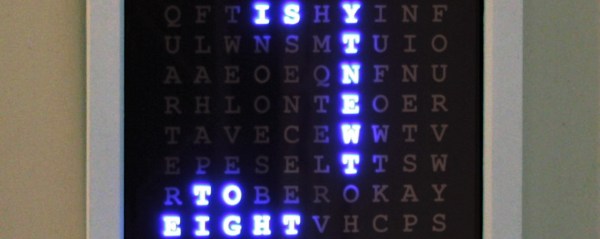
We love seeing new takes on existing ideas, and [Danny] certainly took the word clock concept in an unusual direction with his Wordsearch Clock. Instead of lighting up words to spell out the time, [Danny] decided to embrace the fact that the apparent jumble of letters on the clock face resembles a word search puzzle.

In a word search puzzle, words can be found spelled forward or backward with letters lined up horizontally, diagonally, or vertically. All that matters is that the correct letters are in a line and sequentially adjacent to one another. [Danny]’s clock lights up the correct letters and words one after the other, just as if it were solving a word search puzzle for words that just happen to tell the correct time. You can see it in action in the video, embedded below.

[Danny] went the extra mile in the planning phase. After using a word search puzzle generator tool to assist in designing the layout, he wrote a Processing sketch to simulate the clock’s operation. Visually simulating the clock allowed him to make tweaks to the layout, identify edge cases to address, and gain insight into the whole process. If you’re interested in making your own, there is a GitHub repository for the project.

Continue reading “A Wordsearch Twist On The Word Clock”

Build Your Own Animated Turn Signals

Automotive lighting used to be strictly controlled, particularly in the United States — anyone remember sealed beam headlamps? These days, pretty much anything goes. You can even have an animated turn signal, because a simple flash isn’t fancy enough these days. You can get a scanning-LED turn signal on your new model Audi, among others. [Shravan] wanted this on their Mazda and set about building an animated turn signal and daytime running lights setup for their car.

It’s not a complicated build by any means; an off-the-shelf WS2812B strip provides the blinkums, an Arduino Nano the smarts. Using a modified library to drive the LEDs allowed [Shravan] to get things running with a minimum of fuss. We’d love to see a little more of the gritty reality of this build — how the Nano is getting directional signals from the car, and how it’s all wired up and bolted on. When you’re installing custom hardware onto a vehicle, the devil really is in the details. It’s supremely difficult to create something that looks tidy and functions well.

It’s amazing to think about how far we’ve come. When high-brightness LEDs first came on to the market in the 1990s, you would have been on the hook for wiring your own loom to connect the 20+ LEDs, building your own driver circuitry, and likely etching a custom PCB — all the while you programmed a PIC in assembly as it dangled off a parallel-port programmer. But then again, our cave-dwelling ancestors didn’t even have matches. Time marches on. Use today’s technology to build the very best things you can.

We love seeing car mods, particularly those that are well executed. Check out [Dave]’s interior lighting mods to the Nissan Juke — a car this writer has weighty opinions about. Video after the break.

Continue reading “Build Your Own Animated Turn Signals”

Enter The Space Tunnel

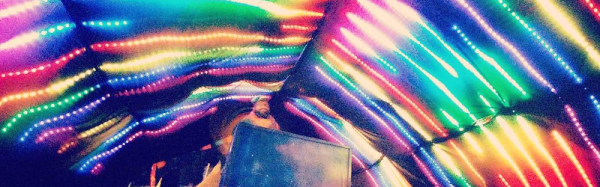
What’s better than 1 string of LED lights? 96. That’s how many. Each string of the 96 has 60 ws2812b LEDs, for a total of 5760 individually addressable RGB LEDs.  That’s not the cool part of [jaymeekae]’s Space Tunnel installation, the cool part is that they’re interactive.

Starting out with some PVC piping, dark cloth was used as a backdrop and the LED strips were attached to it. Several power supplies are used to supply the voltage necessary and each strip controlled by FadeCandy chips which connect to, in this case, a Windows PC via USB. Initially, computer power supplies were used, but they couldn’t supply the current necessary. [jaymeekae] used them for the first installation, but switched to better power supplies for further installations.

Once the lights were up and powered, [jaymeekae] started work on the interface to control them. Starting with a used bureau, [jaymeekae] cut out a section for the touchscreen, and installed the controlling computer in the bottom half. Processing is used to interface with the FadeCandy controllers and HTML is used for a user interface. Each mode runs a different Processing program for different effects, including audio visualization, a space tunnel mode (hence the name) and a cool drawing app where the user draws on the touchscreen and sees the results in the lights overhead.

Over several iterations, the Space Tunnel has evolved, with better power supplies and a better interface. It’s a great art installation and [jaymeekae] takes it to festivals, including one in Spain and one in the UK. There are some other LED string projects at Hack-a-Day, including this one with ping-pong balls, and this one that involves drinking a lot of beer first.

[via Reddit]

Continue reading “Enter The Space Tunnel”

Beautiful Linear RGB Clock

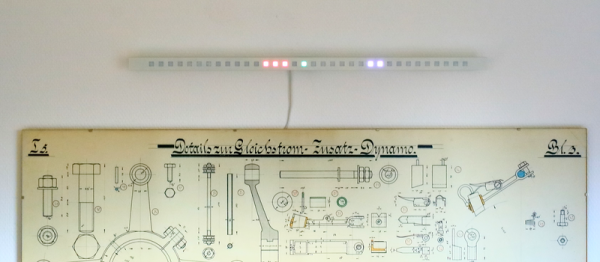
Yup, another clock project. But here, [Jan] builds something that would be more at home in a modern art museum than in the dark recesses of a hacker cave. It’s not hard to read the time at all, it’s accurate, and it’s beautiful. It’s a linear RGB LED wall clock.

7512951486134540347You won’t have to learn the resistor color codes or bizarre binary encodings to tell what time it is. There are no glitzy graphics here, or modified classic timepieces. This project is minimal, clean, and elegant. Twelve LEDs display the hours, six and nine LEDs take care of the minutes in add-em-up-coded decimal. (It’s 3:12 in the banner image.)

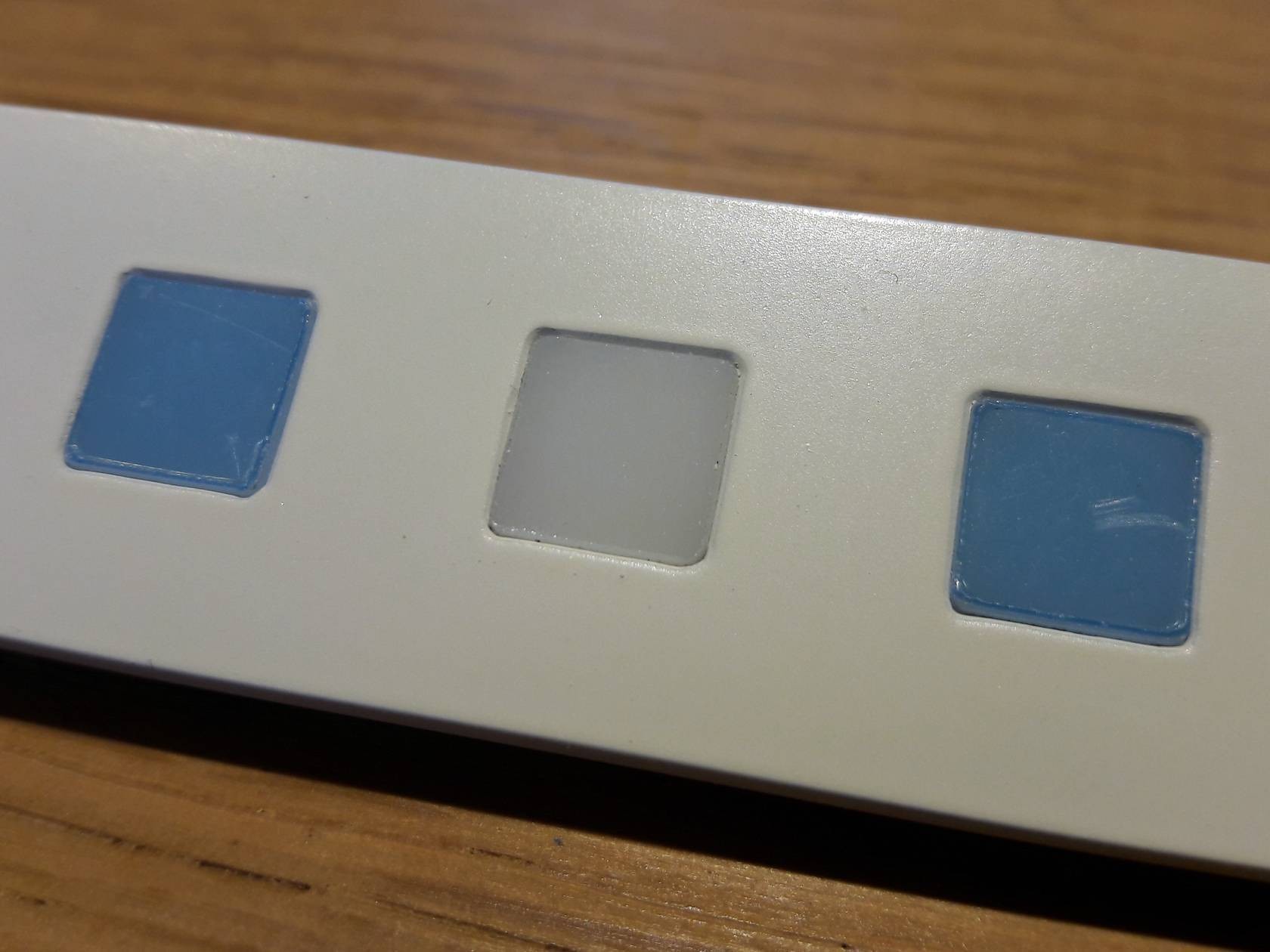
The technical details are straightforward: WS2812 LEDs, an Arduino, three buttons, and a RTC. You could figure that out by yourself. But go look through the log about building the nice diffusing plexi and a very clean wall-mounting solution. It’s the details that separate this build from what’s hanging on our office wall. Nice job, [Jan].

Cheap LCD TV Gets Cheaper Fix

Most hacks need some fair bit of skill and knowledge if you want to come out successful at the other end. Others, you just plunge in blindly with a “heck, it’s already broken so I can’t make it any worse” attitude. Throwing caution to the wind, you dive in, rip things up, and see if you can manage to catch the bull by the horns.

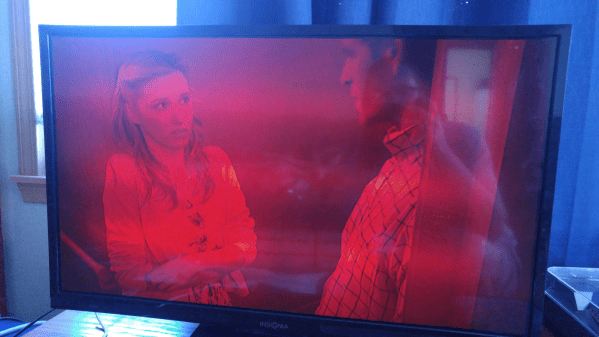
[Jim]’s cheap LCD TV, barely a few years old, died. It was purchased from the store whose blue polo-shirted cashiers can drive you nuts with their incessant questions. [Jim] just rolled up his sleeves and rather haphazardly managed to fix his TV while adding an extra feature along the way.

His initial check confirmed that the LCD panel worked. Using a flashlight, he could see that the panel was displaying video which meant it was the backlight that wasn’t working. Opening up the TV, he located the LED driver board whose output turned out to be zero volts. [Jim] happened to have a lot of WS2812B strips lying around, along with their power supplies and RGB color controllers. The obvious solution was to ditch the existing LEDs and power supply and use the WS2812B strips.

Surprisingly, the original backlight consisted of just 21 LEDs arranged in three rows. He ripped those out, put in the WS2812B strips, and taped the jumble of wires out of sight. After putting it back together, [Jim] was happy to see it worked, although the new strips were not as bright as the old ones, causing some uneven light bands. He solved this by adding a few more strips of LEDs. It took him a couple of hours to fix his TV, but by the end of it, he had a TV whose backlight could be adjusted to any color using the external color controllers — although we’re not too sure what good that would be.