Get Creative With This ESP8266 Photography Light

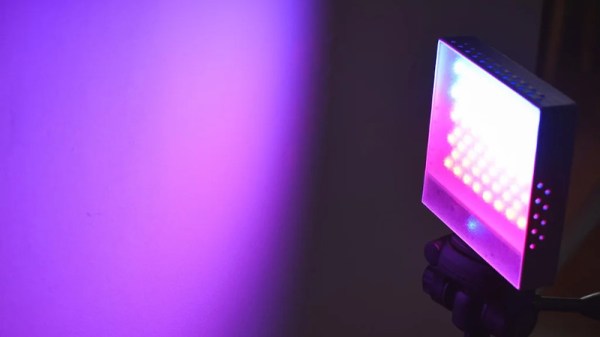
In today’s fast-paced world of social media, if you want your photos to grab attention, you’ve got to have an edge. Whether it’s a deft touch in Photoshop or an amazing lens, it’s important to stand apart. Another great way is to experiment with lighting and color. To do just that, [Andrei] built a pocket RGB photo light for the home studio.

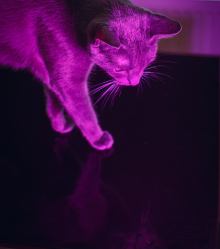
[Andrei]’s cat models for the camera.
This is a project that any experienced maker should be able to whip up in a weekend. Not that there’s anything wrong with that, of course. The basic enclosure is 3D printed and readily reproducible on any FDM printer. Lighting is provided via the venerable WS2812B LED, 68 of them, to be exact. Finally there’s an ESP8266 running WLED, a webserver for the platform that’s dedicated to controlling LED strips. This makes it easy to tweak the LEDs with your smartphone.

Thanks to the WS2812Bs LEDs, a full range of RGB colors are available for [Andrei] to experiment with. He’s done a great job showing off the light with a few choice cat pics that serve to show its capabilities. While we wouldn’t expect to use such a device for clean white lighting in a serious photographic sense, it’s a perfect tool for art photography.

We’ve covered other studio light builds before, too. Video after the break.

Continue reading “Get Creative With This ESP8266 Photography Light”

Abused Hard Drive Becomes POV Clock

We all know that there’s not much to do with an old hard drive. Once you render the platters unreadable and perhaps harvest those powerful magnets, there’s not much left of interest. Unless, of course, you turn the whole thing into a persistence-of-vision clock.

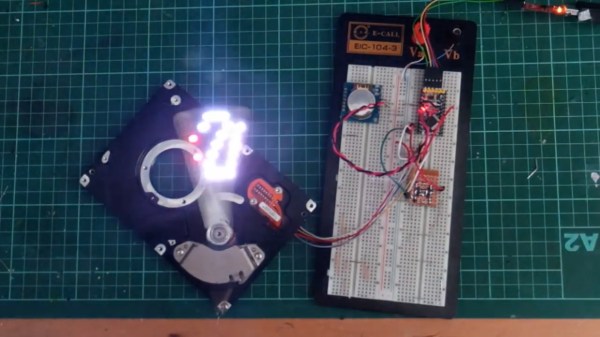
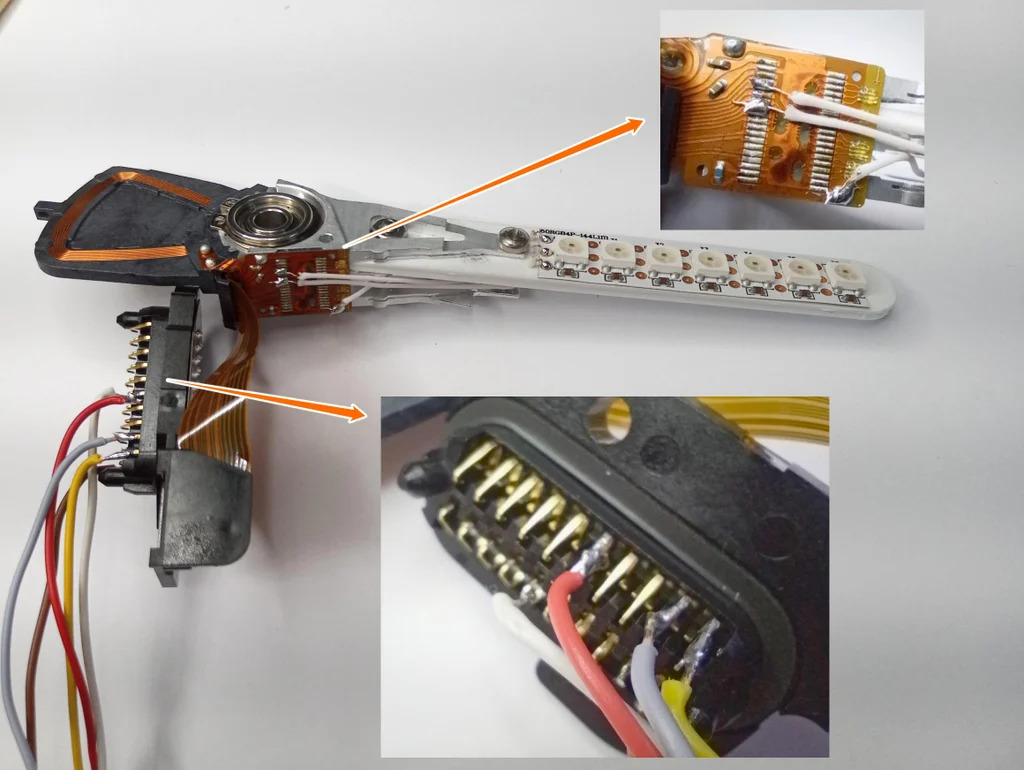
At least that’s what [Leo] did when he created “PendoLux”. The clock itself is pretty simple; like any POV project, it just requires a way to move an array of flashing LEDs back and forth rapidly enough that they can trick the eye into seeing a solid image. [Leo] put the read head mechanism of an old HDD into use for that, after stripping the platters and motor out of it first.

The voice coil and magnet of the head arm are left intact, while a 3D-printed arm carrying seven RGB LEDs replaces the old heads. [Leo] added a small spring to return the arm to a neutral position, and used an Arduino to drive the coil and flash the LEDs. Getting the timing just right was a matter of trial and error; he also needed to eschew the standard LED libraries because of his heavy use of interrupts and used direct addressing instead.

POV clocks may have dropped out of style lately — this hard drive POV clock and a CD-ROM version were posted years ago. But [Leo]’s clock is pretty good looking even for a work in progress, so maybe the style will be making a comeback.

Continue reading “Abused Hard Drive Becomes POV Clock”

RGB LED Shutter Shades

[splat238] is back at it again with another cool RGB LED display project. We were contemplating whether or not our readers have had enough of these over the last few weeks, but we’ve learned over the years that you can never have too many LED projects.

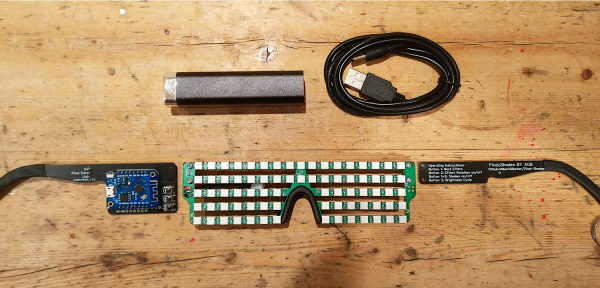
Instead of making a cool mask like we’ve covered before, [splat238] decided to trick-out some shutter shades. What’s really cool is he used the PCB itself as the frame, similar to another hack we’ve seen, which we’re sure also made his design process that much more convenient.

[splat238] got his boards pre-assembled since it would be really difficult to solder all those LEDs by hand. There are 76 of them in this design. It’s pretty helpful that he walks the reader through how to get the boards assembled, providing information on reliable fabrication and assembly houses that he’s had good experiences with. Pretty solid information if you don’t already have a go-to one-stop-house or have never designed for assembly before.

The glasses use an ESP8266-based microcontroller since it has plenty of space for storing LED patterns and has the potential benefit of including WiFi control in later revisions. However, we think you’ll be pretty happy with simply toggling through the patterns with a simple pushbutton.

The LEDs use a whopping 2.5 A at maximum and rely on an external power bank, so you’ll probably want to be really careful wearing this over an extended period of time. Maybe consider doing a bit of PWM to help reduce power consumption.

Another cool project [splat238]! Keep them coming. Continue reading “RGB LED Shutter Shades”

A Face Mask That’s Functional And Hacker-Certified

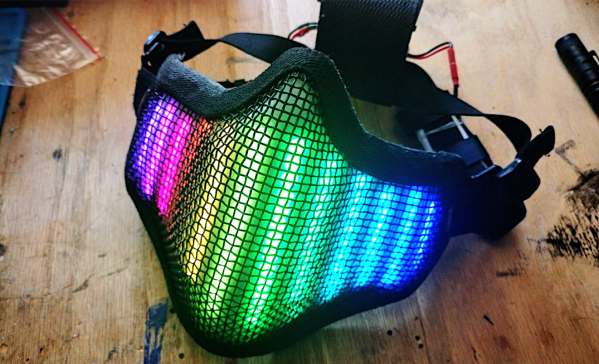
[splat238] needed a mask for going out in public, but wanted something that fit his personal style a bit better than the cloth masks everyone else was wearing. So, he upcycled his old airsoft mesh mask using an impressive 104 NeoPixels to create his NeoPixel LED Face Mask.

The NeoPixels are based on the popular WS2812b LEDs. These are individually addressable RGB LEDs with a pretty impressive glow. [splat238] purchased a 144 NeoPixel strip to avoid having to solder each of those 104 NeoPixels one-by-one. He cut the 144-LED strip into smaller segments to help fit the LEDs around the mask. He then soldered the power and data lines together so that he could still control the LEDs as if they were one strip and not the several segments he cut them into. He needed a pretty bulky battery pack to power the whole thing. You can imagine how much power 104 RGB LEDs would need to run. We recommend adding a battery protection circuit next time as these LEDs probably draw a hefty amount of current.

He designed his own controller board featuring an ESP8266 microcontroller. Given its sizable internal memory, the ESP8266 makes it easy to store a variety of LED patterns without worrying about running out of programming space. He’s also hoping to add some WiFi features in later revisions of his mask, so the ESP8266 is a no-brainer. Additionally, his controller board features three pushbuttons that allow him to toggle through different LED patterns on the fly.

Cool project [splat238]! Looking forward to the WiFi version.

Continue reading “A Face Mask That’s Functional And Hacker-Certified”

Color Your Workspace, Calm Your Mind

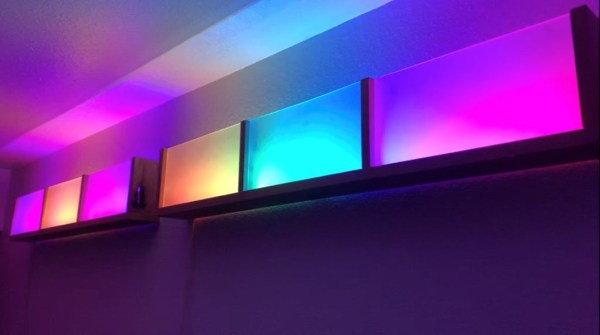
Every day, it seems to get harder and harder to relax and unwind. A person can only take so many lava-hot showers before they start cutting into work time. Listening to music is a wonderful option, but it can be difficult to find something to listen to that’s soothing without being disruptive. So what else can we try? Oh yes, blinkenlights. Frosted, glowing blinkenlights that bathe the room in color. Ahhhh.

There’s something about those enclosures that completes these so well. [ChrisParkerTech] used Alder wood sprayed with clear coat, which gives them a delightfully clean mid-century look. We also dig the lack of ceiling and unfinished top edge, because it gives the leaking light a bit of infinity pool mystique.

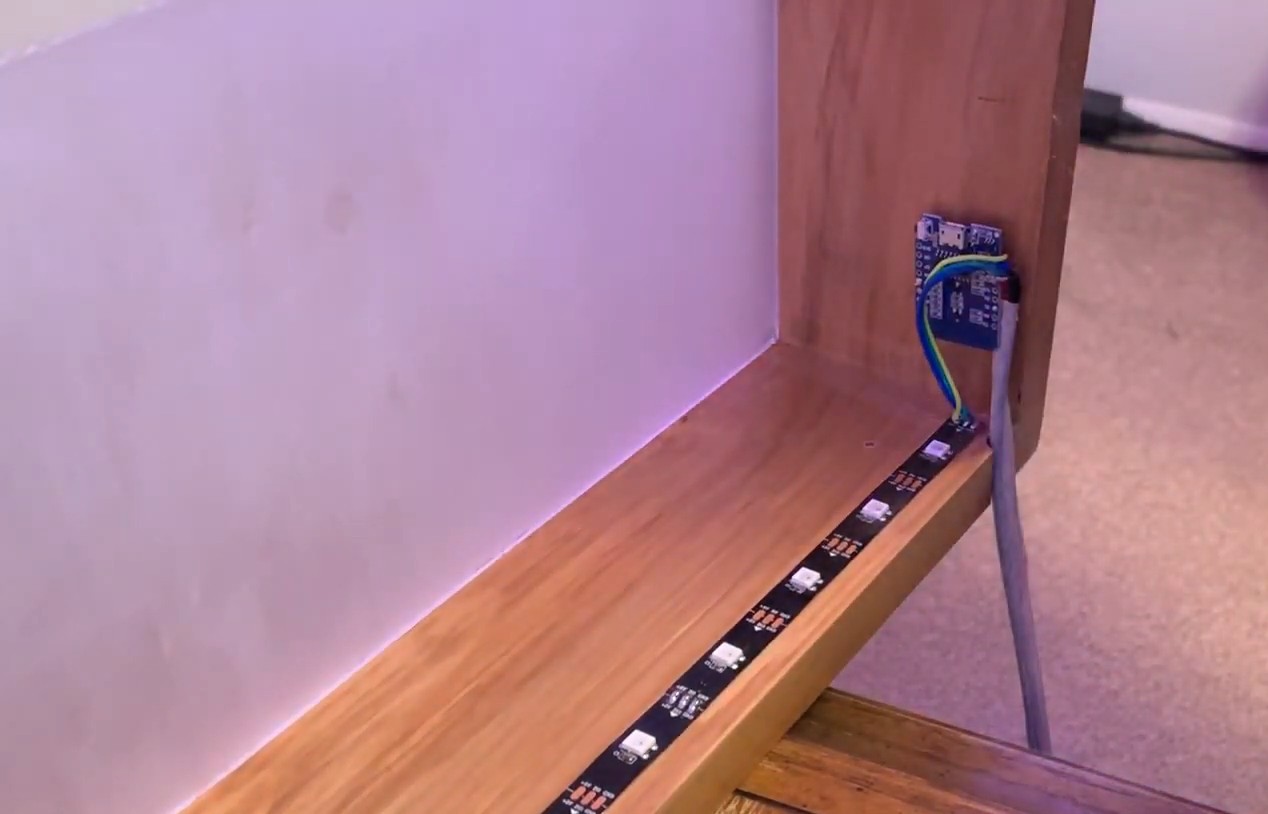
Of course, these wouldn’t be much of a relaxation tool if you have to get up up from your couch, chair, or bean bag every time you want to adjust them. Each strip is connected to a Wemos D1 mini, so [Chris] can control them with his phone via WLED, or make Alexa do it. Check out the build video after the break.

If you really love LEDs, don’t leave home without them. Show the world how you feel with a stylish LED hat.

Continue reading “Color Your Workspace, Calm Your Mind”

Multi-Volume Knob Gives All Your Programs A Turn

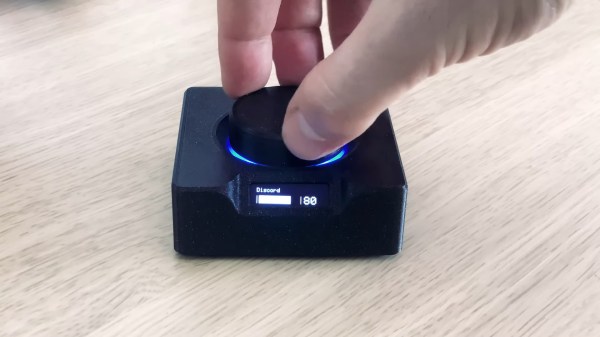
We’ve all been there. You’re manning the battle station, deep in the sim-racing or some other n00b-pwning zone and suddenly some loudmouth blows out your eardrums over Discord. It’s insulting to have to stop what you’re doing to find the right Windows volume slider. So why do that? Build [T3knomanzer]’s simple yet elegant multi-volume knob and stay zen in the zone.

It’s easy, just turn the knob to cycle through your programs until Discord comes up on the little screen, and then push down to change it into a volume knob. If you need to change another volume, just click it again. Since there’s no Alt+Tabbing out to the desktop, no checkered flags should ever slip through your fingers.

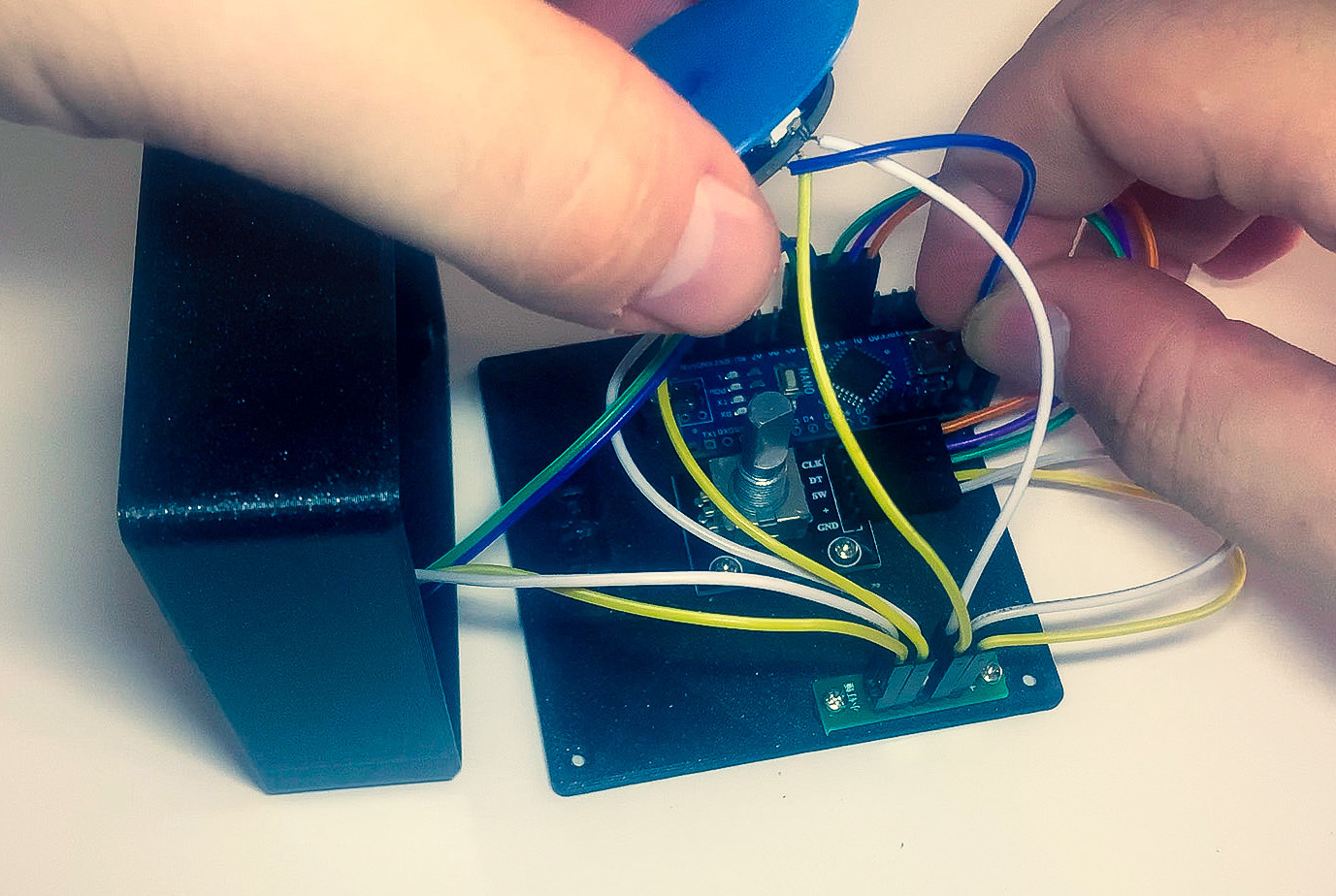
Inside the well-designed case you’ll find the usual suspects — Arduino Nano, rotary encoder, an OLED display, and an LED ring, each with their own place carved out.

This completely open-source knob looks great, and we love that it’s been made incredibly easy to replicate by standing up a site with foolproof, well-depicted, step-by-step instructions. Watch them take it for a spin after the break.

Want more than volume at your fingertips? Here’s a DIY USB knob that does shortcuts, too.

Continue reading “Multi-Volume Knob Gives All Your Programs A Turn”

Get The Party Started With A Mesh WiFi Light Show

Wildly blinking LEDs may not be the ideal lighting for the average office environment, but they’ll surely spice up any party. And since a party without music is just a meeting, having both synced up is a great way to set the mood. Sure, you could simply roll out your standard LED strip instead, but that gets a bit boring, and also a bit tricky if you want to light up several places the same way. [Gerrit] might have built the perfect solution though, with his (mu)sic (R)eactive (Li)ghts, or muRLi, which are a set of individual lights that synchronize a programmable pattern over WiFi.

The system consists of muRLi itself as the base station that defines and sends the light pattern through WebSockets, and several muRLi Nodes that house a set of WS2812B LEDs to receive and display it. Both are built around a Wemos D1 Mini configured to set up a WiFi mesh network, and depending what’s in reach, the nodes connect either to the base station or other nodes, giving the system definitely enough reach for any location size. The music is picked up by a MAX4466-amplified microphone inside the base station — adding some more flexibility to positioning the system — and analyzed for volume and audio spectrum, which is also shown on an OLED.

The best part however is how the light patterns are programmed. Instead of hard-coding it into the firmware, [Gerrit] went for a modular approach with little ROM cartridges to plug into the muRLi base station. The cartridge itself contains just an I2C EEPROM, storing JavaScript code that is interpreted by the firmware using mJS. The scripts have access to the analyzed audio data and amount of LEDs within the network, and can dynamically generate the patterns as needed that way. Everything is neatly housed in 3D-printed enclosures, with all the design and source files available on the project’s GitHub page — but see for yourself in the video after the break.

If you don’t care about the wireless part but enjoy light synced up with music, have a look at a plain MIDI solution for that. As for [Gerrit], we’re definitely looking forward to seeing his next endeavor one day, since we also enjoyed his last one.

Continue reading “Get The Party Started With A Mesh WiFi Light Show”