Compiling Your Own Programs For The ESP8266

When the ESP8266 was first announced to the world, we were shocked that someone was able to make a cheap, accessible UART to WiFi bridge. Until we get some spectrum opened up and better hardware, this is the part you need to build an Internet of Things thing.

It didn’t stop there, though. Some extremely clever people figured out the ESP8266 had a reasonably high-power microcontroller on board, a lot of Flash, and a good amount of RAM. It looked like you could just use the ESP8266 as a controller unto itself; with this chip, all you need to do is write some code for the ESP, and you have a complete solution for your Internet connected blinking lights or WiFi enabled toaster. Whatever the hip things the cool kids are doing these days, I guess.

But how do you set up your toolchain for the ESP8266? How do you build projects? How do you even upload the thing? Yes, it’s complicated, but never fear; [CNLohr] is here to make things easy for you. He’s put together a video that goes through all the steps to getting the toolchain running, setting up the build environment, and putting some code on the ESP8266. It’s all in a git, with some video annotations.

The tutorial covers setting up the Xtensa toolchain and a patched version of GCC, GDB, and binutils. This will take a long, long time to build, but once it’s done you have a build environment for the ESP8266.

With the build environment put together, [CNLohr] then grabs the Espressif SDK from the official site, and puts together the example image. Uploading to the module requires pulling some of the pins high and some low, plugging in a USB to serial module to send the code to the module, standing well back, and pressing upload.

For his example image, [CNLohr] has a few WS2812 RGB LEDs connected to the ESP8266 WiFi module. Uploading the image turns the LEDs into something controllable with UDP packets on port 7777. It’s exactly what you want in a programmable, WiFi chip, and just the beginning of what can be done with this very cool module.

If you’re looking around for some sort of dev board with an ESP8266 on it, [Mathieu] has been playing around with some cool boards, and we’ve been looking into making a Hackaday version to sell in the store. The Hackaday version probably won’t happen because FCC.

Continue reading “Compiling Your Own Programs For The ESP8266”
The Last Week Of The Mooltipass Approacheth

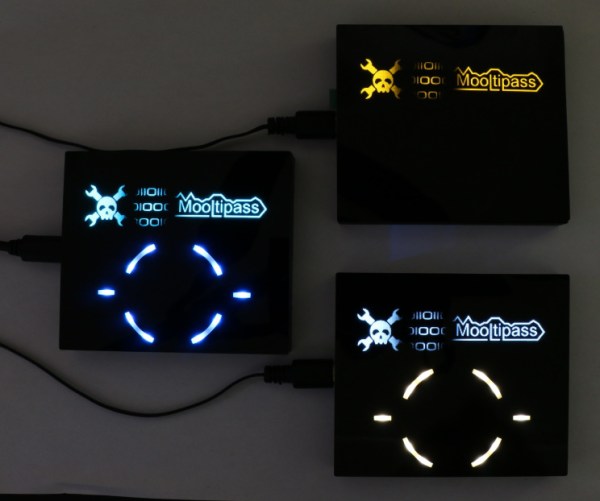
A year and two days ago, [Mathieu] started out on a quest to develop some hardware with the help of Hackaday readers. This project became known as the Mooltipass, an open source offline password keeper that’s pretty much a password management suite or Post-It notes on a monitor, except not horribly insecure.

The product has gone through multiple iterations of software, [Mathieu] flew out to China to get production started, and the project finally made it to a crowdfunding site. That crowdfunding campaign is almost over with just eight days left and just a little bit left to tip this project into production. This is the last call, all hands in, and if you’re thinking about getting one of these little secure password-storing boxes, this is the time.

You can check out the Developed on Hackaday series going over the entire development of the Mooltipass, made with input from Mooltipass contributors and Hackaday readers. The Venn diagram of those two groups overlaps a lot, making this the first piece of hardware that was developed for and by Hackaday readers.

Even if you have a fool-proof system of remembering all your passwords and login credentials, the Mooltipass is still a very cool-looking Arduino-compatible board. Note that (security device) and (Arduino thing) are two distinct operating modes that should not be conflated.

[Mathieu] and other contributors will be in the comments below, along with a bunch of ‘security researchers’ saying how this device ‘is horrifying’, ‘full of holes’, and ‘a terrible idea’. One of these sets of people have actually done research. Guess which?

Hackaday Links Column Banner

Hackaday Links: December 7, 2014

Have some .40 cal shell casings sitting around with nothing to do? How about some bullet earbuds? If you’ve ever wondered about the DIY community over at imgur, the top comment, by a large margin, is, “All of these tools would cost so much more than just buying the headphones”

Here’s something [Lewin] sent in. It’s a USB cable, with a type A connector on one end, and a type A connector on the other end. There is no circuitry anywhere in this cable. This is prohibited by the USB Implementors Forum, so if you have any idea what this thing is for, drop a note in the comments.

Attention interesting people in Boston. There’s a lecture series this Tuesday on Artificial Consciousness and Revolutionizing Medical Device Design. This is part two in a series that Hackaday writer [Gregory L. Charvat] has been working with. Talks include mixed signal ASIC design, and artificial consciousness as a state of matter. Free event, open bar, and you get to meet (other) interesting people.

Ghostbusters. It’s the 30th anniversary, and to celebrate the event [Luca] is making a custom collectors edition with the BluRay and something very special: the Lego ECTO-1.

Let’s say you need to store the number of days in each month in a program somewhere. You could look it up in the Time Zone Database, but that’s far too easy. How about a lookup table, or just a freakin’ array with 12 entries? What is this, amateur hour? No, the proper way of remembering the number of days in each month is some bizarre piece-wise function. It is: f(x) = 28 + (x + ⌊x8⌋) mod 2 + 2 mod x + 2 ⌊1x⌋. At least the comments are interesting.

Arduinos were sold in the 70s! Shocking, yes, but don’t worry, time travel was involved. Here’s a still from Predestination, in theatres Jan 9, rated R, hail corporate.

An Expanding Wooden Table

A few years ago, the world of fine woodworking was presented with the Fletcher Capstan table. It’s a round table, able to expand its diameter merely by rotating the top. A gloriously engineered bit of mechanics move the leaves of the tables out while simultaneously raising the inner part of the table. It’s a seriously cool table, very expensive, and something that will probably be found in museums 100 years from now.

[Scott Rumschlag] thought his woodworking skills were up to the task of creating one of these expanding tables and managed to build one in his workshop. Like the Fletcher Capstan table, it’s a table that increases its diameter simply by rotating the table top. Unlike the commercial offering, this one doesn’t cost as much as a car, and you can actually see the internal mechanism inside this table.

The top of [Scott]’s table is made of three pieces. The quarter-circle pieces are the only thing showing when the table is in its minimum position, and are arranged on the top of the ‘leaf stack’. When the table expands, four additional leaves move up from beneath with the help of a linear bearing made of wood and a roller that slides along the base of this mechanical contraption.

The center of the table – the star – is a bit more difficult to design. While the leaves move up the stack of table tops with the help of a ramp, this is an impractical solution for something so close to the center of the table. Instead of a ramp, [Scott] is using a lifting lever and metal hinge that brings the star of the table up to the right level. Even though it’s a crazy amount of woodworking and fine tuning to get everything right, it’s not too terribly difficult to get your head around.

Videos, including one of the assembly of the table, below.

Continue reading “An Expanding Wooden Table”

Scanning On The Cheap

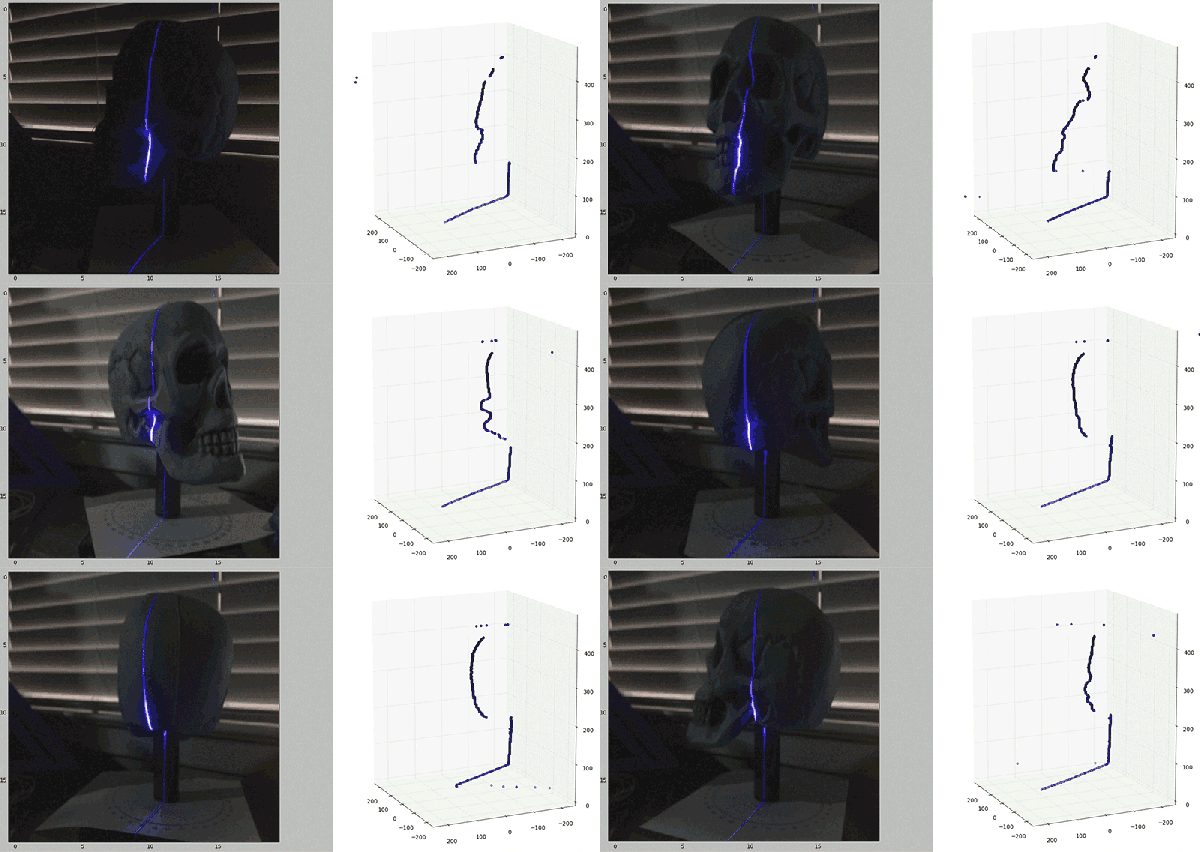
[Will] recently stumbled across the MakerBot Digitizer, a device that’s basically a webcam and a turntable that will turn a small object into a point cloud that can then be printed off on a MakerBotⓇ 3D printer. Or any other 3D printer, for that matter. The MakerBot Digitizer costs $800, and [Will] wondered if he could construct a cheaper 3D scanner with stuff sitting around his house. It turns out, he can get pretty close using only a computer, a webcam, and a Black and Decker line laser/level.

The build started off with a webcam mounted right next to the laser line level. Software consisted of Python using OpenCV, numpy, and matplotlib to grab images from the webcam. The software looks at each frame of video for the path of the laser shining against the object to be scanned. This line is then extracted into a 3D point cloud and reconstructed in MeshLab to produce a 3D object that might or might not be 3D printable.

This is only [Will]’s first attempt at creating a scanner. He’s not even using a turntable with this project – merely manually rotating the object one degree for 360 individual frames. It’s extremely tedious, and he’ll be working on incorporating a stepper motor in a future version.

This is only attempt number 1, but already [Will] has a passable scanned object created from a real-world thing.

Chaos Computer Club (and Hackaday) Blocked By British Porn Filters

The Chaos Computer Club, Europe’s largest association of hackers and hackerspaces, has been blocked by several UK ISPs as part of a government filter to block adult content.

Since July, 2013, large UK ISPs have been tasked with implementing what has been dubbed the Great Firewall of Britain, a filter that blocks adult content, content related to alcohol, drugs, and smoking, and opinions deemed ‘extremist’ by the government. This is an opt-out filter; while it does filter out content deemed ‘unacceptable’, Internet subscribers are able to opt out of the filter by contacting their ISP.

Originally envisioned as a porn filter, and recently updated with list of banned sexual acts including spanking, aggressive whipping, role-playing as non-adults, and humiliation, the British Internet filter has seen more esoteric content blocked from British shores. Objectionable material such as, “anorexia and eating disorder websites,” “web forums,” “web blocking circumvention tools”, and the oddly categorized, “esoteric material” are also included in the filter.

A site built by the Open Rights Group is currently tracking which ISPs blocking which domains. http://ccc.de is currently blocked by ISPs Three and Vodafone. Interestingly, this site – Hackaday – is blocked by the ‘Moderate’ British Telecom filter. The ‘Light’ BT filter – and all other British ISPs – still somehow let Hackaday through, despite posts about building shotguns cropping up from time to time.

UPDATE: Upon reflection, it comes to my attention that Brits have a choice of ISP.

HackRF Blue

For anyone getting into the world of Software Defined Radio, the first purchase should be an RTL-SDR TV tuner. With a cheap, $20 USB TV tuner, you can listen to just about anything between 50 and 1750 MHz. You can’t send, the sample rate isn’t that great, but this USB dongle gives you everything you need to begin your explorations of the radio spectrum.

Your second Software Defined Radio purchase is a matter of contention. There are a lot of options out there for expanding a rig, and the HackRF is a serious contender to expand an SDR rig. You get 10 MHz to 6 Gigahertz operating frequency, 20 million samples per second, and the ability to transmit. You have your license, right?

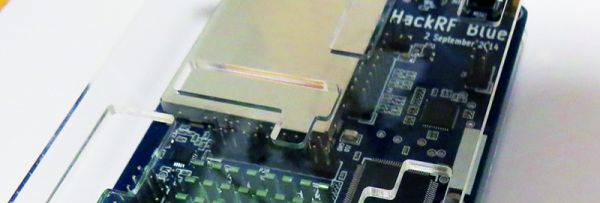
Unfortunately the HackRF is a little expensive and is unavailable everywhere. [Gareth] is leading the charge and producing the HackRF Blue, a cost-reduced version of the HackRF designed by [Michael Ossmann].

The HackRF Blue’s feature set is virtually identical, and the RF performance is basically the same: both the Blue and the HackRF One can get data from 125kHz RFID cards. All software and firmware is interchangeable. If you were waiting on another run of the HackRF, here ‘ya go.

[Gareth] and the HackRF Blue team are doing something rather interesting with their crowdfunding campaign: they’re giving away Blues to underprivileged hackerspaces, with hackerspaces from Togo, Bosnia, Iran, India, and Detroit slated to get a HackRF Blue if the campaign succeeds.

Thanks [Praetorian] and [Brendan] for sending this in.

Continue reading “HackRF Blue”