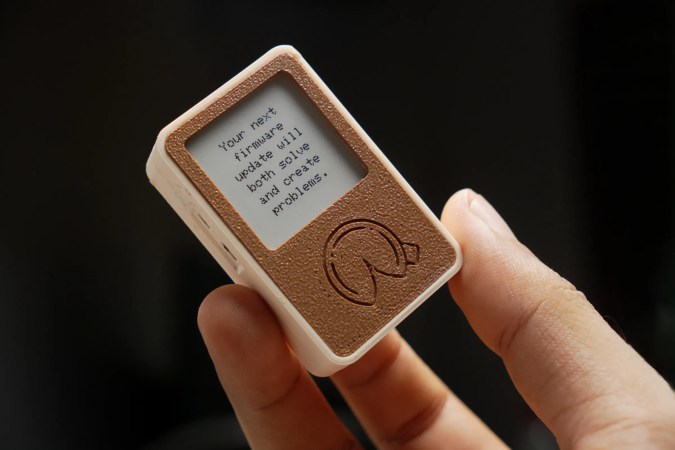
A tiny, rectangular, 3D-printed box with an e-paper display and a fortune cookie design beneath it. The fortune reads: "Your next firmware update will both solve and create problems."

E-Fortune Cookie Will Humble, But Never Crumble

Will your next project be a success? Only time will tell, but if you build [gokux]’s tiny ESP32 fortune cookie, we predict that, at the very least, there won’t be any crumbs involved.

After briefly entertaining the idea of shoving an ESP32 in a standard fortune cookie, [gokux] thought better of it and came up with this instead. Once shaken, this small gadget displays a fortune on its e-paper screen. It can store over 3,000 fortunes and works entirely offline, so you’re never without an oracle.

Inside you’ll find a Seeed Xiao ESP32-S3 Plus and a matching e-paper display board. [gokux] is detecting the shakes with an MPU-6050 accelerometer, and powers everything with a small Li-Po pouch.

If you tire of the fortunes that shake out, the small buttons on the left side will get you into the other modes, which are a dice roller and a coin flipper. Again, you just shake the thing until you get what you want. Be sure to check it out in the video after the break.

Want to know how an MPU-6050 works, and what it looks like under the hood? Yeah, we thought so.

Continue reading “E-Fortune Cookie Will Humble, But Never Crumble”
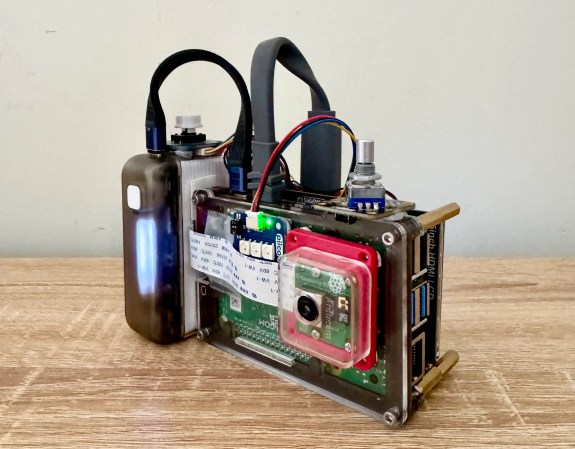
A Raspberry Pi-powered glitch camera, with adjustable glitch.

Easy-ish Glitch Camera? There’s A Pi 4 That

Usually, when you want to make glitchy images with lots of colors and things, you have to poke around inside a camera and successfully circuit-bend the thing without bricking it. But [sharkbiscuit101] proves that this isn’t necessary, provided you have a Raspberry Pi 4 and a few other components.

Now we don’t have a lot of detail here, but [sharkbiscuit101] is being heavily encouraged to share the relevant files and a component list. What we do know is that the there’s a screen for previewing images, a portable battery, a shutter button, a rotary encoder to dial in the weirdness, and a game pad for controls. Using the script and a slider, you can tweak different aspects of the image to basically break it down in real time. If you find a nifty combination, you can use the rotary encoder to save and then recall presets.

If you’re wondering about the grip, that’s a Sharge battery from the Bezos Barn. Per [sharkbiscuit101], it is a good size, and since Pi 4 doesn’t have a power button, it can be turned on and off at the battery.

Of course, you can always mess with JPGs on a raw, textual level instead, or produce standard photographs with a pinhole camera.

Hackaday Podcast Episode 368: A Pen That Draws Against You, 3D Printing Stuff, And Tablet, Shmablet!

This week, Hackaday’s Elliot Williams and Kristina Panos met up over the international tubes to bring you the latest news, mystery sound results show, and of course, a big bunch of hacks from the previous seven days or so.

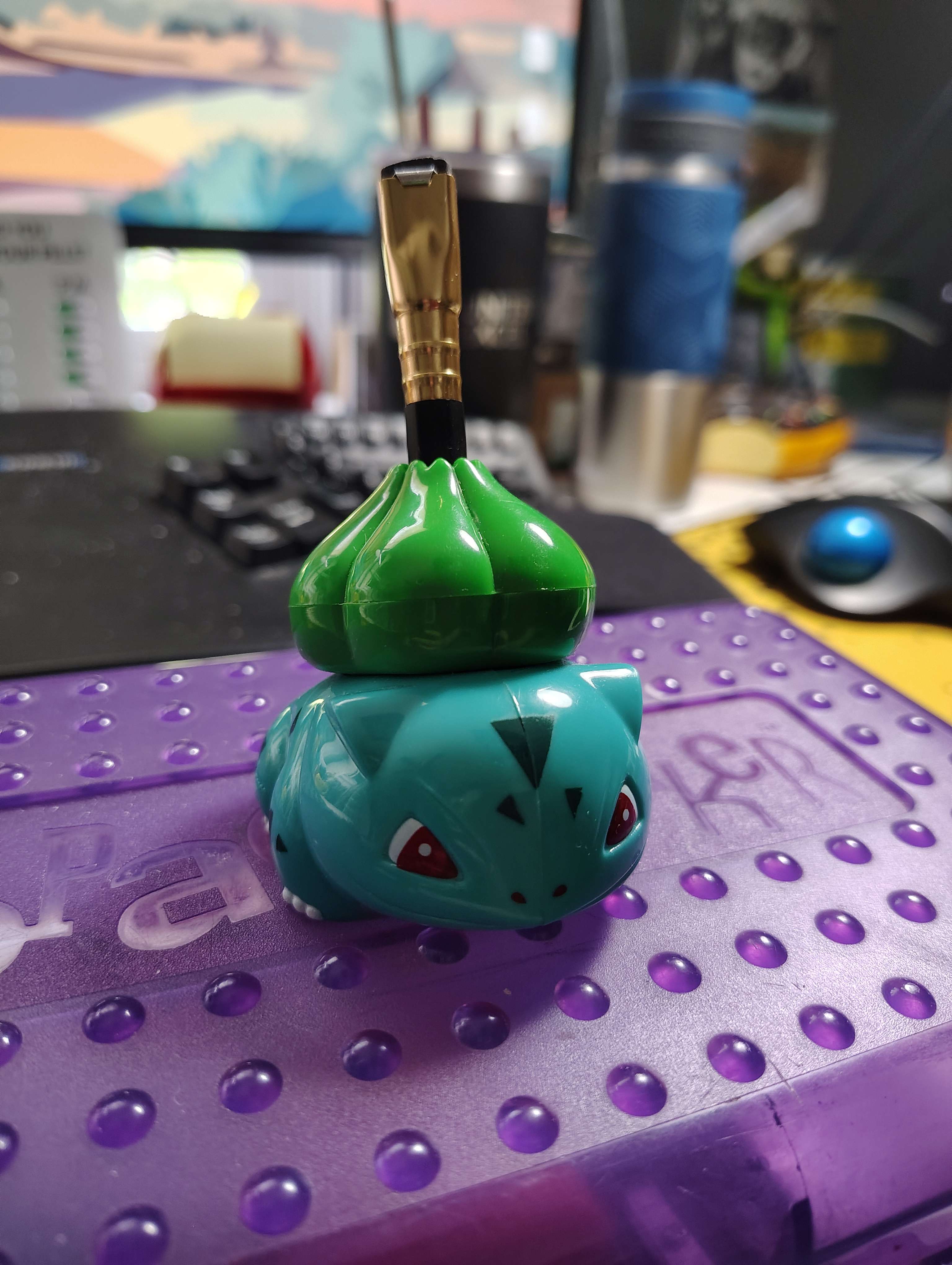
A Bulbasaur pencil sharpener from 1999.Regarding Hackaday Europe, we announced the last round of speakers and opened up the workshop ticket sales. In other news, the Green-Powered Challenge has wrapped, and judging will begin quite soon.

On What’s That Sound, we can score another one for Kristina, which brings her record to approximately four wins and sixty-eight losses. She knew without a doubt that this was a guillotine paper cutter, probably because she recorded the sound herself. Hey, don’t take this away from her.

After that, it’s on to the hacks, beginning with a really cool laser-powered mist-and-mirrors multi-view display, a robotic drawing assistant of questionable utility, and a new slicer that enables horizontal overhangs without supports.

We also look at a trackball 3D controller, a 3D-printed pinball machine, and a good way to kill humidity sensors with humidity. Finally, we’re both shocked to learn that we’ve been on GPS mk. II for some time now. But then once we get over that, we talk tablets and their usefulness, or lack thereof.

Check out the links below if you want to follow along, and as always, tell us what you think about this episode in the comments!

Download in DRM-free MP3 and savor at your leisure.

Continue reading “Hackaday Podcast Episode 368: A Pen That Draws Against You, 3D Printing Stuff, And Tablet, Shmablet!”

A wearable circuit sculpture in the form of a smart bracelet that shows daily to-dos.

Wearable Circuit Sculpture Is One Smart Bracelet

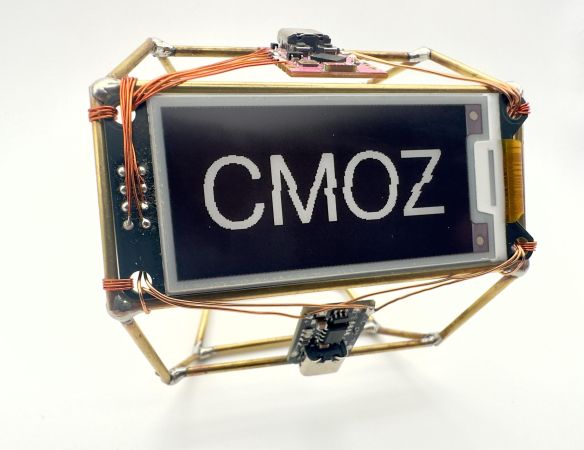
Well, this might just be a Hackaday first. Certainly not the circuit sculpture part, nor the wearable aspect, but the glorious combination of the two. Behold [CMoz]’s Fashionably on Task: a Smart Bracelet for Forgetfulness. The name may be long, but the intent is concise: to showcase your top five must-dos for the day.

This lovely bracelet uses a tri-color e-paper display, and it’s WiFi enabled in order to receive input from the corresponding phone app. Although the cute pink ESP32-C3 is programmed in PlatformIO, the code will work with the Arduino IDE as well.

To get down to business, just power on the bracelet. If it can’t connect to the network you’ve hard-coded, it will broadcast it’s own access point. Connect with your phone to the custom web page, and Bob’s your uncle. From here, you can enter the tasks, change the colors around, mark tasks as complete, and remove tasks or reset recurring reminders.

The nifty part is that e-paper screen, since it will of course continue to display your list once powered down. Here’s the full code. Then you can deep-dive into the graph theory of circuit sculptures.

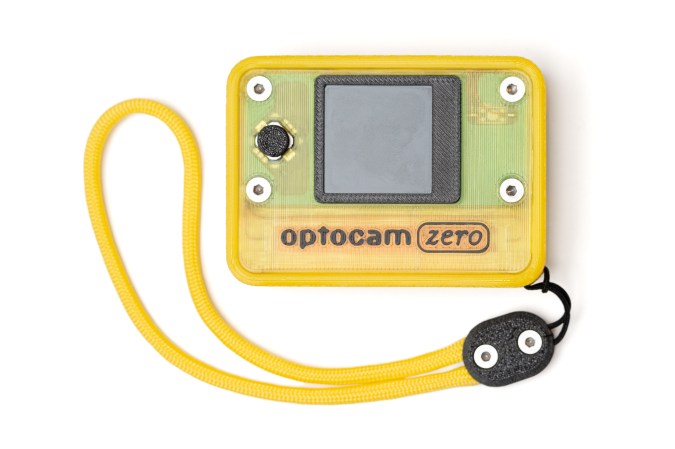
A Raspberry Pi Zero-based camera in a nice yellow case. There's a yellow lanyard, too.

Optocam Zero’s Pictures Look One Hundred

Yeah, we know, there’s a camera on your phone that does this and that. But these days its become trendy to turn towards older digital cameras in place of smartphones, and we can tell you from experience, that the joys of having a dedicated photographing contraption are many.

There’s plenty of cheap digital cameras on the secondhand market, but instead of fending off the clothes bros and other reseller types at the thrift store, stay home and build [Doruk Kumkumoğlu]’s Optocam Zero. Inspired by the Kodak Charmera and the like, [Doruk] aimed for something that’s playful, enjoyable, and intuitive to use.

Optocam Zero uses an auto-focus camera module and features eight photo filters. The screen dims when inactive to preserve battery life, but it can be charged back up with USB-C, and you can use it for the duration. And unlike my young adult camera, you don’t have to take out the SD card to see the pictures, just use the custom hotspot interface to transfer them.

Continue reading “Optocam Zero’s Pictures Look One Hundred”

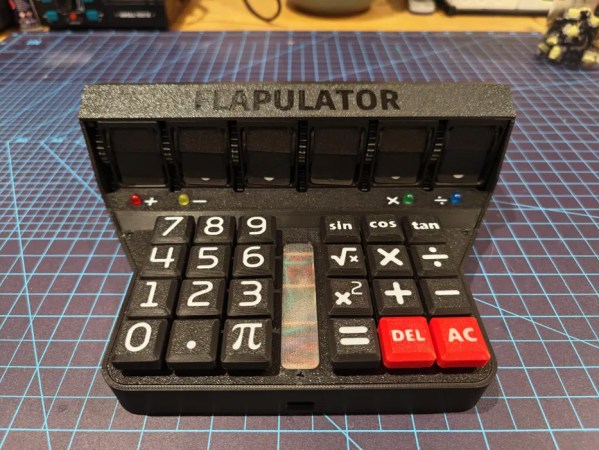
A 3D-printed, split-flap display-having calculator with a Raspberry Pi Pico inside.

By Our Calculations, You’ll Love The Flapulator

Oh sure, you’ve got calculators. There’s that phone program of course, and the one that comes with your OS, and the TI-86 and possibly RPN numbers you’ve had since high school.

But what you don’t have is a Flapulator, at least not until you build one. Possibly the be-all, end-all of physical calculating devices, the Flapulator does its calculating live on a split-flap display. It’s kind of slow and the accuracy is questionable, but the tactility is oh, so good.

This baby boasts a 6-digit display, where the decimal point and negative sign each require one digit. Inside is a Raspberry Pi Pico, which can calculate for around 4 hours on a full charge. But the coolest part (aside from the split-flap display, naturally) has got to be the 24-key, hand-wired mechanical keyboard. There’s also a couple of LEDs that light up to keep track of the current mathematical operation.

The story behind this one is kind of interesting. [Applepie1928] found out that one of their favorite mathematician-comedian-pi-lovers who is known for signing calculators was coming to town. With four weeks to whip something up, this was, amazingly, the result. Check it out in  action after the break.

Need something that’s a whole other kind of fancy? Here’s an open-source graphing calculator.

Continue reading “By Our Calculations, You’ll Love The Flapulator”

We’re All Abuzz About The Bee Write Back Writerdeck

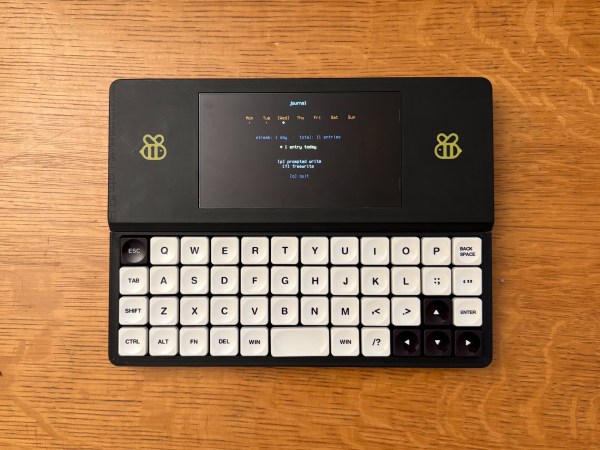
Friends, there will likely come a time in your life when you have trouble sleeping. When this happens, it may behoove you to do some writing, any kind of writing. But consider that a physical journal will force you to turn past pages you’ve already filled, which may leave you deflated if you happen to read them.

So the answer lies in a sort of journalistic deposit box. That’s basically what we have here. [Simon Shimel]’s Bee Write Back writerdeck was inspired by sleepless nights, so you know it’s effective. The form factor is so great for [Simon], in fact, that he has developed more apps and functions for it, including a Claude client.

Inside is a Raspberry Pi Zero 2w, and input comes from an Air40 keyboard with quite awesome low-profile key caps. The display is a 5.5″ AMOLED, which leaves just enough room for a pair of the cutest bees ever. Be sure to check out the short video below for the build guide to accompany the build guide (PDF), and head over to GitHub for the full details.

Want to go even smaller and BYOK? Here’s a cheap writerdeck with an e-ink display.

Continue reading “We’re All Abuzz About The Bee Write Back Writerdeck”