Guide To Mastering OpenSCAD Costs Roughly The Same As OpenSCAD

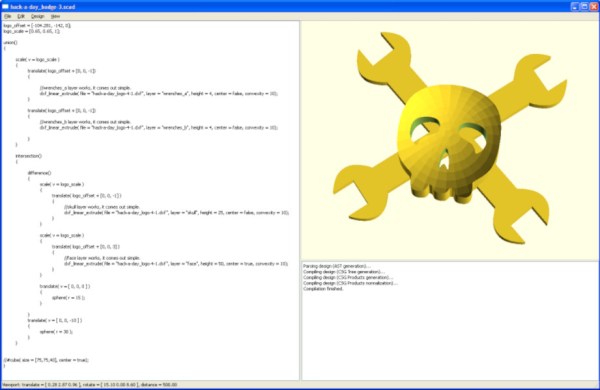
OpenSCAD is a fantastic free tool for 3D modeling, but it’s far less intuitive to use for non-programmers than mouse-driven programs such as Tinkercad. Powerful as it may be, the learning curve is pretty steep. OpenSCAD’s own clickable cheat sheet and manual comes in handy all the time, but those are really more of a reference than anything else. Never fear, because [Jochen Kerdels] had quite the productive lockdown and wrote a free comprehensive guide to mastering OpenSCAD.

[Jochen]’s book opens with a nice introduction to OpenSCAD and it’s user environment and quickly moves into 10 useful projects of increasing complexity that start with simple stuff like wall anchors and shelf brackets and ends with recursive trees.

There are plenty of printing tips along the way to help realize these projects with minimum frustration, and the book wraps up by covering extra functions not expressly used in the projects.

Of course, you could always support [Jochen]’s Herculean effort by buying the print edition and forcing yourself to type everything in instead of copy/pasting, or give it to someone to introduce them to all the program has to offer.

Need help mastering OpenSCAD workflow? We’ve got that. Just want to make some boxes or airfoils? We have those in stock, too.

Main and thumbnail images via [Devlin Thyne]
Three Ways To Detect The Silver Ball

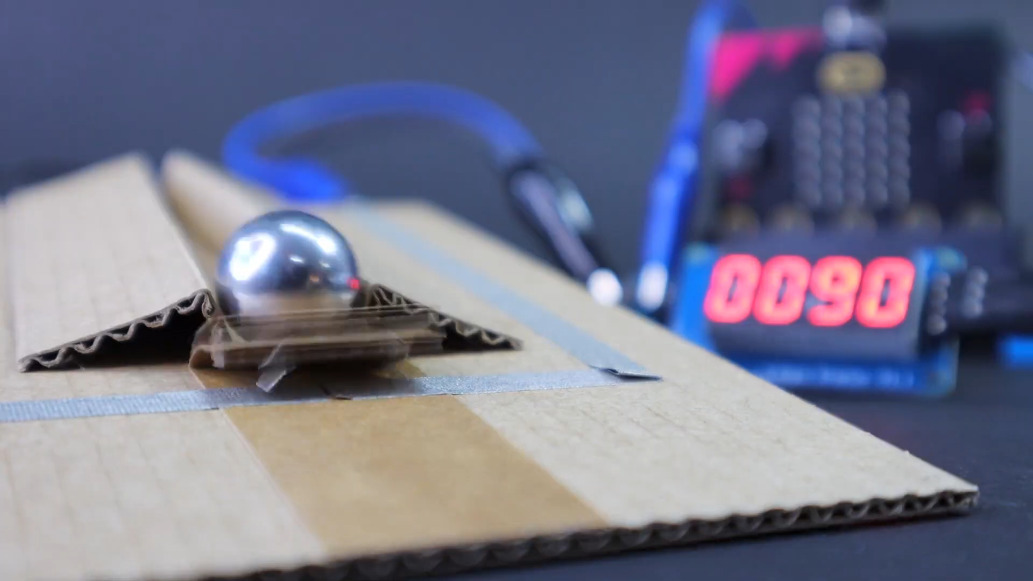
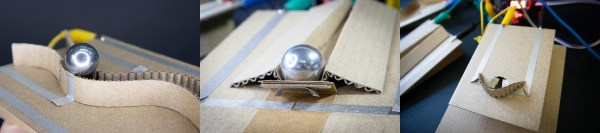
We speak from experience when we say that making pinball targets is harder than you might think. The surface area of the part of the ball that touches is oh-so-small, and you really need to have gravity on your side for best results. Luckily, [TechnoChic] did the work for us and came up with these three versatile sensor designs that would be good for any game, not just pinball. They all use fresh, pristine cardboard from the Bezos Barn and a conductive fabric tape made by Brown Dog Gadgets that they call maker tape.

With the possible exception of not being solderable (can you solder it? ours hasn’t showed up yet), maker tape is seemingly superior to copper tape because it is designed to be conductive in the Z-direction, and if you’ve ever laid out a copper tape circuit, you know that tape overlaps are pretty much par for the course.

First on the list is the track switch, which we think is pretty much necessary. After all, what fun is a pinball machine without at least one pair of rails to ride? Might as well score some points at the same time. This one looks to be the trickiest since the rails have to be consistently spaced, otherwise the ball will fall. The drawbridge target uses a cardboard hinge and the weight of the ball to force two pieces of tape together to complete the circuit.

The flappy hole target is probably our favorite because it’s the most adaptable. You could use it for all kinds of things, like getting the ball to a basement level of a pinball game, or if you want to be evil, set it up in the drain area and deduct points every time you lose the ball, or just use it to trigger the next ball to drop. This one would also be really good for something like Skee-Ball and would really keep the BoM cost down compared to say, IR break-beam targets or coin slot switches.

You can check out these sensors in a brief demo after the break, and then see how [TechnoChic] put these ideas to use in this winter-themed pinball machine we showed you a few weeks ago.

Continue reading “Three Ways To Detect The Silver Ball”

You Need An Automated Overhead Camera Assistant

It’s 2021. Everyone and their mother is filming themselves doing stuff, and a lot of it is super cool content. But since most of us have to also work the video capture devices ourselves, it can be difficult to make compelling footage with a single, stationary overhead view, especially when there are a lot of steps involved. A slider rig is a good start, but the ability to move the camera in three dimensions programmatically is really where it’s at.

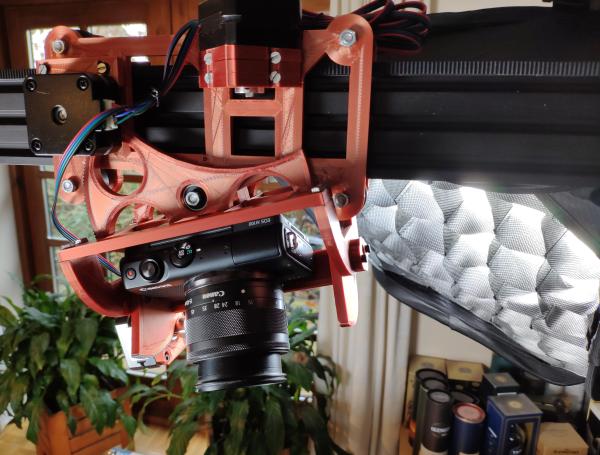
[KronBjorn]’s excellent automated overhead camera assistant runs on an Arduino Mega and is operated by typing commands in the serial monitor. It can pan ±20° from straight down and moves in three axes on NEMA-17 stepper motors. It moves really smoothly, which you can see in the videos after the break. The plastic-minimal design is interesting and reminds us a bit of an ophthalmoscope phoropter — that’s that main rig at the eye doctor. There’s only one thing that would make this better, and that’s a dedicated macro pad.

If you want to build your own, you’re in luck — there’s quite a lot of detail to this project, including a complete BOM, all the STLs, code, and even assembly videos of the 3D-printed parts and the electronics. Slide past the break to check out a couple of brief demo videos.

Not enough room for a setup like this one? Try the pantograph version.

Continue reading “You Need An Automated Overhead Camera Assistant”

Treatment Triggers Teeth To Thrive

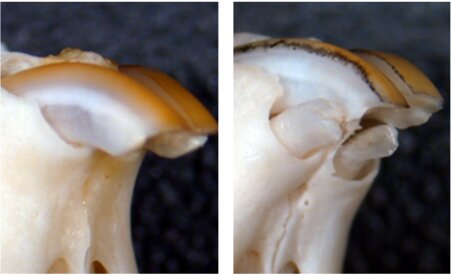
We humans like to think we’re pretty advanced, but we can’t regrow missing teeth in adulthood like sharks, alligators, and crocodiles. Once those pearly whites are gone, they’re gone for good, and we don’t even have a way to regenerate the protective enamel. However, this may not always be the case, because scientists at Kyoto University and University of Fukui in Japan have discovered a monoclonal antibody treatment that triggers tooth regeneration in laboratory mice.

Image by Katsu Takahashi/Kyoto University via Medical Express

Monoclonal antibodies are lab-fabbed molecules that act as substitute antibodies to enhance the body’s natural defenses against diseases like cancer and arthritis. These antibodies are also used to develop vaccines and treat COVID-19. In the case of cancer, monoclonal antibodies bind to antigens on cancer cells, effectively flagging them for removal, but they also do much more, such as deliver chemo and radioimmunotherapies.

By blocking the gene USAG-1, the scientists saw an increase in Bone Morphogenic Protein (BMP), which is a molecule that dictates the number of teeth a given creature will have in the first place. Because of this increase in BMP, the mice were able to regrow teeth. This proposition was a challenging one — BMP affects other aspects of development, and the early attempts did more harm than good by causing birth defects. The good news is that the treatment also worked in ferrets, whose teeth are much closer to human dentition than mice. Before moving on to human trials, the scientists will test it out on pigs and dogs. If you were given a second shot at a set of teeth, would you treat them better than the first, or even worse because you can just grow new ones again?

Speaking of pigs, it seems that pig-to-human organ transplants are on track for 2021.

BEAM-Powered, Ball-Flinging Beam Has Us Beaming

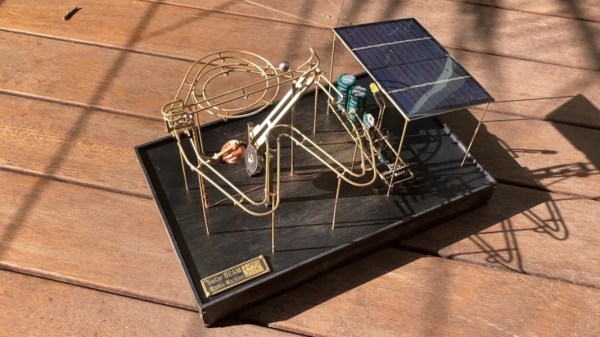
We have a soft spot for BEAM projects, because we love to see the Sun do fun things when aided by large capacitors. [NanoRobotGeek]’s marble machine is an extraordinary example — once sufficiently charged, the two 4700 μF capacitors dump power into a home-brew solenoid, which catapults the ball bearing into action toward the precipice of two tracks.

[NanoRobotGeek] started with the freely-available Suneater solar circuit. It’s a staple of BEAM robotics, slightly modified to fit the needs of this particular project. First up was verifying that the lever (or beam, if you will) principle would work at all, and [NanoRobotGeek] just built it up from there in admirable detail. The fact that it alternates between the swirly track and the zigzag track is entrancing.

There are several disciplines at play here, and we think it’s beautifully made all around, especially since this was [NanoRobotGeek]’s first foray into track bending. We love the way it flings the ball so crisply, and the track-changing lever is pretty darn satisfying, too. You can check it out in action in the video after the break.

Although this was [NanoRobotGeek]’s maiden marble track, it’s not their first circuit sculpture — check out this flapping, BEAM-powered dragonfly.

Continue reading “BEAM-Powered, Ball-Flinging Beam Has Us Beaming”

Eyecam Is Watching You In Between Blinks

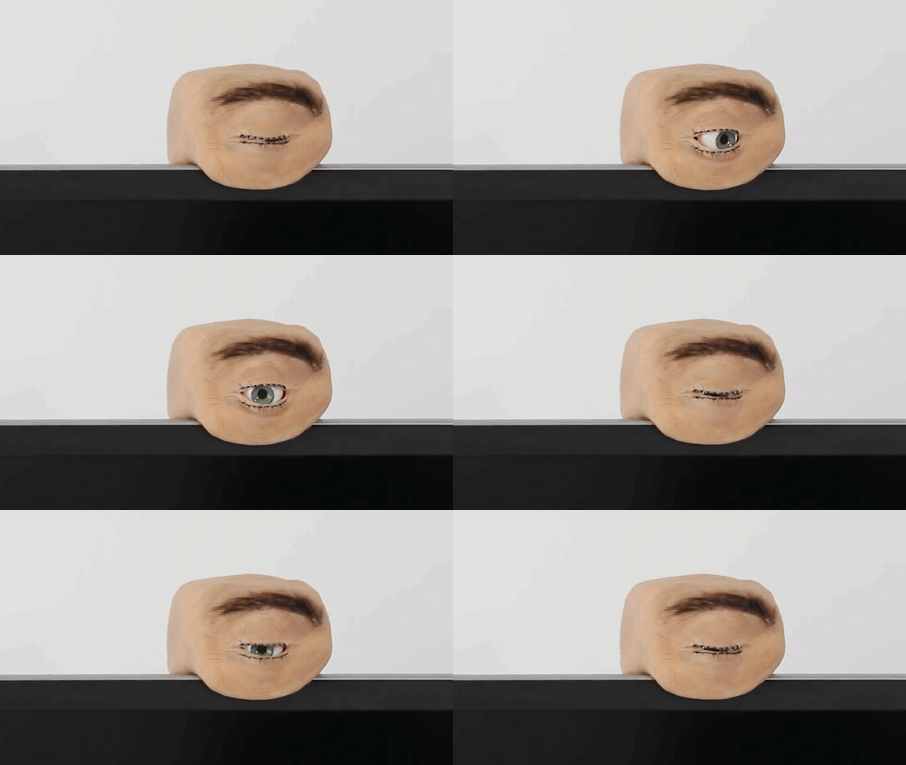
We will be the first to admit that it’s often hard to be productive while working from home, especially if no one’s ever really looking over your shoulder. Well, here is one creepy way to feel as though someone is keeping an eye on you, if that’s what gets you to straighten up and fly right. The Eyecam research project by [Marc Teyssier] et. al. is a realistic, motorized eyeball that includes a camera and hangs out on top of your computer monitor. It aims to spark conversation about the sensors that are all around us already in various cold and clinical forms. It’s an open source project with a paper and a repo and a how-to video in the works.

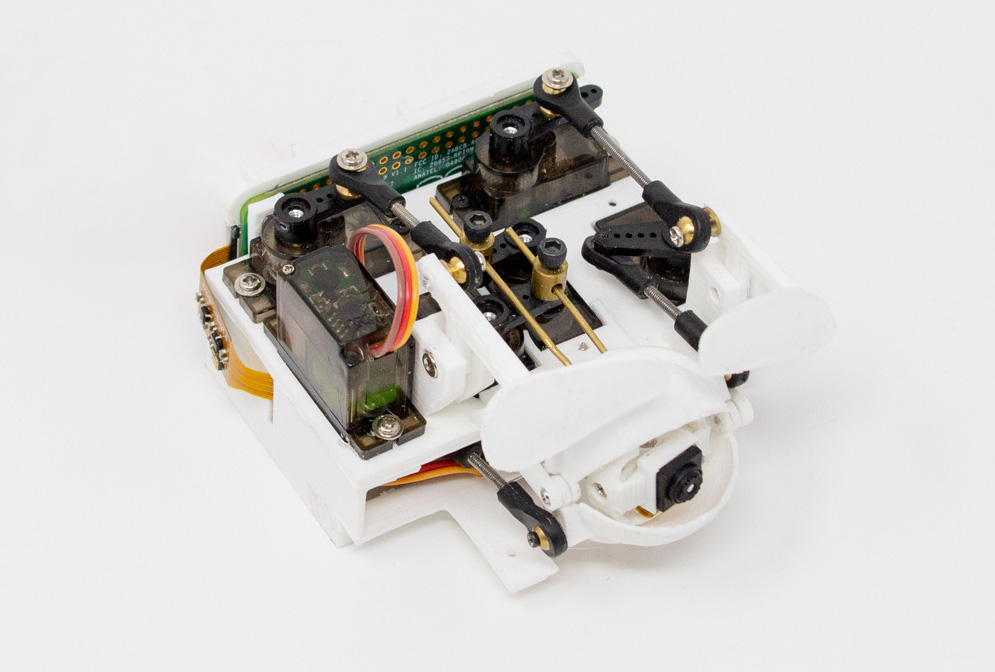
The eyebrow-raising design pulls no punches in the uncanny department: the eye behaves as you’d expect (if you could have expected this) — it blinks, looks around, and can even waggle its brow. The eyeball, brow, and eyelids are actuated by a total of six servos that are controlled by an Arduino Nano.

Inside the eyeball is a Raspberry Pi camera connected to a Raspi Zero for the web cam portion of this intriguing horror show. Keep an eye out after the break for the Eyecam infomercial.

Creepy or fascinating, it succeeds in making people think about the vast amount of sensors around us now, and what the future of them could look like. Would mimicking eye contact be an improvement over the standard black and gray oblong eye? Perhaps a pair of eyes would be less unsettling, we’re not really sure. But we are left to wonder what’s next, a microphone that looks like an ear? Probably. Will it have hair sprouting from it? Perhaps.

Yeah, it’s true; two eyes are more on the mesmerizing side, but still creepy, especially when they follow you around the room and can shoot frickin’ laser beams.

Continue reading “Eyecam Is Watching You In Between Blinks”

Someone Get This Minimalist Wooden PC A Martini

It’s interesting to imagine what computers may have looked like throughout different time periods that precede their portability or even their existence altogether. In the 1950s and ’60s, computers still filled entire rooms, but if the age of the PC had arrived earlier one is left to wonder what might a minimalist mid-century PC might look like.

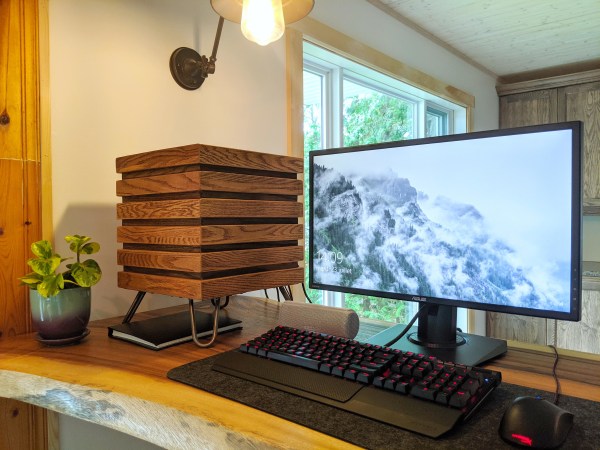
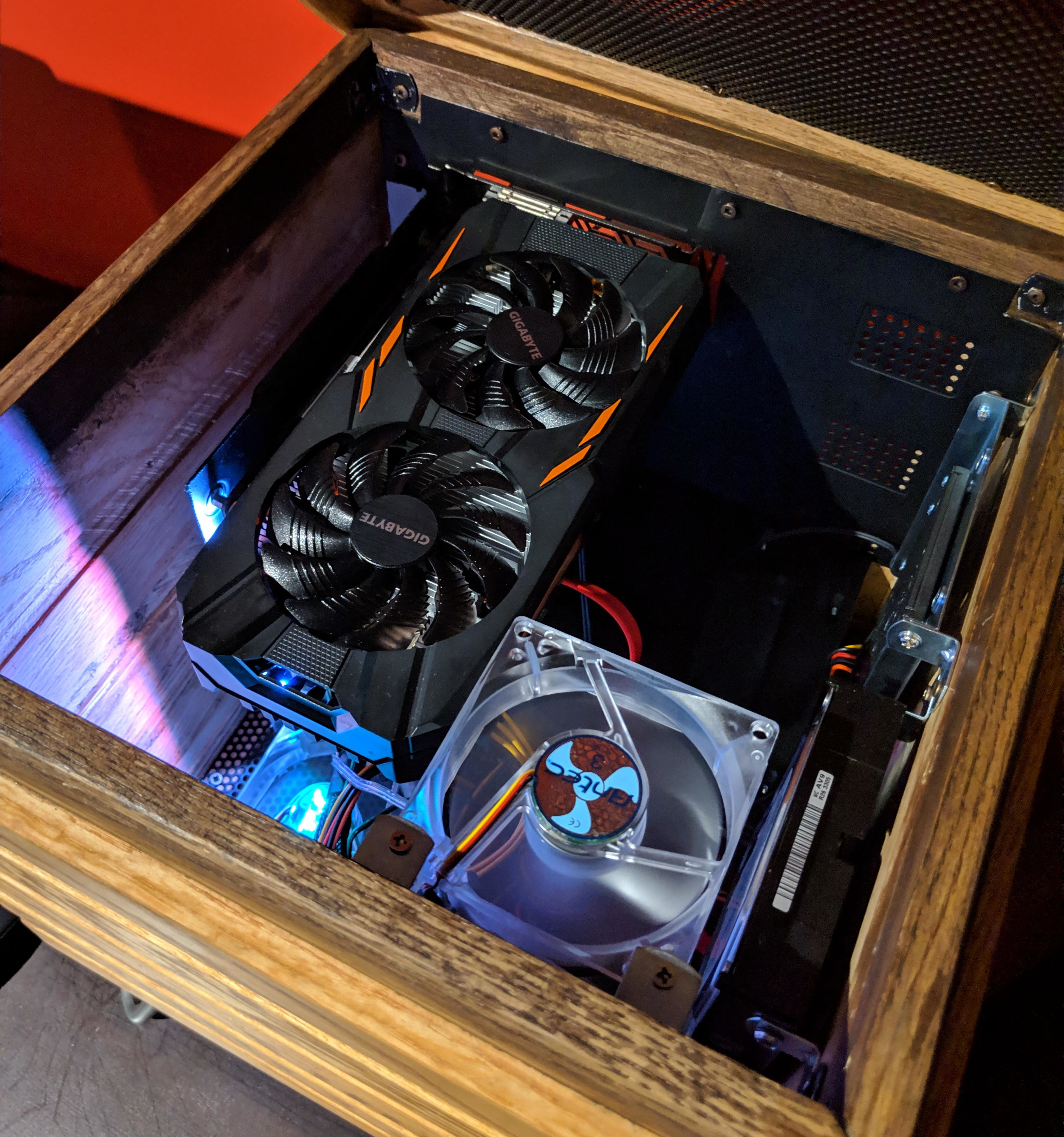
Well, if we were lucky, it would have looked something like [xmorneau]’s cubical computing creation. This DIY beauty is made of scrap oak and a sexy set of hairpin legs. As hot as it looks, [xmorneau] shouldn’t have to worry about overheating — the bottom is completely open except for an intake fan, there’s another fan at the top that exhausts hot air through a mesh grille, and those lovely little legs elevate it four inches off the desk. Our favorite part (after the legs) has to be the secret lid that blends in beautifully.

The cube measures 32cm³ (~12.6in³), so [xmorneau] went with a mini-ATX motherboard, but was able to fit in a full-size graphics card. Everything is mounted internally to wood except for the mobo, which is mounted on a panel of sheet metal that makes up the back wall.

We love the way this looks and are glad to see that this build changed [xmorneau]’s opinion of RGB a little bit, because we can’t help but like it both ways.

Too sophisticated for your taste? Check out this LEGO-Minecraft mashup.