Inputs Of Interest: The OrbiTouch Keyless Keyboard And Mouse

I can’t remember how exactly I came across the OrbiTouch keyboard, but it’s been on my list to clack about for a long time. Launched in 2003, the OrbiTouch is a keyboard and mouse in one. It’s designed for people who can’t keyboard regularly, or simply want a different kind of experience.

The OrbiTouch was conceived of by a PhD student who started to experience carpal tunnel while writing papers. He spent fifteen years developing the OrbiTouch and found that it could assist many people who have various upper body deficiencies. So, how does it work?

It’s Like Playing Air Hockey with Both Hands

To use this keyboard, you put both hands on the sliders and move them around. They are identical eight-way joysticks or D-pads, essentially. The grips sort of resemble a mouse and have what looks like a special resting place for your pinky.

One slider points to groups of letters, numbers, and special characters, and the other chooses a color from a special OrbiTouch rainbow. Pink includes things like parentheses and their cousins along with tilde, colon and semi-colon. Black is for the modifiers like Tab, Alt, Ctrl, Shift, and Backspace. These special characters and modifiers aren’t shown on the hieroglyphs slider, you just have to keep the guide handy until you memorize the placement of everything around the circle.

You’re gonna need a decent amount of desk space for this. Image via OrbiTouch

The alphabet is divided up into groups of five letters which are color-coded in rainbow order that starts with orange, because red is reserved for the F keys. So for instance, A is orange, B is yellow, C is green, D is blue, E is purple, then it starts back over with F at orange. If you wanted to type cab, for instance, you would start by moving the hieroglyph slider to the first alphabet group and the color slider to green.

Continue reading “Inputs Of Interest: The OrbiTouch Keyless Keyboard And Mouse”

DIY Braille Embosser Is Really Impressive

We weren’t surprised to learn that Braille tools are quite expensive. But it’s interesting to hear that there’s another class of tools altogether, and they are very cheap and imprecise. In devising the Braille Embossing Experience, aka BEE, [alatorre] sought to find an open-source middle ground. We think they succeeded marvelously.

Another surprising thing — while handheld embossers do exist, there is no system for filling out an A4 sheet of paper, say, to write a letter.

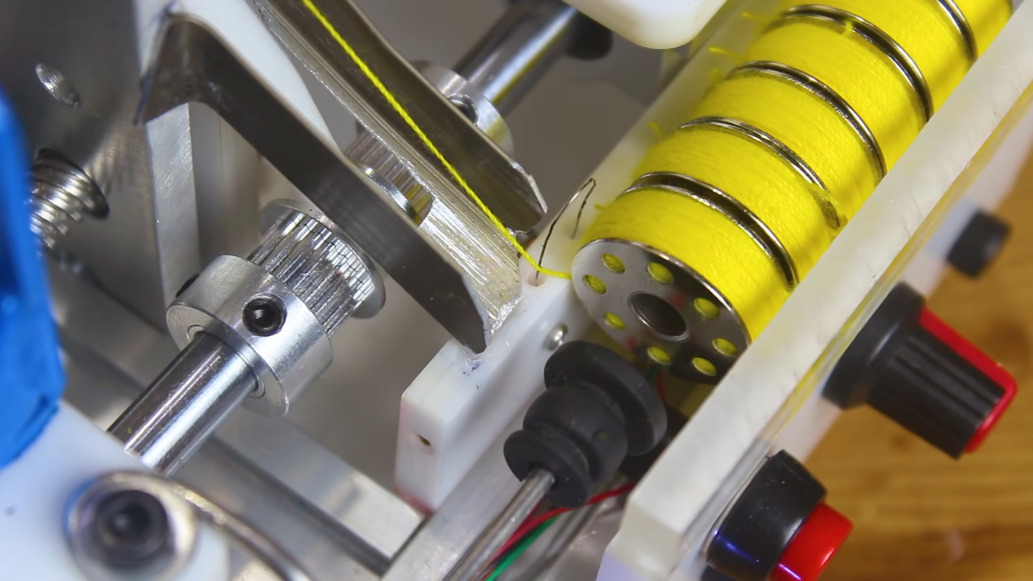
For Braille to be readable, the characters and lines must be properly spaced, and this requires some kind of moveable type-like device to correctly register the characters onto paper. BEE fills this void as well. The amazing thing is, there’s not much more to it than a marked-up piece of aluminum and some clever 3D printing.

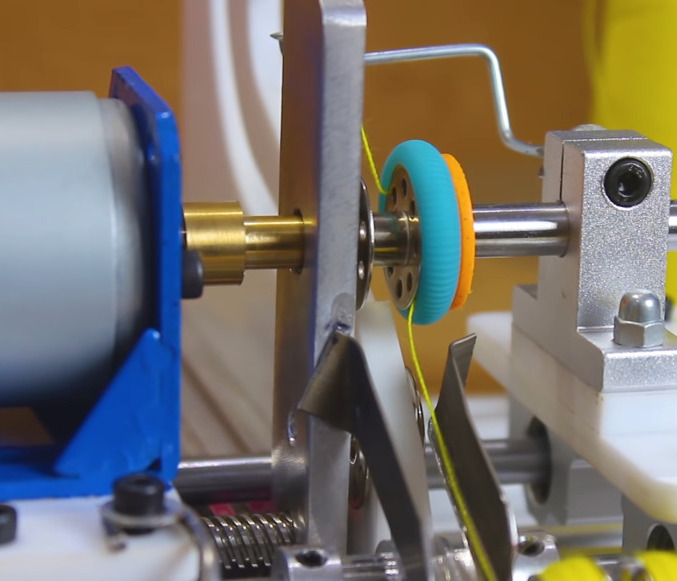
There are two parts to this system — the positioning rail, which includes a landing box for the embosser with six holes in the bottom. The other part is a pair of embossers, one for letters A-M, and another for letters N-Z. To use BEE, just slide the rail to the right and start embossing letters right to left, then flip the paper over when finished.

Need to create something more permanent? Make a Braille PCB.

Starshine Is A MIDI Controller For The Musically Shy

What keeps people from playing music? For one thing, it’s hard. But why is it hard? In theory, it’s because theory is confusing. In practice, it’s largely because of accidentals, or notes that sound sour compared to the others because they aren’t from the same key or a complementary key.

What if there were no accidentals? Instruments like this exist, like the harmonica and the autoharp. But none of them look as fun to play as [Bardable]’s Starshine, the instrument intended to be playable by everyone. The note buttons on the outside are laid out and programmed such that [Bardable] will never play off-key.

We love the game controller form factor, which was also a functional choice. On the side that faces the player, there’s a PSP joystick and two potentiometers for adding expression with your thumbs. The twelve buttons on this side serve several functions like choosing the key and the scale type depending on the rocker switch position. A second rocker lets [Bardable] go up or down an octave on the fly. There’s also an OLED to show everything from the note being played to the positions of the potentiometers. If you want to know more, [Bardable] made a subreddit for this and other future instruments, and has a full tour video after the break.

If this beginner-friendly MIDI controller isn’t big enough for you, check out Harmonicade’s field of arcade buttons.

Continue reading “Starshine Is A MIDI Controller For The Musically Shy”

Classical Poultry Conditioning Is A Bird-Brained Scheme

A while back, [Kutluhan Aktar] was trying to hack their chickens, quails, and ducks for higher egg production and faster hatching times by using a bit of classical conditioning. That is, feeding them at the same time every day while simultaneously exposing them to sound and light. Once [Kutluhan] slipped enough times, they hatched a plan to build an automatic feeder.

This fun rooster-shaped bird feeder runs on an Arduino Nano and gets its time, date, and temperature info from a DS3231 RTC. All [Kutluhan] has to do is set the daily feeding time. When it comes, a pair of servos and a pan-tilt kit work together to invert a Pringles can filled with food pellets. A piezo buzzer and a green LED provide the sound and light to help with conditioning. Scratch your way past the break to see it in action.

If [Kutluhan] gets tired of watching the birds eat at the same time every day, perhaps a trash-for-treats training program could be next on the list.

Continue reading “Classical Poultry Conditioning Is A Bird-Brained Scheme”

Fat Bottomed-Keebs, You Make The Clackin’ World Go Round

Depending on the circles you run in, it can seem like the mechanical keyboard community is all about reduced layouts, and keebs without ten-keys are about as big as it gets. But trust us, there’s plenty of love out there for the bigger ‘boards like [Ben]’s tasty fat-bottomed keyboard. Man oh man, what a delicious slab of throwback to the days when keyboards doubled as melee weapons.

More specifically, this is a 199-key modified Sun Type 5 layout. It runs on two Teensy 2.0s — one for the keyboard matrix, and one for everything else. [Ben] made the metal enclosure entirely by hand without a CNC or laser cutter. While I don’t personally care for linear switches, I have mad respect for these, which are vintage Cherry Blacks pulled from various 1980s AT/XT boards. That 10-key island on the left is dedicated to elementary macros like undo/redo, cut/copy/paste, and open/close/save.

We absolutely love the gigantic rotary encoders, which give it a bit of a boombox look. There’s even reuse involved here, because the encoder knobs are made from jam jar lids that are stuffed with homemade Sugru. [Ben] can use them to play PONG on the LCD and other games not yet implemented on the everything-else Teensy.

Here’s another Sun-inspired keeb, but this one has a reverse 10-key layout that matches the DTMF phone dial.

Tiny Trash Can Repels Trash Pandas, Medium-Sized Cats

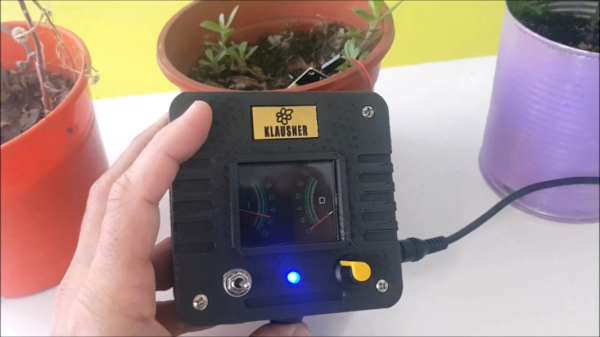
Are you tired of cats and other wildlife relieving themselves in your outdoor plant pots? As if accidental neglect won’t kill them fast enough. [TecnoProfesor] has a solution, and it doesn’t even involve a microcontroller. It detects the presence of approaching animals and then blasts them with annoying sounds and a couple of bright green LEDs to drive them away.

Thanks to a couple of modules, the circuit is really pretty simple. There’s a PIR to detect the animals, a buzzer, and a 555-based pulse generator to play tones through the buzzer. This circuit can run 24/7 on a pair of 6V solar panels that charge up a battery. We particularly like the desk trash can enclosure, though we have to wonder how waterproof this system is. Check out the brief demo after the break.

For all of you satisfied with the 555 implementation here, your reward is this giant functioning 555. If you’re a 555 naysayer, how would you have done it better?

Continue reading “Tiny Trash Can Repels Trash Pandas, Medium-Sized Cats”

An Impressive Modular Mold Box

Prolific maker and product designer [Eric Strebel] has years of experience making reusable mold boxes for silicone and resin casting. He’s always used 3/4″ plywood before, but it comes with some problems such as inaccuracy, screws that eventually slip out, and no room at all for expansion. Now [Eric] has decided to devise a modular mold box system that’s so awesome, it’s even stack-able. Check out the design and build process in the video after the break.

[Eric] took advantage of additive manufacturing and made fancy trapezoidal walls with recessed bits that allow for the magic that this modular system hinges on — a handful of M6 socket cap screws and matching nuts for tensioning. Once the prints were ready, [Eric] pounded the nuts captive into the walls and marked fill lines every 10mm. As usual, [Eric]’s video comes with bonus nuggets of knowledge, like his use of a simple card scraper to clean up prints, smooth the sides, and chamfer all the edges.

If you want to mold stuff like concrete and plaster, you may be better off using flexible filament.

Continue reading “An Impressive Modular Mold Box”