Bi-Color Filament Kicks 3D Printed Optical Illusions Up A Notch

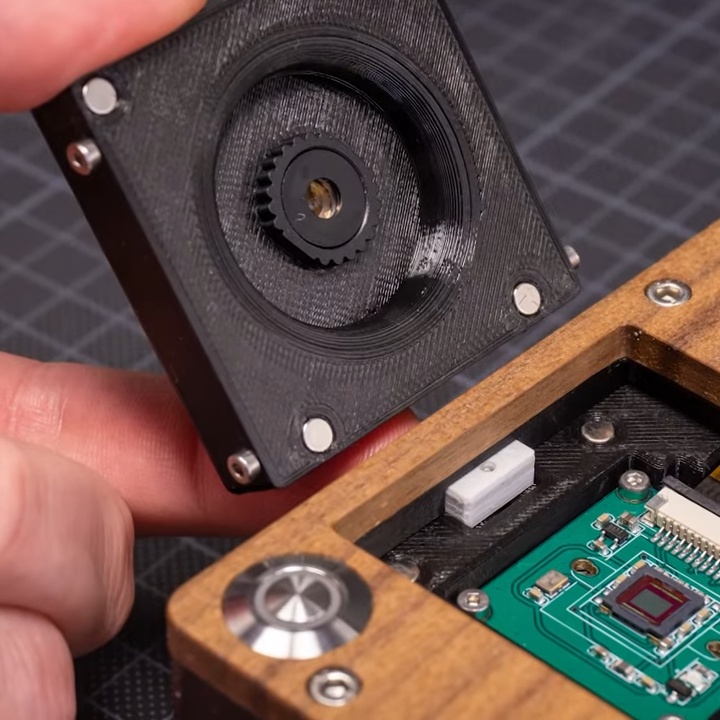
A new video from [Make Anything] shows off a nice combo that has a real visual impact: ambiguous shapes that look different depending on what angle they are viewed at, combined with an unusual filament that enhances the effect greatly. As you can see in the image above that shows off just such an object in front of a mirror, the results are pretty striking.

Japanese mathematician and artist [Kokichi Sugihara] figured out the math behind such objects, of which his ambiguous cylinder illusion is probably the most well-known. That inspired [Make Anything] to create his own strange objects, which he showcases happily. He adds one more twist, however.

This filament is split right down the middle in two colors.

What is a natural complement to an object that looks different based on the direction from which it is viewed? A filament whose color depends on what direction it is viewed, of course! The filament in question is MatterHackers Quantum dual-color PLA, and this unusual filament is split right down the middle in two different colors, resulting in a printed object whose exact color depends entirely on the viewing angle, and the object geometry.

The resulting objects look especially striking when demonstrated with the help of a mirror, because as the object turns and changes, so does the color change as well. You can watch it all in action in the video below (embedded after the page break) which showcases quite a few different takes on the concept, so check it out to see them all.

3D printing has certainly opened up a new doors when it comes to brain-bending optical effects, like this hypnotic Moiré pattern, and perhaps dual-color filament can enhance those as well.

Continue reading “Bi-Color Filament Kicks 3D Printed Optical Illusions Up A Notch”

HP-200LX Runs Website Like It’s The 90s

The HP-200LX palmtop was a fascinating machine for its time, and [Terrence Vergauwen] proves that its time is not yet over, given that one is responsible for serving up the website for Palmtop Tube, a website and YouTube channel dedicated to vintage palmtops.

All by itself a HP-200LX doesn’t have quite what it takes to act as a modern web server, but it doesn’t take much to provide the missing pieces. A PCMCIA network adapter provides an Ethernet connection, and a NAS contains the website content while networking and web server software run locally. Steady power comes from a wall adapter, but two rechargeable AA cells in the 200LX itself act as a mini-UPS, providing backup power in case of outages.

The HP-200LX was a breakthrough product that came just at the right time, preceding other true palm top computers like the IBM PC 110. In the early 90s, it was unimaginable that one could have a fully functional MS-DOS based machine in one’s pocket, let alone one that could last weeks on a couple of AA cells. It didn’t have some proprietary OS and weird ports, and that kind of functionality is part of why, roughly 30 years later, one is able to competently serve up web traffic.

A video overview of the machine and how it all works is in the video embedded below. And if you’re more interested in what an HP-200LX looks like on the inside? This video is all about taking apart and repairing a 200LX.

Continue reading “HP-200LX Runs Website Like It’s The 90s”

TurtleAuth DIY Security Token Gets (Re)designed For Durable, Everyday Use

[Samuel]’s first foray into making DIY hardware authentication tokens was a great success, but he soon realized that a device intended for everyday carry and use has a few different problems to solve, compared to a PCB that lives and works on a workbench. This led to TurtleAuth 2.1, redesigned for everyday use and lucky for us all, he goes into detail on all the challenges and solutions he faced.

When we covered the original TurtleAuth DIY security token, everything worked fantastically. However, the PCB layout had a few issues that became apparent after a year or so of daily use. Rather than 3D print an enclosure and call it done, [Samuel] decided to try a different idea and craft an enclosure from the PCB layers themselves.

The three-layered PCB sandwich keeps components sealed away and protected, while also providing a nice big touch-sensitive pad on the top, flanked by status LEDs. Space was a real constraint, and required a PCB redesign as well as moving to 0402 sized components, but in the end he made it work. As for being able to see the LEDs while not having any component exposed? No problem there; [Samuel] simply filled in the holes over the status LEDs with some hot glue, creating a cheap, effective, and highly durable diffuser that also sealed away the internals.

Making enclosures from PCB material can really hit the spot, and there’s no need to re-invent the wheel when it comes to doing so. Our own [Voja Antonic] laid out everything one needs to know about how to build functional and beautiful enclosures in this way.

Natural Language AI In Your Next Project? It’s Easier Than You Think

Want your next project to trash talk? Dynamically rewrite boring log messages as sci-fi technobabble? Happily (or grudgingly) answer questions? Doing that sort of thing and more can be done with OpenAI’s GPT-3, a natural language prediction model with an API that is probably a lot easier to use than you might think.

In fact, if you have basic Python coding skills, or even just the ability to craft a curl statement, you have just about everything you need to add this ability to your next project. It’s not free in the long run, although initial use is free on signup, but for personal projects the costs will be very small.

Basic Concepts

OpenAI has an API that provides access to GPT-3, a machine learning model with the ability to perform just about any task that involves understanding or generating natural-sounding language.

OpenAI provides some excellent documentation as well as a web tool through which one can experiment interactively. First, however, one must create an account and receive an API key. After that is done, the doors are open.

Creating an account also gives one a number of free credits that can be used to experiment with ideas. Once the free trial is used up or expires, using the API will cost money. How much? Not a lot, frankly. Everything sent to (and received from) the API is broken into tokens, and pricing is from $0.0008 to $0.06 per thousand tokens. A thousand tokens is roughly 750 words, so small projects are really not a big financial commitment. My free trial came with 18 USD of credits, of which I have so far barely managed to spend 5%.

Let’s take a closer look at how it works, and what can be done with it!

Continue reading “Natural Language AI In Your Next Project? It’s Easier Than You Think”

Web Emulator For The Kenbak-1 Computer (If You’ve Heard Of It)

Ever heard of the KENBAK-1? Recognized as the first personal computer, created by John Blankenbaker and sold in 1971 in comparatively small numbers, it’s now a piece of history. But don’t let that stop you if you are curious, because of course there is an emulator on the web.

If the machine looks a bit strange, that’s because early computers of this type did not have the kind of controls (or displays) most people would recognize today. Inputs were buttons and switches, and outputs were lights showing binary values of register contents. The machine could store and run programs, and those programs were entered in pure machine code (no compiler, in other words) by setting individual bit values via the switches. In fact, the KENBAK-1’s invention preceded that of the microprocessor.

The KENBAK was the first electronic, commercially available computer that was not a kit and available to the general population, but the story of how it came to be is interesting. Back in 2016 we covered how that story was shared by John Blankenbaker himself at Vintage Computer Festival East.

This Spherical Lamp’s Pieces Ship Flat, Thanks To Math

[Nervous System] sells a variety of unique products, and we really appreciate the effort they put into sharing elements of their design and manufacturing processes. This time, it’s details of the work that went into designing a luxury lamp shade that caught our eye.

Top: Finished lamp. Bottom: Partially-assembled.

The finished lamp shade is spherical, but is made entirely from flat-packed pieces of laser-cut wood that have been specifically designed to minimize distortion when assembled into a curved shape. The pieces themselves are reminiscent of puzzle cells; complex, interlocking cellular shapes found in many plants.

As usual, [Nervous System] applied a hefty dose of math and computational design to arrive at a solution. Each unique panel of the lamp is the result of a process that in part implements a technique called variation surface cutting for the shape of the pieces. They also provide a couple of nifty animations that illustrate generating both the piece boundaries as well as the hole patterns in each of the 18 unique pieces that make up each lamp.

As for making the pieces themselves, they are laser-cut from wood veneer, and assembly by the end user takes an hour or two. Watch a video overview, embedded just below under the page break.

We’re glad [Nervous System] takes the time to share details like this, just like the time they figured out the very best type of wood for laser-cutting their unique puzzles and didn’t keep it to themselves.

Continue reading “This Spherical Lamp’s Pieces Ship Flat, Thanks To Math”

APPLE2IDIOT Expansion Card Lets Your Apple II (Sort Of) Access The Internet

[Nathanial Hendler]’s Apple2Idiot expansion card for the Apple II family of computers is a nifty mix of modern and vintage, and provides a clever means of allowing the host computer to (indirectly) access the internet over WiFi while keeping things simple from the host computer’s perspective.

The PCB has plenty of space on which to silkscreen reference data. Click to enlarge.

It does this by embedding an ESP32 module and a dual-port RAM chip onto an expansion card. The Apple2Idiot, when installed into a host machine, presents as a memory location which the host machine can access. The ESP32 then takes care of all the WiFi communications and tasks requiring internet access, and the host computer directs these tasks (and reads their output) via PEEK and POKE commands.

This means that there are two pieces of software for any given task: one running on the ESP32 doing the actual work, and one running on the Apple II that communicates with the ESP32 on the card by reading and writing to memory. It’s a simple system, and one that [Nathanial] thinks works quite well for specific tasks.

Example programs include things like scanning and selecting a WiFi network, fetching weather data, and sending a message to Slack. Making new applications does mean having to write software on two ends, but the simplicity of the system also means flexibility, because anything the ESP32 does can have its complexity abstracted away by the time its data is presented to the host machine. Not that the Apple II is incapable of dealing with the modern internet more directly; we’ve seen a basic Apple II web server written in BASIC.