Commodore 64 Monitor Traces I/O Calls, Eases Debugging

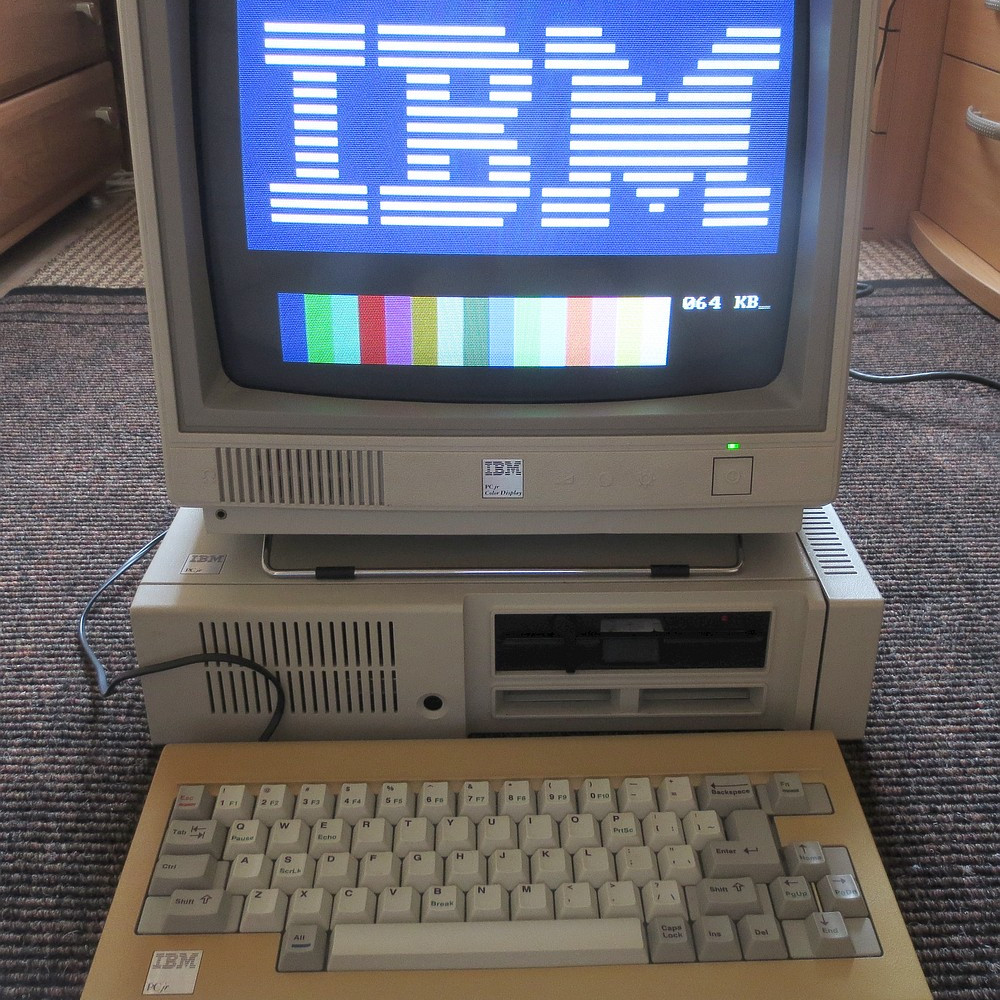
Developing for the Commodore 64 can be a rewarding retrocomputing experience, and thanks to [Dave Van Wagner], things are easier with his C64 IO_Monitor project, which opens the door to logging and tracing Kernal I/O calls for closer inspection. That’s not a typo, by the way. Kernal is what handles the C64’s low-level OS routines. Amusingly, as the story goes, it did in fact originate as a misspelling of kernel, but the name stuck.

What [Dave]’s program does is trace and log all input and output calls going through Kernal, which includes just about any function one might imagine. Things like keyboard input, screen output, and disk or tape I/O are all dutifully counted and logged, allowing one to really peek under the hood at a low level when doing any kind of development work. This kind of tool has turned out to be pretty handy given [Dave]’s penchant for porting Commodore emulators to a variety of (sometimes unusual) platforms.

Interested in giving it a spin? Head to the project’s GitHub repository for all the necessary files as well as some usage details, and enjoy making debugging and development a little less opaque than it otherwise would be.

Backpack Board For OLEDs Boasts Fancy Features

Back when LCD character displays based on the HD44780 controller were the bee’s knees, a way to make them easier to work with came in the form of “backpack” PCBs, which provided an accessible serial interface and superior display handling at the same time. [Barbouri] has updated that idea with a backpack board that mounts to OLED displays using the US2066 display driver, and provides an I2C interface with powerful and convenient high-level functions that make the display simple to use.

On the software side, the backpack uses this I2cCharDisplay driver project which provides functions like cursor control, fading, display shifting, and of course writing characters or strings. While [Barbouri] designed the board specifically to accommodate Newhaven Slim Character OLED displays, it should in theory work with any US2066-based OLED character display. [Barbouri]’s design files for the Slim-OLED Display backpack board are available for download directly from the project page (link is near the bottom), or boards can be purchased directly from OSH Park.

OLED technology is nifty as heck; we’ve seen some neat tricks done by stacking transparent OLED displays, and even seen OLEDs made in the home lab.

Invisible 3D Printed Codes Make Objects Interactive

An interesting research project out of MIT shows that it’s possible to embed machine-readable labels into 3D printed objects using nothing more than an FDM printer and filament that is transparent to IR. The method is being called InfraredTags; by embedding something like a QR code or ArUco markers into an object’s structure, that label can be detected by a camera and interactive possibilities open up.

One simple proof of concept is a wireless router with its SSID embedded into the side of the device, and the password embedded into a different code on the bottom to ensure that physical access is required to obtain the password. Mundane objects can have metadata embedded into them, or provide markers for augmented reality functionality, like tracking the object in 3D.

How are the codes actually embedded? The process is straightforward with the right tools. The team used a specialty filament from vendor 3dk.berlin that looks nearly opaque in the visible spectrum, but transmits roughly 45% in IR.  The machine-readable label gets embedded within the walls of a printed object either by using a combination of IR PLA and air gaps to represent the geometry of the code, or by making a multi-material print using IR PLA and regular (non-IR transmitting) PLA. Both provide enough contrast for an IR-sensitive camera to detect the label, although the multi-material version works a little better overall. Sadly, the average mobile phone camera by itself isn’t sufficiently IR-sensitive to passively read these embedded tags, so the research used easily available cameras with no IR-blocking filters, like the Raspberry Pi NoIR.

The PDF has deeper details of the implementation for those of you who want to know more, and you can see a demonstration of a few different applications in the video, embedded below. Determining the provenance of 3D printed objects is a topic of some debate in the industry, and it’s not hard to see how technology like this could be used to covertly identify objects without compromising their appearance.

Continue reading “Invisible 3D Printed Codes Make Objects Interactive”

“Lazier” Web Scraping Is Better Web Scraping

Ever needed to get data from a web page? Parsing the content for data is called web scraping, and [Doug Guthrie] has a few tips for making the process of digging data out of a web page simpler and more efficient, complete with code examples in Python. He uses getting data from Yahoo Finance as an example, because it’s apparently a pretty common use case judging by how often questions about it pop up on Stack Overflow. The general concepts are pretty widely applicable, however.

[Doug] shows that while parsing a web page for a specific piece of data (for example, a stock price) is not difficult, there are sometimes easier and faster ways to go about it. In the case of Yahoo Finance, the web page most of us look at isn’t really the actual source of the data being displayed, it’s just a front end.

One way to more efficiently scrape data is to get to the data’s source. In the case of Yahoo Finance, the data displayed on a web page comes from a JavaScript variable that is perfectly accessible to the end user, and much easier to parse and work with. Another way is to go one level lower, and retrieve JSON-formatted data from the same place that the front-end web page does; ignoring the front end altogether and essentially treating it as an unofficial API. Either way is not only easier than parsing the end result, but faster and more reliable, to boot.

How does one find these resources? [Doug] gives some great tips on how exactly to do so, including how to use a web browser’s developer tools to ferret out XHR requests. These methods won’t work for everything, but they are definitely worth looking into to see if they are an option. Another resource to keep in mind is woob (web outside of browsers), which has an impressive list of back ends available for reading and interacting with web content. So if you need data for your program, but it’s on a web page? Don’t let that stop you!

Hand reaching for a 3d-printed hinge

One-piece Geared Hinge Can Take The Weight

3D printers have come a long way from cranking out things like bottle openers and coat pegs, and [E. Soderberg]’s Print in Place Geared Hinge is a pretty nifty demonstration of that. This hinge is designed as a print-in-place part, meaning it is 3D printed as a single piece, requiring no assembly. Not only that, but the herringbone gears constrain the sturdy device in a way that helps it support heavy loads.

Of course, hinges — even strong ones — are not particularly hard to find items. They’re available in a mind-boggling array of shapes and sizes. But what’s interesting about this design is that it shows what’s easily within the reach of just about any hobbyist nowadays. Not that long ago, designing and creating an object like this would not have been accessible to most home enthusiasts. Making it without a modern 3D printer would certainly have been a challenge in its own right.

It doesn’t always matter that a comparable (or superior) off-the-shelf part is available; an adequate part that can be created in one’s own workshop has a value all its own. Plus, it’s fun to design and make things, sometimes for their own sake. After all, things like 3D-printed custom switch assemblies would not exist if everyone were satisfied with the ability to just order some Cherry MX switches and call it a day.

View of a well-organized workspace in front of a window view to outdoors

How To Optimize Your Workspace: Analyze How You Work

[Jay Carlson] has shared some fantastic guidance on how to optimize one’s home workspace, and you just might want to emulate some of his layout, especially if you routinely juggle multiple projects. He makes the important point that different people have different needs, so one size does not fit all. Optimizing one’s workspace must first take into account what kind(s) of work one does, and many of his tips and tricks are pretty broadly applicable.

A rack of trays, each with a project
Looking online for these? A common industry term is “bun rack”. This one is “half-height” in size.

[Jay] works on embedded systems, and often switches between many different jobs and projects. Get your notepads ready, because there are plenty of great takeaways.

For example, to get a good top-down camera view of what’s on the workbench, he uses a camera mounted on an articulated arm (the kind that usually has a lamp attached to the end.) This makes the camera easy to deploy and easy to stow, and he can effortlessly save footage or share video with colleagues online.

Another great tip is using what most of us would call cafeteria trays and a matching rack. With each tray devoted to a different project or version of hardware, it makes switching between jobs as simple as sliding in one tray and pulling out another. It’s also a highly space-efficient way to store a lot of in-progress hardware. [Jay] gives a detailed walkthrough of his workspace and explains every decision, it’s well worth a read.

It’s always better to save space, as long as doing so doesn’t negatively impact the work itself. If you’re looking for space-saving tips, be sure to check out this tiny workshop’s space-saving hacks for more ideas.

Cables Too Long? Try Cable Management Via DIY Coiling

Annoyed by excessively-long cables? Tired of the dull drudgery and ugly results of bunching up the slack and wrapping it with a twist-tie? Suffer no longer, because the solution is to make your own coiled cables!

[Dmitry] is annoyed with long, unruly cables and shared a solution he learned from the DIY keyboards community: coil them yourself with a piece of dowel, a hair dryer, and about 10 minutes of your time. However, it’s just a wee bit more complicated than it may seem at first glance.

The process begins with wrapping a cable around a mandrel, then heating it as uniformly as possible to thermoform the jacket, but the instructional video (embedded below) says that all by itself that isn’t quite enough to yield lasting results. After heating the cable and letting it cool, the coils will be formed but it will not hold the new shape very well. The finishing touch is to “reverse” the direction of the coils, by re-wrapping it backward around the mandrel, inverting the coils upon themselves. This process is awkward to explain, but much simpler to demonstrate. This video by [DailySetupTech] explains this process around the 2:30 mark. That final step is what yields a tightly-wound, springy coil.

The nice part about using this process as a cable management technique is that it is possible to coil only a portion of a cable, leaving the exact amount of uncoiled slack required for a given application. Keep it in mind the next time some cables need managing. And if you don’t want to coil a cable but still need it out of the way, you might find this design for a DIY cable chain made from a tape measure useful.

Continue reading “Cables Too Long? Try Cable Management Via DIY Coiling”