Sciencing DVD-RW Laser Diodes

If you’ve played around with laser diodes that you’ve scavenged from old equipment, you know that it can be a hit-or-miss proposition. (And if you haven’t, what are you waiting for?) Besides the real risk of killing the diode on extraction by either overheating it or zapping it with static electricity, there’s always the question of how much current to put into the thing.

[DeepSOIC] decided to answer the latter question — with science! — for a DVD-burner laser that he’s got. His apparatus is both low-tech and absolutely brilliant, and it looks like he’s getting good data. So let’s have a peek.

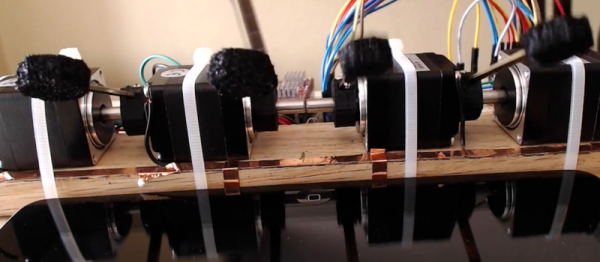
Laser Detector on 3D Printer Scrap

First up is the detector, which is nothing more than a photodiode, 100k ohm load resistor, and a big capacitor for a power supply. We’d use a coin-cell battery, but given how low the discharge currents are, the cap makes a great rechargeable alternative. The output of the photo diode goes straight into the scope probe.

He then points the photodiode at the laser spot (on a keyboard?) and pulses the laser by charging up a capacitor and discharging it through the laser and a resistor to limit total current. The instantaneous current through the laser diode is also measured on the scope. Plotting both the current drawn and the measured brightness from the photodiode gives him an L/I curve — “lumens” versus current.

laser_curve

Look on the curve for where it stops being a straight line, slightly before the wiggles set in. That’s about the maximum continuous operating current. It’s good practice to de-rate that to 90% just to be on the safe side. Here it looks like the maximum current is 280 mA, so you probably shouldn’t run above 250 mA for a long time. If the diode’s body gets hot, heatsink it.

If you want to know everything about lasers in general, and diode lasers in particular, you can’t beat Sam’s Laser FAQ. We love [DeepSOIC]’s testing rig, though, and would love to see the schematic of his test driver. We’ve used “Sam’s Laser Diode Test Supply 1” for years, and we love it, but a pulsed laser tester would be a cool addition to the lab.

What to do with your junk DVD-ROM laser? Use the other leftover parts to make a CNC engraver? But we don’t need to tell you what to do with lasers. Just don’t look into the beam with your remaining good eye!

Are You In Bed?

If you’re building an omniscient home-automation system, it’s ability to make decisions is only as good as the input you give it. [Petewill]’s self-made panopticon now knows when someone is in bed. That way, the [petewill]’s automatic blinds won’t open when he’s sleeping late on weekends.

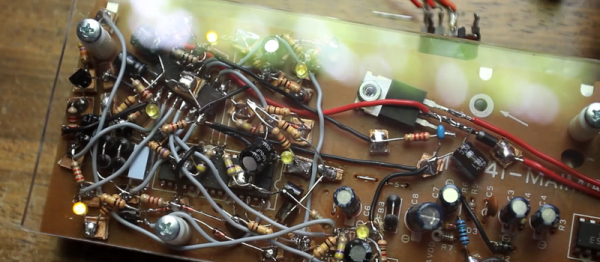
[Petewill] didn’t take the easy way out here. (In our mind, that would be a weight sensor under one of the bed’s feet.) Instead, his system more flexible and built on capacitive sensing. He’d tried force sensors and piezos under the mattress, but none of them were as reliable as capacitance. A network of copper tape under the mattress serves as the antenna.

Continue reading “Are You In Bed?”

Building A Taller Drillpress

[BF38] bought a mid-range miniature drill-press, and discovered that it was just too short for some of his applications. “No problem,” he thought, “I’ll just measure the column and swap it out for a longer one.” It sounds foolproof on paper.

He discovered, after having bought a new 48.3 mm steel column, that the original was 48 mm exactly in diameter. He’d have to make it fit. But how do you bore out a 48 mm diameter hole, keeping it perfectly round, and only increase the diameter by 0.3 mm? A file is out because you’d never get it round. A lathe is out because [BF38] doesn’t have a lathe.

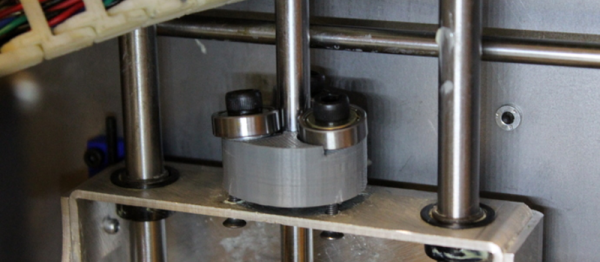
[BF38] ended up making a DIY honing head, which is a gadget that presses (in this case) two pieces of sandpaper evenly against the sides of the hole to be widened. The head in question is a little bit rough — it was made as a learning project, but it looks like it served the purpose admirably.

Milk-Based 3D Scanner

3D scanners don’t have to be expensive or high-tech because all of the magic goes on in software. The hardware setup just needs to gather a bunch of cross-sections. In perhaps the lowest-tech of scanners that we’ve seen, [yenfre]’s GotMesh scanner uses milk.

Specifically, the apparatus is a pair of boxes, one with a hole drilled in it. You put the object in the top box and fill it with milk to cover the object. A camera takes pictures of the outline of the object in the milk as it drains out the hole, these get stitched together, and voilĂ .

There are limitations to this method. The object gets soaked in milk, so it won’t work for scanning sand-castles. (It’s optimally suited for chocolate-chip cookies, in our opinion.) If the camera is located directly above, the objects have to get wider as the milk drains out. You can do multiple takes with the object rotated at different angles or use multiple cameras to solve this problem. The edge-detection software will have issues with white objects in milk, so maybe you’ll want to scan that porcelain figurine in coffee, but you get the idea. More seriously, the rate of milk drain will slow down a bit as the amount of milk in the upper box decreases. This could also be handled in software.

In all, we’re not surprised that we don’t see commercial versions of this device, but we love the idea. It’s based on this experiment where they dip a guy in a tank of ink! If you just drank all your milk, but still have a line-laser lying around, maybe this build is more your speed. What’s your cheapest 3D scanner solution?

One SMT Breakout To Rule Them All

You need to use surface-mount technology (SMT) parts in your design. But you also need to prototype. How to fit those little buggers into your breadboard?

[Simon] came up with a general-purpose SMT-to-breadboard solution. Now, there are already myriad adapter boards for the many-pin devices: SSOP-to-DIP adapters and so on. But what do you do when you just need to work that tiny SOT223 voltage regulator into a breadboarded circuit?

[Simon]’s solution fills that gap with one breadboardable design to handle all of your small-pin-count part needs. It accommodates SOT223, SOT323, and SOT23 three-pin parts like transistors or voltage regulators, and also has pads for all of the common two-terminal parts like resistors and capacitors from 0402 on up to 1206. You could build up a full voltage regulator circuit on one of these things. He’s even included some whitespace on the back for your notes.

SMT parts aren’t even the future any more. And with the right procedure, they’re not hard to hand-assemble. So the next time you have some extra space in a PCB order, toss in a couple of [Simon]’s breakouts and you’ll be ready for your next breadboarding session.

Bela: Real-Time BeagleBone Audio/Analog Cape

Bela is a cape for the BeagleBone Black that’s aimed at artists and musicians. Actually, the cape is much less than half of the story — the rest is in some clever software and a real-time Linux distribution. But we’re getting ahead of ourselves. Let’s talk hardware first.

First off, the cape has stereo input and output as well as two amplified speaker outs. It can do all of your audio stuff. It also has two banks of analogue inputs and outputs, each capable of handling eight signals. In our opinion, this is where the Bela is cool. In particular, the analog outputs are not Arduino-style “analog outputs” where it’s actually a digital output on which you can do PWM to fake an analog signal. These are eight 16-bit outputs from an AD5668 DAC which means that you can use the voltages directly, without filtering.

Then there’s the real trick. All of these input and output peripherals are hooked up to the BeagleBone’s Programmable Realtime Units (PRUs) — a hardware subsystem that’s independent of the CPU but can work along with it. The PRU is interfaced with the real-time Linux core to give you sub-microsecond response in your application. This is a big deal because a lot of other audio-processing systems have latencies that get into the tens of milliseconds or worse, where it starts to be perceptible as a slight lag by humans.

The downside of this custom analog and audio I/O is that it’s not yet supported by kernel drivers, and you’ll need to use their “Heavy Audio Tools” which compiles Pd programs into C code, which can then drive the PRUs. Of course, you can write directly for the PRUs yourself as well. If you just want to play MP3s, get something you have a bunch of simpler, better options. If you need to do responsive real-time audio installations, Bela is a way to go.

The project is open-source, but we had to do a bunch of digging to find what we were looking for. The hardware is in zip files here, and you’ll find the software here. The demo projects look/sound pretty cool and their Kickstarter is long over-funded, so we’re interested to see what folks make with these.

Stealing 3D Prints By Sound

In the open hardware world, we like to share 3D design files so that our friends and (global) neighbors can use and improve them. But we’ve all printed things from time to time that we’d like to keep secret. At least this is the premise behind this article in Science which proposes a novel method of 3D-printer-based industrial espionage: by recording the sound of the stepper motors and re-creating the toolpath.

Unfortunately, the article is behind a paywall so we’re short on the details, but everyone who’s played the Imperial March on their steppers has probably got the basic outline in their mind. Detecting the audio peak corresponding to a step pulse should be fairly easy. Disentangling the motions of two axes would be a bit harder, but presumably can be done based on different room-acoustic filtering of the two motors. Direction is the biggest question mark for us, but a stepper probably has a slightly audible glitch when reversing. Keeping track of these reversals could do the trick.

What do you think? Anyone know how they did it? Does someone with access to the full article want to write us up a summary in the comments?

[Thanks LVfire via Ars Technica]

[Edit: We were sent a copy of the full article (thanks [PersonUnknown]!) and it doesn’t explain any technical details at all. Save yourself the effort, and have fun speculating, because reading the article won’t help.]