The Last Days Of The Wild West

We loved it a few weeks ago when an international team of hackers managed to record and decode telemetry and images from SpaceX launches. And now it looks like SpaceX has started encrypting it all in response. Booo!

Decoding satellite and other space ship transmissions has been a great hacker pastime. Most recently, we’ve seen a group working on listening in to the Chinese Tianwen-1 Mars probe shortly after its launch, but listening to the Deep Space Network or even just decoding weather satellite broadcasts can give folks a reason to stretch their radio muscles.

We understand that SpaceX runs some contract missions for US gov’t agencies that don’t appreciate leaking info about their satellite’s whereabouts, but for non-secret missions, we don’t see the harm in letting the amateurs listen in over their shoulder. Maybe they’re doing it for PR reasons if/when something goes badly wrong?

Whatever the reasons, it’s a shame. Space has been open to hackers for a long time, knowingly in the case of amateur satellites, and unknowingly in the case of many other satellites which until the mid-90s had command channels that were unencrypted. (I’ll have to stick with “unnamed sources” on this one, but I do know a person who has rotated a satellite that he or she didn’t own.) There’s a lot to be learned by listening to signals from above, and while you can still decode weather satellite data yourself, it’s not quite as sexy as downloading images straight from a Falcon 9.

The cool hand for SpaceX to have played would have been to say “of course — we broadcast unencrypted as PR to our biggest fans” but it looks instead like they simply didn’t think that anyone would be listening in, and this caught them by surprise and they panicked. In 2021, with something as complicated as a space mission, that’s a little bit embarrassing. Anyway, to those of you who managed to get in before encryption, kudos!

When The Right Tool Is Wrong

I’m a firm believer in using the right tool for the job. And one of the most fantastic things about open-source software tools is that nothing stops you from trying them all. For instance, I’ve been going back and forth between a couple, maybe three, CAD/CAM tools over the past few weeks. They each have their strengths and weaknesses, and so if I’m doing a simpler job, I use the simpler software, because it’s quicker and, well, simpler. But I’ve got to cut it out, at least for a while, and I’ll tell you why.

The first of the packages is FreeCAD, and it’s an extremely capable piece of CAD/CAM software. It can do everything, or so it seems. But it’s got a long shallow learning curve, and I’m only about halfway up. I’m at the stage where I should be hammering out simple “hello world” parts for practice. I say, I should be.

Fortunately/unfortunately, some Hackaday readers introduced me to KrabzCAM through the comments. It’s significantly less feature-full than FreeCAD, but it gets the job of turning your wife’s sketches of bunnies into Easter decorations done in a jiffy. For simple stuff like that, it’s a nice simple tool, and is the perfect fit for 2D CAM jobs. It’s got some other nice features, and it handles laser engraving nicely as well. And that’s the problem.

Doing the simple stuff with KrabzCAM means that when I do finally turn back to FreeCAD, I’m working on a more challenging project — using techniques that I’m not necessarily up to speed on. So I’ll put the time in, but find myself still stumbling over the introductory “hello world” stuff like navigation and project setup.

I know — #first-world-hacker-problems. “Poor Elliot has access to too many useful tools, with strengths that make them fit different jobs!” And honestly, I’m stoked to have so many good options — that wasn’t the case five years ago. But in this case, using the right tool for the job is wrong for me learning the other tool.

On reflection, this is related to the never-try-anything-new-because-your-current-tools-work-just-fine problem. And the solution to that one is to simply bite the bullet and stick it out with FreeCAD until I get proficient. But KrabzCAM works so well for those small 2D jobs…

A hacker’s life is hard.

Hackaday Forced Into Light Mode

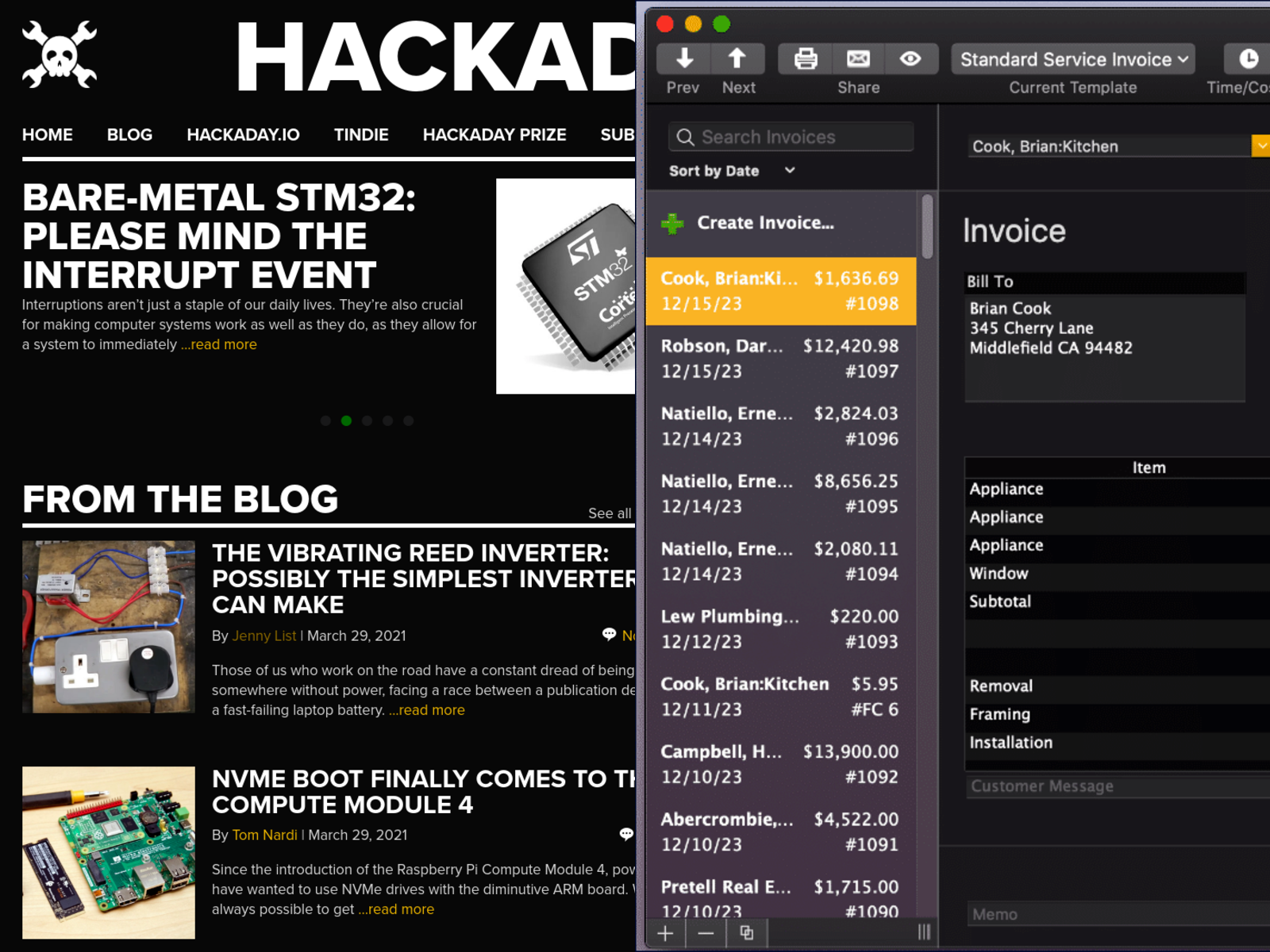
Hackaday has always been dark mode. Gray10 is less jarring when you’re burning the midnight oil on a project, so we give you a lot of it. Fifteen years ago, it was called “reverse video” or “trog mode“, and we were the freaks. We were doing it wrong. We had the colors “backwards”. Dark mode used to be edgy, outré, but dare we say it, a bit sexy.

Hackaday … QuickBooks. Just sayin’.
They even ripped our highlight yellow!

Flash forward, and everyone has come over to the dark side. Facebook has a dark mode. Google has dark mode. Across the Microsoft empire, from Windows 10 to GitHub, you can live your life in the dark. Heck, even the White House has a dark mode! (They call it high-contrast mode, but they’re not fooling anyone.)

Dark mode here, dark mode there. It’s mainstream. Dark mode has become corporate cool which is nobody’s idea of cool.

We’re not saying that all of the aforementioned institutions are biting the Hackaday style, but, well, they’re all biting our style. Where were they when we were the only website on the whole darn Internet with a sensible background color? Huh? Dark-mode-come-latelys!

But Hackaday doesn’t rest on its laurels. We have our fingers on the pulse on the modern hacker. Where previously you would be up late at night researching Hackaday for juicy nuggets of communal wisdom to help out with your current hack, you’re probably “telecommuting” these days — a euphemism for working on your private projects even while the fiery ball is still in the sky. (Wink, wink, nudge, nudge.) It’s only natural that you’d want a lighter background color to match your new lifestyle. We hear you!

So we present you, Hackaday Light Mode™. Enjoy!

[Editor’s note: For historical accuracy, we had phosphor green headings in the very beginning, in place of the jarring white. If you want to relive those glory days of yore, or just to go back to Hackaday in dark mode, there’s always CSS scripting.]

Putting Your Time In

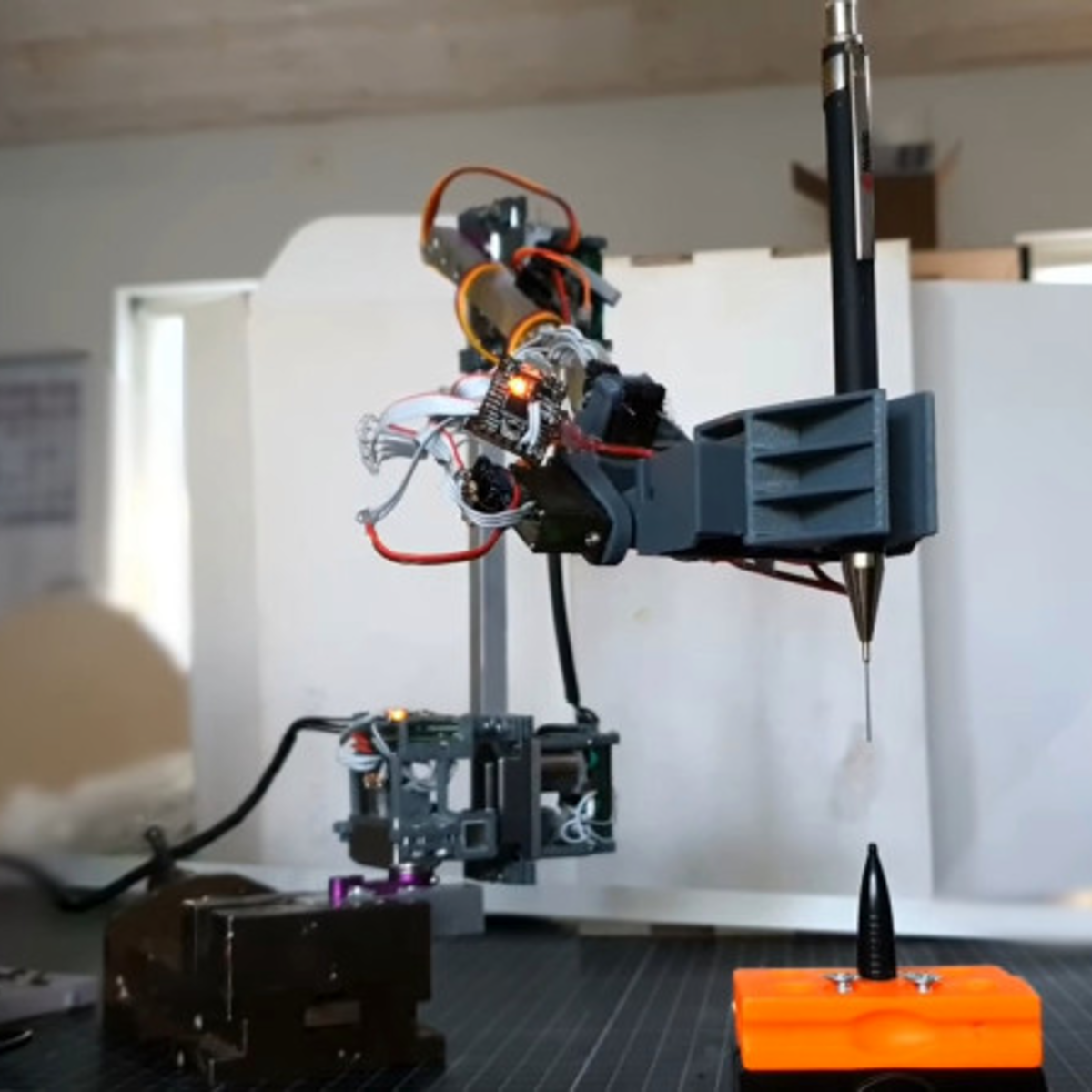
I was absolutely struck by a hack this week — [Adam Bäckström]’s amazing robot arm built with modified hobby servos. Basically, he’s taken apart and re-built some affordable off-the-shelf servo motors, and like the 6-Million-Dollar Man, he’s rebuilt them better, stronger, faster. OK, and smoother. We have the technology.

The results are undeniably fantastic, and enable the experienced hacker to get champagne robot motion control on a grape-juice budget by employing some heavy control theory, and redundant sensors to overcome geartrain backlash, which is the devil of cheap servos. But this didn’t come out of nowhere. In his writeup, [Adam] starts off with “You could say this project started when I ordered six endless servos in middle school, more than 15 years ago.” And it shows.

Go check out this video of his first version of the modified servos, from a six-axis arm he built in 2009(!). He’s built in analog position sensors in the motors, which lets him control the speed and makes it work better than any other hobby servo arm you’ve ever seen, but there’s still visible backlash in the gears. A mere twelve years later, he’s got magnetic encoders on the output and a fast inner loop compensates for the backlash. The result is that the current arm moves faster and smoother, while retaining accuracy.

Twelve years. I assume that [Adam] has had some other projects on his plate as well, but that’s a long term project by any account. I’m stoked to see his work, not the least because it should help a lot of others who are ready to step up their desktop servo-arm projects. But the real take-home lesson here is that if you’ve got a tough problem that you’re hacking on, you don’t have to get it done this weekend. You don’t have to get it done next weekend either. Keep hammering on it as long as you need, but keep on hammering. When you get it done, the results will be all the better for the long, slow, brewing time. What’s the longest project that you’ve ever worked on?

Machinist’s Accuracy Vs. Woodworker’s Precision

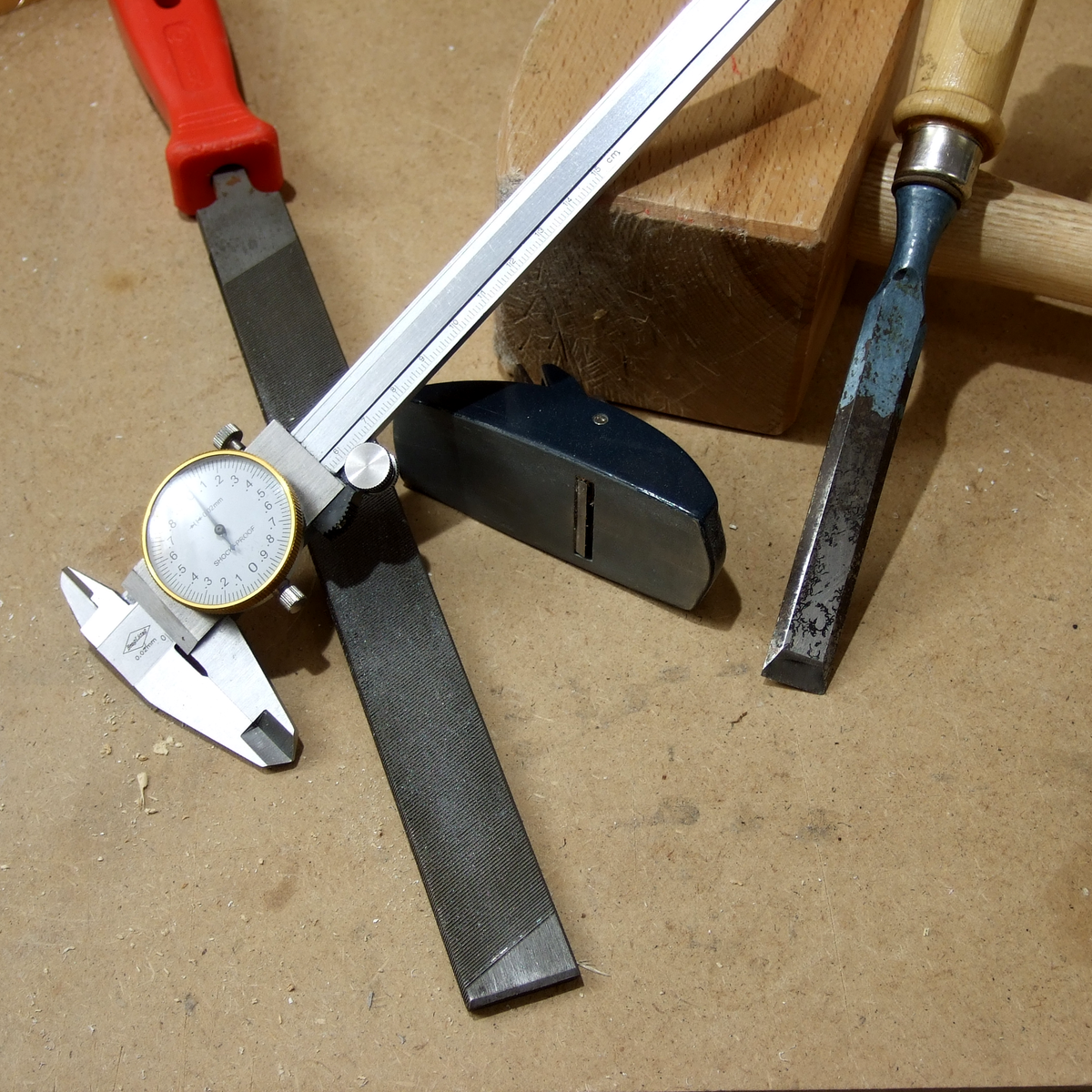
There are at least two ways of making parts that fit together exactly. The first way is the Cartesian way, and the machinists way. Imagine that you could specify the size of both the hole and the peg that you’d like to put into it. Just make sure your tolerances are tight enough, and call out a slightly wider hole. Heck, you can look up the type of fit you’d like in a table, and just specify that. The rest is a simple matter of machining the parts accurately to the right tolerances, and you’re done.

The machinist’s approach lives and dies on that last step — making the parts accurately fit the measure. Contrast the traditional woodworker’s method, or at least as it was taught to me, of just making the parts fit each other in the first place. This is the empirical way, the Aristotelian way if you will. You don’t really have to care if the two parts are exactly 30.000 mm wide, as long as they’re precisely the same length. And woodworkers have all sorts of clever tricks to make things the same, or make them fit, without measuring at all. Their methods are heavy on the jigs and the clever set-ups, and extraordinarily light on the calipers. To me, coming from a “measure carefully, and cut everything to measure” background, these ways of working were a revelation.

This ends up expressing perfectly the distinction between accuracy and precision. Sometimes you need to hit the numbers right on, and other times, you just need to get the parts to fit. And it’s useful to know which of these situations you’re actually in.

Of course, none of this is exclusive to metal or wood, and I’m actually mentioning it because I find myself using ideas that I learned in one context and applying them in the other. For instance, if you need sets of holes that match each other perfectly, whether in metal or wood, you get that precision for free by drilling through two sheets at one time, or by making a template — no measuring needed. Instead of measuring an exact distance from a feature, if all you care about is two offsets being the same, you can find a block of scrap with just about the right width, and use that to mark both distances. Is it exactly 1.000″ wide? Nope. But can you use this to mark identical locations? Yup.

You can make surprisingly round objects in wood by starting with a square, and then precisely marking the centers of the straight faces, and then cutting off the corners to get an octagon. Repeat with the centers and cutting until you can’t see the facets any more. Then hit it with sandpaper and you’re set. While this won’t make as controlled a diameter as would come off a metal lathe, you’d be surprised how well this works for making round sheet-aluminum circles when you don’t care so much about the diameter. And the file is really nothing other than the machinist’s sandpaper (or chisel?).

I’m not advocating one way of working over the other, but recognizing that there are two mindsets, and taking advantage of both. There’s a certain freedom that comes from the machinist’s method: if both parts are exactly 25.4 mm long, they’re both an accurate inch, and they’ll match each other. But if all you care about is precise matching, put them in the vise and cut them at the same time. Why do you bother with the calipers at all? Cut out the middle-man!

Balanced Design And How To Know When To Quit Optimizing

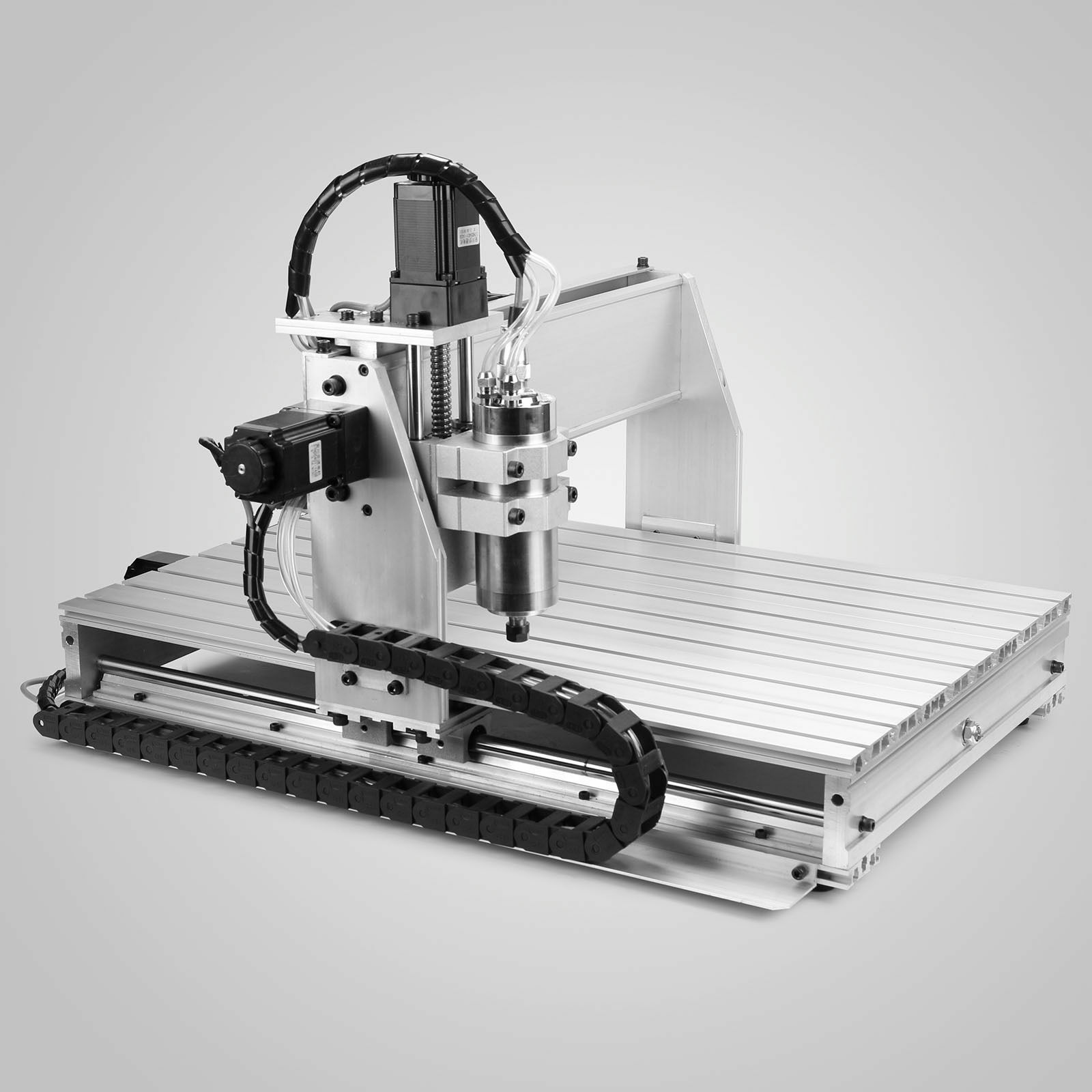
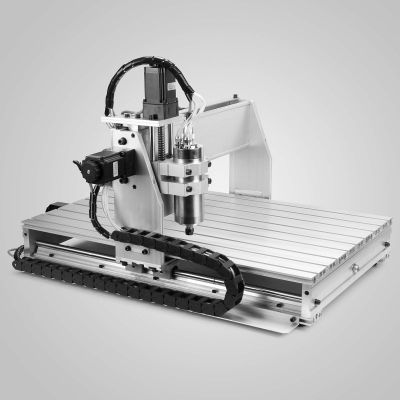
I got a relatively inexpensive 6040 CNC machine, and have been spending most weekends making the thing work, and then cutting stuff, learning the toolchain, and making subsequent improvements. Probably 90% of my machine time has been on making improvements. It’s not that the machine was bad — I got the version with ballscrews and a decently solid frame — but it’s that it somehow didn’t work together as a whole. It’s just an incredibly unbalanced design.

Let’s start with the spindle motor. It’s a 2.2 kW water-cooled beast that is capable of putting tons of work into a piece and spinning at very high speed. Yet to keep up with the high speed spindle, the motors that move it around would have to be capable of high speeds as well — it’s a feeds and speeds thing if you’re not a CNC geek. And they can’t. Instead, the stepper motors that came with the kit are designed for maximum force at low speeds. Which can make sense for some machines, but for one with a slightly flexible X-axis like this one, that’s wasted as well. The frame just can’t handle the low-end grunt that the motors are capable of, so it can’t take advantage of the spindle’s power either. The design is all over the place.
Over the last two months’ of weekends, I’ve been going through this iterative procedure of asking “what is my limiting factor right now?”, working on fixing that thing up, running it some, and then asking the question again. And it’s a good general procedure, and I believe that it’s getting me to the machine I want at the minimum cost of time, money, and effort.

At first, it was the driver hardware/software with its emulated USB parallel port, so I swapped out the controller for an Arduino running GRBL, soldered directly to the DB-25 that comes out of the back. At least it can put out pulses fast enough to order the motors around, but they would still stall out at high speeds. Swapping the stepper motors out for a high-speed pair only cost me €40, which makes you wonder why they didn’t just put the right motors on in the first place. The machine now travels fast enough to make use of the high-speed spindle, and I’m flying through plywood and plastics without leaving burn marks. It’s a huge win for not much money.

The final frontier is taking big bites out of aluminum. The spindle can do it, but I fear I’m up against the frame’s rigidity on the X-axis. For whatever reason, they went with unsupported rods on the X, which are significantly more flexible than an axis that’s backed up by more metal. And this is where the limiting factor may actually be my time and patience, rather than money. I just can’t bear to disassemble and reassemble the thing again. So for now, it’s going to be small nibbles, taking advantage of the machine’s speed, if not yet the spindle’s full horsepower.

But it’s odd, because this machine is a bundle of good parts. It’s just that they haven’t been chosen to work together optimally; the frame doesn’t work with the stepper motors, which don’t work with the spindle. If they went through my procedure of saying “what’s the limiting factor?” they could have saved themselves €100 by just shipping it with a wimpier spindle, which would have been a balanced, if anemic, machine. Or they could have built it with the right motors for more speed. Or supported rails for more grunt. Or both!

I’ll never know why they quit optimizing their design when they did. Maybe they never got past the slow USB/parallel port speed? But I’m near the end of my path, and I can tell because the limiting ingredient isn’t a simple upgrade, or even mere money anymore, but my own willpower.

How can you tell when you’re at the top of a mountain in a dense fog? A step you take in any direction would lead you downhill. How can you tell when you’re satisfied with a project’s state? When you don’t have the need, or desire, to undertake the next most obvious improvement.


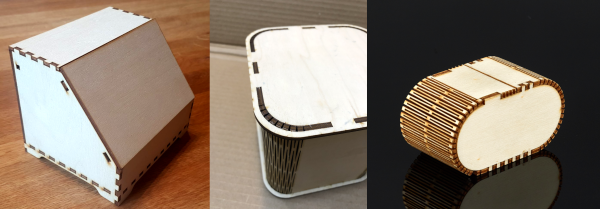
Boxes.py Has Your Lasercut Box Needs Covered

I needed something to test out a low-power laser cutter, and thought that some small cardboard boxes would fit the bill nicely, so off I went to scour the Interwebs for a quick-and-dirty finger-joint box generator. And the best of the best was to be found, drumroll please, on Hackaday.io. [Florian Festi]’s boxes.py not only has a sweet web interface, covers an absurd number of box styles, and includes kerf tests to ensure that your joints are tight, but it’s also written in easy-to-extend Python for when you have really particular needs.

But you won’t need to design anything of your own. There are already boxes with living hinges, boxes that fit 19″ racks, Eurorack skiff boxes with laser-cut mounting rails, and even a generic electronics project box with mounting ears for your PCB. Console2 has integrated clips on the rear service hatch.

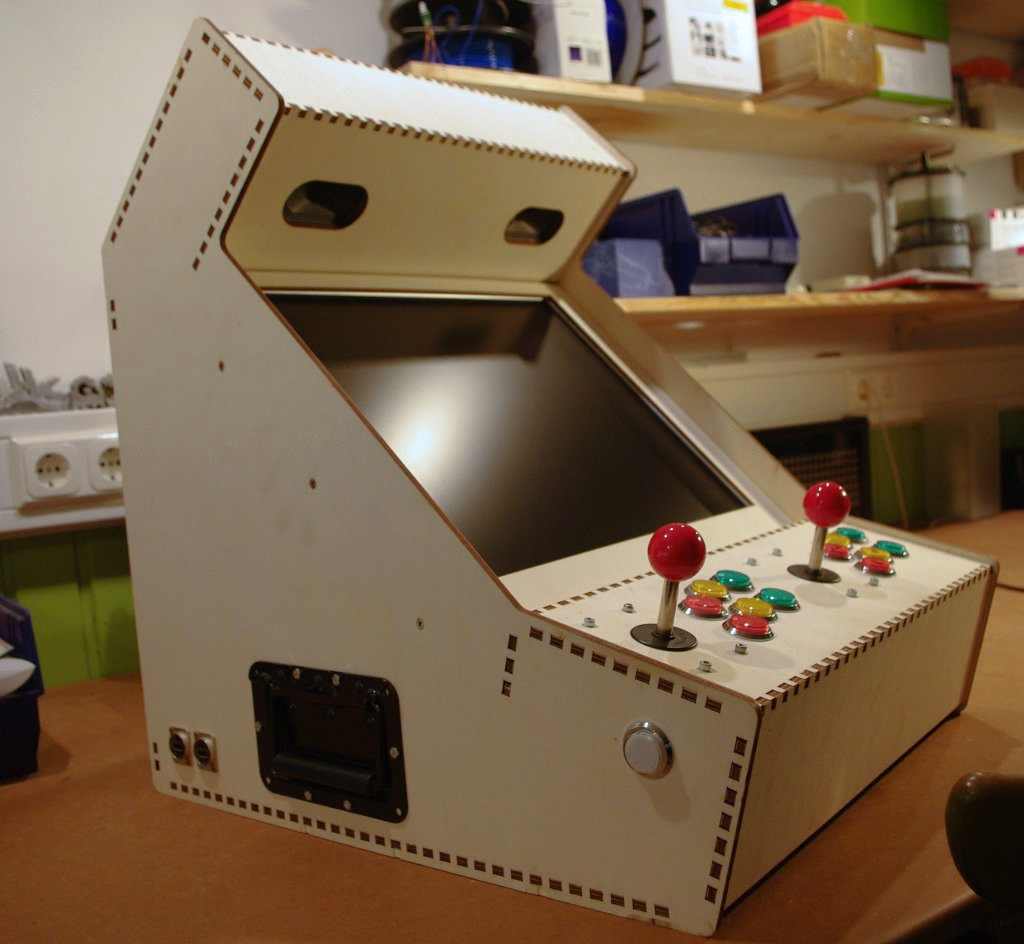
You need a pentagonal prism with a round opening? What size? I guess a complete arcade-style console is technically a box. Naturally, there are also geartrains and even a robot arm design. Wait, what?

Each of the box designs is fully customizable, so it’s easy to make something like a box with customized dividers, where the different compartments are specified in a sweet text markup. [Florian]’s example box set for the game Agricola is amazing.

Underpinning the code is a LOGO-like finger-joint drawing routine. This makes it relatively easy to draw your own funny shapes, and have the hard work of thinking through the joining fingers taken care of by the computer. [Florian] seems open to taking pull requests for new box shapes, but I haven’t thought of one yet.

I can’t say enough about how cool boxes.py is, and most of the demo applications are worth a look on their own. This was an entry in the Hackaday Prize back in 2017, and it’s been growing and improving ever since. Way to go, [Florian] and Co.