Floppy-8 Is A Tiny PC In A Floppy Drive

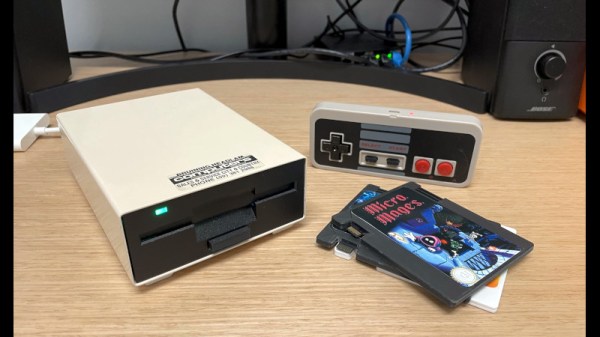
At first sight, Floppy-8 is simply a LattePanda based PC built into the shell of a external vintage floppy drive. Indeed, it’s a very nicely executed LattePanda PC in a floppy, and we’re impressed by it. What turns it from a nifty case mod into something a bit special though, is the way creator [Abraham Haskins] has used floppy-like cartridges in the original floppy slot, as a means of loading software.

The cartridges started out as PCBs in the shape of a floppy with an SD socket on their bottom, and progressed to USB drives on 3D printed cartridges and finally and simplest of all, the same 3D printed cartridges with micro SD cards embedded in their leading edges. All this was necessary to get them thin enough to fit into the existing disk slot — if dimensions weren’t a concern, you could enclose various USB devices into printed cartridges. A script on the computer looks for new card insertion, and runs the appropriate autostart.sh script on the SD card if it finds one. If you don’t need the “disks” to fit into an existing slot, you could print them larger and embed

Beyond the cartridges, the PC itself is assembled on a 3D printed frame inside the case. It’s controlled via Bluetooth, with a pair of knock-off NES controllers for games and an Amazon Fire remote for media. We particularly like the idea of weighting the controllers with ball bearings to give them a little heft.

The LattePanda gives the Raspberry Pi a run for its money in these applications. We particularly liked this portable Macintosh.

A Milliwatt Of DOOM

The seminal 1993 first-person shooter from id Software, DOOM, has become well-known as a test of small computer platforms. We’ve seen it on embedded systems far and wide, but we doubt we’ve ever seen it consume as little power as it does on a specialized neural network processor. The chip in question is a Syntiant NDP200, and it’s designed to be the always-on component listening for the wake word or other trigger in an AI-enabled IoT device.

DOOM running on as little as a milliwatt of power makes for an impressive PR stunt at a trade show, but perhaps more interesting is that the chip isn’t simply running the game, it’s also playing it. As a neural network processor it contains the required smarts to learn how to play the game, and in the simple circular level it’s soon picking off the targets with ease.

We’ve not seen any projects using these chips as yet, which is hardly surprising given their niche marketplace. It is however worth noting that there is a development board for the lower-range sibling chip NDP101, which sells for around $35 USD. Super-low-power AI is within reach.

The Last Meccano Factory Is To Close. Will We Miss It?

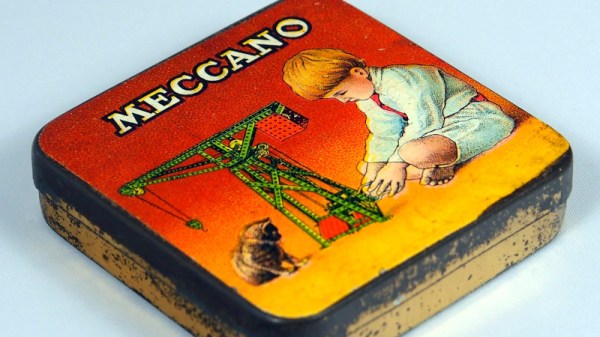
If we were to talk to engineers about the childhood toys which most inspired them, it’s likely that the older among them would mention either Meccano or Erector Set. These similar construction toys using metal components originated independently around the turn of the 20th century in both Britain and America, and eventually became part of the same company.

They were a staple of toy shops through the middle of the century, but have steadily declined in popularity over the past few decades. Now news has emerged that the last dedicated Meccano factory, in Calais, France, is to close. The products will still be made, but in other factories alongside other toys. It’s not the end for Meccano or Erector Set, but it’s clear that they are both toys whose time may have passed.

It’s fair to say that the possibilities of those perforated metal sheets and myriad nuts and bolts might seem a little limited for the 2020s child, but it opens the age-old question of what remains to interest young minds in engineering or technology. The obvious answer to that question comes in the form of Lego, evidently so much more fun can be had with plastic bricks.

Did you have Meccano or Erector Set when you were a kid? If so what did you do with it? We’ve seen a few projects using it here over the years.

Header: Alf van Beem, CC0.

This Camera Produces A Picture, Using The Scene Before It

It’s the most basic of functions for a camera, that when you point it at a scene, it produces a photograph of what it sees. [Jasper van Loenen] has created a camera that does just that, but not perhaps in the way we might expect. Instead of committing pixels to memory it takes a picture, uses AI to generate a text description of what is in the picture, and then uses another AI to generate an image from that picture. It’s a curiously beautiful artwork as well as an ultimate expression of the current obsession with the technology, and we rather like it.

The camera itself is a black box with a simple twin-lens reflex viewfinder. Inside is a Raspberry Pi that takes the photo and sends it through the various AI services, and a Fuji Instax Mini printer. Of particular interest is the connection to the printer which we think may be of interest to quite a few others, he’s reverse engineered the Bluetooth protocols it uses and created Python code allowing easy printing. The images it produces are like so many such AI-generated pieces of content, pretty to look at but otherworldly, and weird parallels of the scenes they represent.

It’s inevitable that consumer cameras will before long offer AI augmentation features for less-competent photographers, meanwhile we’re pleased to see Jasper getting there first.

Answering Some Pico Balloon Questions

When the US Air Force shot down some suspected Chinese spy balloons a couple of weeks ago, it was widely reported that one of the targets might have been a much more harmless amateur radio craft. The so-called pico balloon K9YO was a helium-inflated Mylar balloon carrying a tiny solar-powered WSPR beacon, and it abruptly disappeared in the same place and time in which the USAF claimed one of their targets. When we covered  the story it garnered a huge number of comments both for and against the balloonists, so perhaps it’s worth returning with the views of a high-altitude-ballooning expert.

[Dave Akerman] has been sending things aloft for a long time now, we think he may have been one of the first to put a Raspberry Pi aloft back in 2012. In his blog post he attempts to answer the frequently asked questions about pico balloons, their legality, whether they should carry a beacon, and what the difference is between these balloons and the latex “weather balloon” type we’re familiar with. It’s worth a read, because not all of us are part of the high-altitude balloon community and thus it’s good to educate oneself.

Meanwhile, you can read our original report here.

Testing The Raspberry Pi Debug Probe

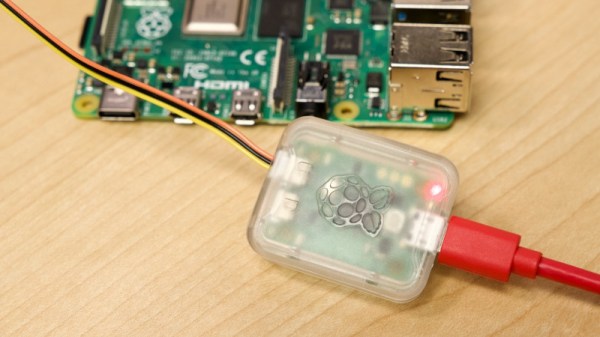
We mentioned the Raspberry Pi Debug Probe when it was launched, a little RP2040-based board that provides both a USB-to-UART and an ARM SWD debug interface. [Jeff Geerling] was lucky enough to snag one, and he’s put it through its paces in a handy blog post.

The first question he poses is: why buy the Pi offering when cheaper boards can be found on AliExpress and the like? It’s easily answered by pointing to the ease of setting up, good documentation and support, as well as the device’s reasonable price compared to other commercial probes. It also answered a personal question here as he hooked it up to a Pico, why it has three jumpers and not the more usual multi-way header we’ve seen on other ARM platforms. We should have looked at a Pico more closely of course, because it matched neatly to the Pi product. On the Pico they’re at the edge, while on the Pico W they’re in the center.

No doubt if the latest addition to the Pi stable has any further revelations we’ll bring them to you. But it’s worth a quick look at this piece to see a real experience with their latest. Meanwhile, take a quick look at our launch coverage.

An Amiga Mouse, The Modern Way

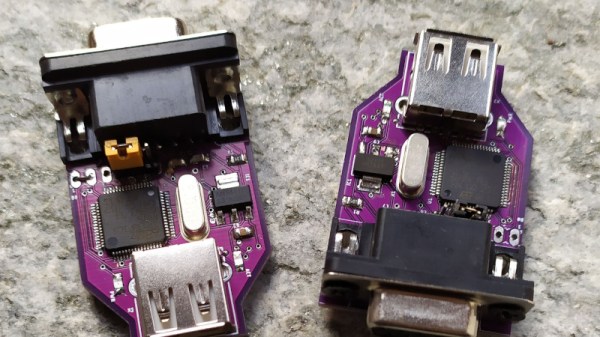
When we recently featured an Amiga upgrade project, [EmberHeavyIndustries ] was prompted to share one of their own, an adapter to allow a modern USB HID mouse to be used with the Commodore quadrature mouse port.

The first mice simply transferred the rotation of the ball through rollers to switches or optical sensors which passed pulse trains to the host computer. From the relative phase of these pulse trains the computer could work out what direction the mouse was going, as well as how far it had moved through counting the pulses. Since this was the simplest mouse interface, many of the 16-bit era machines used these signals. The PC meanwhile lacked such a port, so companies such as Microsoft had to place a microcontroller in the mouse to do the position sensing, and send the result over a serial interface. This evolved over time into the USB HID mouse interface you are probably using today.

Unfortunately for owners of quadrature mouse driven machines, real quadrature mice are a little thin on the ground these days, thus the adapter is a seriously useful device. At its heart is an STM32 microcontroller, and it’s been through a few updates and now supports mouse wheels. Your Amiga has been waiting for this!

There are quite a few other treats for Amiga enthusiasts in the EmberHeavyIndustries GitHub account, meanwhile here’s the video upgrade which caused us to receive the tip.