In the seven years since the Raspberry Pi was first launched to an expectant audience we have seen many laptops featuring the fruit-themed single board computers. Some of them have been pretty jaw-dropping in their quality, so for a new one to make us stop and gape it needs to be something really special. On cue, here comes [Igor Brkić] with one of the neatest efforts we’ve seen, a high quality Pi laptop that’s smaller in frontal area than many smartphones.
At its heart is a Pimoroni Hyperpixel touchscreen HAT, and a Pi sitting behind it that has been stripped of all bulky connectors to reduce its height. The keyboard is a mini Bluetooth affair, and power comes courtesy of a deconstructed USB power bank with a lithium-ion pouch cell. The whole is contained within a neatly designed 3D-printed clamshell enclosure, making for a tiny and very neat laptop. We want one, and now you probably do too. (We wouldn’t say “no” to some level shifters and a GPIO port…)
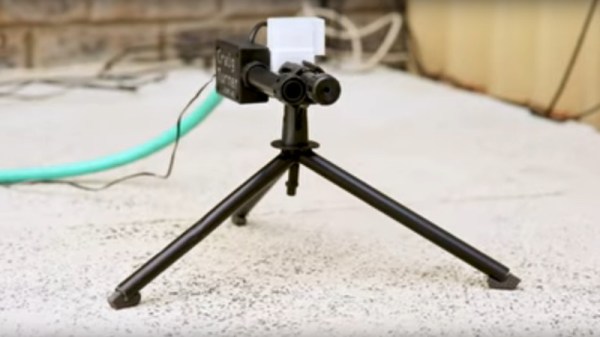
Some of us here at Hackaday are cat lovers, but we also understand that a plethora of unwanted cats using a suburban back garden can be bothersome, and a few years ago we featured a project from Aussie YouTuber [Craig Turner], in which he created a motion-detecting water spray for use as a relatively harmless cat repellent. Now he’s back with an updated version which is a little slicker and easier to make.
At its heart is the same PIR-turns-on-water operation, but this time there is a solenoid valve and purpose-built nozzle instead of a car central locking actuator and a lawn sprayer. Doing the electronic work is an off-the-shelf PIR module, so there is no longer any need to hack a security PIR detector. Add in some pipe sections and PTFE tape with a bit of hot glue, and the result is a far more professional and streamlined device. The video gives a full run-down on construction, though we notice he neglected to emphasise the polarity of his protection diode so keep an eye out if you follow his example.
So if the thought of a continuous supply of free feline company courtesy of your neighbours is not for you then now you are equipped to send them packing. The latest video incarnation of the project is below the break, but if you are in search of the original then you can go back to our coverage at the time.
Running a brushed motor in muddy or dusty environments takes a toll on controllers, with both heavy back EMF and high stall currents. This explains one of the challenge in Europe’s Hacky Racer series, which is decidedly more off-road than America’s Power Racing Series.
In pushing these little electric vehicles to the limits, many builders use brushless Chinese scooter motors since they’re both available and inexpensive. Others take the brushed DC route if they’re lucky enough to score a motor — and then the challenge becomes getting the most performance without burning up your controller. To fix this, [MechanicalCat] has come up with a current limiter for cheap DC motor controllers.
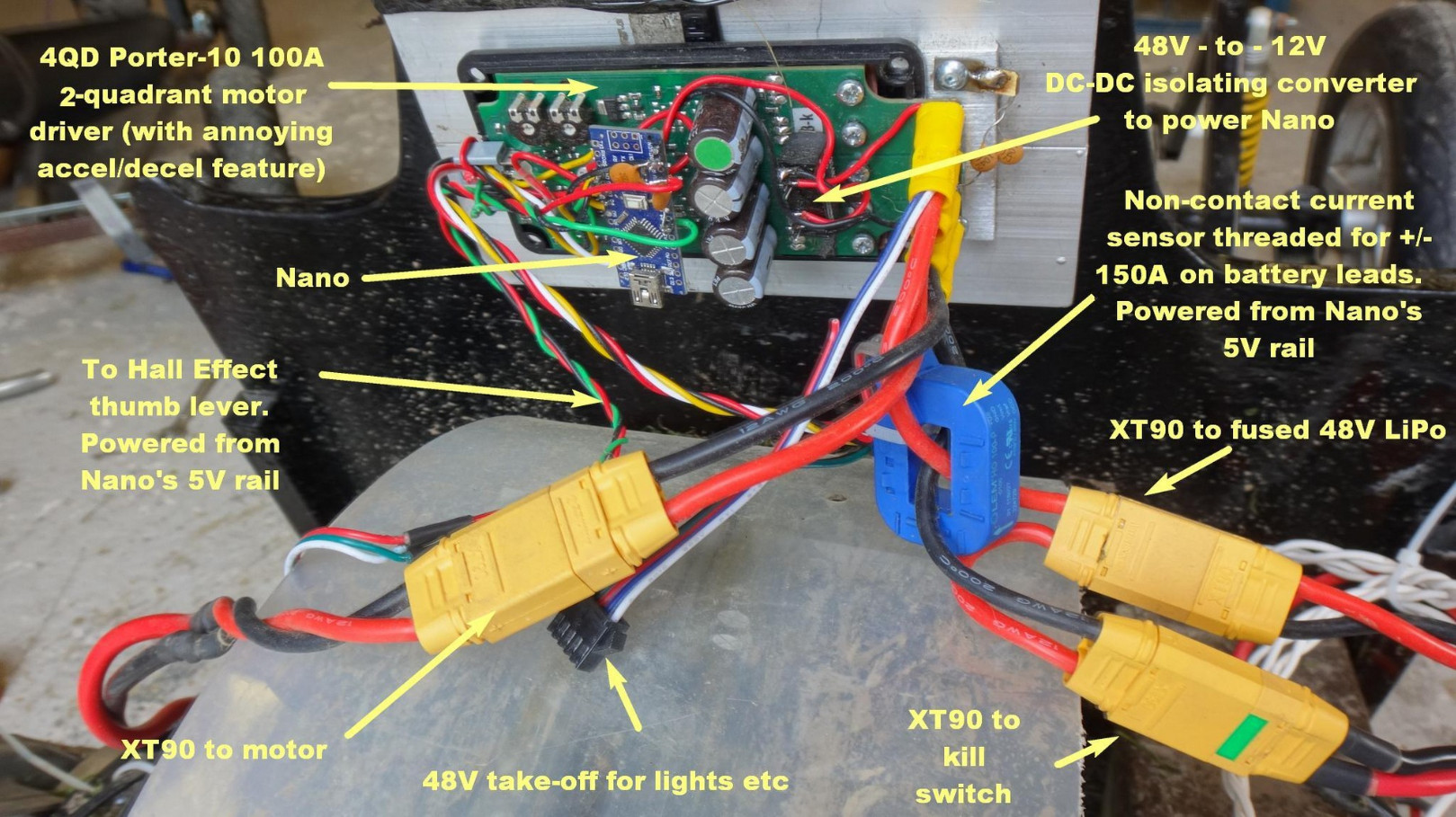
The full write-up is in the included PDF file, and describes the set-up of an Arduino Nano sitting between throttle and controller, and taking feedback from a current sensor. The controller in question is a 4QD Porter 10 so an extra component is a DC-to-DC converter to provide a floating ground for the Arduino. However, there is also the intriguing possibility of the same set-up being used with absurdly cheap Chinese motor controllers. There is also advice on fitting flyback diodes, something which might have saved one controller in the Hackaday pits last year.
It’s yet to be seen what effect this will have on Hacky Racer competitiveness, however its applications go far beyond that field into anywhere a reliable small DC motor drive on the cheap is required. Meanwhile, if you’re unsure where this Hacky Racer stuff came from, you could start here.
Making a GPS clock is a relatively straightforward process on the face of it. Buy a GPS module for a few dollars, hook it up to a microcontroller board of your choice, pick the appropriate library and write a bit of code, et voila! A clock with time-wonk bragging rights!
Of course, your GPS clock will always tell the right time, but it won’t be really right. Your microcontroller will introduce all sorts of timing errors and jitter, so at best it’ll only be nearly right. [Rick MacDonald] has been striving to quantify and minimise these errors in his OpenPPS project, which aims to be as accurate a GPS time and frequency reference as possible.
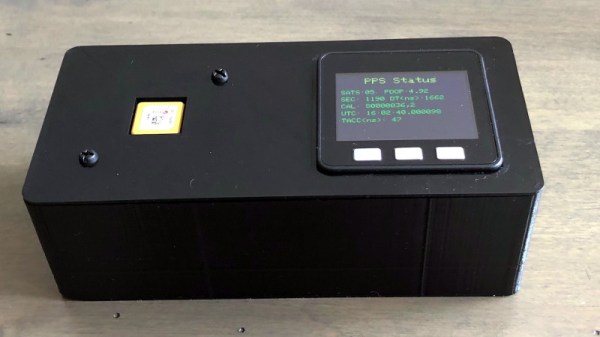
In a very comprehensive multi-page write-up, he details his progression, through the GPS modules he used, his experience with timing jitter when he used an ESP32 alone to process their output, and then his experiments with an FPGA and then temperature-compensated oscillators. It moves from being a mere description of a GPS clock into a fascinating run-down of both GPS timing itself and the development pitfalls he encountered along the way. At the end of it all he has a GPS clock in a smart 3D-printed enclosure which he admits as yet doesn’t do anything more than tell the time, but as he points out it’s a clock with minimised jitter, delay, and drift, and it remains an ongoing project that will evolve into a full-blown time and frequency standard.
Regular readers will recognise this as the third part of a series exploring blacksmithing for those who have perhaps always fancied having a go but have never quite known where to start. It’s written from a position of the unusual experience of having grown up around a working forge, my dad may now be retired but he has a blacksmith specialising in architectural ironwork.
So far in this series we’ve looked in detail at the hearth and anvil that you might find in a typical forge, and delivered some pointers as to where you might look to find or even construct your own.Those are the signature pieces of equipment you’ll find in a forge, but with them alone you can still not be a blacksmith.
If I Had A Hammer…
An array of hammers of different weights and types.
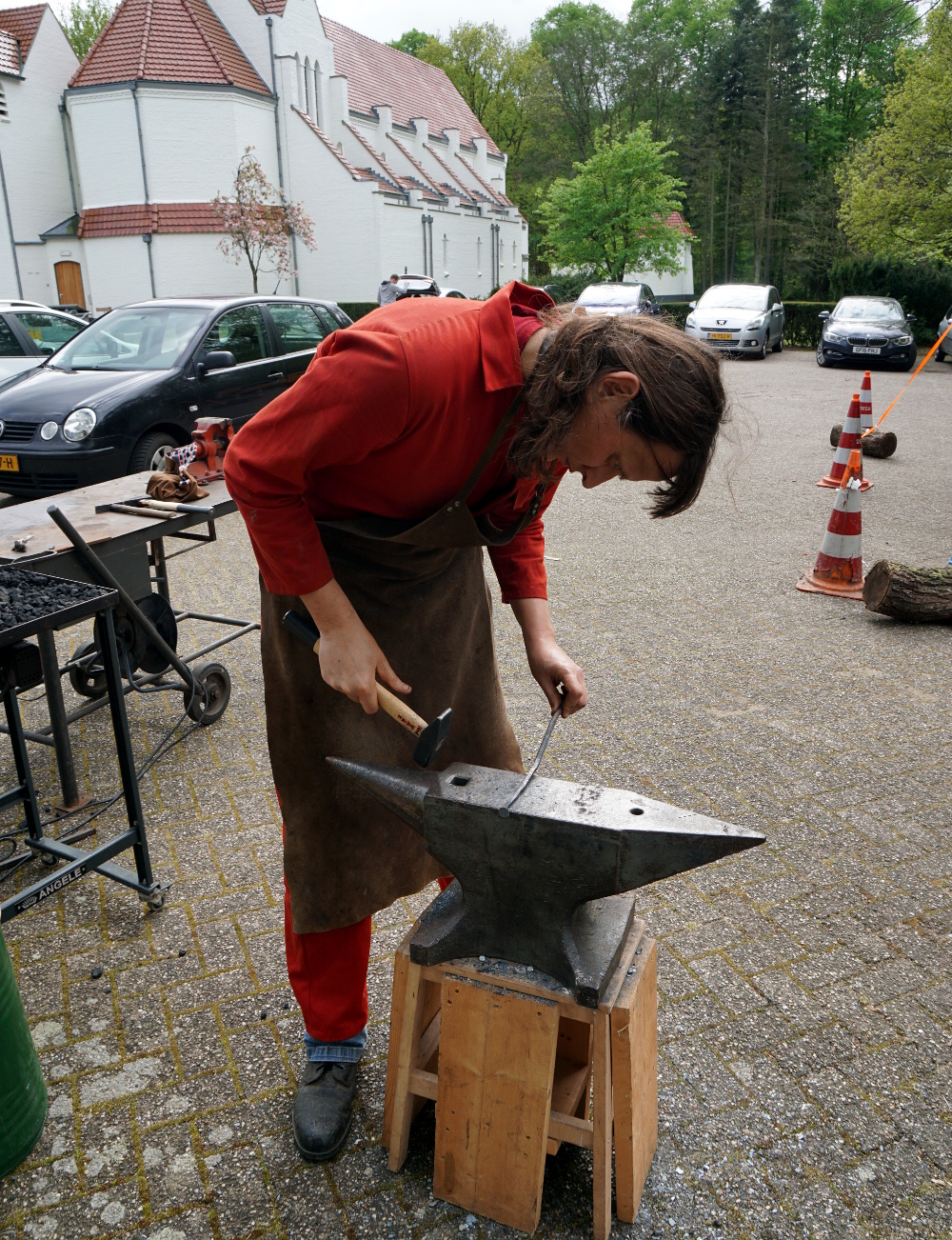
Given an anvil, a hearth, and a vat of water to quench hot work in, and you’re almost set for your forge, but not quite. Most of a modern blacksmith’s workshop is the standard metalworking assortment of welders and angle grinders, but there is a set of tools that remain essential for blacksmithing alone. Your hammers are what connect you to the work, and can be as individual as the preferences of the blacksmiths themselves. There is no “right” answer to the question of what hammer you should use, instead you should use the one that works best for you. I instinctively favour a round-faced ball-peen hammer because that’s what my dad mostly used, but for example my Dutch friends use square faced cross-peen hammers. Blacksmiths will often make their own hammers to suit their needs, for example my dad made more than one using the high-quality steel of vehicle half-shafts as a starting point. Hardening them is a specialist skill in its own right, and I remember quite a few experiments before he perfected it.
It may well be stating the obvious, but the weight of the hammer influences how much energy it can impart to the work, and in turn the size of work that can be done. Casting an eye over my dad’s hammers the three workaday weights were 2 pound, 3 pound, and 4 pound (roughly 1 kg, 1.5 kg, and 2 kg), allowing a variety from fine work to heavier hitting of larger pieces. In a recent project, making a mediaeval nail, I selected an unsubtle lump hammer to draw out the larger square stock, and a much smaller one to finish it up, create the fine point, and relatively thin head. These are only a subsection of the hammers at his disposal though, like most blacksmiths he has a variety for all tasks, up to sledgehammers. I have frequently taken my turn either holding a piece with tongs while he used a sledgehammer, or on the sledgehammer myself.
Tongs, for Hot Gripping Moments
A selection of tongs, including some designed for very specific tasks. Our thanks to [Igor Nikolic] for making this picture possible.The constant companion to a blacksmith’s hammer is a pair of tongs. These can be bought from blacksmith’s suppliers, but making a pair can be a task within the reach of most smiths. Two identical sides are made from pieces of stock, with long thin handles, a flat piece to form the hinge, and whatever jaw piece is required. It feels like cheating to form the hole for the hinge on a drill press rather than on the anvil with a punch, but riveting it with a short piece of bar is a straightforward enough process. Blacksmiths will have a huge array of tongs with different jaws for specific jobs, built up over years as jobs demand it. If you cast your mind back to the Finnish smith pictured halfway down the first installment of this series, you’ll find several racks of tongs. A later episode of this series will look at making a set of tongs, though we can’t promise in advance the quality of the finished article.
A final moment for today should be spent on the subject of protective equipment. The hazards of blacksmithing are relatively uncomplicated, but some basic protective clothing is still very much worth having. The most obvious hazard is heat, you will be working in a noisy environment with red hot metal and fire. Though you will generate fewer sparks than you’d expect, I have a blacksmith’s leather apron and a set of fire-resistant overalls. Both of these are readily available from blacksmith’s supply stores, and are well worth the investment. There are also a lot of heavy and sharp items involved, not to mention hot particles on the floor. For that reason I also have a set of steel-toecapped workboots rated for hot particles. They aren’t the most elegant of footwear, but they have saved me from a few nasty moments.
I do not have any face protection specifically for blacksmithing, but depending on the work in hand there may be some sparks created. A polycarbonate face shield rated for hot particles should be available from any safety equipment supplier, and shouldn’t cost too much, and is an essential thing to own if you are doing any grinding or rotary wire brushing. Beyond that, there are also leather gloves designed for handling hot metal. I don’t use them because I prefer the feel of the hammer directly and am happy to use a pair of tongs to hold hot pieces of steel.
We’ve taken you through the basic workshop equipment of a blacksmith over the last few episodes of this series, and you should now have a basic idea of the safety kit you would be well advised to own. From this foundation we’ll next take you into the forge and start looking at a few blacksmithing techniques and simple projects, and along the way we’ll see some of the materials involved, too.
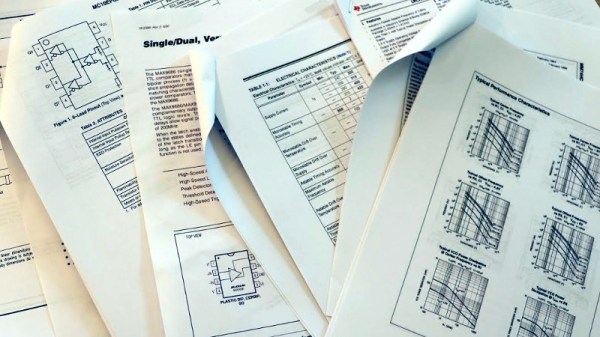
Selecting electronic components can be a frustrating process, one of trawling through the websites of distributors such as DigiKey, Mouser, or RS, and then poring over manufacturer data sheets. These documents produced as detailed guides to the technical specifications of a device contain enough to give an engineer everything they need to incorporate it into their designs.
Unfortunately many datasheets fall short of the ideal, and have instead become marketing documents designed to “win the socket”. This is a problem that vexes Boldport’s [Saar Drimer], and he has written a personal manifesto outlining his vision to make the world of datasheets a better place.
It’s a common-sense designer’s wishlist, and it’s one we could completely get behind. Chief among his desires are web-readable datasheets as well as the ubiquitous PDFs, with full data in human and machine readable forms instead of tiny printed graphs and tables. He also makes a plea for better UX testing to combat the scourge of the inaccurate pad layout, to which we’d add providing footprints ready-made for all popular CAD packages. These and the rest of his manifesto would be a game-changer, and wouldn’t displace the existing paper or PDF sheet for those who still use them. Whether or not the manufacturers will take heed is anyone’s guess, but to have such an ideal laid out is a start.
If you’re not familiar with [Saar]’s work, you’re in for a treat. Boldport produce some of the most beautiful artistic PCBs, and we’ve featured them before more than once.
Thanks to our colleague [Ted Yapo] for the header image.
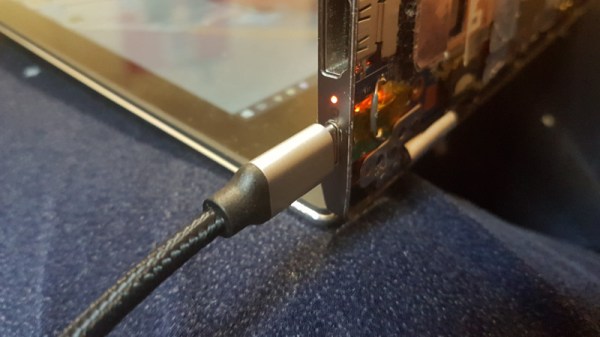
It’s a very brave person who takes a Dremel or similar to the case of their svelte new laptop in the quest for a new connector, it sounds as foolhardy as that hoax from a while back in which people tried to drill a 3.5mm jack into their new iPhones. But that’s what [BogdanTheGeek] has done, in adding a USB-C port to his Acer.
Of course, the port in question isn’t a fully functioning USB-C one, it’s a power supply jack, and it replaces the extremely unreliable barrel jack the machine was shipped with. He’s incorporated one of those little “ZYPDS” USB-C power delivery modules we’ve no-doubt all seen in the usual cheap electronic sources, and in a move of breathtaking audacity he’s cut away part of the Acer mainboard to do so. He’s relying on the laptop’s ability to accept a range of voltages, and presumably trusting his steady hand with a rotary tool. Some Kapton tape and a bit of wire completes the work, and with a carefully reshaped hole in the outer case he’s good to go.
The result is beautifully done, and a casual observer would be hard pressed to know that it hadn’t always been a USB-C port. We’re sure there will come a moment at which someone will plug in a USB-C peripheral and expect it to work, it’s that good.





![A selection of tongs, including some designed for very specific tasks. Our thanks to [Igor Nikolic] for making this picture possible.](https://hackaday.com/wp-content/uploads/2019/04/tong-selection.jpg)