The 2026 EMF Badge Arrives, With An Add-On. As Expected, It’s Familiar

Two years ago the EMF hacker camp in the UK released a new kind of event badge. The Tildagon was designed to be a recurring event badge, useful for the next EMF rather than destined to be e-waste. With the 2026 event coming up there’s a new Tildagon called the Spaceagon, and as you might expect it’s very familiar indeed.

Tildagon owners can update their badge with the Spaceagon front panel (Update — The EMF badge team would like us to inform you that the final badge art will differ from the prototype badge shown), while those without one can buy the new badge. It has a few minor updates from its predecessor, including better buttons, LEDs, and display mounting, and there’s a compass, a joystick, and touch sensitive areas.

The Tildagon introduced its own add-on format, the Hexpansion. This year there’s the first official Hexpansion, a keyboard, using the same rubber moulding we see on quite a few maker projects. We like the Hexpansion idea because it uses an edge connector rather than a set of pins on the device, but at the cost of more expensive badge parts.

If you’re going to EMF you should be able to order yourself a Spaceagon, or an upgrade kit if you already own a Tildagon. Meanwhile we covered the 2024 version back when it arrived, and surprisingly this isn’t the first keyboard add-on for it either.

Jenny’s Daily Drivers: Microsoft Windows 11

In our search for the unusual or interesting among the world of operating systems, it might seem unexpected that today’s choice for a Daily Driver is the latest version of Microsoft Windows. Aside from Hackaday perhaps having a larger than average percentage of viewers using Linux based operating systems and generally catering to open source enthusiasts, there’s hardly anything special about Windows, is there?

Oddly for me there is — because while it’s a common enough OS for the masses, the last time I had a Windows computer it ran XP. That venerable OS is a world away from today’s Windows 11, and thus as someone who’s exclusively sat in front of a GNOME desktop for much of the last two decades, it’s an entirely new operating system.

There’s no doubt that it will make a Daily Driver, because of course I’ll be able to do my work on it. Where the interest lies is in seeing what Windows has become. Is it still a useful general purpose operating system, or has it become the locked-down walled garden of crapware that its detractors warn you about? Time to dive in.

Continue reading “Jenny’s Daily Drivers: Microsoft Windows 11”

Cookies, Baked The 3D Printer Way

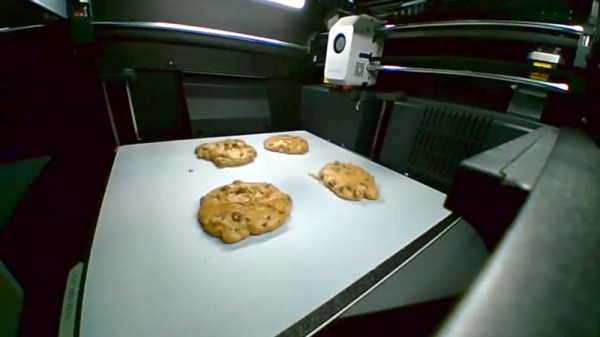
Imagine for a moment that the Cookie Monster is going to visit, but all the cookie baking utensils in your house have been mislaid. The horror! Fortunately [Startup Chuck] is here with a video showing the process of baking cookies in a 3D printer, and as an extra treat he’s using entirely 3D printed utensils too.

The utensils are comprehensive array of all you’d need for serious cookie production, even going as far as to print a mixing bowl and beater for a KitchenAid mixer. There are scoops aplenty, and something we’re particularly impressed with, a spatula with a TPU blade. We’re guessing that FDM prints might not be the best for cooking because all manner of food could get caught in those layer lines and go off, but let’s face it, this is a bit of fun rather than a forever cooking project. We like the AI generated spork for its near-flatness, reminding us of our AI-generated breakfast. Finally he even prints a cookie baking sheet using nylon filament.

An enclosed 3D printer makes a surprisingly effective low-temperature oven, with the heated bed as the element. It works, and makes recognizable cookies, though they’re not browned. As entertaining as this experiment may be, we can’t recommend following his example — at the very least, moisture and food ingredients in your printer probably aren’t conducive to good future printing.

Continue reading “Cookies, Baked The 3D Printer Way”

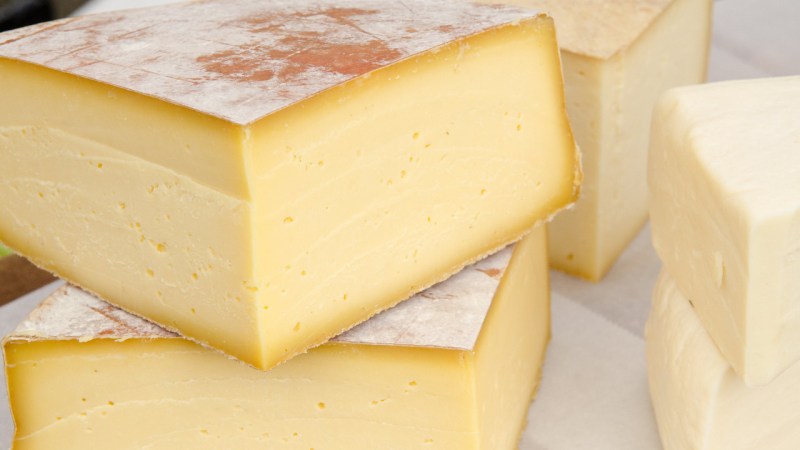
Know Your Food: Cheesemaking

There’s a thing that people who grew up on farms all share: a connection with food production that isn’t some mystical rose-tinted woo from a TV chef, but instead a practical general knowledge from being there on the ground. A glance at a crop in a field and you immediately recognise what it is, if it’s ploughing time you’ll know the soil type, and there’s always either too little, or too much rain. For a given foodstuff you’ll know far too much about where it came from, because if your dad wasn’t involved in its production, the chances are someone he knew was. You take this for granted, after all doesn’t everyone have this general knowledge? Seemingly not.

Hackaday is not a cooking channel, but I know we’re all interested here in how things are made. Shouldn’t that also extend to what we eat? It’s fashionable to follow a back-to-nature line that all commercial foodstuffs are somehow over-processed junk, but without the requisite knowledge you’re flying blind there. To know both how common foodstuffs should be made, as well as how they are made industrially, should be an essential for everyone.

Continue reading “Know Your Food: Cheesemaking”

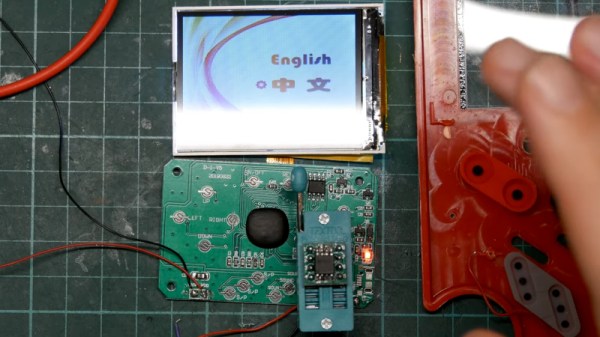
Reverse Engineering A Rock Bottom NES Clone

The NES was Nintendo’s smash hit console of the 1980s, the international version of their Japanese Famicom system. It wasn’t a particularly complex device, so it was the subject of many clones back in the day. More recently, it has enjoyed a new life thanks to “NES on a chip” systems. It’s one of these that [Poking Technology] has, real rock bottom for the console built into a cheap phone case.

Continue reading “Reverse Engineering A Rock Bottom NES Clone”

A Camera Viewfinder Makes A Great TV

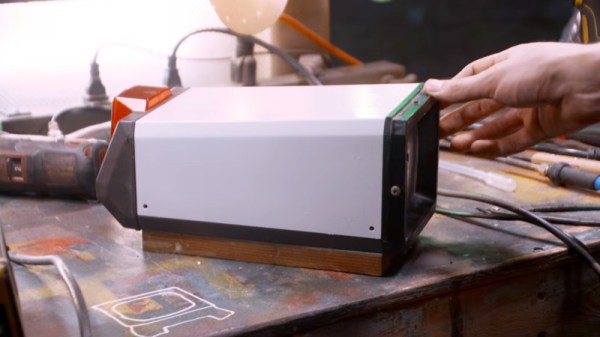
When we think of CRT camera viewfinders, most of us probably imagine the tiny CRTs you’d find in a 1980s camcorder. They’re super cute and a load of fun to play with, but they’re very much a consumer device. Professional cameras of the type you’d find in a studio had their own viewfinders, which were a lot closer to a small TV. They’re about as high quality as it gets for a monochrome CRT, and [Evan Monsma] has done the conversion to a general-purpose monitor.

On one side, this is a very straightforward hack, simply a case of tracing wires to identify the power and video pins. Given a tool battery, the monitor fires up and gives a super-sharp picture. What we like about this is the wooden base he’s made for the thing, at the same time rough-and-ready, and professional-looking from the outside. It has a routed space for the cables, and once mounted flush with the monitor base and given a bit of wood stain, it looks almost as though it was manufactured that way.

It’s likely most of us won’t find a broadcast viewfinder in the trash, instead settling at best for a little Chinese portable TV. But it’s still interesting to see these unusual devices. Perhaps it might make a good cyberdeck.

Continue reading “A Camera Viewfinder Makes A Great TV”

Modern Graphics Via DisplayLink For Your ISA-Era PC

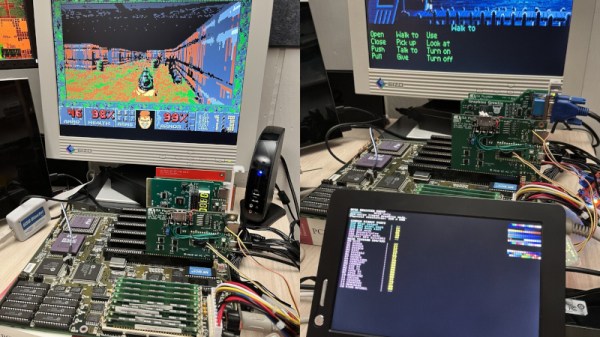
The monitors used on older computers are now becoming difficult to find, as we doubt anything for MDA, CGA, Hercules, or EGA has been manufactured in decades. Even VGA, though there are plenty of surplus flat panels to be found, is not as ubiquitous as it once was. Where does that leave the retrocomputing enthusiast with an ISA PC and no screen? Perhaps [Ian Hanschen] has the answer with the PicoGraph, an ISA-to-USB-to-Displaylink adapter.

In hardware terms, it’s using a PicoMEM, a more general-purpose ISA card for emulating cards with a Pi Pico. The Pico hosts a USB DisplayLink adapter, which can connect to the screen of your choice. The software on the PicoMEM does the heavy lifting and provides MDA, Herc, EGA, and VGA support, as well as support for one of the 1990s Cirrus Logic SVGA chipsets. And yes, it appears to work with DOOM.

The practice of using 2020s microcontrollers to lend functionality to retrocomputers has revolutionised the art. We’ve seen many, with one of the more recent being a minimap add-on for an 8-bit Sinclair Spectrum.