Join Hackaday Editor-in-Chief Elliot Williams and Managing Editor Tom Nardi on another whirlwind tour of the week’s top stories, hacks, and projects. We start off with some breaking Linux security news, and then marvel over impeccably designed pieces of hardware ranging from a thrifty Z table for the K40 laser cutter to a powerful homebrew injection molding rig. The finer technical points of a USB device that only stores 4 bytes at a time will be discussed, and after taking an interactive tour through the internals of the 555 timer, we come away even more impressed by the iconic 50 year old chip. We’ll wrap things up by speculating wildly about all the bad things that can happen to floating solar panels, and then recite some poetry that you can compile into a functional computer program should you feel so inclined.
Take a look at the links below if you want to follow along, and as always, tell us what you think about this episode in the comments!
In a relatively short amount of time, the average capacity of USB flash drives has skyrocketed. It wasn’t so long ago that two and four gigabyte drives were considered to be on the high end, but today you can grab a 512 GB drive for less than $50 USD. In fact they’ve gotten so large that it can feel wasteful using them for some tasks, and we occasionally find ourselves wishing we could find some modern USB drives that didn’t rival the storage capacity of our whole computer.
That said, this USB-C tetrabyte drive created by [Glen Akins] might be slightly too small for our tastes. No, that’s not a typo. As in the Greek tetra, this drive can hold a massive four bytes at a time. Even better, you don’t need a computer to write to it: the 32 DIP switches let you key in the content on the fly, bit-by-bit.
Reading out the first byte from the DIP switches.
As explained in a Twitter thread, [Glen] was inspired to create this gadget after another user posted a picture of a 32 position DIP switch with a caption that said it was a “One Tetrabyte SSD” back in December. He apparently couldn’t track down the same switch, but the four red Grayhill 76 Series switches arguably make it a bit clearer when entering in your bytes.
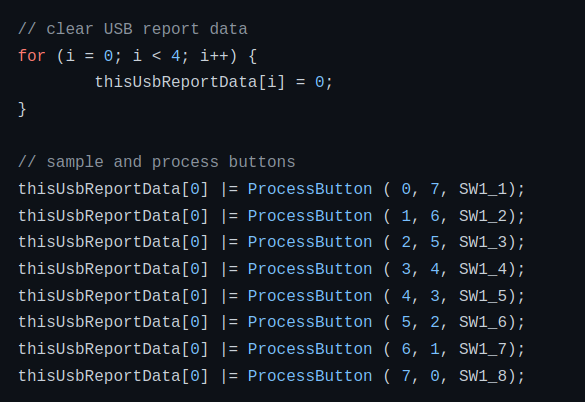
Each of the individual DIP switches are connected to one of the GPIO pins of the 8-bit EFM8UB2 microcontroller, and the code simply reads the state of each pin in order and saves the binary results in a variable to put together the “file” it presents to the OS when plugged in.
We’ve seen our fair share of unusual USB flash drives in the past, but this one is truly in a league of its own. Can’t say we can think of any four bytes of data important enough to hold on a dedicated piece of hardware, but we certainly appreciate the effort to store it in the most robust way possible.
Arguably the biggest advantage of the Arduino platform is its ease of use, especially when compared to what microcontroller development looked like before the introduction of the open source board and its associated software development environment. All you need to do is download the IDE for your platform, plug in your Arduino, and you can have code running on the hardware with just a few clicks.
But can it get even easier? [Gabriel Valky] certainly thinks so, which is why he’s developed the cloud-based Gabuino platform. As of right now it only supports the DS213 pocket oscilloscope and LA104 logic analyzer, but he says the code is lightweight enough that it should work with any STM32 board that has the appropriate bootloader. Using Gabuino requires no software to be installed on the computer, just plug in the board, and you’re already half way there.
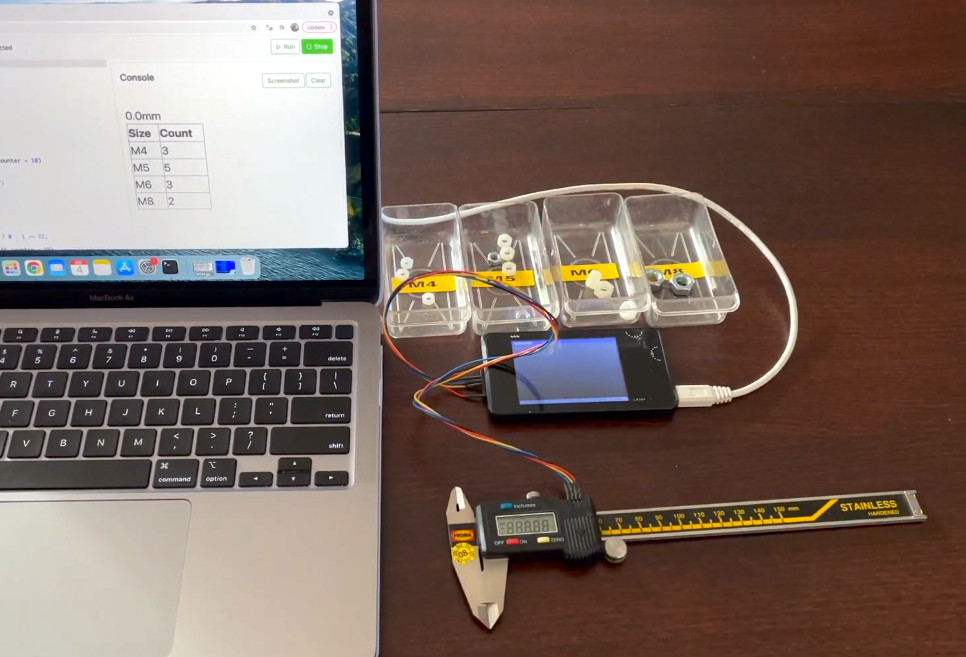
Gabuino processing data from digital calipers.
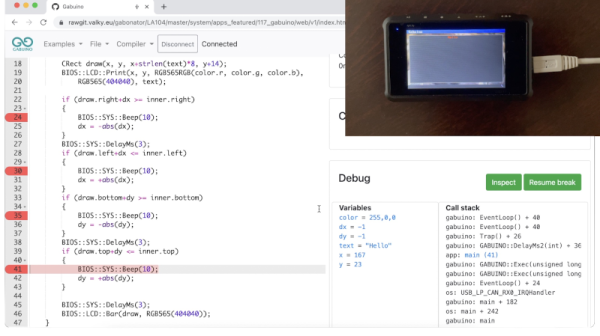
The trick is that the code editor and compiler have been moved into the cloud, and are accessed through the host computer’s web browser. The web interface also integrates an impressive “Console”, which [Gabriel] likens to the Serial Monitor and Plotter functions of the Arduino IDE, but is actually far more capable. The Gabuino Console is not only bi-directional, but through the use of libraries such as Three.js and WebGL, it’s able to render video output from code running on the microcontroller.
[Gabriel] takes us through some of the capabilities of Gabuino in the video below, and we have to say, it looks pretty impressive. We especially liked the built-in debugging capabilities that let you set breakpoints and examine variables. This plug-and-play approach certainly holds promise for students or beginners, though we think the hardware compatibility will need some work before the project really takes off.
Incidentally, this isn’t the first time [Gabriel] has written some code for the LA104. Last year we covered his very impressive custom firmware for the ~$100 USD gadget, which should sweeten the deal considerably if you end up getting one to experiment with Gabuino on.
Join Hackaday Editor-in-Chief Elliot Williams and Managing Editor Tom Nardi as they bring you up to speed on the best stories and projects from the week. There’s some pretty unfortunate news for the physical media aficionados in the audience, but if you’re particularly keen on 50 year old integrated circuits, you’ll love hearing about the winners of the 555 Timer Contest. We’ll take a look at a singing circuit sculpture powered by the ESP32, extol the virtues of 3D printed switches, follow one hacker’s dream of building the ultimate Star Trek tricorder prop, and try to wrap our heads around how electronic devices can be jolted into submission. Stick around to the end as we take a close look at some extraordinary claims about sniffing out computer viruses, and wrap things up by wondering why everyone is trying to drive so far.
Take a look at the links below if you want to follow along, and as always, tell us what you think about this episode in the comments!
The phrase “extraordinary claims require extraordinary evidence” is most often attributed to Carl Sagan, specifically from his television series Cosmos. Sagan was probably not the first person to put forward such a hypothesis, and the show certainly didn’t claim he was. But that’s the power of TV for you; the term has since come to be known as the “Sagan Standard” and is a handy aphorism that nicely encapsulates the importance of skepticism and critical thinking when dealing with unproven theories.
It also happens to be the first phrase that came to mind when we heard about Obfuscation Revealed: Leveraging Electromagnetic Signals for Obfuscated Malware Classification, a paper presented during the 2021 Annual Computer Security Applications Conference (ACSAC). As described in the mainstream press, the paper detailed a method by which researchers were able to detect viruses and malware running on an Internet of Things (IoT) device simply by listening to the electromagnetic waves being emanated from it. One needed only to pass a probe over a troubled gadget, and the technique could identify what ailed it with near 100% accuracy.
Unfortunately we seem to have temporarily misplaced the $10,000 1 GHz Picoscope 6407 USB oscilloscope that their software is written to support, so we’re unable to recreate the experiment in full. If you happen to come across it, please drop us a line. But in the meantime we can still walk through the process and try to separate fact from fiction in classic Sagan style.
You’ve probably heard it said that clustering a bunch of Raspberry Pis up to make a “supercomputer” doesn’t make much sense, as even a middle-of-the-road desktop could blow it away in terms of performance. While that may be true, the reason most people make Pi clusters isn’t for raw power, it’s so they can build experience with parallel computing without breaking the bank.
So while there was probably a “better” way to produce the Mandelbrot video seen below, creator [Michael Kohn] still learned a lot about putting together a robust parallel processing environment using industry standard tools like Kubernetes and Docker. Luckily for us, he was kind enough to document the whole process for anyone else who might be interested in following in his footsteps. Whatever your parallel task is, and whatever platform it happens to be running on, some of the notes here are likely to help you get it going.
It’s not the biggest Raspberry Pi cluster we’ve ever seen, but the four Pi 4s and the RGB LED festooned enclosure they live in make for an affordable and space-saving cluster to hone your skills on. Whether you’re practicing for the future of software development and deployment, or just looking for something new to play around with, building one of these small-scale clusters is a great way to get in on the action.
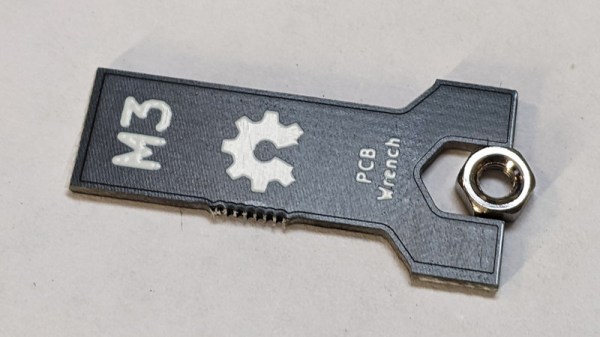
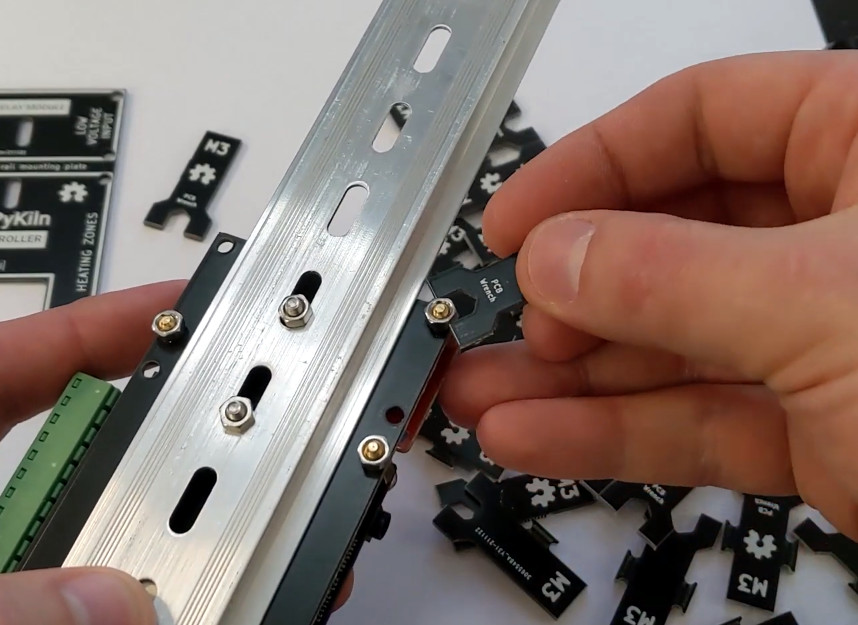
Let’s make one thing abundantly clear. We do not, under any circumstances, recommend you replace your existing collection of wrenches with ones made out of PCBs. However, as creator [Ben Nyx] explains, they do make for an extremely cheap and lightweight temporary tool that would be perfect for distributing with DIY kits.
This clever open hardware project was spawned by [Ben]’s desire to pack an M3 wrench in with the kits for an ESP32-based kiln controller he’s developing. He was able to find dirt cheap screwdrivers from the usual import sites, but nobody seemed to stock a similarly affordable wrench. He experimented with 3D printing them, but in the end, found the plastic just wasn’t up to the task. Then he wondered how well a tiny wrench cut from a PCB would fare.
The answer, somewhat surprisingly, is pretty well. We wouldn’t advise you try to crank your lug nuts down with one, but for snugging up a couple nuts that hold down a control board, they work a treat. [Ben] came up with a panelized design in KiCad that allows 18 of the little wrenches to get packed into a 100 x 100 mm PCB suitable for production from popular online board houses. Manufactured from standard 1.6 mm FR4, they come out to approximately 10 cents a pop.
Since [Ben] has been kind enough to release his design under the MIT license, you’re free to spin up some of these wrenches either for your own kits or just to toss in the tool bag for emergencies. We’d love to see somebody adapt the design for additional sizes of nuts, or maybe figure out some way to nest them to sneak out a couple extra wrenches per board.