Freeform ESP8266 Network Attached Data Display

Like many of us, [Josef Adamčík] finds himself fascinated with so-called “freeform” electronic designs, where the three dimensional circuit makes up sections of the device’s structure. When well executed, such designs really blur the line between being a practical device and an artistic piece. In fact his latest design, an ESP8266 MQTT client, would seem to indicate there might not be much of a “line” at all.
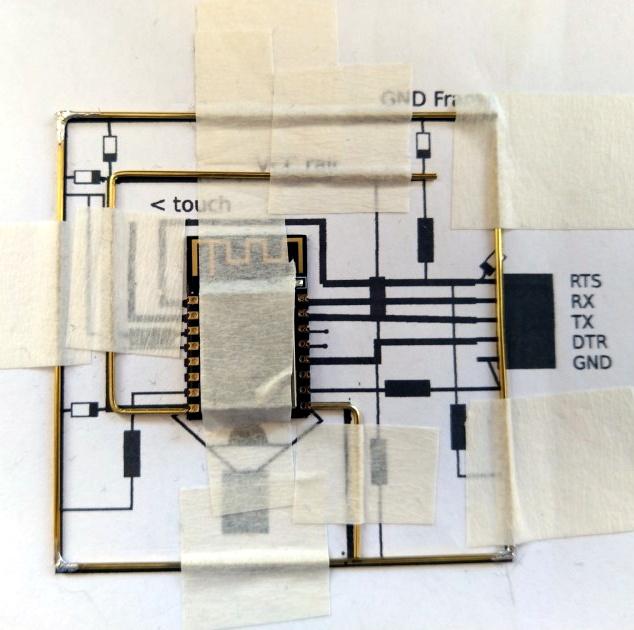
The inspiration for this project actually comes from something [Josef] had worked on previously: an ESP8266-based environmental monitoring system. That device had sensors to pick up on things such as humidity and ambient light level, but it didn’t have a display of its own; it just pushed the data out onto the network using MQTT. So he thought a companion device which could receive this environmental data and present it to him in a unique and visually appealing way would be a natural extension of the idea.

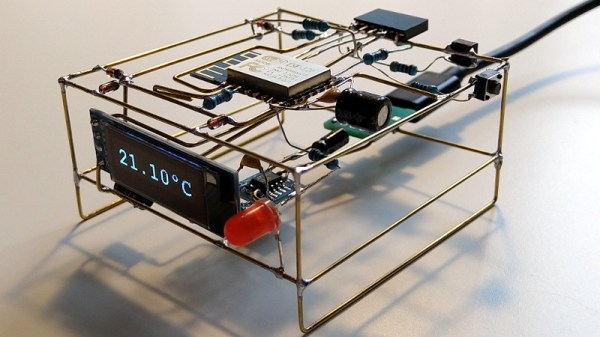
As the display doesn’t need any local sensors of its own, it made the design and construction much easier. Which is not to say it was easy, of course. In this write-up, [Josef] takes the reader through the process of designing each “layer” of the circuit in 2D, printing it out onto paper, and then using that as a guide to assemble the real thing. Once he had the individual panels done, he used some pieces of cardboard to create a three dimensional jig which helped him get it all soldered together.

On the software side it’s pretty straightforward. It just pulls the interesting bits of information off of the network and displays it on the OLED. Right now it’s configured to show current temperature on the display, but of course that could be changed to pretty much anything you could imagine if you’re looking to add a similar device to your desktop. There’s also a red LED on the device which lights up to let [Josef] know when the batteries are getting low on the remote sensor unit; a particularly nice touch.

If you’d like to see more of these freeform circuits, we’d advise you to checkout the finalists for our recently concluded “Circuit Sculpture” contest. Some of the finalists are truly beyond belief.

See Starlink’s “Space Train” Before It Leaves The Station

Have you looked up into the night sky recently and seen a bizarre line of luminous dots? Have you noticed an uptick in the number of UFO reports mentioned in the news and social media? If so, you may have already been touched by what many have come to affectionately call Elon Musk’s “Space Train”: a line of tightly grouped Starlink satellites that are making their way around the globe.

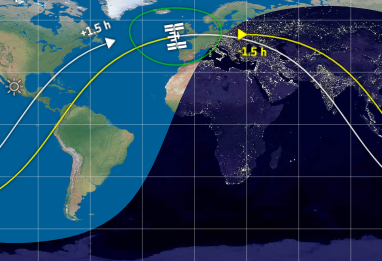
Some have wondered what’s so unique about the Starlink satellites that allows them to be visible from the ground by the naked eye, but that’s actually nothing new. It’s all about being in the right place at the right time, for both the observer and the spacecraft in question. The trick is having the object in space catch the light from the Sun when it has, from the observer’s point of view, already set. It’s essentially the same reason the Moon shines at night, but on a far smaller scale.

The ISS as it travels through Earth’s night and day

The phenomena is known as “satellite flare”, and chasing them is a favorite pastime of avid sky watchers. If you know when and where to look on a clear night, you can easily spot the International Space Station as it zips across the sky thanks to this principle. NASA even offers a service which uses email or SMS to tell you when the ISS should be visible from your location.

What makes the Starlink satellites unique isn’t that we can see them from the ground, but that there’s so many of them flying in a straight line. The initial launch released 60 satellites in a far tighter formation than we’ve ever seen before; Elon even warned that collisions between the individual Starlink satellites wasn’t out of the realm of possibility. The cumulative effect of these close proximity satellite flares is a bit startling, and understandably has people concerned about what the night sky might look like when all 12,000 Starlink satellites are in orbit.

The good news is, the effect is only temporary. As the satellites spread out and begin individual maneuvers, that long line in the sky will fade away. But before Elon’s “Space Train” departs for good, let’s look at how it was created, and how you can still catch a glimpse of this unique phenomena.

Continue reading “See Starlink’s “Space Train” Before It Leaves The Station”

Keeping Birds At Bay With An Automated Spinning Owl

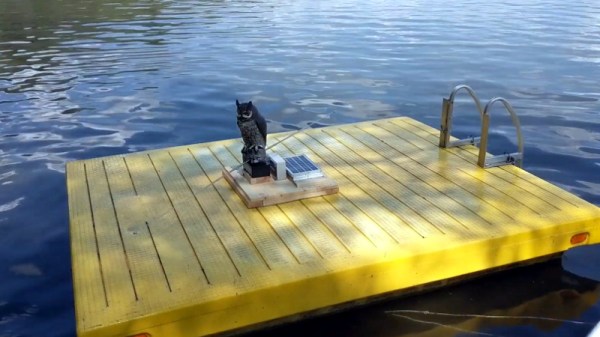
There’s nothing wrong with building something just to build it, but there’s something especially satisfying about being able to solve a real-world problem with a piece of gear you’ve designed and fabricated. When all the traditional methods to keep birds from roosting on his mother’s property failed, [MNMakerMan] decided to come up with a more persuasive option: a solar powered spinning owl complete with expandable batons.

We imagine the owl isn’t strictly necessary when you’re whacking the birds with a metal bar to begin with, but it does add a nice touch. Perhaps it will even serve to deter some of the less adventurous birds before they get within clobbering distance, which is probably in their best interest. [MNMakerMan] says the rotation speed of the bars seems low enough that he doesn’t think it will do the birds any physical harm, but it’s still got to be fairly unpleasant.

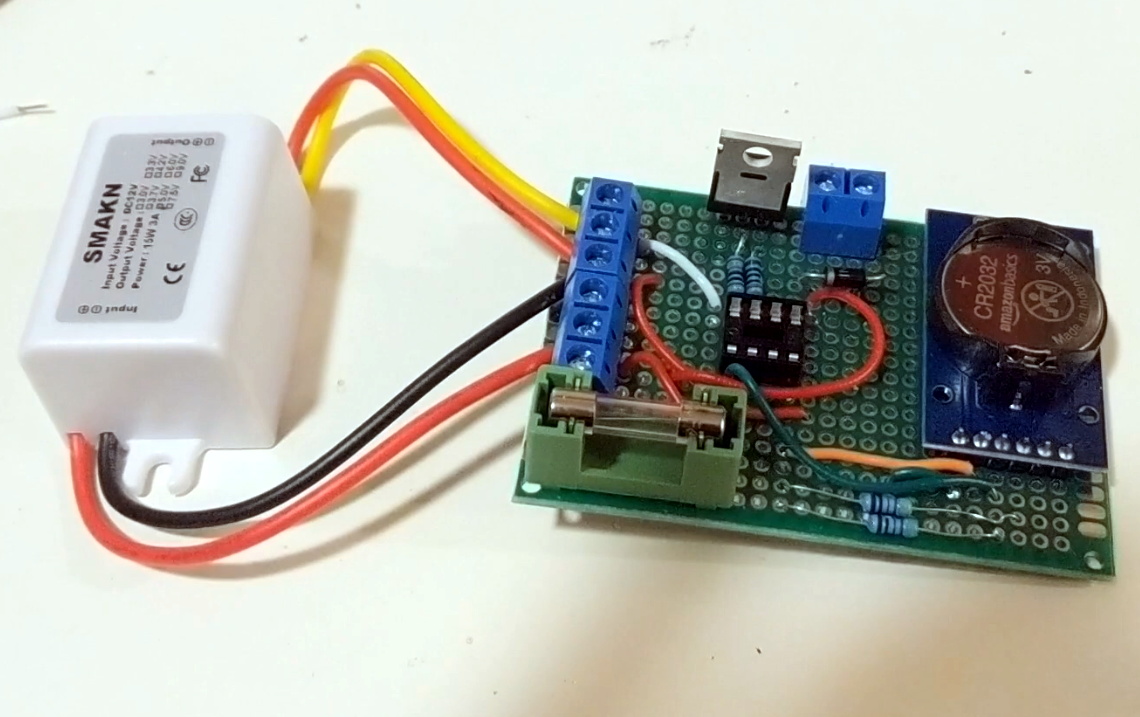
At first glance you might think that this contraption simply spins when the small 10 watt photovoltaic panel next to it catches the sun, but there’s actually a bit more to it than that. Sure he probably could just have it spin constantly whenever the sun is up, but instead [MNMakerMan] is using a ATtiny85 to control the 11 RPM geared DC motor with a IRF540 MOSFET. By adding a DS3231 RTC module into the mix, he’s able to not only accurately control when the spinner begins and ends its bird-busting shift, but implement timed patterns rather than running it the whole time. All of which can of course be fine-tuned by adjusting a couple variables and reflashing the chip.

We’ve seen plenty of automated systems for keeping cats away, and of course squirrels are a common target for such builds as well, but devices to deter birds are considerably less common among these pages. So it would seem that, at least for now, [MNMakerMan] has the market cornered on solar bird smashing gadgets. We’re sure Mom’s very proud.

Continue reading “Keeping Birds At Bay With An Automated Spinning Owl”

A Stylish Solution For Bike Navigation

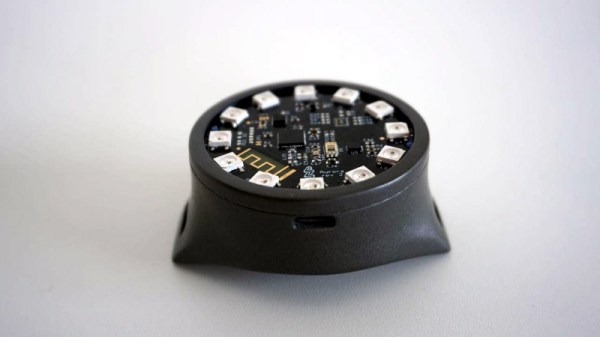
[André Biagioni] is developing an open hardware bicycle navigation device called Aurora that’s so gorgeous it just might be enough to get you pedaling your way to work. This slick frame-mounted device relays information to the user through a circular array of SK6812 RGB LEDs, allowing you to find out what you need to know with just a quick glance down. No screen to squint at or buttons to press.

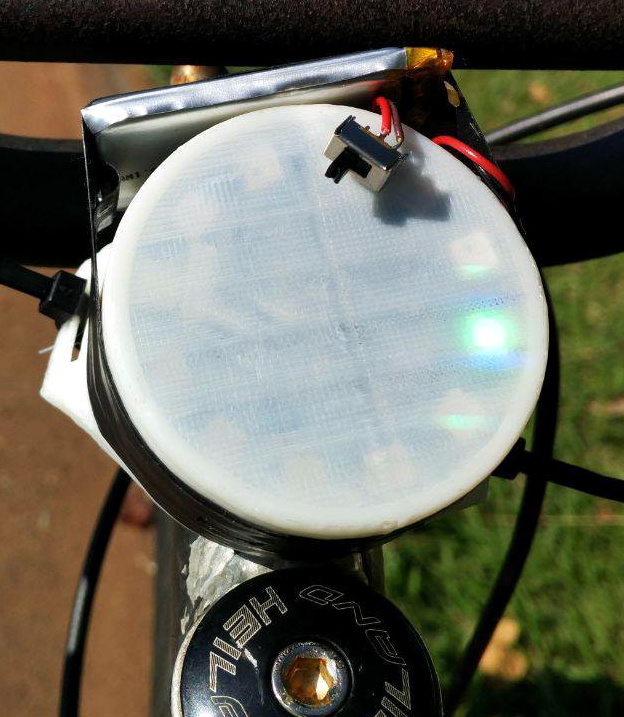
The hardware has already gone through several revisions, which is exactly what we’d expect to see for an entry into the 2019 Hackaday Prize. The proof of concept that [André] zip-tied to the front of his bike might have worked, but it wasn’t exactly the epitome of industrial design. It was enough to let him see that the idea had merit, and from there he’s been working on miniaturizing the design.

So how does it work? The nRF52832-powered Aurora connects to your phone over Bluetooth, and relays turn-by-turn navigation information to you via the circular LED array. This prevents you from having to fumble with your phone, which [André] hopes will improve safety. When you’re not heading anywhere specific, Aurora can also function as a futuristic magnetic compass.

With what appears to be at least three revisions of the Aurora hardware already completed by the time [André] put the project up on Hackaday.io, we’re very interested in seeing where it goes from here. The theme for this year’s Hackaday Prize is moving past the one-off prototype stage and designing something that’s suitable for production, and so far we’d say the Aurora project is definitely rising to the challenge.

Continue reading “A Stylish Solution For Bike Navigation”

Keep The Kids Entertained With A Time Machine

We often hear it said that today’s kids don’t go out and play as much as they did in the past, but honestly, it’s hard to really blame them. Have you seen some of the games they have now? It’s going to take something a little more exciting than a game of stickball to get them off the couch when they’ve got 4K and VR game systems to play with.

Circuit to control ATX PSU

Which is exactly why [Bobek] is building his kids a time machine. Not a literal one, of course. The Flux Capacitor technology required has yet to be mastered. But it does allow the player to “travel” through time through videos which are played by punching in specific codes they have to unlock by solving puzzles in the real world. Then again, keeping keeping kids active and mentally engaged might as well be “going back in time” in some people’s eyes.

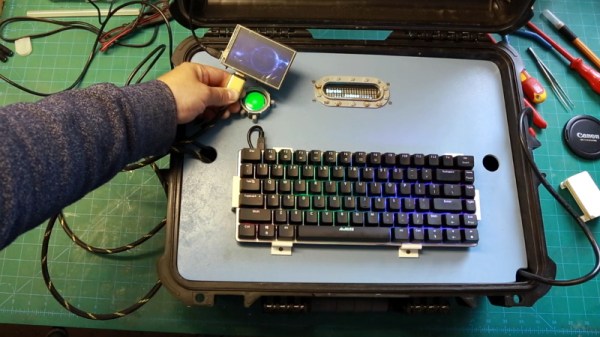
By the looks of things, [Bobek] still has a little work to do on the project, but it’s far enough along that we can get an idea. Inside the bottom of the heavy duty plastic case he’s installed an ATX power supply and a Raspberry Pi 3, and an top of that, there’s a metal plate that holds the power button, an RGB backlit keyboard, and a Vacuum Florescent Display.

After powering on the system, the kids punch in the codes they’ve earned on the keyboard. If accepted, it starts the corresponding presentation which goes over the sights and sounds of the time period they’ve unlocked. In the video after the break you can see [Bobek] test the device with a small display hanging off the end of an HDMI cable, but presumably the system will eventually get an integrated display. The kids could also plug it into the TV, but at that point you might be going full circle.

We’ve seen several examples of hackers creating their own electronic gadgets to keep their children entertained. The line might be a little blurry, but we’d rather see kids use their imagination to “fly” a spaceship in their bedroom than play Roblox on their phone.

Continue reading “Keep The Kids Entertained With A Time Machine”

One Arduino Handheld To Rule Them All

There’s nothing quite as annoying as duplicated effort. Having to jump through the same hoops over and over again is a perfect way to burn yourself out, and might even keep you from tackling the project that’s been floating around in the back of your mind. [Alain Mauer] found that he’d build enough Arduino gadgets that were similar enough he could save himself some time by creating a standardized piece of hardware that he can load his code du jour on.

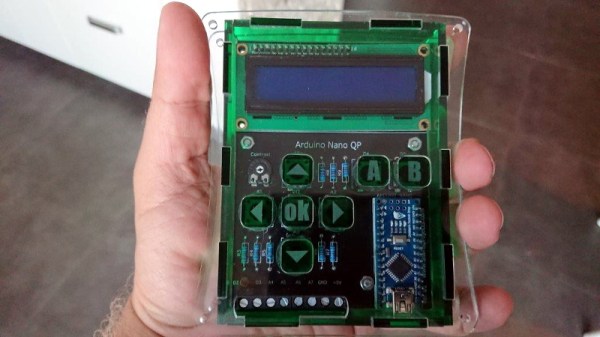
He’s come to call this device the Arduino Nano QP (which stands for Quick Project), and now it’s part of the 2019 Hackaday Prize. [Alain] doesn’t promise that it’s the perfect fit for everything, but estimates around 85% of the simple Arduino projects that he’s come up with could be realized on QP. This is thanks to the screw terminals on the bottom of the device which let you easily hook up any hardware that’s not already on the board.

The QP board itself has the ubiquitous 16×2 character LCD display (complete with contrast control trimmer), seven tactile buttons arranged in a vaguely Game Boy style layout, and of course a spot to solder on your Arduino Nano. All of which is protected by a very slick laser cut acrylic case, complete with retained buttons and etched labels.

We’ve seen no shortage of handheld Arduino devices, but we have to admit, something about the utilitarian nature of this one has us intrigued. We wouldn’t mind having one of these laying around the lab next time we want to do a quick test.

Continue reading “One Arduino Handheld To Rule Them All”

There And Back Again: A Falcon 9 Launch Story

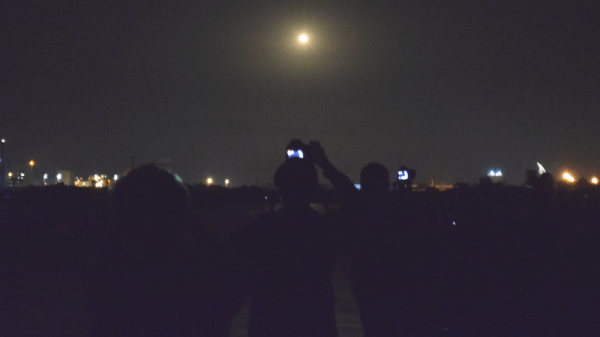
It’s true that I’m not known for keeping particularly regular hours, but even I had my doubts about this plan. We’d go to sleep around midnight, wake up at 3 AM, drive up the coast aimlessly, then turn around and attend a full-day event where we’d have to maintain at least some semblance of professionalism. It was a bad idea, terrible even. But there I was at 11:30 PM sitting in a Waffle House with Thomas, the Supplyframe videographer, getting dangerously close to signing off on it.

Officially we were there to cover the Cornell Cup Finals being held at Kennedy Space Center, but as it so happens, our arrival in Florida perfectly coincided with the launch of CRS-17, SpaceX’s latest International Space Station resupply mission. Technically this was not part of our assignment. But really, what choice did we have?

Even if our respective bosses didn’t see it as a wasted opportunity, we had to consider the locals. In the few hours we’d been here, it seemed the launch was all anyone wanted to talk about. Everyone from the airport shuttle driver to the waitress who brought us our hash browns reminded us a rocket would be lifting off soon. If we didn’t go, then come Friday afternoon we’d be the only people in Cape Canaveral who didn’t have a personal account of the event. By all indications, an unforgivable cultural faux pas in central Florida.

Of course, the truth of the matter is that we didn’t actually need any convincing to go on this adventure. We had the supreme good fortune of finding ourselves in the vicinity of Kennedy Space Center a few hours before they were going to send a rocket thundering off into the black, and there was no way we could just sleep through it. No, there was never any choice in the matter. We were going.

Continue reading “There And Back Again: A Falcon 9 Launch Story”