K40 Gets A Leg Up With Open Source Z Table

If you’ve done even the most cursory research into buying a laser cutter, you’ve certainly heard of the K40. Usually selling for around $400 USD online, the K40 is not so much a single machine as a class of very similar 40 watt CO2 lasers from various Chinese manufacturers. As you might expect, it takes considerable corner cutting to drive the cost down that low, but the K40 is still arguably the most cost-effective way to get a “real” laser cutter into your shop. If you’re willing to do some modifications on the thing, even better.
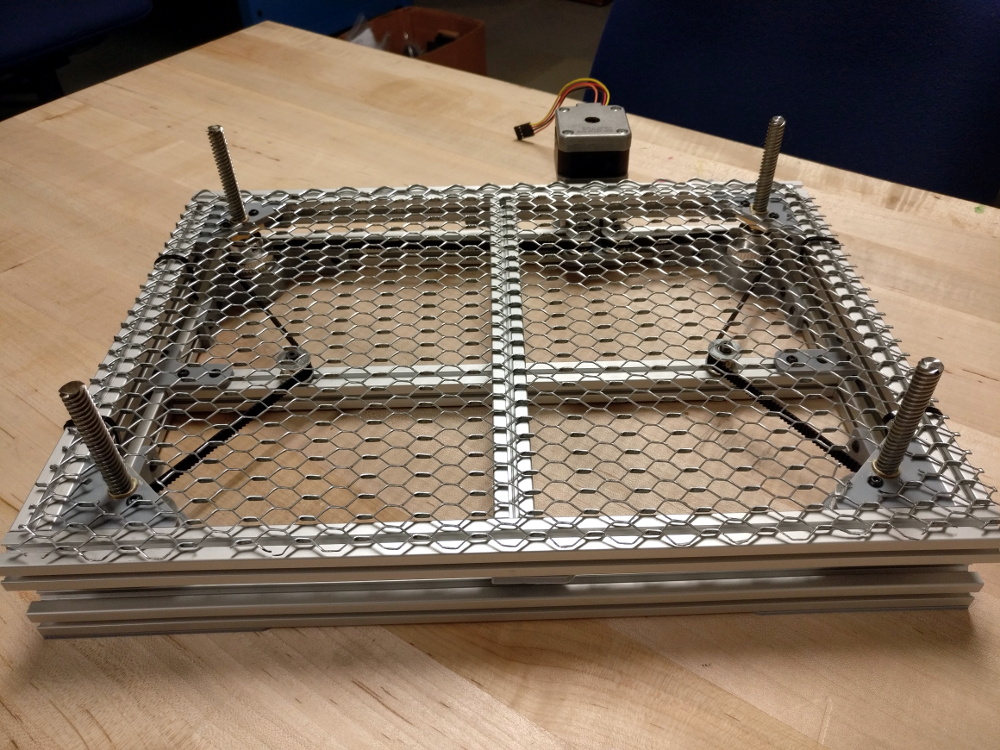
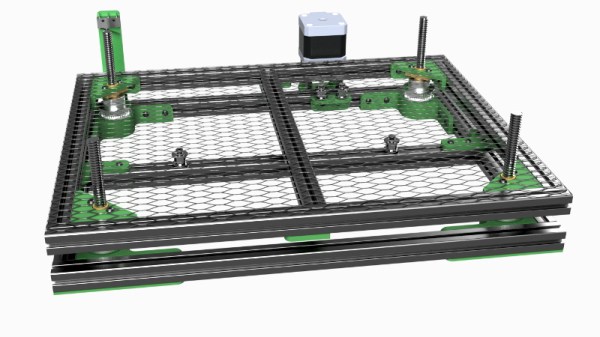
One of the shortcomings of the K40 is that it lacks a Z axis, and with thick material that needs multiple cuts at increasingly deeper depths, this can be a hassle. [Aaron Peterson] decided to take it upon himself to design and build an adjustable Z table for the K40 at his local makerspace (River City Labs), and being the swell guy that he is, has made it available under an open source license so the rest of the K40-owning world can benefit from his work.

[Aaron] started the design with a number of goals which really helped elevate the project from a one-off hack to a sustainable community project. For one, he only wanted to use easily available commodity hardware to keep the cost down. The most complex components should all be 3D printable so the design would be easy to replicate by others, and finally, he wanted the user to have the ability to scale it in all dimensions. The end result is a electronically controlled lifting platform that anyone can build, for any laser cutter. It doesn’t even have to be limited to laser cutters; if you have a need for precisely raising or lowering something, this design might be exactly what you’re looking for.

The table is primarily constructed out of 15×15 aluminum extrusion, and uses standard hardware store expanded wire mesh as a top surface. Height is adjusted by rotating the four 95 mm T8 leadscrews with a GT2 belt and pulleys, which prevents any corner from getting out of sync with the others. Connected to a standard NEMA 17 stepper motor, this arrangement should easily be capable of sub-millimeter accuracy. It looks as though [Aaron] has left controlling the stepper motor as an exercise for the reader, but an Arduino with a CNC shield would likely be the easiest route.

We’ve seen a lot of hacking around the K40 over the last couple of years, from spring loaded beds to complete rebuilds which are hardly recognizable. If you’re looking for a cheap laser with a huge catalog of possible hacks and modifications, you could do a lot worse than starting with this inexpensive Chinese machine.
Raspberry Pi Counts Down To The Last Bitcoin

Even though it might appear to be pretend Internet money, by design, there are a finite number of Bitcoins available. In the same way that the limited amount of gold on the planet and the effort required to extract it from the ground keeps prices high, the scarcity of Bitcoin is intended to make sure it remains valuable. As of right now, over 80% of all the Bitcoins that will ever exist have already been put into circulation. That sounds like a lot, but it’s expected to take another 100+ years to free up the remaining ones, so we’ve still got a way to go.

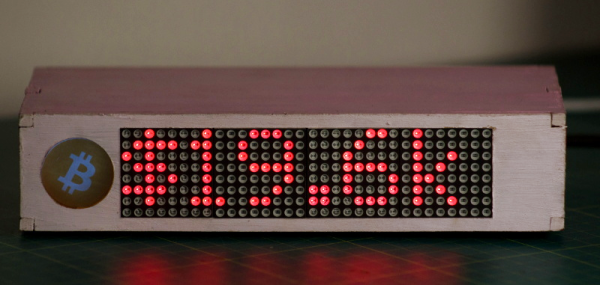
Even though his device will probably no longer exist when the final Bitcoin hits the pool, [Jonty] has built a ticker that will count down as the final coins get mined from the digital ground. The countdown function is of course a bit tongue-in-cheek, but the gadget also shows slightly more pertinent information such as the current Bitcoin value, so you can always remember what a huge mistake it was not to invest while they were still worth pennies.

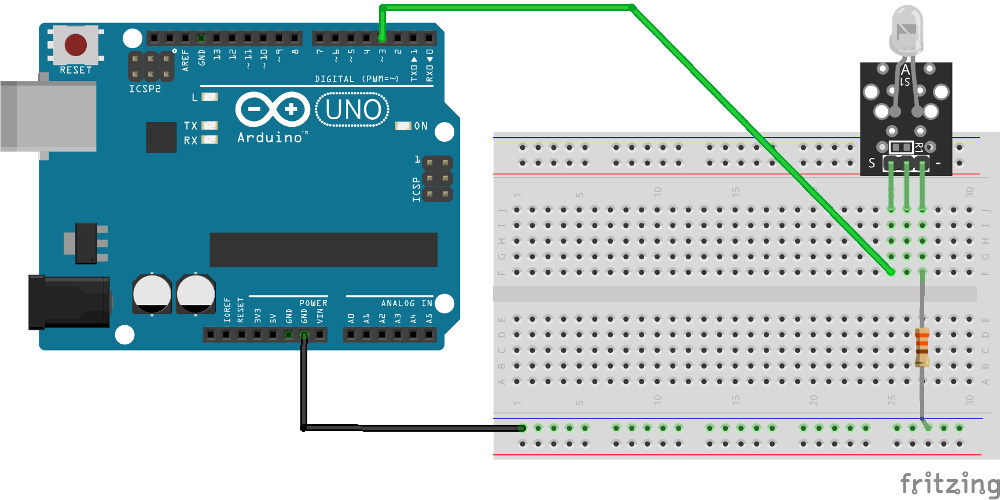
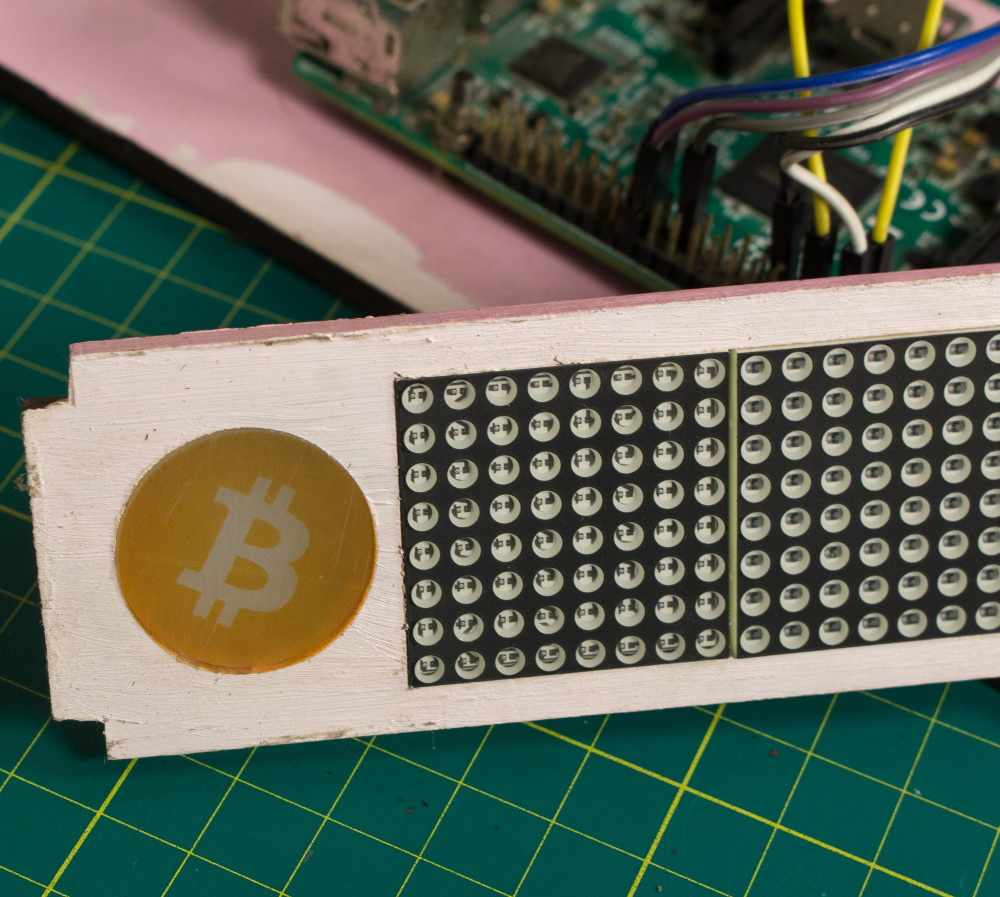
On the hardware side, this is a pretty simple project. The enclosure is laser cut 5 mm MDF, and it holds a Raspberry Pi 3, a MAX7219 32×8 LED dot matrix display, and a 10 mm white LED with accompanying resistor. The white LED is placed behind an acrylic diffuser to give the Bitcoin logo on the side of the display a soft pleasing glow when the device is powered up. There are no buttons or other controls on the ticker, once the software has been configured it just gets plugged in and away it goes.

As for the software, it takes the form of a Python script [Jonty] has created which uses Requests and Beautiful Soup to scrape the relevant data from bitcoinblockhalf.com. The script supports pulling any of the 19 variables listed on the site and displaying it on the LED matrix, which range from the truly nerdy stats like daily block generation to legitimately useful data points that anyone with some Bitcoin in their digital wallets might like to have ticking away on their desks.

The first decade of Bitcoin has been a pretty wild ride, not only monetarily, but in the wide array of hardware now involved in cryptocurrency mining and trading. From Bitcoin traffic lights to custom-made mining rigs that are today more useful as space heaters, it takes a lot of hardware to support these virtual coins.

Continue reading “Raspberry Pi Counts Down To The Last Bitcoin”

3D Printed Wheels Get Some Much Needed Grip

You’d be hard-pressed to find more ardent supporters of 3D printing then we here at Hackaday; the sound of NEMA 17 steppers pushing an i3 through its motions sounds like a choir of angels to our ears. But we have to admit that the hard plastic components produced by desktop 3D printers aren’t ideal for a number of applications. For example, the slick plastic is useless for all but the most rudimentary of wheels. Sure there are flexible filaments that can give a printed wheel a bit of grip, but they came with their own set of problems (not to mention, cost).

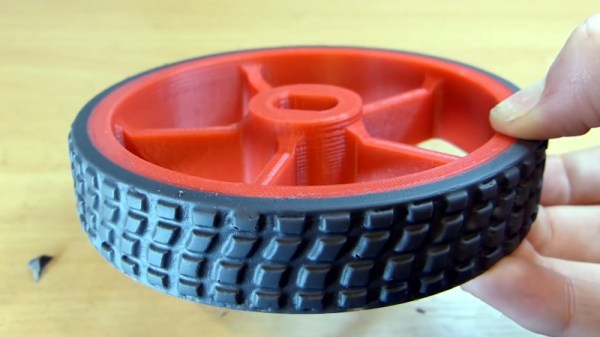
In the video after the break, [Design/Forge] demonstrates a clever method for fitting polyurethane rubber “tires” onto 3D printed hubs which is sure to be of interest to anyone who’s in the market for high quality bespoke wheels for their project. The final result looks extremely professional, and while there’s a considerable amount of preparation that goes into it, once you’re set up you should be able to pump these out quickly and cheaply.

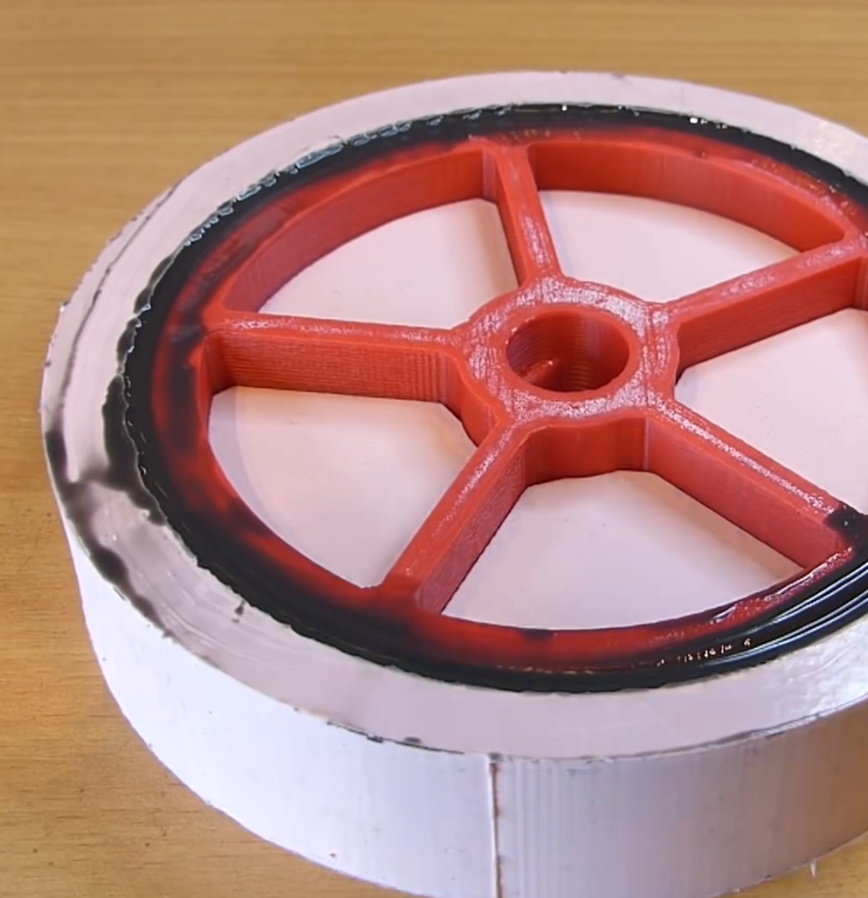
The process begins with a 3D printed mold pattern, which includes the final tire tread texture. This means you can create tire treads of any design you wish, which should have some creative as well as practical applications. The printed part is then submerged in silicone rubber and allowed to cure for 8 hours. Once solidified, the silicone rubber becomes the mold used for the next steps, and the original printed part is no longer needed.

The second half of the process is 3D printing the wheels to which the tires will be attached. These will be much smaller than the original 3D printed component, and fit inside of the silicone mold. The outside diameter of the printed wheel is slightly smaller than the inside diameter of the mold, which gives [Design/Forge] the space to pour in the pigmented polyurethane rubber. The attentive viewer will note that the 3D printed wheel has a slight ribbed texture designed into it, so that there will be more surface area for the polyurethane to adhere to. Once removed from the mold and cleaned up a bit, the final product really does look fantastic; and reminds us of a giant scale LEGO wheel.

Whether you’re casting metal parts or just want a pair of truly custom earbuds, creating silicone molds from 3D printed parts is an extremely useful skill to familiarize yourself with. Though even if you don’t have a 3D printer, there’s something to be said for knowing how to mold and cast real-world objects as well.

Continue reading “3D Printed Wheels Get Some Much Needed Grip”

Infrared Brute Force Attack Unlocks TiVo

While the era of the TiVo (and frankly, the idea of recording TV broadcasts) has largely come to a close, there are still dedicated users out there who aren’t quite ready to give up on the world’s best known digital video recorder. One such TiVo fanatic is [Gavan McGregor], who recently tried to put a TiVo Series 3 recorder into service, only to find the device was stuck in the family-friendly “KidZone” mode.

Without the code to get it out of this mode, and with TiVo dropping support for this particular recorder years ago, he had to hack his way back into this beloved recorder on his own. The process was made easier by the simplistic nature of the passcode system, which only uses four digits and apparently doesn’t impose any kind of penalty for incorrect entries. With only 10,000 possible combinations for the code and nothing to stop him from trying each one of them in sequence, [Gavan] just needed a way to bang them out.

After doing some research on the TiVo remote control protocol, he came up with some code for the Arduino using the IRLib2 library that would brute force the KidZone passcode by sending the appropriate infrared codes for each digit. He fiddled around with the timing and the delay between sending each digit, and found that the most reliable speed would allow his device to run through all 10,000 combinations in around 12 hours.

The key thing to remember here is that [Gavan] didn’t actually care what the passcode was, he just needed it to be entered correctly to get the TiVo out of the KidZone mode. So he selected the “Exit KidZone” option on the TiVo’s menu, placed his Arduino a few inches away from the DVR, and walked away. When he came back the next day, the TiVo was back into its normal mode. If you actually wanted to recover the code, the easiest way (ironically) would be to record the TV as the gadget works its way through all the possible digits.

Back in 2004, there were so many TiVo hacks hitting the front page of Hackaday that we actually gave them a dedicated subdomain. But by the end of 2007, we were asking what hackers would do with the increasingly discarded Linux-powered devices. That people are still hacking on these gadgets over a decade later is truly a testament to how dedicated the TiVo fanbase really is.

[Thanks to Chris for the tip.]

Don’t Toss That Bulb, It Knows Your Password

Whether it was here on Hackaday or elsewhere on the Internet, you’ve surely heard more than a few cautionary tales about the “Internet of Things” by now. As it turns out, giving every gadget you own access to your personal information and Internet connection can lead to unintended consequences. Who knew, right? But if you need yet another example of why trusting your home appliances with your secrets is potentially a bad idea, [Limited Results] is here to make sure you spend the next few hours doubting your recent tech purchases.

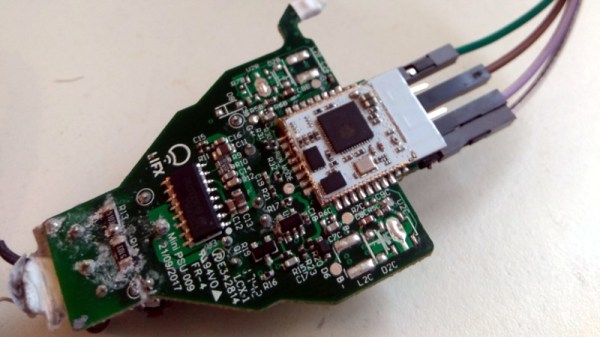
In a series of posts on the [Limited Results] blog, low-cost “smart” bulbs are cracked open and investigated to see what kind of knowledge they’ve managed to collect about their owners. Not only was it discovered that bulbs manufactured by Xiaomi, LIFX, and Tuya stored the WiFi SSID and encryption key in plain-text, but that recovering said information from the bulbs was actually quite simple. So next time one of those cheapo smart bulb starts flickering, you might want to take a hammer to it before tossing it in the trash can; you never know where it, and the knowledge it has of your network, might end up.

Regardless of the manufacturer of the bulb, the process to get one of these devices on your network is more or less the same. An application on your smartphone connects to the bulb and provides it with the network SSID and encryption key. The bulb then disconnects from the phone and reconnects to your home network with the new information. It’s a process that at this point we’re all probably familiar with, and there’s nothing inherently wrong with it.

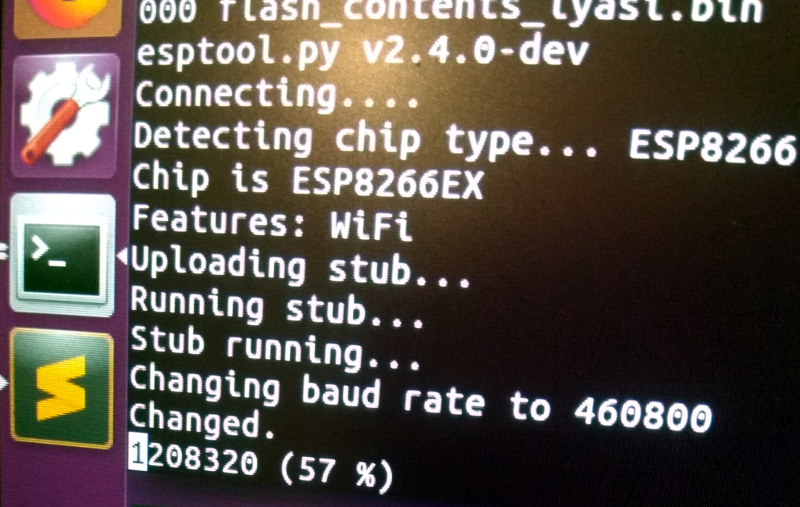
The trouble comes when the bulb needs to store the connection information it was provided. Rather than obfuscating it in some way, the SSID and encryption key are simply stored in plain-text on the bulb’s WiFi module. Recovering that information is just a process of finding the correct traces on the bulb’s PCB (often there are test points which make this very easy), and dumping the chip’s contents to the computer for analysis.

It’s not uncommon for smart bulbs like these to use the ESP8266 or ESP32, and [Limited Results] found that to be the case here. With the wealth of information and software available for these very popular WiFi modules, dumping the firmware binary was no problem. Once the binary was in hand, a little snooping around with a hex editor was all it took to identify the network login information. The firmware dumps also contained information such as the unique hardware IDs used by the “cloud” platforms the bulbs connect to, and in at least one case, the root certificate and RSA private key were found.

On the plus side, being able to buy cheap smart devices that are running easily hackable modules like the ESP makes it easier for us to create custom firmware for them. Hopefully the community can come up with slightly less suspect software, but really just keeping the things from connecting to anything outside the local network would be a step in the right direction.

(Some days later…)

[Limited Results] had hinted to us that he had previously disclosed some vulnerabilities to the bulb’s maker, but that until they fixed them, he didn’t want to make them public. They’re fixed now, and it appears that the bulbs were sending everything over the network unencrypted — your data, OTA firmware upgrades, everything.  They’re using TLS now, so good job [Limited Results]! If you’re running an old version of their lightbulbs, you might have a look.

On WiFi credentials, we were told: “In the case where sensitive information in the flash memory wasn’t encrypted, the new version will include encrypted storage processing, and the customer will be able to select this version of the security chips, which can effectively avoid future security problems.” Argue about what that actually means in the comments.

Solar-Powered OpenWRT Router For Mobile Privacy

Let’s not pretend we aren’t all guilty of it: at some point we’ve all connected to a public WiFi network to check our email or log into some site or service. We know the risks, we know better. But in a weak moment we can let the convenience of that public network get the better of us. What if you had a small secure router that you could use as an encrypted VPN endpoint, allowing you to connect to those enticing public networks while keeping your traffic secure? That’s precisely what [David] had in mind when he built this pint-sized solar-powered OpenWRT router.

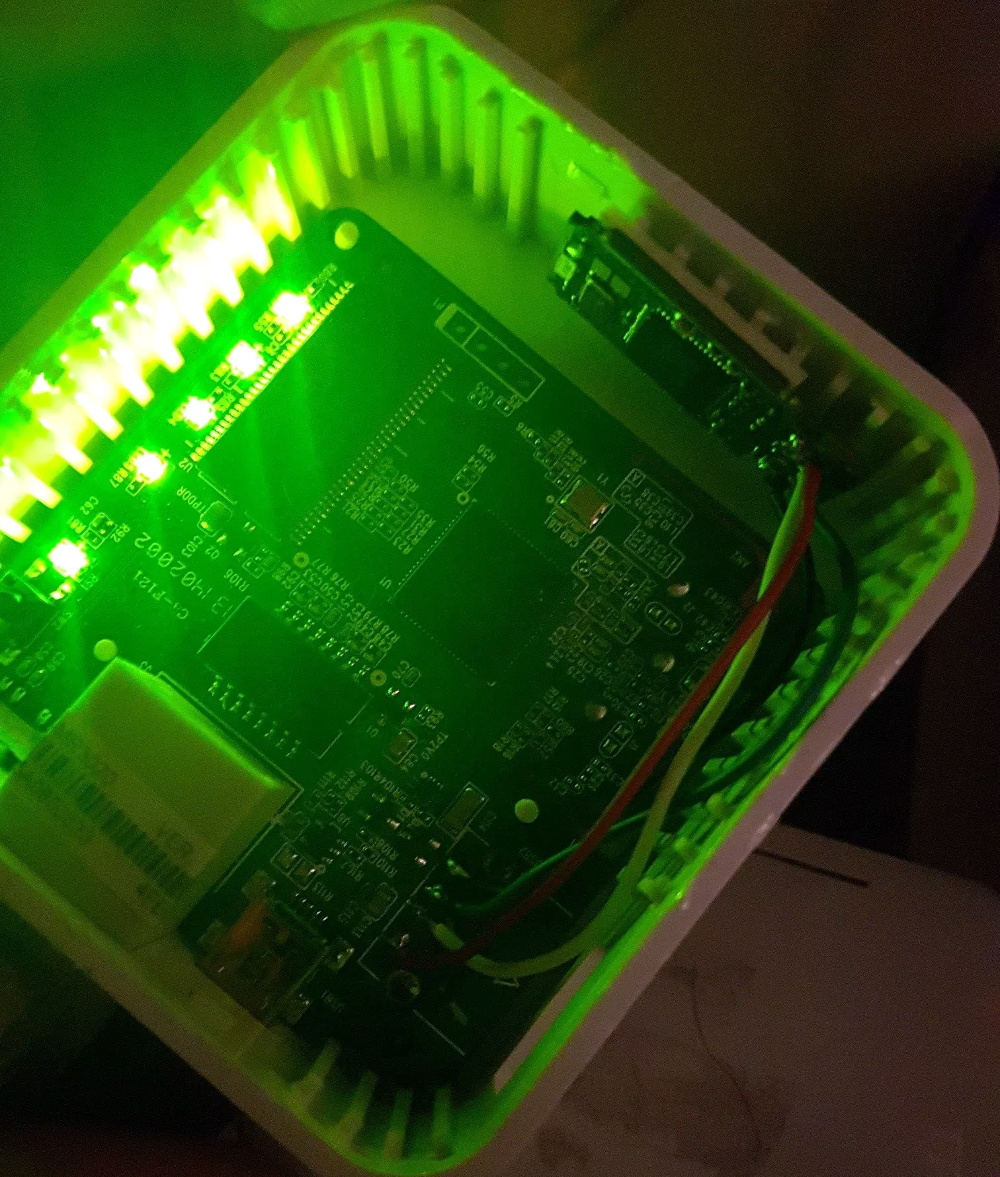
At the heart of this gadget is the TP-Link TL-MR3020, a tiny OpenWRT-compatible router that’s no stranger to the pages of Hackaday. Its small size and low cost have made it a natural choice for a wide array of projects, so it’s little surprise that [David] gravitated towards it. But simply getting OpenWRT installed on the MR3020 and configuring OpenVPN doesn’t exactly grant you entrance into the Hackaday Pantheon, so obviously there’s a bit more to the story.

For one, [David] didn’t like the idea of a USB flash drive hanging out of the side of his router. Since the flash drive would essentially be a permanent part of the router, as it is being used to expand the rather meager internal storage of the MR3020 he decided to wack the USB end off the flash drive and solder it directly to the router’s PCB. This gave him a much cleaner looking package, but it still wasn’t as portable as he’d like.

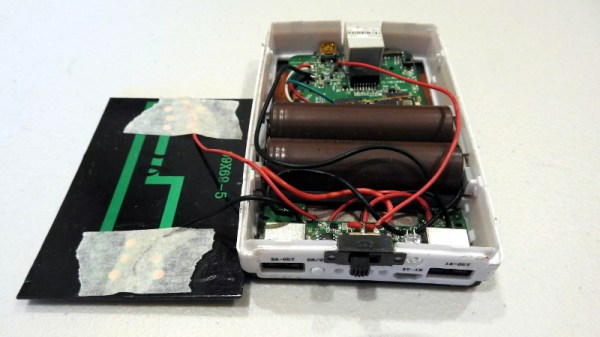
He decided to order a solar-charged USB power bank to become the new home of his hacked MR3020. He kept the solar panel and charge controller from the original gadget, and after some researched settled on a pair of LG-HG2 3000 mAh batteries as the power source. [David] went through a few charge and discharge cycles making sure everything worked as expected before buttoning up the case. In the future he says he might transplant the electronics into a 3D printed case, but for now he’s pretty pleased with the results.

If you’d like to try your hand at hacking these popular micro routers, you’ll need to start with an OpenWRT firmware. After you’ve got a full blown Linux distro running on this little fellow, the only limitation is your own imagination.

The Mac That Helped Build The Xbox Rides Again

The original Xbox, released in 2001 by Microsoft, was notable for being built out of largely off-the-shelf PC components. With a custom Pentium III CPU and IDE peripherals, the console was much closer to a contemporary desktop computer than any of the dedicated game consoles which had come before it. Which of course makes perfect sense if you think about it. Microsoft would want to use technology they were intimately acquainted with on their first foray into gaming market, and if there’s anything Microsoft knows better than forced system updates, it’s x86 computers.

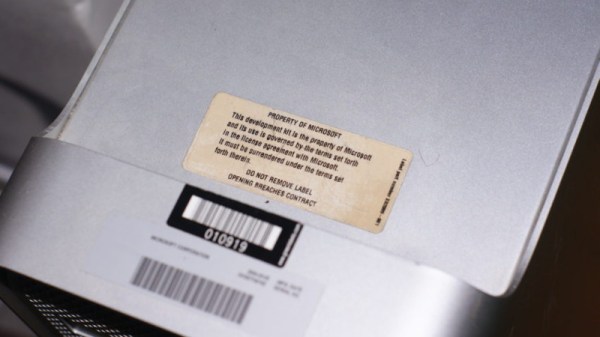
But for their follow-up system, the Xbox 360, Microsoft decided to go with a PowerPC processor they co-developed with IBM. Naturally this meant they needed PowerPC development systems to give to developers, which is how Microsoft ended up briefly distributing PowerMac G5’s. [Pierre Dandumont] came into possession of one of these oddball Microsoft-branded Macs, though unfortunately the hard drive had been wiped. But with the help of a leaked drive image and some hardware sleuthing, he’s now got the machine up and running just like it was when Microsoft was sending them to developers between 2003 and 2005.

Since you’re reading this on Hackaday, you might have guessed there was a little more to the story then just downloading an ISO and writing it to the hard drive of a PowerMac G5. There’s apparently some debate in the community about whether or not it’s some form of rudimentary DRM on Microsoft’s part, but in any event, the development kit operating system will only run on a G5 with very specific hardware. So the challenge is not only figuring out what hardware the software is looking for, but finding it and getting it installed over a decade after its prime.

Most of the required hardware, like the Intel 741462-010 network card or 160 GB Seagate ST3160023AS hard drive were easy enough to track down on eBay. But the tricky one was finding a Mac version of the ATi Radeon X800 XT. [Pierre] ended up getting a much more common ATi FireGL X3 and flashing it with the Mac X800 firmware. This is a little easier said than done as depending on which manufacturer made the memory on your specific video card you have to fiddle with the clock speeds to get a usable image, but in the end he found the winning combination and the development kit OS booted up with his hacked graphics card.

So what does all this get you in 2019? [Pierre] admits nothing terribly useful, but it’s still pretty cool. The system lets you run Xbox and Xbox 360 binaries, and even features the old Xbox 360 “blade” style dashboard. He says that he’s only had limited success getting retail games to actually run on the thing, but if your goal was running Xbox 360 games in 2019 there’s certainly better ways to do that anyway. Like, buying an Xbox 360.

We’ve previously talked about the Xbox 360’s rather unusual processor, but around these parts we more often see projects which involve tearing Microsoft’s sophomore console apart than digging into how it actually worked.

Continue reading “The Mac That Helped Build The Xbox Rides Again”