Prop WWII Machine Gun Courtesy Of Home Depot

There’s perhaps nothing worse than working on a project and realizing you don’t have the part you need to complete it. You look through all your stuff twice, maybe three times, on the off chance it’s hiding somewhere. Perhaps even reach out to a few nearby friends to see if they might have something you can use. Forget local stores, what you need is so specific that nobody’s going to keep it in stock. You’re stuck, and now everything has to be put on hold.
That’s precisely what happened to [Nathan Cragun] recently. He needed a Japanese Type 96 Light Machine Gun for a particular scene in the independent World War II film he’s working on, and couldn’t find one anywhere. Out of options, he ended up building a replica with parts from the hardware store. OK, so it isn’t exactly like being short a passive component or two on that new PCB you’re putting together. But while we can’t say a project of ours has ever been short a 70+ year old Japanese machine gun, we can definitely relate to the feeling.

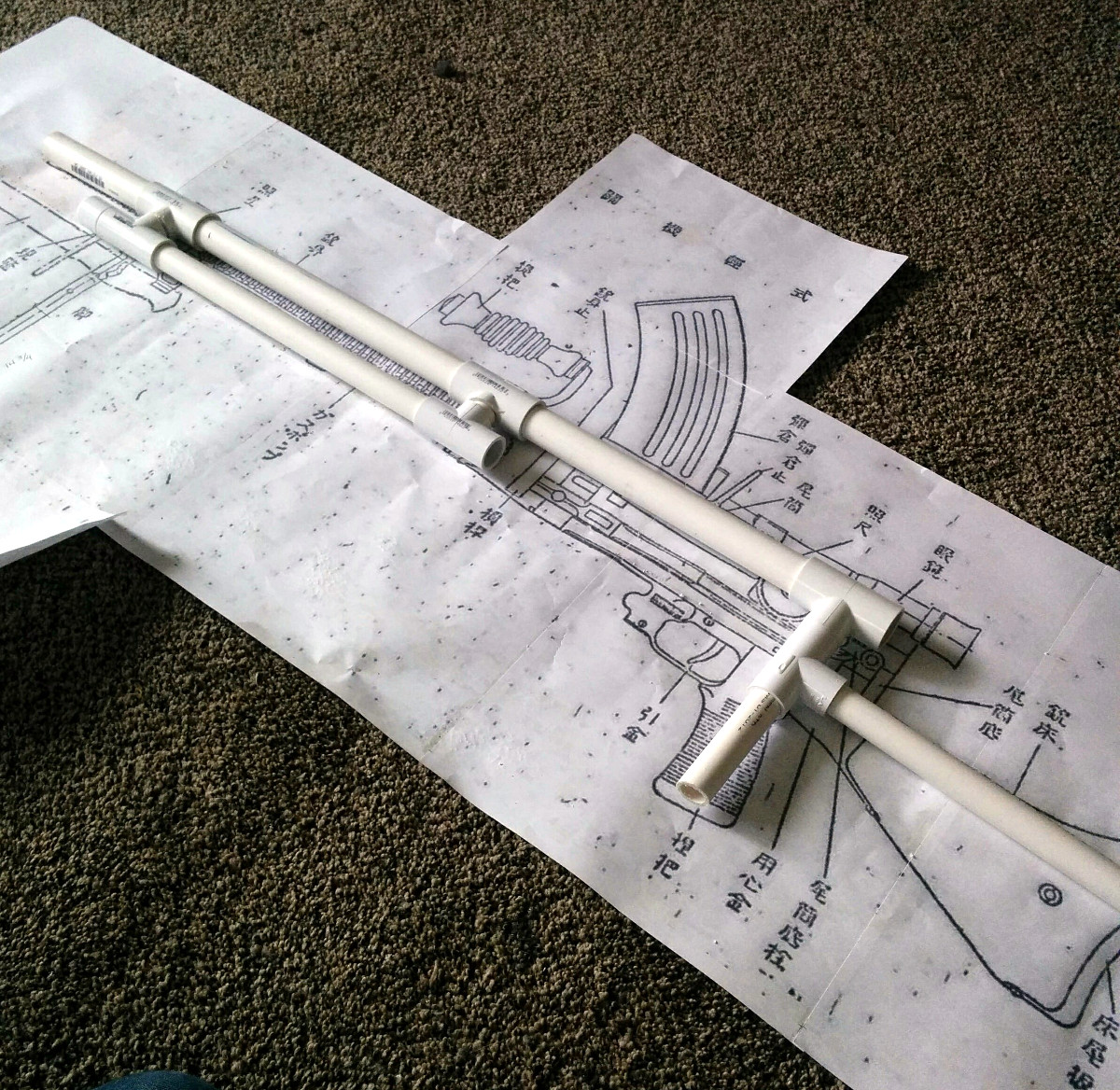
To start his build, [Nathan] printed out a full size diagram of the Type 96 and starting placing PVC pipes on top of it to get a sense for how it would all come together. Once the basic tubular “skeleton” of the weapon was completed, he moved on to cutting the rest of the parts out of EVA foam.

The major pieces that needed to be made were the stock and receiver, but even small details like the spiral ribbing on the barrel and the sights were created to scale using pieces of foam. In a particularly nice touch, [Nathan] even made the magazine removable. If we had to guess, some Japanese soldiers will be shown reloading the weapon onscreen for added authenticity.

The important thing to remember with a filming prop like this is that it doesn’t need to look perfect, just close. It might be used in the background, or seen only for a second during a fast pan. Even in professionally produced TV and movies, many of the props are little more than carved foam. With the excellent job [Nathan] did painting and weathering this build, we have no doubt it will look completely believable in the final production.

We’re no strangers to prop builds here at Hackaday, but they are generally of the science fiction or video game variety, so a historical build is a nice change of pace.

Welcome To The Internet Of Hamsters

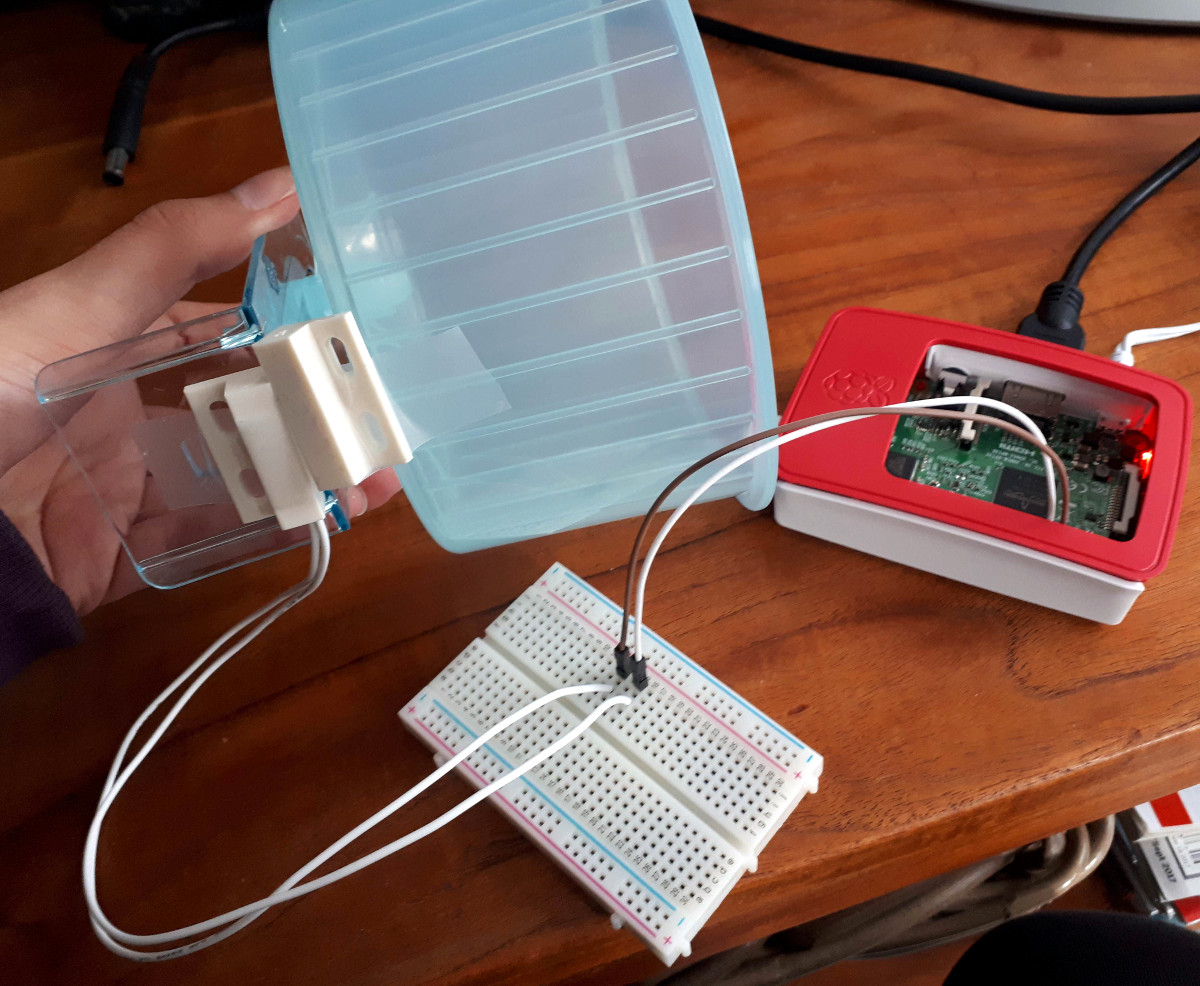
It was only a matter of time. Everything else is getting its data logged and reported to the Internet for detailed analysis, so why should our rodents be any different? The cover story is that [Nicole Horward] hooked her pet hamster Harold up to the web because she wanted to see if he was getting as much exercise as he should. The real reason is, of course, that Harold wanted to show off to his “friends” on Hamsterbook. (Editor’s note: dead link, but take a look at the Wayback Machine.)

The hardware side of this hack is very simple, a magnetic door sensor (like the kind used in alarm systems) is used to detect each time the wheel makes a complete rotation. The sensor is hooked up to the GPIO pins of a Raspberry Pi, where it’s read by a Python script. A small LCD screen was added to give some visual feedback on Harold’s daily activity, and the whole thing was boxed up in a laser cut enclosure.

That gave [Nicole] a cute little display next to Harold’s cage, but it didn’t do much for analyzing his activity. For that, a script is used to upload the data every minute to a ThingSpeak channel via MQTT. This automatically generates attractive graphs from the raw data, making it much easier to visualize what’s happening over the long term.

Now might be a good time to brush up on your MQTT knowledge, so that your pet could be the next to join the IoT revolution.

Continue reading “Welcome To The Internet Of Hamsters”

Case Mod Takes “All In One” Printer To The Next Level

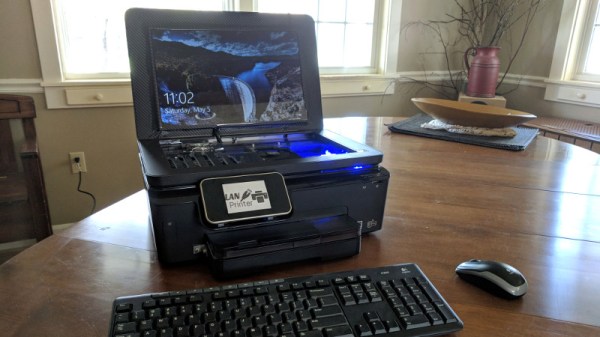
You’ve seen printers with scanners in them, printers with copiers in them, even ones with the ancient technology known as “facsimile” built-in. But have you ever seen a printer with a full gaming computer built into it? No? Well, you still haven’t, technically. There’s no printer to be had anymore inside this re-purposed HP Photosmart 6520 case, but it’s probably the closest we’re going to get.

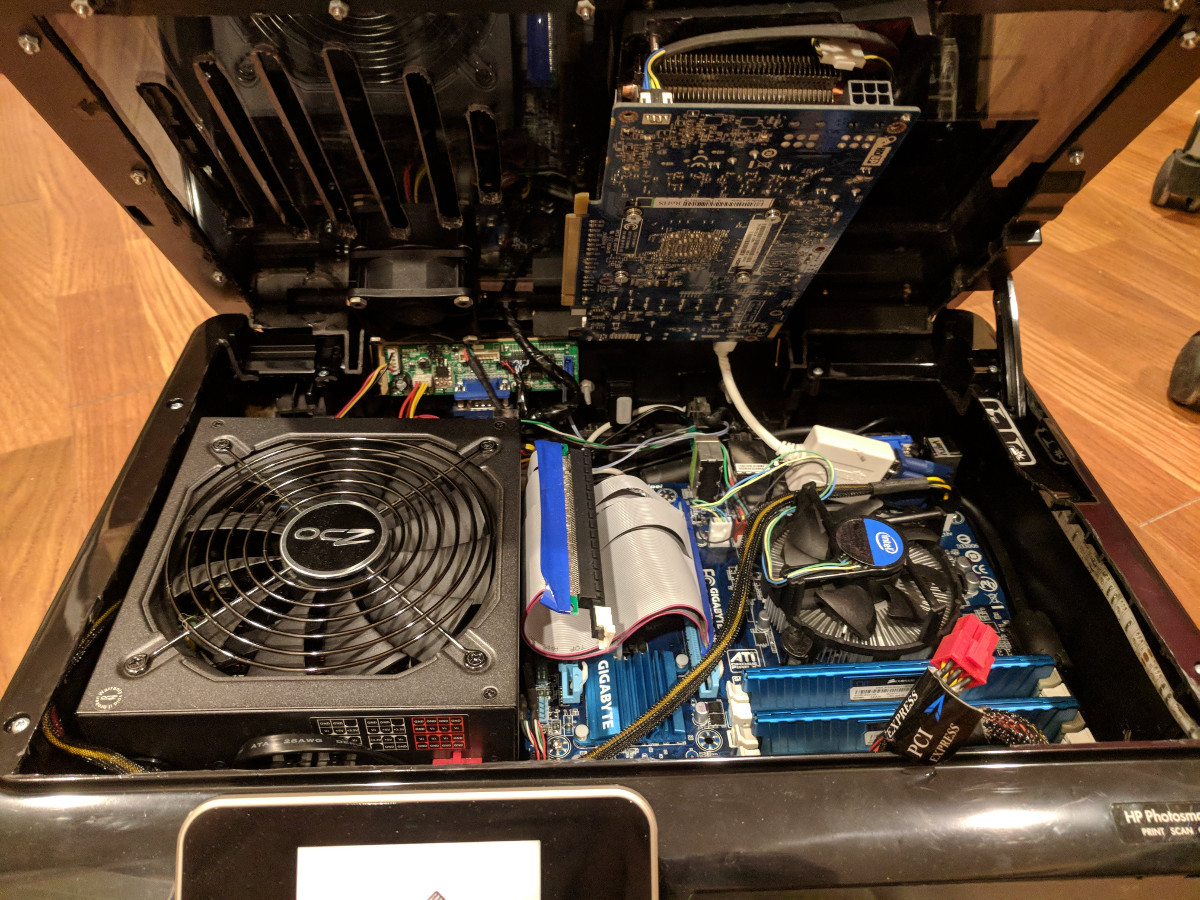
[Jacob Lee] wrote in to share this awesome build with us, which sees the motherboard, graphics card, ATX power supply, and hard drives all fit seamlessly into the shell of a disused “All-in-one” style printer. Incredibly, he even managed to integrate an LCD into the top; which hinges open when in use and gives a look down into the madness that makes this build tick.

To say there’s a lot of hardware packed into this thing is an understatement. Which is all the more impressive when you consider that he] didn’t take the easy way out for any of it. He could have used a mini-ITX motherboard, or a slim PSU. He could have even dropped the graphics card for integrated. No, [Jacob] is clearly a subscriber to the “Go big or go home” ethos.

As if putting all this gear inside of a normal looking printer case wasn’t impressive enough, he even went as far as adding female ports for Ethernet, HDMI, and USB on the rear of the device to give it a stock look. He mentions there’s some room for improvement with the USB ports, but the power switch and IEC port really look like they could have been original components.

In the age of the Raspberry Pi and other diminutive computers, we don’t see too many proper desktop computer projects anymore. Fewer still that are so well executed and creative. We don’t know how many other people might be trying to stick a computer in a printer case, but if they’re out there, the bar has just been set pretty high.

Direct CNC Control With The Raspberry Pi

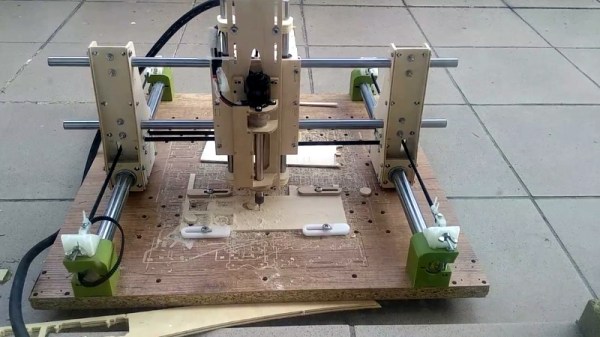
If you’re building a CNC router, laser cutter, or even 3D printer, you’ll usually be looking at a dedicated controller. This board takes commands from a computer, often in the form of G-Code, and interprets that into movement commands to the connected stepper motors. Historically this has been something of a necessary evil, as there was really no way to directly control stepper motors with a computer fast enough to be useful. That may not be the case anymore.

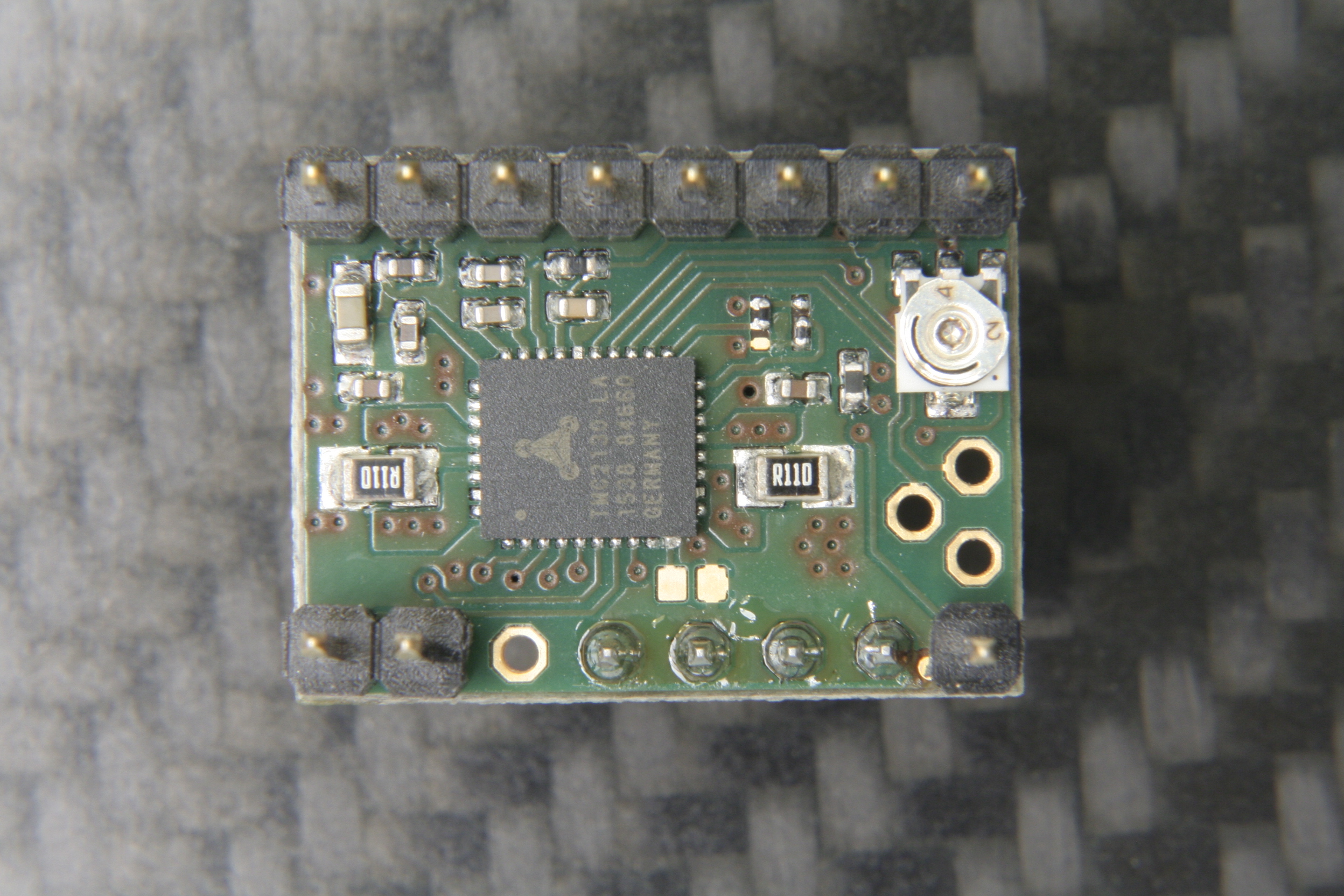
A stepstick driver

Thanks to the Raspberry Pi (and similar boards), we now have Linux computers with plenty of GPIO pins. The only thing missing is the software to interpret the G-Code and command the steppers over GPIO, which thanks to [pantadeusz], we now have. Called raspigcd, this software interprets a subset of G-Code to provide real-time control over connected steppers fast enough to drive a small CNC router.

Of course, you can’t directly control a beefy stepper motor to the GPIO pins of a Pi. You’ll let out all the magic smoke. But you can wire it up directly to a stepper driver board. These little modules connect up to a dedicated power supply and handle the considerable current draw of the steppers, all you need to do is provide them the number of steps and direction of travel.

This method of direct control offers some very interesting possibilities for small, low-cost, CNC projects. Not only can you skip the control board, you could conceivably handle the machine’s user interface (either directly via a touch screen or over the network) on the same Pi.

We’ve seen attempts at creating all-in-one Linux stepper controllers in the past, but the fact that anyone with a Raspberry Pi 2 or 3 (the boards this software has currently been tested on) can get in on the action should really help spur along development. Has anyone used this?

DIY Pi Zero Pentesting Tool Keeps It Cheap

It’s a story as old as time: hacker sees cool tool, hacker recoils in horror at the price of said tool, hacker builds their own version for a fraction of the price. It’s the kind of story that we love here at Hackaday, and has been the impetus for countless projects we’ve covered. One could probably argue that, if hackers had more disposable income, we’d have a much harder time finding content to deliver to our beloved readers.

[ Alex Jensen] writes in to tell us of his own tale of sticker shock induced hacking, where he builds his own version of the Hak5 Bash Bunny. His version might be lacking a bit in the visual flair department, but despite coming in at a fraction of the cost, it does manage to pack in an impressive array of features.

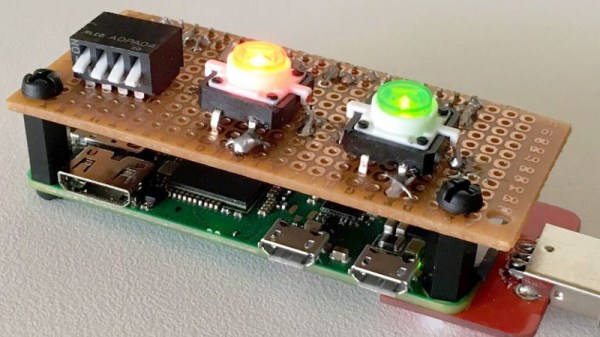
This pentesting multitool can act as a USB keyboard, a mass storage device, and even an RNDIS Ethernet adapter. All in an effort to fool the computer you plug it into to let you do something you shouldn’t. Like its commercial inspiration, it features an easy to use scripting system to allow new attacks to be crafted on the fly with nothing more than a text editor. A rudimentary user interface is provided by four DIP switches and light up tactile buttons. These allow you to select which attacks run without needing to hook the device up to a computer first, and the LED lights can give you status information on what the device is doing.

[Alex] utilized some code from existing projects, namely PiBunny and rspiducky, but much of the functionality is of his own design. Detailed instructions are provided on how you can build your own version of this handy hacker gadget without breaking the bank.

Given how small and cheap it is, the Raspberry Pi is gaining traction in the world of covert DIY penetration testing tools. While it might not be terribly powerful, there’s something to be said for a device that’s cheap enough that you don’t mind leaving it at the scene if you’ve got to pull on your balaclava and make a break for it.

DIY Variacs Get ESP8266 Upgrades

If you’be been hacking and making long enough, you’ve probably run into a situation where you realize that a previous project could be improved with the addition of technology that simply wasn’t available when you built it. Sometimes it means starting over from scratch, but occasionally you luck out and can shoehorn in some new gear without having to go back to the drawing board.

The two isolated variacs that [nop head] built were already impressive, but with the addition of the ESP8266 he was able to add some very slick additional features which really took them to the next level. He’s done an exceptional job detailing the new modifications, including providing all the source for anyone who might be walking down a similar path.

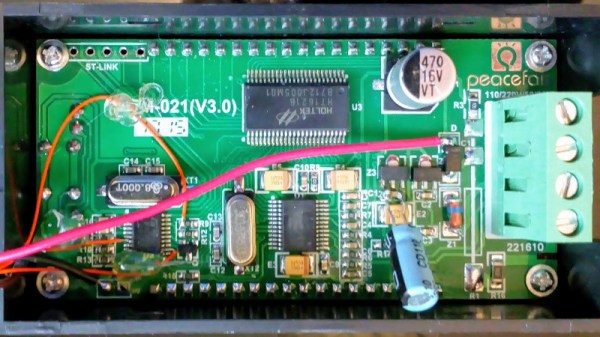
His variacs have digital energy meters right in the front panel which give voltage, amps, and a real-time calculation of watts. After reading an article by [Thomas Scherrer] about sniffing the SPI data out of one of these meters with an Arduino, [nop head] reasoned he could do the same thing with an ESP8266. The advantage being that he could then pull that data out over the network to graph or analyze however he wishes.

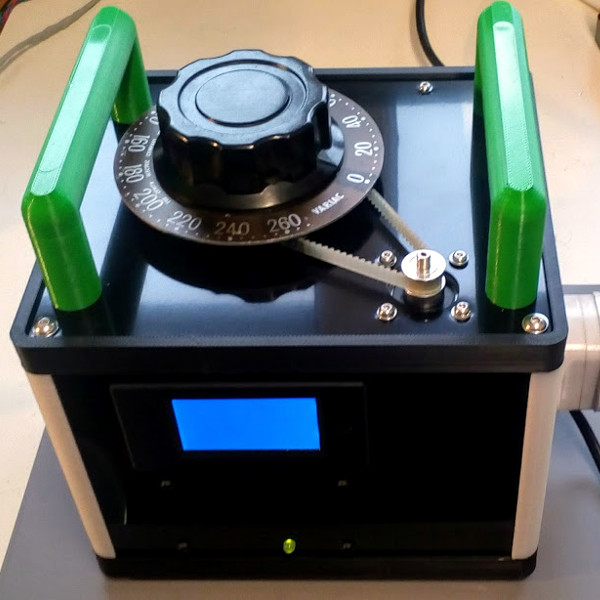
For his older variac, he decided to automate the device by adding a stepper and belt to turn the knob. The stepper is controlled by a Pololu stepper driver, which in turn get’s its marching orders from another ESP8266. He even came up with a simple web interface which allows you to monitor and control the variac from your smart device.

We don’t often see many variacs around these parts, and even fewer attempts at building custom ones. It’s one of those pieces of equipment you either can’t live without, or have never even heard of.

The Eric Lundgren Story: When Free Isn’t Free

At this point, you’ve almost certainly heard the tale of Eric Lundgren, the electronics recycler who is now looking at spending 15 months in prison because he was duplicating freely available Windows restore discs. Of no use to anyone who doesn’t already have a licensed copy of Windows, these restore discs have little to no monetary value. In fact, as an individual, you couldn’t buy one at retail if you wanted to. The duplication of these discs would therefore seem to be a victimless crime.

Eric Lundgren

Especially when you hear what Eric wanted to do with these discs. To help extend the functional lifespan of older computers, he intended on providing these discs at low cost to those looking to refurbish Windows computers. After each machine had its operating system reinstalled, the disc would go along with the computer in hopes the new owner would be able to utilize it themselves down the road.

It all sounds innocent enough, even honorable. But a quick glance at Microsoft’s licensing arrangement is all you need to know the whole scheme runs afoul of how the Redmond giant wants their operating system installed and maintained. It may be a hard pill to swallow, but when Eric Lundgren decided to use Microsoft’s product he agreed to play by their rules. Unfortunately for him, he lost.

Continue reading “The Eric Lundgren Story: When Free Isn’t Free”