ESP8266 Makes A Wireless Card Reader

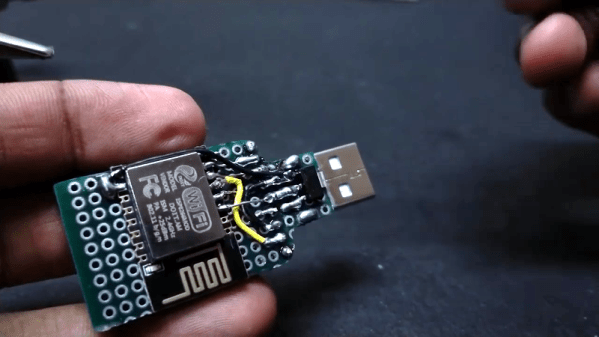
You can find commercial USB sticks that can also connect via WiFi. But [Neutrino] made his own using an ESP8266 married to a card reader. It all starts with the old trick of soldering a header to an SD card adapter. The USB port is still there, but it is only for power. A 3.3 V regulator and an ESP12E board round out the hardware.

Of course, the trick is the software. Starting from a few examples, he wound up providing an FTP server that you can connect to and send or receive files using that protocol.

Continue reading “ESP8266 Makes A Wireless Card Reader”

Portable CP/M Runs The Classics Anywhere

If you want to run an old CP/M program — maybe you want to run WordStar or play StarTrek — you have several options. One is to acquire some classic hardware. You can also build a new computer using a Z80 or some other processor that will emulate a Z80. Finally, you can emulate old hardware on your current computer. The iz-cpm project from [ivanizag] takes this last approach. Unlike some emulators, iz-cpm doesn’t try to emulate everything in one simulated environment. Instead, it directly accesses your file system so it allows CP/M executables to run more as though they were a native program.

You can think of it as Wine for CP/M. The code is portable to Linux, Windows, or MacOS. The author mentions, though, that it won’t run on CP/M itself! The program can run an executable standalone which means you could set .COM files up to execute automatically if you wanted to.

Continue reading “Portable CP/M Runs The Classics Anywhere”

Linux Fu: Keep In Sync

Once upon a time, computers were very expensive and you were lucky to have shared access to one computer. While that might seem to be a problem, it did have one big advantage: all of your files were on that computer.

Today, we all probably have at least a desktop and one laptop. Your phone is probably a pretty good computer by most standards. You might have multiple computers and a smattering of tablets. So what do you do to keep your files accessible everywhere? Why not run your own peer-to-peer synchronization service? Your files are always under your control and encrypted in motion. There’s no central point of failure. You can do it with one very slick piece of Open Source software called syncthing. It runs on Windows, Linux, Mac, BSD, and Solaris. There are also Android clients. We haven’t tested it, but one caveat is that the unofficial iOS support sounds a little spotty.

The joke about the cloud — that it’s just other people’s servers — is on point here. Some people don’t like their files sitting on a third-party server. Even if your files are encrypted or you don’t care, you still have the problem of what happens if you can’t reach the server — may be on an airplane with no WiFi — or the server goes down. Sure, Google and Microsoft don’t go dark very often, but they can and do. Even if you build your own cloud, it runs on your servers. Syncthing is serverless: it simply makes sure that all files are up-to-date on all your end devices. Continue reading “Linux Fu: Keep In Sync”

Versatile Energy Meter Has Multiple Functions

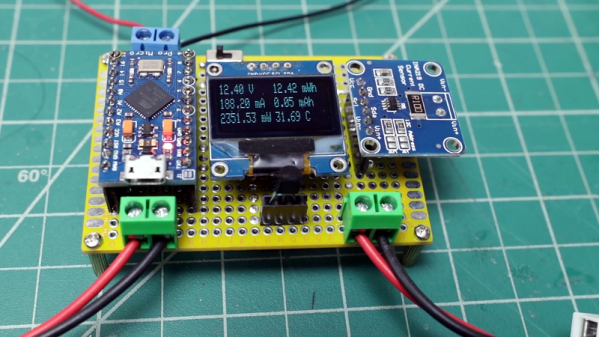
If you are dealing with solar or battery power, you might want to have one of these little energy meters built by [Open Green Energy] around. The Arduino-based instrument measures DC voltage, current, power, energy, capacity, and temperature. The range is only up to 26 volts and 3.2 amps, but you could extend that with some external circuitry.

Of course, measuring a voltage with the Arduino is old hat. But the addition of a INA219 current sensor provides voltage, current, and power measurements in a single module that talks I2C back to the host computer.

Continue reading “Versatile Energy Meter Has Multiple Functions”

Robot, Sudo Fold My Laundry

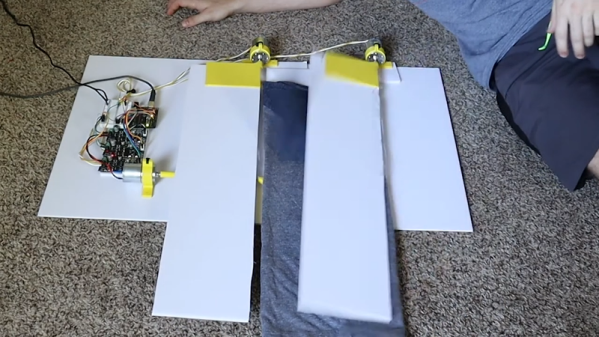
[Ty Palowski] doesn’t like folding his many shirts. He saw one of those boards on TV that supposedly simplifies folding, but it does require you to manually move the board. That just won’t do, so [Ty] motorized it to create a shirt folding robot.

The board idea is nothing new, and probably many people wouldn’t mind the simple operation required, but what else are you going to do with your 3D printer but make motor mounts for a shirt folding machine? The folding board is, of course, too big for 3D printing so he made that part out of cardboard at first and then what looks like foam board.

Continue reading “Robot, Sudo Fold My Laundry”

Pine Made Phones, Laptops, And Now… Soldering Irons?

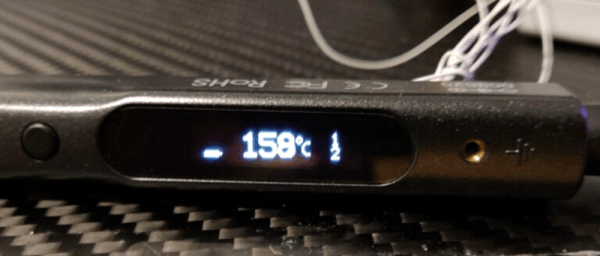
The TS100 smart soldering iron may have some new competition. Pine — the people best known for Linux-based phones and laptops — though the world needed another smart soldering iron so they announced the Pinecil — Sort of a knock off of the TS100. It looks like a TS100 and uses the same tips. But it does have some important differences.

It used to be a soldering iron was a pretty simple affair. Plug in one end; don’t touch the other end. But, eventually, things got more complicated and you wanted some way to make it hotter or cooler. Then you wanted the exact temperature with a PID controller. However, until recently, you didn’t care how much processing power your soldering iron had. The TS100 changed that. The smart and portable iron was a game-changer and people not only used it for soldering, but also wrote software to make it do other things. One difference is that the device has a RISC-V CPU. Reportedly, it also has better ergonomics and a USB C connector that allows for UART, I2C, SPI, and USB connections. It also has a very friendly price tag of $24.99.

Continue reading “Pine Made Phones, Laptops, And Now… Soldering Irons?”

Apollo Missions Get Upgraded Video

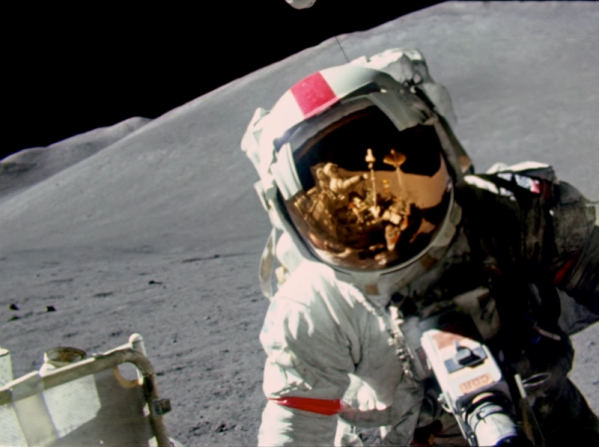
July 20th marked the anniversary of the first human setting foot on the moon. If you were alive back then, you probably remember being glued to the TV watching the high-tech images of Armstrong taking that first step. But if you go back and watch the video today, it doesn’t look the way you remember it. We’ve been spoiled by high-density video with incredible frame rates. [Dutchsteammachine] has taken a great deal of old NASA footage and used their tools to update them to higher frame rates that look a lot better, as you can see below.

The original film from the moon landing ran between 12 frames per second and as low as 1 frame per second. The new video is interpolated to 24 frames per second. Some of the later Apollo mission film is jacked up to 60 frames per second. The results are great.

Continue reading “Apollo Missions Get Upgraded Video”