3D Printing Bone

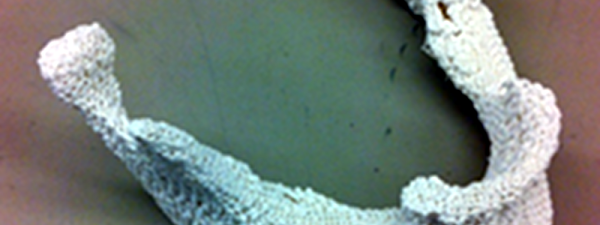
What do you print with your 3D printer? Key chains? More printer parts (our favorite)? Enclosures for PC boards? At Johns Hopkins, they want to print bones. Not Halloween skeletons, either. Actual bones for use in bodies.

According to Johns Hopkins, over 200,000 people a year need head or face bone replacements due to birth defects, trauma, or surgery. Traditionally, surgeons cut part of your leg bone that doesn’t bear much weight out and shape it to meet the patient’s need. However, this has a few problems. The cut in the leg isn’t pleasant. In addition, it is difficult to create subtle curved shapes for a face out of a relatively straight leg bone.

This is an obvious application for 3D printing if you could find a suitable material to produce faux bones. The FDA allows polycaprolactate (PCL) plastic for other clinical uses and it is attractive because it has a relatively low melting point. That’s important because mixing in biological additives is difficult to do at high temperatures.

Continue reading “3D Printing Bone”

3D Printer Prints Sound

People like music, but they are also visual creatures. Perhaps that’s why music visualization is such a common project. Usually, you think of music visualization as using LEDs or a computer screen. However, [Gieeel] did his music visualization using a 3D printer.

Sure, the visualization is a little static compared to LEDs, but it does make an interesting conversation piece. The actual process isn’t very difficult, once you have the idea. [Gieeel] captured the waveform in Audacity, did a screen capture, and then converts the image to an SVG file using Inkscape.

From there, you can use many different CAD tools to convert the image into a 3D object. [Gieeel] used Autodesk Fusion 360 and had the resulting object professionally 3D printed.

We’ve seen other kinds of sound sculptures before. Of course, we’ve also seen a lot of traditional visualizations, as well.

Single Photon Source For Quantum Computing And Experimentation

One challenge to building optical computing devices and some quantum computers is finding a source of single photons. There are a lot of different techniques, but many of them aren’t very practical, requiring lots of space and cryogenic cooling. Recently, researchers at the Hebrew University of Jerusalem developed a scalable photon source on a semiconductor die.

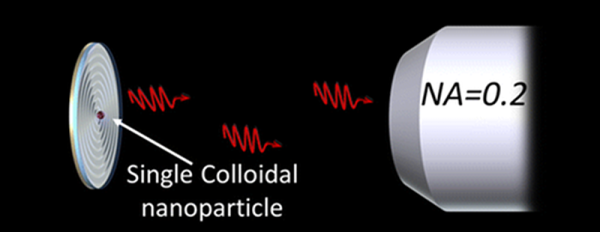
Using nanocrystals of semiconductor material, the new technique emits single photons, and in a predictable direction. The nanocrystals combine with circular nanoantennas made of metal and dielectric produced with conventional fabrication technology. The nanoantennas are concentric circles resembling a bullseye and is used to ensure that the photons travel the correct direction with little or no angular deviation.

A single IC could contain many photon sources and they operate at room temperature. We’ve talked about quantum tricks with photons before. Quantum mechanics is another popular topic.

Software Defined Radio App Store

Software defined radios (SDRs) can–in theory–do almost anything you need a radio to do. Voice? Data? Frequency hopping? Trunking? No problem, you just write the correct software, and you are in.

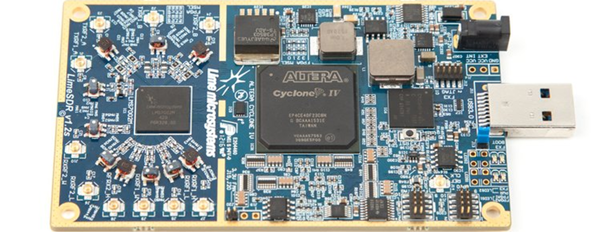
That’s the problem, though. You need to know how to write the software. LimeSDR is an open source SDR with a crowdfunding campaign. By itself, that’s not anything special. There are plenty of SDR devices available. What makes LimeSDR interesting is that it is using Snappy Ubuntu Core as a sort of app store. Developers can make code available, and end-users can easily download and install that code.

Continue reading “Software Defined Radio App Store”

Talk To The Glove

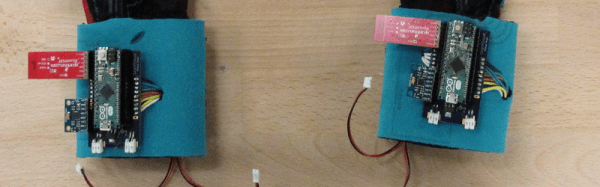
Two University of Washington students exercised their creativity in a maker space and created a pair of gloves that won them a $10,000 prize. Obviously, they weren’t just ordinary gloves. These gloves can sense American Sign Language (ASL) and convert it to speech.

The gloves sense hand motion and sends the data via Bluetooth to an external computer. Unlike other sign language translation systems, the gloves are convenient and portable. You can see a video of the gloves in action, below.

Continue reading “Talk To The Glove”

Infrared Detector Selects Over A Wide Range

You can classify infrared light into three broad ranges: short wave, medium wave, and long wave. Traditionally, sensors concentrate on one or two bands, and each band has its own purpose. Short wave IR, for example, produces images similar to visible light images. Long wave is good for thermal imaging.

Researchers have announced a new detector that, by adjusting a bias, can detect all three bands using a simple approach that stacks different absorption layers over a semiconductor substrate. The device only requires two terminals and is very efficient, although the efficiency varies based on the band.

We’ve covered infrared sensing before. We’ve even seen DSLRs hacked into IR sensors. This new research might be a bit much to duplicate in your garage. After all, it requires tellurium doped gallium antimonide substrates and sophisticated processing equipment. However, this research will probably lead to practical devices that will find their way into projects before too long.

Retrotechtacular: TV Troubleshooting

As technology advances, finding the culprit in a malfunctioning device has become somewhat more difficult. As an example, troubleshooting an AM radio is pretty straightforward. There are two basic strategies. First, you can inject a signal in until you can hear it. Then you work backwards to find the stage that is bad. The other way is to trace a signal using a signal tracer or an oscilloscope. When the signal is gone, you’ve found the bad stage. Of course, you still need to figure out what’s wrong with the stage, but that’s usually one or two transistors (or tubes) and a handful of components.

A common signal injector was often a square wave generator that would generate audio frequencies and radio frequency harmonics. It was common to inject at the volume control (easy to find) to determine if the problem was in the RF or audio sections first. If you heard a buzz, you worked backwards into the RF stages. No buzz indicated an audio section problem.

A signal tracer was nothing more than an audio amplifier with a diode demodulator. Starting at the volume control was still a good idea. If you heard radio stations through the signal tracer, the RF section was fine. Television knocked radio off of its pedestal as the primary form of information and entertainment in most households, and thus the TV repair industry was created.

Continue reading “Retrotechtacular: TV Troubleshooting”