Gamecube Dock For Switch Mods Nintendo With More Nintendo

[Dorison Hugo] let us know about a project he just completed that not only mods Nintendo with more Nintendo, but highlights some of the challenges that come from having to work with and around existing hardware. The project is a Gamecube Dock for the Nintendo Switch, complete with working Gamecube controller ports. It looks like a Gamecube with a big slice out of it, into which the Nintendo Switch docks seamlessly. Not only that, but thanks to an embedded adapter, original Gamecube controllers can plug into the ports and work with the Switch. The original orange LED on the top of the Gamecube even lights up when the Switch is docked. It was made mostly with parts left over from other mods.

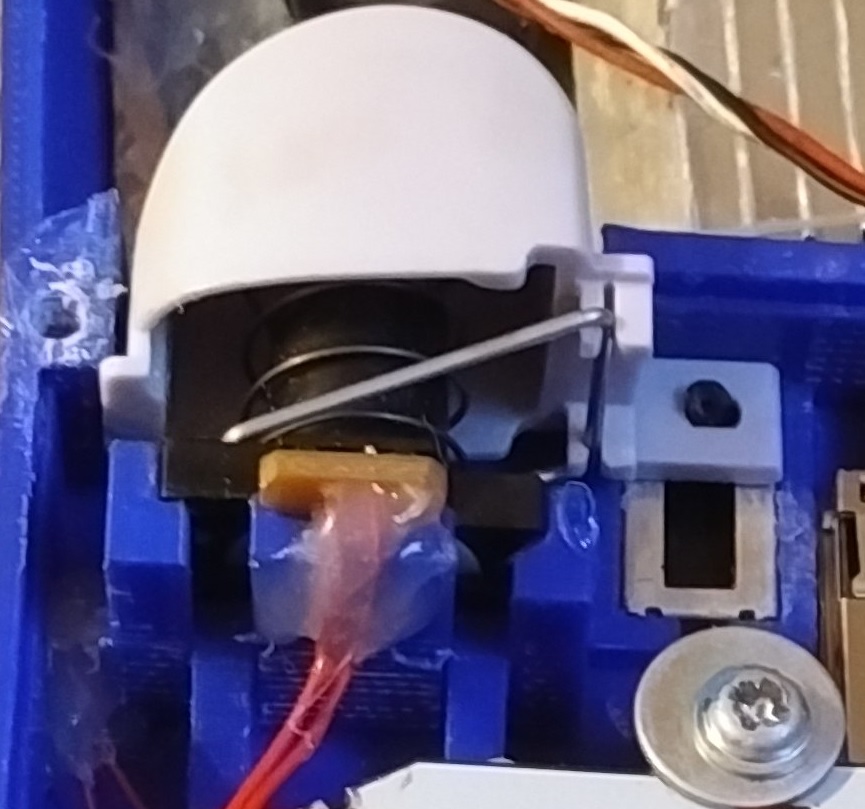
The interesting parts of this project are not just the attention to detail in the whole build, but the process [Dorison] used to get everything just right. Integrating existing hardware means accepting design constraints that are out of one’s control, such as the size and shape of circuit boards, length of wires, and often inconvenient locations of plugs and connectors. On top of it all, [Dorison] wanted this mod to be non-destructive and reversible with regards to the Nintendo Switch dock itself.

To accomplish that, the dock was modeled in CAD and 3D printed. The rest of the mods were all done using the 3D printed dock as a stand-in for the real unit. Since the finished unit won’t be painted or post-processed in any way, any scratches on both the expensive dock and the Gamecube case must be avoided. There’s a lot of under-cutting and patient sanding to get the cuts right as a result. The video (embedded below) steps through every part of the process. The final screws holding everything together had to go in at an odd angle, but in the end everything fit.

Continue reading “Gamecube Dock For Switch Mods Nintendo With More Nintendo”

Rubik’s Cube Table Has A Hidden Surprise

[Nothorwitzer] built a pretty incredible Rubik’s Cube table with hidden storage. The coolest feature of this table is the way it opens. Twisting the top section of the cube causes two drawers to pop out from the sides. The further you turn the top, the more the drawers extend. As the top hits its rotational limit, the lid of the cube lifts up, revealing the entire top section is hollow.

[Nothorwitzer] built the table from plywood, hardboard, and MDF. Hiding inside the base is an old car wheel hub and bearing. The entire rotating system spins on this assembly. The drawers are actuated by an ingenious set of plywood cams which push the two opposing drawers out as the top assembly rotates. Two levers pop the top open.

The attention to detail here is amazing. [Nothorwitzer] build a set of hidden hinges that make the lid invisible, yet allows it to lift up and over the edge of the cube. A spring ensures that the heavy lid will pop open neatly. The lid fit is so close that air pressure ensures the top doesn’t slam down when it is dropped.

While the internal parts of the table are left in bare wood, that the external parts had to match a real Rubik’s Cube. [Nothorwitzer] scrambled a cube, then copied the colors. The panels are made of cut hardboard. Each panel is spray painted, then hot glued to the cube. The body is plywood which [Nothorwitzer] grooved with a router to match the profile of a real Rubick’s Cube.

The project doesn’t end here. [Nothorwitzer] has created a second cube, which is even more tricky. The lid pops by pressing in one section. The drawers operate in a similar way, but there is a lever to engage or disengage the drawer opening. This may be the perfect place to hide your retro gaming systems!

Continue reading “Rubik’s Cube Table Has A Hidden Surprise”

Solving A Rubik’s Cube With Just Two Motors

We’ve all seen videos of Rubik’s cube champions who can solve the puzzle in less than 5 seconds. And there are cube-twisting robots that can solve the cube even faster, often in under a second. This Rubik’s cube solver is not one of those robots, but it’s still pretty cool.

The reason we like Dexter Industries’ “BricKuber” is not for its lightning speed — it takes a minute or two to solve the puzzle. What we like is the simplicity of the approach to manipulating the cube. Built from LEGO parts, including Mindstorms motors and a BrickPi controller, the BricKuber uses only two motors to work the cube. One motor powers a square turntable upon which the cube sits, while the other powers an arm that does double duty — it either clamps the cube so the turntable can rotate a layer, or it rakes the cube to flip it 90° on the turntable. With a Pi Cam overhead, the rig images all six faces, calculates a solution to the cube, and then flips and twists the cube to solve it. It’s simultaneously mind-boggling and strangely relaxing to watch.

All the code is open source, and we strongly suspect a similar and possibly faster robot could be built without the LEGO parts. You might even be able to build one with popsicle sticks and an Arduino.

Continue reading “Solving A Rubik’s Cube With Just Two Motors”

Lathe Turns The Corner, Makes A Cube

[Tim] was tired of using his lathe to turn round things. He decided to make a gaming die—something that’s iconically square—out of cylindrical scrap. As it turns out, this is possible to do on a lathe with a three jaw chuck. [Tim] discovered that the bevel on the jaws will hold a cylindrical puck of scrap sideways while he squares off the round sides into faces.

Turning a cube on a lathe looks pretty fiddly, so we applaud [Tim]’s lovely handiwork even more. As you’ll see in the video down below, things were going gangbusters until he went to make the last facing cut. Maybe the tool wasn’t lined up just so, or something was off in the chucking, but the first pass made a bit of a gouge in the stock. Looks like it was easy enough to fix, though. After four 90° turns and facing cuts, he had a nice looking rough cube to work with.

This is a regulation-sized die, so the next step was to trim it down to 16mm³. Then it was time to sand, polish, and add the dots. To lay them out, [Tim] sprayed the cube with layout fluid and scribed unique line patterns on each face. Then he drilled the indentations and filled them in with aluminium black.

Most of the dice we see are electronic, like this extremely random pair and these PIC-driven LED dice. We’d like to see [Tim] make a second D6 so he has a pair. And then make a D20. Please?

Continue reading “Lathe Turns The Corner, Makes A Cube”

STM32CubeMX Makes Makefiles

When hardware manufacturers make GUI code-generation tools, the resulting files often look like a canned-spaghetti truck overturned on the highway — there’s metaphorical overcooked noodles and red sauce all over the place. Sometimes we think they’re doing this willfully to tie you into their IDE. Not so the newest version of ST’s graphical STM32CubeMX, which guides you through a pleasant pin-allocation procedure and then dumps out, as of the latest version, a clean Makefile.

Yes, that’s right. This is a manufacturer software suite that outputs something you can actually use with whatever editor, GUI, compiler, or environment that you wish — even the command line. Before this release, you had to go through a hacky but functional script to get a Makefile out of the CubeMX. Now there’s official support for real hackers. Thanks, ST!

If you’re compiling on your own, you’ll need to update the BINPATH variable to point to your compiler. (We use the excellent GNU ARM Embedded Toolchain ourselves, which is super-easy to install on almost any Linux.) If you want to use STM32CubeMX with the Eclipse IDE, [kali prasad yadav] sent us PDF instructions — it’s not hard.

If you doubt that the availability of a free, open, and non-constraining toolchain can matter for a silicon vendor, we’d point to AVR and the Arduino platform that spun off of their support of GCC. Sure, Atmel still pushes their all-in-one wonder, Atmel Studio, which is better than the Arduino IDE by most any metric. But Studio is closed, and Arduino is open. We’d love to see the number of Studio users compared with Arduino users.

Congratulations to ST for taking a big step in the right, open-toolchain, direction.

540 PCBs Make A Giant LED Cube

Just about anyone can make a simple LED cube. But what if you want to make a 1-meter cube using 512 LEDs? [Hari] wanted to do it, so he created two different kinds of LED boards using EasyEDA. There are 270  of each type of board, for a total of 540 (there are only 512 LEDs, so we guess he got some spares due to how the small boards panelized). The goal is to combine these boards to form a cube measuring over three feet on each side.

To simplify wiring, the boards are made to daisy chain like a cordwood module. However, to get things to line up, each column of LED boards have to rotate 90 degrees. You can see several videos about the project below.

Continue reading “540 PCBs Make A Giant LED Cube”

Go Portable With GameCube Advance SP

Off the hop, we love portable consoles. To be clear, we don’t just mean handhelds like the 3DS, or RetroPie builds, but when a maker takes a home console from generations past and hacks a childhood fantasy into reality — that’s amore. So, it’s only natural that [Bill Paxton]’s GameCube re-imagined as a Game Boy Advance SP has us enthralled.

Originally inspired by an early 2000’s imagined mockup of a ‘next-gen’ Game Boy Advance, [Paxton] first tried to wedge a Wii disk drive into this build. Finding it a bit too unwieldy, he opted for running games off of SD cards using a WASP Fusion board instead. Integrating the controller buttons into the 3D printed case took several revisions. Looking at the precise modeling needed to include the L and R shoulder buttons, that is no small feat.

Sadly, this GameCube SP doesn’t have an on-board battery, so you can’t go walking about with Windwaker. It does, however, include a 15 pin mini-din VGA-style port to copy game saves to the internal memory card, a switching headphone jack, amp, and speakers. Check it out after the break!

Continue reading “Go Portable With GameCube Advance SP”