Practical Sensors: The Many Ways We Measure Heat Electronically

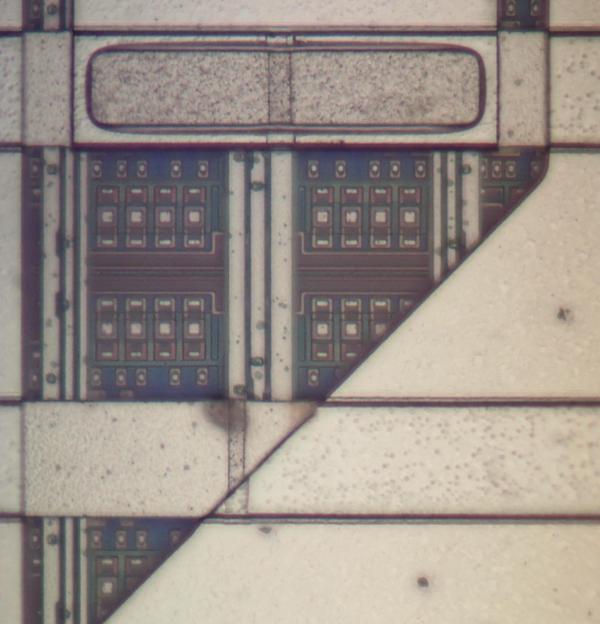
Measuring temperature turns out to be a fundamental function for a huge number of devices. You furnace’s programmable thermostat and digital clocks are obvious examples. If you just needed to know if a certain temperature is exceeded, you could use a bimetalic coil and a microswitch (or a mercury switch as was the method with old thermostats). But these days we want precision over a range of readings, so there are thermocouples that generate a small voltage, RTDs that change resistance with temperature, thermistors that also change resistance with temperature, infrared sensors, and vibrating wire sensors. The bandgap voltage of a semiconductor junction varies with temperature and that’s predictable and measurable, too. There are probably other methods too, some of which are probably pretty creative.

Bimetalic coil by [Hustvede], CC-BY-SA 3.0.
You can often think of creative ways to do any measurement. There’s an old joke about the smart-alec student in physics class. The question was how do you find the height of a building using a barometer. One answer was to drop the barometer from the top of the building and time how long it takes to hit the ground. Another answer — doubtlessly an engineering student — wanted to find the building engineer and offer to give them the barometer in exchange for the height of the building. By the same token, you could find the temperature by monitoring a standard thermometer with a camera or even a level sensor which is a topic for another post.

The point is, there are plenty of ways to measure anything, but in every case, you are converting what you want to know (temperature) into something you know how to measure like voltage, current, or physical position. Let’s take a look at how some of the most interesting temperature sensors accomplish this.

Continue reading “Practical Sensors: The Many Ways We Measure Heat Electronically”

Hackaday Podcast 106: Connector Kerfuffle, Tuning Fork Time, Spinach Contact Prints, And Tesla’s Permanent Memory

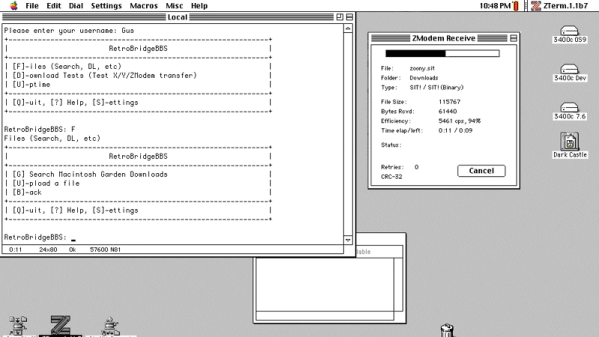
Hackaday editors Elliot Williams and Mike Szczys recount the coolest hacks from the past week. Most clocks keep time with a quartz crystal, but we discuss one that uses a tuning fork… like the kind you use to tune a piano. Ghidra is a powerful reverse engineering tool developed by the NSA that was recently put to good use changing an embedded thermometer display from Celsius to Fahrenheit. We talk turkey on the Texas power grid problems and Tesla’s eMMC failures. And of course there’s some room for nostalgia as we walk down memory lane with the BASIC programming language.

Take a look at the links below if you want to follow along, and as always, tell us what you think about this episode in the comments!

Direct download (~60 MB)

Places to follow Hackaday podcasts:

Continue reading “Hackaday Podcast 106: Connector Kerfuffle, Tuning Fork Time, Spinach Contact Prints, And Tesla’s Permanent Memory”

Custom Inlaid Retro Keycaps: Clay Is The Way

They say experience is the best teacher, and experience tells us they are right. When [Thomas Thiel] couldn’t find any resources about re-creating the groovy ‘caps of thocky old keebs like the Space Cadet and the C64 (or find any to buy), it was time for a little keycap experimentation.

These babies are printed in black resin and the inlay is made with white air-dry clay. After printing, they are sprayed with acrylic, and then [Thomas] works a generous amount of clay into the grooves and seals the whole thing with clear spray. [Thomas] soon figured out that the grooves had to be pretty deep for this to work right — at least 1 mm. And he had better luck thick fonts like Arial Black instead of thin fonts.

Of course, as [Thomas] mentions, you’re not restricted to white or even air-dry clay. You could go nuts with colored clay and make a retro-RGB clackable rainbow.

Still not tactile or custom enough for you? These hand-stitched keycaps are technically re-legendable, though it would take a considerable amount of time.

This Week In Security: ISNs, Patch Tuesday, And Clubhouse

Let’s talk TCP. Specifically, how do the different TCP connections stay distinct, and how is a third party kept from interrupting a connection? One of the mechanisms that help accomplish this feat is the TCP sequence number. Each of the two endpoints of a TCP connection tracks an incrementing 32-bit number, corresponding to the bytes sent in the connection. It’s handy, because each side can use that value to track what parts of the data stream they have received. On missing packets, a message can be sent requesting bytes 7-15 to be resent, for instance.

Each side of the connection sets their own Initial Sequence Number (ISN), and it’s important that this number is unique, as collisions can cause stream confusion. That statement should make your security spidey sense tingle. If a collision can cause problems when it happens by chance, what can a hacker do with it intentionally? Potentially quite a bit. Knowing the current sequence number, as well as a couple other pieces of information, a third party can close a TCP stream or even inject data. The attack has been around for years, originally known as the Mitnick Attack. It was originally possible because TCP implementations used a simple counter to set the ISN. Once the security ramifications of this approach were understood, the major implementations moved to a random number generation for their ISNs.

Now to this week’s story: researchers at Forescout took the time to check 11 TCP/IP stacks for vulnerability to the old Mitnick Attack (PDF Whitepaper). Of the eleven embedded stacks texted, nine have serious weaknesses in their ISN generation. Most of the vulnerable implementations use a system time value as their ISN, while several use a predictable pseudorandom algorithm that can be easily reversed.

CVEs have been assigned, and vendors notified of “NUMBER:JACK”, Forescout’s name for the research. Most of the vulnerable software already has patches available. The problem with embedded systems is that they often never get security updates. The vulnerable network stacks are in devices like IP cameras, printers, and other “invisible” software. Time will tell if this attack shows up as part of a future IoT botnet.
Continue reading “This Week In Security: ISNs, Patch Tuesday, And Clubhouse”

The Raspberry Pi Pico Can’t Run Linux. But It Can Run Fuzix.

The great divide in terms of single board computers lies between those that can run some form of Linux-based distribution, and those that can not. For example the Raspberry Pi Zero is a Linux board, while the Raspberry Pi Pico’s RP2040 processor lacks the required hardware to run everybody’s favourite UNIX-like operating system. That’s not to say the new board from Cambridge can’t run any UNIX-like operating system though, as [David Given] shows us with his Fuzix port.

Fuzix is a UNIX-like operating system for less capable processors, more in the spirit of those original UNIXes than of a modern Linux-based distribution. It’s the work of the respected former Linux kernel developer and maintainer [Alan Cox], and consists of a kernel, a C compiler, and a set of core UNIX-like applications.

The RP2040 port maybe needs a little more work to be considered stable. For now, the multitasking support isn’t quite there and NAND flash support is broken, but it does have SD card support for a proper UNIX filesystem and the full set of core tools. Perhaps most interestingly, it only occupies a single core of the dual-core chip, leaving the possibility of the other core and those PIOs to be used for other purposes.

Fuzix has made the occasional appearance here over the years, but perhaps not as often as it should. If you’d like to learn a little more about the genesis of UNIX, we took a look in 2019.

Header: Michiel Henzler (CC BY-SA 4.0).

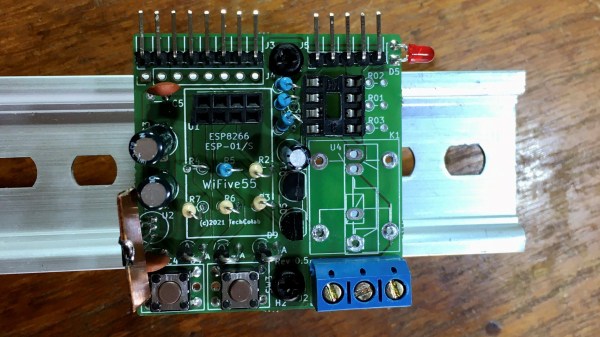
A Smart Way To Wire Smart Switches

Smart switches are fun, letting you control lights and appliances in your home over the web or even by voice if you’re so inclined. However, they can make day-to-day living more frustrating if they’re not set up properly with regards to your existing light switches. Thankfully, with some simple wiring, it’s possible to make everything play nice.

The method is demonstrated here by [MyHomeThings], in which an ESP8266 is used with a relay to create a basic smart switch. However, it’s wired up with a regular light switch in a typical “traveller” multiway switching scheme – just like when you have two traditional light switches controlling the same light at home. To make this work with the ESP8266, though, the microcontroller needs to be able to know the current state of the light. This is done by using a 240V to 3.3V power supply wired up in parallel with the light. When the light is on, the 3.3V supply is on. This supply feeds into a GPIO pin on the ESP8266, letting it know the light’s current state, and allowing it to set its output relay to the correct position as necessary.

This system lets you use smart lighting with traditional switches with less confused flipping, which is a good thing in our book. If you’re using standalone smart bulbs, however, you could consider flashing them with custom firmware to improve functionality. As always, if you’ve got your own neat smart lighting hacks, be sure to let us know!

A Nerf Gun Upgrade

A lot of us have nostalgia for our childhood toys, and as long as they’re not something like lawn darts that nostalgia often leads to fun upgrades since some of us are adults with industrial-sized air compressors. Classics like Super Soakers and Nerf guns are especially popular targets for improvements, and this Nerf machine gun from [Emiel] is no exception.

The build takes a Nerf ball-firing toy weapon and basically tosses it all out of the window in favor of a custom Nerf ball launching rifle. He starts with the lower receiver and machines a pneumatic mechanism that both loads a ball into the chamber and then launches it. This allows the rifle to be used in both single-shot mode and also in fully-automatic mode. From there, a barrel is fashioned along with the stock and other finishing touches.

[Emiel] also uses a high-speed camera to determine the speed of his new Nerf gun but unfortunately it isn’t high-speed enough, suffering from the same fate as one of the fastest man-made objects ever made, and he only has a lower bound on the speed at 400 km/h. If you don’t want to go fast with your Nerf builds, though, perhaps you should build something enormous instead. Continue reading “A Nerf Gun Upgrade”