Plastic On The Mind: Assessing The Risks From Micro- And Nanoplastics

Perhaps one of the clearest indications of the Anthropocene may be the presence of plastic. Starting with the commercialization of Bakelite in 1907 by Leo Baekeland, plastics have taken the world by storm. Courtesy of being easy to mold into any imaginable shape along with a wide range of properties that depend on the exact polymer used, it’s hard to imagine modern-day society without plastics.

Yet as the saying goes, there never is a free lunch. In the case of plastics it would appear that the exact same properties that make them so desirable also risk them becoming a hazard to not just our environment, but also to ourselves. With plastics degrading mostly into ever smaller pieces once released into the environment, they eventually become small enough to hitch a ride from our food into our bloodstream and from there into our organs, including our brain as evidenced by a recent study.

Multiple studies have indicated that this bioaccumulation of plastics might be harmful, raising the question about how to mitigate and prevent both the ingestion of microplastics as well as producing them in the first place.

Continue reading “Plastic On The Mind: Assessing The Risks From Micro- And Nanoplastics”

Your Chance To Get A Head (A Gnu Head, Specifically)

The Free Software Foundation is holding an auction to celebrate its 40th anniversary. You can bid on the original sketch of the GNU head by [Etienne Suvasa] and [Richard Stallman’s] Internet Hall of Fame medal.

There are some other awards, including the FSF’s 1999 Norbert Wiener Award. There’s even a katana that symbolizes the fight for computer user freedom.

Continue reading “Your Chance To Get A Head (A Gnu Head, Specifically)”

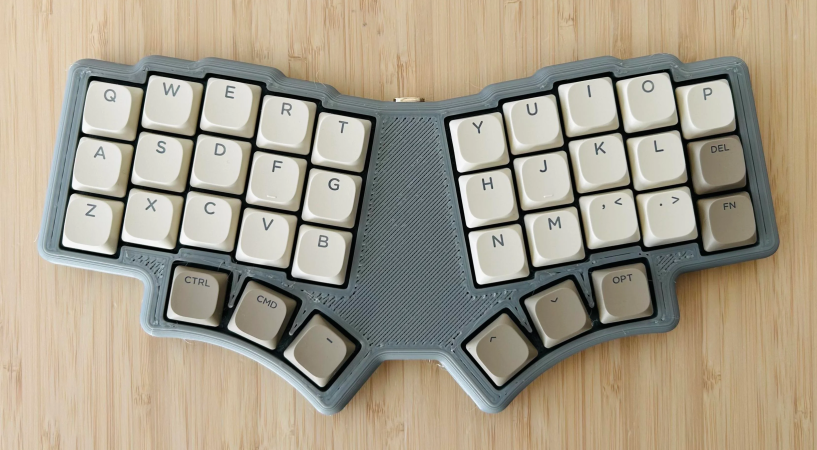
A 36-key monoblock split keyboard with three thumb keys on each side.

Lorem Ipsum 36? Dolor Sit Amet Keyboard!

You know, it’s a tale as old as custom mechanical keyboards. [penkia] couldn’t find any PCBs with 36 keys and Gateron low-profile switch footprints, so they made their own and called it the LoremIpsum36. Isn’t it lovely?

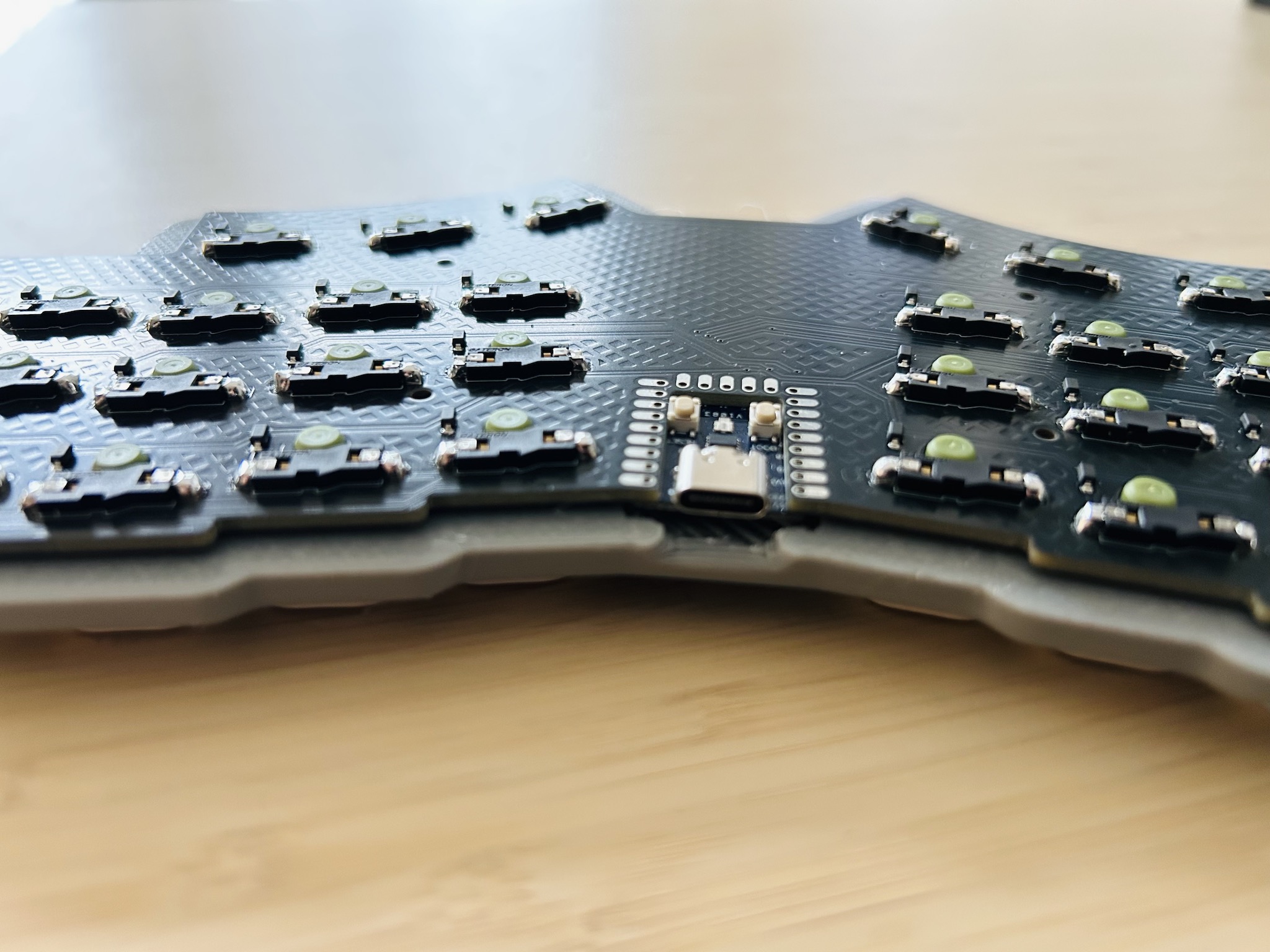
Close-up of the RP2040 sitting flush as can be in the PCB.This baby runs on an RP2040, which sits flush as can be in a cutout in the PCB. This maneuver, along with the LP switches in hard-to-find SK-33 sockets results in quite the thin board.

[penkia] says that despite using a 3 mm tray for added rigidity, the entire thing is thinner than the Nuphy Air60 v2, which is just over half an inch (13.9 mm) thick. For keycaps, [penkia] has used both XVX profile and FKcaps’ LPF.

And yeah, that area in the middle is crying out for something; maybe a trackball or something similar. But [penkia] is satisfied with it as-is for the first version, so we are, too.

Do you like 36-key boards, but prefer curves? Check out the Lapa keyboard, which doubles as a mouse.

Understanding The T12 Style Soldering Iron Tip

Soldering irons and their tips come in a wide range of formats and styles, with the (originally Hakko) T12 being one of the more interesting offerings. This is because of how it integrates not only the tip and heating element, but also a thermocouple and everything else in a self-contained package. In a recent video [Big Clive] decided to not only poke at one of these T12 tips, but also do a teardown.

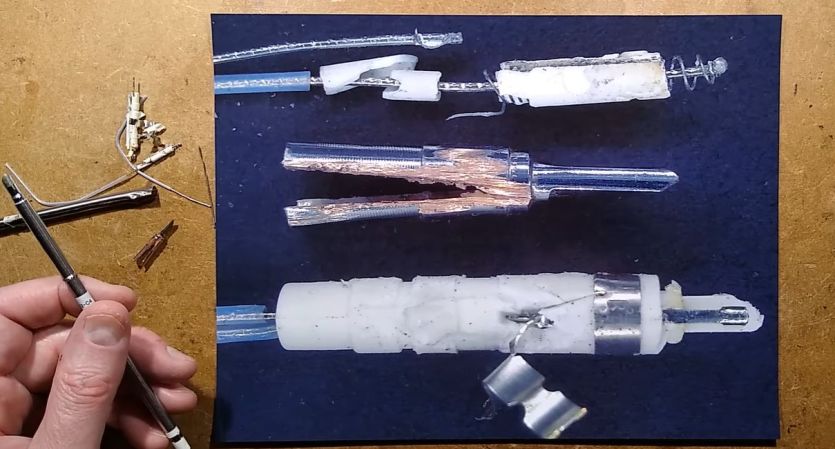
These elements have three bands, corresponding to the power supply along with a contact for the built-in thermocouple. After a quick trip to the Vise of Knowledge, [Clive] allows us a glimpse at the mangled remnants of a T12, which provides a pretty good overview of how these tips are put together.

Perhaps unsurprisingly, most of the length is a hollow tube through which the wires from the three contacts run. These power the ceramic heating element, as well as provide the soldering iron handle access to the thermocouple that’s placed near the actual tip.

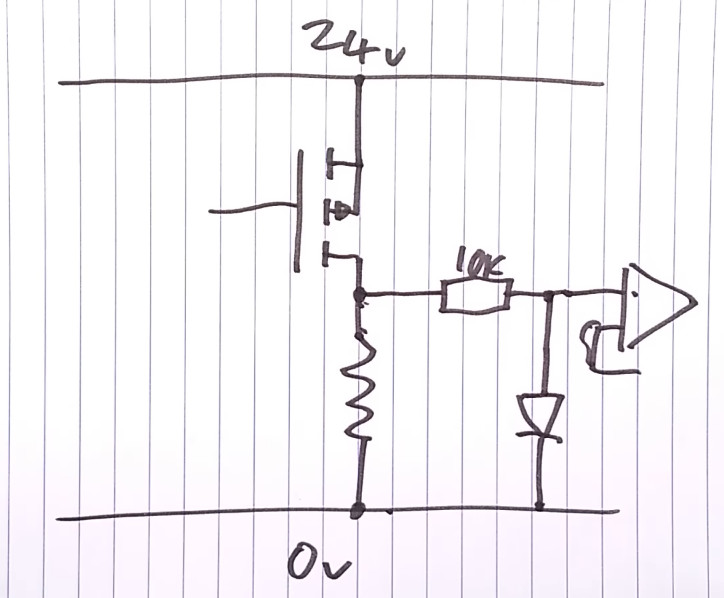
With a simple diagram [Clive] explains how these T12 elements are then used to regulate the temperature, which isn’t too distinct from the average soldering iron with ceramic heating element, but it’s still nice to have it all integrated rather than having to try to carefully not damage the ceramic heater while swapping tips with the average soldering iron.

Continue reading “Understanding The T12 Style Soldering Iron Tip”

Gimbal Clock Relies On Servos For Its Cool Movements

In the annals of human history, clocks got boring there for a while. Most were just variations on hands spinning in a circle, with the occasional tweeting bird mechanism to liven things up. These days, we’re treated to all kinds of original and oddball designs, like this neat gimbal clock from [Twisted&Tinned].

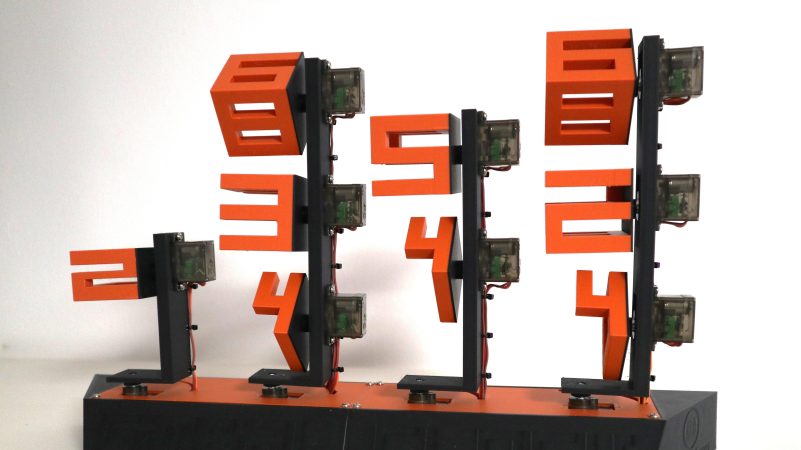
The concept of the build is straightforward enough. It has four main vertical arms, each with a servo at the base that rotates about a vertical axis. Upon each arm are between one and three servos which rotate 3D printed structures in the shape of numbers. A Wemos D1 Mini microcontroller commands the servos to the correct positions to display the current time. It also uses its WiFi connection to get accurate time updates directly from a network time server.

It’s quite an artistic build—and it’s rather enjoyable to watch this one flex and twist its way into displaying the right time. It’s also easier to read at a glance than some of the more unintelligible designs out there. Indeed, we see all kinds of neat and innovative clocks around these parts.

Continue reading “Gimbal Clock Relies On Servos For Its Cool Movements”

Embedding Lenticular Lenses Into 3D Prints

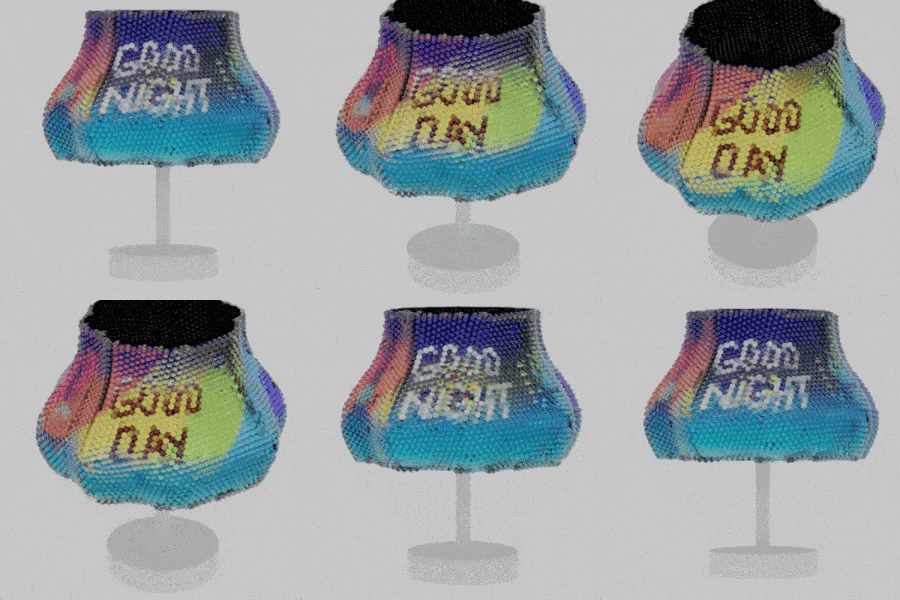
A research project shows that it’s possible to create complex single-piece lenticular objects, or objects that have lenticular lenses built directly into them. The result is a thing whose appearance depends on the viewer’s viewpoint. The object in the image above, for example, is the same object from five different angles.

What’s really neat is that these colorful things have been 3D printed as single objects, no separate lenses or assembly required. Sure, it requires equipment that not just everyone has on their workbench, but we think a clever hacker could put the underlying principles to work all the same.

This lampshade (which was 3D printed as a single object) changes color and displays Good Day or Good Night depending on viewing angle.

The effect is essentially the same as what is sometimes seen in children’s toys and novelties — where a perceived image changes depending on the viewing angle. This principle has been used with a lenticular lens sheet to create a clever lenticular clock, but there’s no need to be limited by what lenses are available off the shelf. We’ve seen a custom 3D printed lenticular lens slapped onto a mobile device to create a 3D screen effect.

Coming back to the research, the objects researchers created go beyond what we’ve seen before in two important ways. First is in using software to aid in designing the object and it’s viewpoints (the plugin for Rhino 3D is available on GitHub), and the second is the scale of the effect. Each lens can be thought of as a pixel whose color depends on the viewing angle, and by 3D printing the lenses, one can fit quite a lot of them onto a surface with a high degree of accuracy.

To make these objects researchers used PolyJet 3D printing, which is essentially UV-cured resin combined with inkjet technology, and can create multi-color objects in a single pass. The lenses are printed clear with a gloss finish, the colors are embedded, and a final hit of sprayed varnish helps with light transmission. It sure beats placing hundreds of little lenses by hand.

Continue reading “Embedding Lenticular Lenses Into 3D Prints”

Toner Transfer, But Not For PCBs

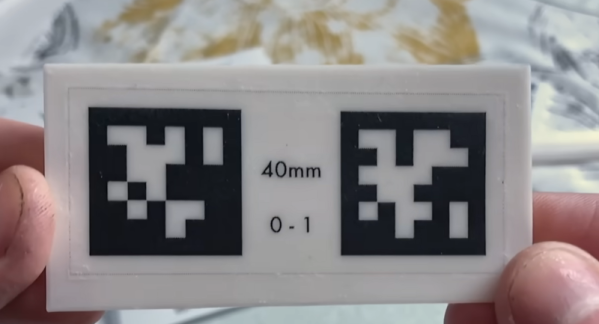
It is old news that you can print PCB artwork on glossy paper and use a clothes iron to transfer the toner to a copper board, which will resist etchant. But [Squalius] shows us how to do a similar trick with 3D prints in a recent video, which you can see below.

The example used is a QR code, although you can use anything you can print in a mirror image. Of course, heat from a clothes iron isn’t going to be compatible with your 3D-printed plastic. The trick is to use some acrylic medium on the part, place the print face down, and apply more medium to the back of the paper.

Continue reading “Toner Transfer, But Not For PCBs”