LED Matrix Built For M.2 Interface

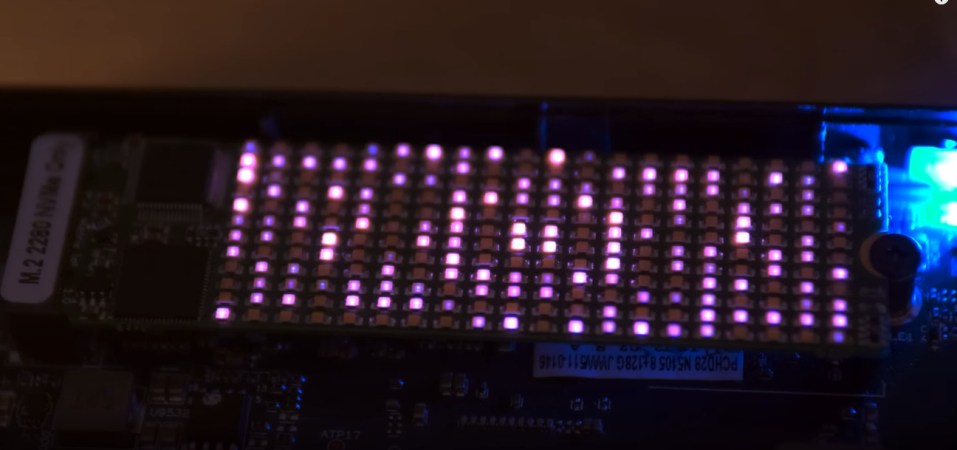
The M.2 slot is usually used for solid-state storage devices. However, [bitluni] had another fun idea for how to use the interface. He built an M.2 compatible LED matrix that adds a little light to your motherboard.
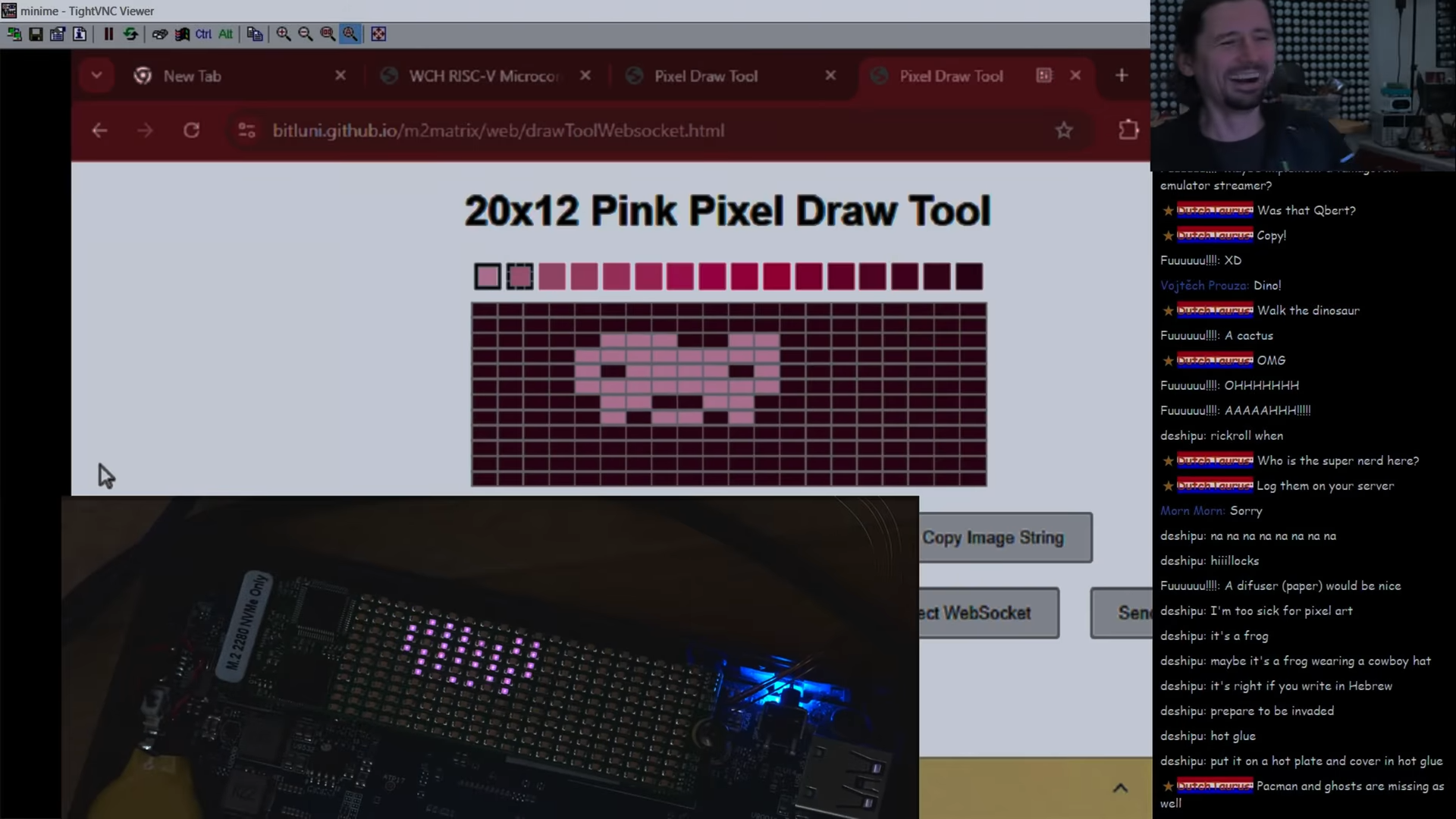
[bitluni] built a web tool for sending images to the matrix.
[bitluni] noted that the M.2 interface is remarkably flexible, able to offer everything from SATA connections to USB, PCI Express, and more. For this project, he elected to rely on PCI Express communication, using a WCH CH382 chip to translate from that interface to regular old serial communication.

He then hooked up the serial interface to a CH32V208 microcontroller, which was tasked with driving a 12×20 monochrome LED matrix. Even better, he was even able to set the microcontroller up to make it programmable upon first plugging it into a machine, thanks to its bootloader supporting serial programming out of the box. Some teething issues required rework and modification, but soon enough, [bitluni] had the LEDs blinking with the best of them. He then built a web-based drawing tool that could send artwork over serial direct to the matrix.

While most of us are using our M.2 slots for more traditional devices, it’s neat to see this build leverage them for another use. We could imagine displays like this becoming a neat little add-on to a blingy computer build for those with a slot or two to spare. Meanwhile, if you want to learn more about M.2, we’ve dived into the topic before.
Continue reading “LED Matrix Built For M.2 Interface”

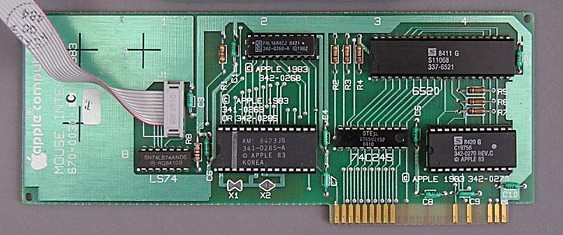
The Apple II MouseCard (Credit: AppleLogic.org)

The Apple II MouseCard IRQ Is Synced To Vertical Blanking After All

Recently [Colin Leroy-Mira] found himself slipping into a bit of a rabbit hole while investigating why only under Apple II MAME emulation there was a lot of flickering when using the (emulated) Apple II MouseCard. This issue could not be reproduced on real (PAL or NTSC) hardware. The answer all comes down to how the card synchronizes with the system’s vertical blanking (VBL) while drawing to the screen.

The Apple II MouseCard is one of the many peripheral cards produced for the system, originally bundled with a version of MacPaint for the Apple II. While not a super popular card at the time, it nevertheless got used by other software despite this Apple system still being based around a command line interface.

According to the card’s documentation the interrupt call (IRQ) can be set to 50 or 60 Hz to match the local standard. Confusingly, certain knowledgeable people told him that the card could not be synced to the VBL as it had no knowledge of this. As covered in the article and associated MAME issue ticket, it turns out that the card is very much synced with the VBL exactly as described in The Friendly Manual, with the card’s firmware being run by the system’s CPU, which informs the card of synchronization events.

Repairing Classic Sound Cards

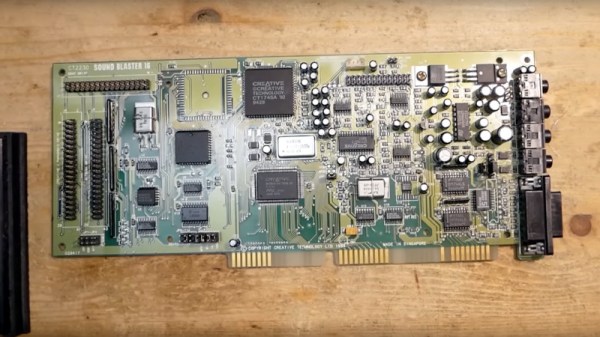
Sound hardware has been built into PC motherboards for so long now it’s difficult to remember the days when a sound card was an expensive add-on peripheral. By the mid to late 1990s they were affordable and ubiquitous enough to be everywhere, but three decades later some of them are starting to fail. [Necroware] takes us through the repair of a couple of Creative Labs Sound Blaster 16s, which were the card to have back then.

The video below is a relaxed look at typical problems afflicting second-hand cards with uncertain pasts. There’s a broken PCB trace on the first one, which receives a neat repair. The second one has a lot more wrong with it though, and reveals some surprises. We would have found the dead 74 series chips, but we’re not so sure we’d have immediately suspected a resistor network as the culprit.

Watching these cards become sought-after in the 2020s is a little painful for those of us who were there at the time, because it’s certain we won’t be the only ones who cleared out a pile of old ISA cards back in the 2000s. If you find one today and don’t have an ISA slot, worry not, because you can still interface it via your LPC bus.

Continue reading “Repairing Classic Sound Cards”

Supercon 2024: Yes, You Can Use The Controller Area Network Outside Of Cars

Ah, the CAN bus. It’s become a communication standard in the automotive world, found in a huge swathe of cars built from the mid-1990s onwards. You’ll also find it in aircraft, ships, and the vast majority of modern tractors and associated farm machines, too.

As far as [Randy Glenn] is concerned, though, the CAN bus doesn’t have to be limited to these contexts. It can be useful far beyond its traditional applications with just about any hardware platform you care to use! He came down to tell us all about it at the 2024 Hackaday Supercon.

Continue reading “Supercon 2024: Yes, You Can Use The Controller Area Network Outside Of Cars”

Be Careful What You Ask For: Voice Control

We get it. We also watched Star Trek and thought how cool it would be to talk to our computer. From Kirk setting a self-destruct sequence, to Scotty talking into a mouse, or Picard ordering Earl Grey, we intuitively know that talking to a computer is better than typing, right? Well, computers talking back and forth to us is no longer science fiction, and maybe we aren’t as happy about it as we thought we’d be.

We weren’t able to pinpoint the first talking computer in fiction. Asimov and van Vogt had talking computers in the 1940s. “I, Robot” by Eando Binder, and not the more famous Asimov story, had a fully speaking robot in 1939. You could argue that “The Machine” in E. M. Forster’s “The Machine Stops” was probably speaking — the text is a little vague — and that was in 1909. The robot from Metropolis (1927) spoke after transforming, but you could argue that doesn’t count.

Meanwhile, In Real Life

In real life, computers weren’t as quick to speak. Before the middle of the twentieth century, machine-generated speech was an oddity. In 1779, a mechanical contrivance by Wolfgang von Kempelen, famous for the mechanical Turk chess-playing automaton, could form simple words. By 1939, Bell Labs could do even better speech synthesis electronically but with a human operator. It didn’t sound very good, as you can see in the video below, but it was certainly expressive.

Continue reading “Be Careful What You Ask For: Voice Control”

RC Cars With First Person Video, All With An ESP32

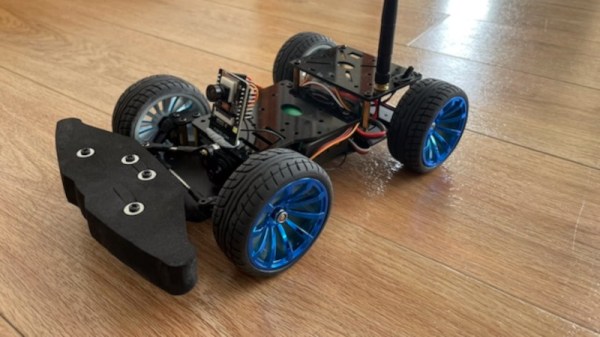
Those little ESP32-CAM boards which mate the WiFi-enabled microcontroller with a small parallel-interface camera module have been with us for years, and while they are undeniably cool to play with, they sometimes stretch the available performance in trying to process and stream video. [Mattsroufe] has made a very cool project with one of them, not only managing to stream video from a small model car, but also to control the steering and motor by means of servos and a little motor driver.

Sadly it’s not entirely a stand-alone device, as the ESP32 streams video to a web server with some Python code to handle the controls. The server can aggregate several of them on one page though, for perhaps a little real-life quad-screen Mario Kart action if you have enough of the things. We can see that this idea has plenty of potential beyond the mere fun of driving a toy car around though, but to whet your appetite there’s a demo video below.

We’ve seen enough of the ESP32-cam before, but perhaps more as a photographic device.

Continue reading “RC Cars With First Person Video, All With An ESP32”

An RP2040-based PC-FX Development Cartridge

[David Shadoff] has a clear soft spot for the NEC console systems and has been collecting many tools and data about them. When developing with these old systems, having a way to upload code quickly is a real bonus, hence the creation of the PC-FX Dev Cart. Based on the Raspberry Pi RP2040, the custom cartridge PCB has everything needed to run software uploadable via a USB-C connection.

While the PC-FX is a CDROM-based system, it does sport a so-called FX-BMP or backup memory port cartridge slot, which games can use to save state and perform other special functions. Under certain circumstances, the PC-FX can be instructed to boot from this memory space, and this cartridge project is intended to enable this. Having a quick way to upload and execute code is very useful when exploring how these old systems work, developing new applications, or improving the accuracy of system emulators. The original FX-BMP cartridge has little more inside than a supercapacitor-backed SRAM and a custom interfacing IC, and of course, it would be quite a hassle to use this to develop custom code.

Continue reading “An RP2040-based PC-FX Development Cartridge”