DIY Air Conditioner Built From Weird Donor Appliance

There are some parts of the world where living without air conditioning borders on unthinkable. But in more moderate climates, it isn’t all that unusual. [Josh’s] apartment doesn’t have central air conditioning — the kind that connects to a forced-air heating/cooling system. It does, though, have a water circuit for air conditioning, so he decided to hack a few experimental air conditioners.

He’s not starting completely from scratch. The two attempts he made at building his AC came from donor parts. The successful one started out as a hot water heater. The very first attempt didn’t quite work as well, using a refrigerator compressor and an evaporator from a baseboard heater. The flow control through the heat exchanger turns out to be very tricky, so [Josh] claims he mostly got ice right at the inlet and minimal cooling through the evaporator.

The more successful one works better but still has a problem with the evaporator freezing that he’s trying to solve. He’s looking for suggestions on how to make it work better. As much as we like a good hack, our advice is to move to a different apartment building.

We’ve seen other homemade coolers, but they are more like swamp coolers. If you just need to cool your desk, you might just get some ice in a metal can.

Continue reading “DIY Air Conditioner Built From Weird Donor Appliance”

Restoring An HP LCZ Meter From The 1980s

We are fantastically lucky not only in the parts that are easily available to us at reasonable cost, but also for the affordable test equipment that we can have on our benches. It was not always this way though, and [NFM] treats us to an extensive teardown and upgrade of a piece of test equipment from the days when a hacker’s bench would have been well-appointed with just a multimeter and a 10MHz ‘scope.

The Hewlett Packard 4276A LCZ meter is, or perhaps was, the king of component testers. A 19″ rack unit that would comfortably fill a shelf, it has a host of functions and a brace of red LED displays. This particular meter had clearly seen better days, and required a look inside just to clean up connectors and replace aged batteries.

In the case is a backplane board with a series of edge connectors for a PSU, CPU, and analogue boards. Aged capacitors and those batteries were replaced, and those edge connectors cleaned up again. The CPU board appears to have a Z80 at its heart, and we’re sure we spotted a 1987 date code. There are plenty of nice high-quality touches, such as the individual 7-segment digits being socketed.

An after-market option for this equipment included a DC offset board, and incredibly HP publish its full schematic and a picture of its PCB in their manual. It was thus a simple process and quick PCB ordering to knock up a modern replica, with just a few component substitutions and single resistors replacing an HP specific encapsulated resistor pack.

As a treat we get a ringside seat for the set-up and alignment of the machine. The DC offset board gives the wrong voltage, which he traces to a voltage reference with a different tolerance to the original HP part. [NFM] makes some adjustments to resistor values, and is able to pull the voltage to the correct value. Finally we see the instrument put through its paces, and along the way have a demonstration of how capacitance of a ceramic capacitor can vary with voltage close to its working voltage. Even if you never have the need for an LCZ meter or never see an HP 4276A, this should be worth a watch. And if you now have an urge to find a bench full of similar treasures, take a look at our guide to old test equipment.

Continue reading “Restoring An HP LCZ Meter From The 1980s”

Shop-Built Fixtures Reveal The Magic Of Switchable Permanent Magnets

Have you ever wondered how switchable magnets work? Not electromagnets, but those permanent magnet fixtures like the ones that hold dial indicators to machine tools, or the big, powerful chucks for surface grinders that can be mysteriously demagnetized at the flick of a lever. It seems like magic.

Thanks to [Andrew Klein] and this video on shop-built magnetic switches, the magic is gone. As it turns out, the ability to nullify the powerful magnetic field from a bunch of rare earth permanent magnets is as simple as bringing in another set of magnets to cancel out the magnetic fields of the first set.

[Andrew]’s magnetic pucks are formed from two thick plywood discs with magnets set into the edges. These magnets alternate in polarity around the discs, and they match up with mild steel pole pieces set into the face of the discs. The two discs swivel on a common axis; when the top disc is swiveled so that the polarity of the top and bottom magnets align, the magnet is switched on. Swiveling the top 60° puts the opposing fields in line with each other, canceling out the powerful combined pull of all the magnets and releasing the fixture.

[Andrew] sells a set of plans for the magswitches, which he built using standard woodshop tools. We think the design is perfect for a CNC router, though, where the fussy boring and counterboring operations might be a little easier. Perhaps even a 3D-printed version would be possible. This isn’t the first switchable magnet we’ve seen, of course, but we like this one because it’s all mechanical.

Continue reading “Shop-Built Fixtures Reveal The Magic Of Switchable Permanent Magnets”

A Contact Lens Launcher That Knows The Weather

They say that necessity is the “Mother of Invention”, but over the years we’ve started to suspect that her cousin might be an underutilized microcontroller. How else can you explain projects like the latest from [MNMakerMan], which takes the relatively simple concept of a contact lens holder and manages to turn it into an Internet-connected electronic appliance? Not that we’re complaining, of course.

He started out with a simple 3D printed holder for his wall that would let him pull out his daily lenses, which worked well enough and gained some popularity on Thingiverse. But he wondered if there wasn’t some way he could use a servo to automate the process. While he was at it, he might as well play with some of the components he’s been meaning to get some hands-on experience with, such as those little OLED displays all the cool kids are using.

Modifying his original design to incorporate servos in the bottom, he added a central compartment that would house an ESP8266 and a simple proximity sensor made from an IR LED and photodiode. The sensor tends to be a little twitchy, so he left a potentiometer inside the device so he can fine tune it as needed.

Strictly speaking the OLED display isn’t actually required for this project, but since he had a WiFi capable microcontroller sitting there doing basically nothing all day anyway, he added in a feature that shows the weather forecast. It’s not much of a stretch to say that the first thing you’d want to see in the morning after regaining the sense of sight is a readout of what the day’s weather will be, so we think it’s a fairly logical extension of the core functionality. Bonus points if he eventually adds in a notification to remind him it’s time to order more lenses when the dispenser starts getting low.

If you don’t have any contact lenses you need dispensed, never fear. A similar concept can be used to fire off your customized swag at hacker events. Don’t have any of that either? Well in that case you can always build a candy dispenser for Halloween.

Continue reading “A Contact Lens Launcher That Knows The Weather”

Make Your Own MIDI Controller With An Arduino

Engineers create something out of nothing, and no where is this more apparent than in the creation of customized computer hardware. To make a simple MIDI controller, you need knowledge of firmware design and computer architecture, you need knowledge of mechanical design, and you need to know electronic design. And then you need the actual working knowledge and experience to wield a tool, be it a hammer, laser cutter, or an IDE. [Mega Das] brought together all of these skill to build a MIDI controller. Sure, it’s for bleeps and bloops coming out of a speaker, but take a step back and realize just how awesome it is that any one person could imagine, then implement such a device.

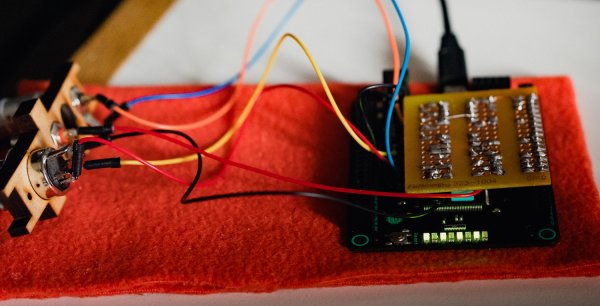
The electronics for this build include a printed circuit board that serves to break out the connections on an Arduino nano to a dozen arcade push buttons, four slide pots, two rotary pots, and a handful of screw terminals to connect everything together. Mechanically, this is a laser-cut box engraved with some fancy graphics and sized perfectly to put everything inside.

Yes, we’ve seen a lot of MIDI controllers built around the Arduino over the years, but this one is in a class by itself. This is taking off-the-shelf parts and customizing them to exactly what you want, and a prodigious example of what is possible with DIY hardware creation. You can check out the build video below.

Continue reading “Make Your Own MIDI Controller With An Arduino”

Gliding Back Home From 60,000ft

If you want to play around with high altitudes, weather balloons are the way to go. With a bit of latex and some helium, it’s possible to scrape up against the edge of space without having to start your own rocketry program. [Blake] was interested in doing just this, and decided to build a near space glider which could capture the journey.

There are certain challenges involved with this flight regime, which [Blake] worked to overcome. There was significant investment in the right antennas and radio hardware to enable communication and control of the aircraft at vast distances. Batteries were chosen for their ability to work at low temperatures in the high altitude environment, and excess heat from the transmitters was use to keep them warm.

The glider was also fitted with an Ardupilot Mega which would control the gliders’s flight after separation from the lift balloon. [Blake] had some success flying the aircraft at 60,000 feet, but found that due to communications issues, the autopilot was doing a better job. The initial flight was largely a success, with the glider landing just 9 miles off target due to headwinds.

We’ve seen glider builds on other autopilot platforms, too. Video after the break.

Continue reading “Gliding Back Home From 60,000ft”

Hexagons – The Crazy New Breadboard

A breadboard is a great prototyping tool for verifying the sanity of a circuit design before taking the painstaking effort of soldering it all together permanently. After all, a mistake in this stage can cost a lot of time and possibly material, so it’s important to get it right. [daverowntree] wasn’t fully satisfied with the standard breadboard layout though, with fixed rows and columns. While this might work for most applications, he tried out a new type of prototyping board based on hexagons instead.

The design philosophy here revolves around tessellations, a tiling method for connecting the various components on this unique breadboard rather than using simple rows. The hexagons are tessellated across the board, allowing for some unique combinations that might make it slightly more complicated, but can have some benefits for other types of circuits such as anything involving the use of a three-wire device like a transistor.

The post is definitely worth a read, as [daverowntree] goes through several examples of this method of prototyping where the advantages are shown, like a voltage follower circuit and some other circuits involving transistor biasing. If you’re OK with the general design of breadboards, though, and just wished you didn’t have to do anything after the prototyping stage, we’ve got some help for you there as well.