pe_lang_art_installation

Machine Precisely, Methodically Arranges Water Droplets

While some projects we feature are meant to perform a useful function or make life easier, others such as this art installation by [Pe Lang] are far less functional, but amazing nonetheless.

Taking a cue from CNC-style machines, his creation is an experiment in falling objects and the properties of water. The machine methodically moves along a small 370 x 330 mm plate that is constructed out of a special omniphobic material. A syringe full of water travels along with the machine’s arm, depositing a single 3.3 mm wide drop of water on the board every few seconds as it moves along. Due to the surface tension of the water, each droplet forms a near perfect sphere on the plate without disturbing any of its neighbors.

Once the machine is finished, it leaves the matrix of water droplets to evaporate, after which the machine starts its careful process once again. It really is amazing, regardless of the fact that it doesn’t exactly “do anything”.

Be sure to check out the video below to see the exhibit in action.

[via Make]

Continue reading “Machine Precisely, Methodically Arranges Water Droplets” →
Android Controlled Labyrinth

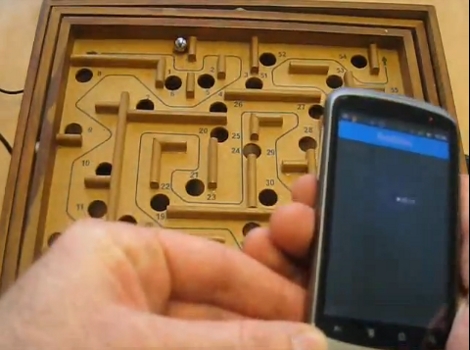
[Pcdevltd] pulled an all-nighter to get his first Android Developer Kit project up and running. Basing the project off of the example that Google used when unveiling the new accessory development hardware, he set to work controlling a marble labyrinth game using his smart phone. What began at 7pm was wrapped up by 5am to produce the results seen in the video after the break.

These ball mazes use two knobs to pivot the playing surface, changing gravity’s pull on the ball to get it to go where you want. [Pcdevltd] pulled off the bottom on his labyrinth and installed two small servo motors. These connect to the Android Open Accessory Development Kit via a small cable. Connect that to the phone and you can then use the internal accelerometer to play the game. If you have an Android phone and an Arduino this should be pretty easy to replicate since we know you can already use the ADK with Arduino. Get to work on your own projects and don’t forget to send us a link to your project log.

Continue reading “Android Controlled Labyrinth” →

DIY Earthquake Detector

Some animals seem to be able to detect earthquakes. Some animals also navigate using the earth’s magnetic field. From the idea that there may be some relationship with these two things, this experimental earthquake detector was born.  [Bob Davis] built this device, which uses an Arduino and several Hall effect sensors to detect and record magnetic fields. Possibly after enough data is recorded, a correlation can be found between the two phenomena.

The sensors in this device are arranged to measure magnetism in four directions as well as in the vertical axis. Part of the idea behind this is that before an earthquake the quartz in the ground moves producing a magnetic field.

In the video after the break, Bob gives some background on the theory behind this device and talks about the first version (built way back in the year 2000) which uses a PC for control and recording. Really interesting stuff so be sure to listen to Bob’s explanation after the break. Continue reading “DIY Earthquake Detector” →

ChipKIT Sketch: Mini Polyphonic Sampling Synth

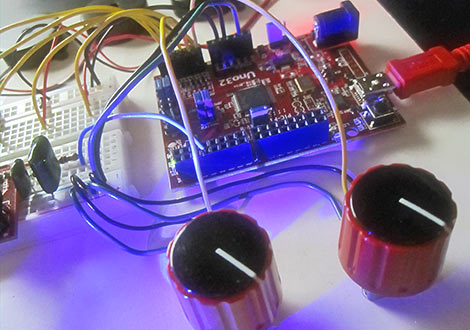
In our hands-on review of the Digilent chipKIT Uno32, we posed the question of what the lasting appeal might be for a 32-bit Arduino work-alike. We felt it needed some novel applications exploiting its special features…not just the same old Arduino sketches with MOAR BITS. After the fractal demo, we’ve hit upon something unique and fun…

Continue reading “ChipKIT Sketch: Mini Polyphonic Sampling Synth” →

Extending The Usability Of Touchscreens

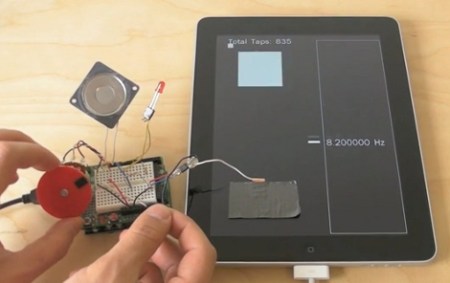
Fanboys may be in shock from seeing duct tape applied to the screen of an iPad, but we can assure you it’s in the name of science. [Michael Knuepfel] is working on his thesis for the ITP graduate program at the Tisch School for the Arts. He managed to augment the usability of touchscreen devices by adding hardware to them.

What he’s come up with are devices for both input and output. The output devices generally rely on light and color of light displayed on the screen itself which is picked up by a light sensor. The input devices use conductive material to complete a path between your hand and your screen. This lets the capacitive sensing screen detect the presence of your hand, through the conductor. Some of his example devices include gaming controller overlays, encoder rings, and multiple stylus designs.

After the break we’ve embedded [Michael’s] teaser trailer which jumps through several demonstrations. It’s plenty to get your mind rolling, but if you want to know more you must watch his thesis presentation. It’s available as an MP4 download on this page. Just search for his name, [Michael Knuepfel] for the proper link.

Continue reading “Extending The Usability Of Touchscreens” →

Experimenting With A Permeability Tuned Oscillator

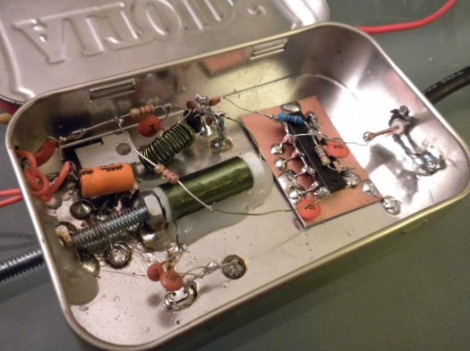
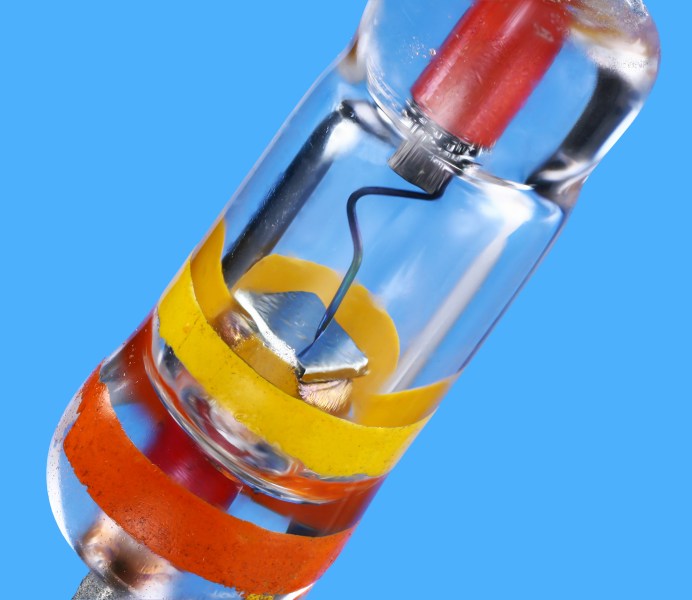
[Scott Harden] has been working through a design for a variable inductor to use as a PTO, or permeability tuned oscillator. What you see above is the most recent fruit of these efforts. The variable inductor is made up of the green coil of wire with a threaded bolt in the core. Turning that bolt moves the tip in or out of the coil, affecting its inductance.

Traditionally, tuning RF oscillator circuits has been a function of an adjustable capacitor. But capacitance is only part of the circuit, with inductance being the other important portion. Since variable capacitors that are capable of affecting a large change on the frequency of a circuit can be quite expensive he set out to find another way. This is what prompted the development of his first PTO project.

[Scott] produced a demo video of the hardware seen above which we’ve embedded after the break.

Continue reading “Experimenting With A Permeability Tuned Oscillator” →

Vintage Peripheral Hacks Roundup

A few days ago, we featured an Apple ][ USB keyboard mod, and several readers chimed in sharing their own retro conversions in the comments section. We had no idea that many of you had made similar modifications of your own, so here’s a quick roundup of what your fellow Hackaday readers have put together.


Optical Atari STM1 Mouse

atari_stm1_usb

[JJ] had a 25-year old Atari STM1 mouse sitting around and was wondering how to get it to work with his new computer. Instead of interfacing the old mouse with his computer via a custom circuit board, he gutted the STM1 and replaced the innards with those of a much newer optical mouse. He did a bit of trimming to get the new PCB to fit, aiming the optical sensor through the now-empty “ball hole”. According to [JJ] it works just as good as it looks.


ZX Spectrum USB keyboard conversion

sinclair_zx_spectrum_usb

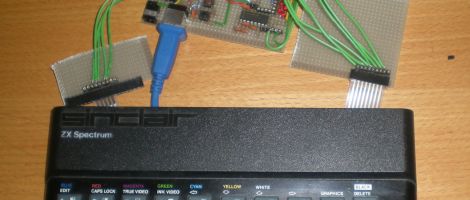
[Lee] is a sucker for vintage hardware, and with the help of his friend [LanceR], resurrected an old Sinclair ZX Spectrum computer into a working USB keyboard. After replacing the deteriorated membrane, the pair mapped out the keyboard to figure out how the matrix was wired. With that done, they built a prototype USB interface board, which they later replaced with a proper PCB.


BBC Master Compact USB keyboard conversion

bbc_master_compact_usb

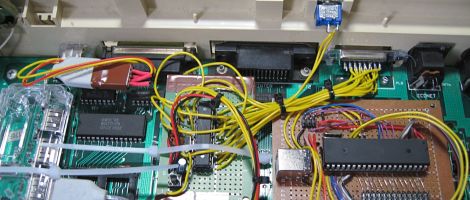
A friend of [MoJo’s] had a BBC Master Compact computer from back in the day and wanted to have the keyboard converted to USB in order to use it with certain emulators. [MoJo] gladly took on the project, stripping some of the old motherboard components out to make room for his new circuitry. He built a USB interface board around an ATMega162, and even got the old built-in speaker working properly. From the outside, the keyboard looks like it has never been touched – nice job!