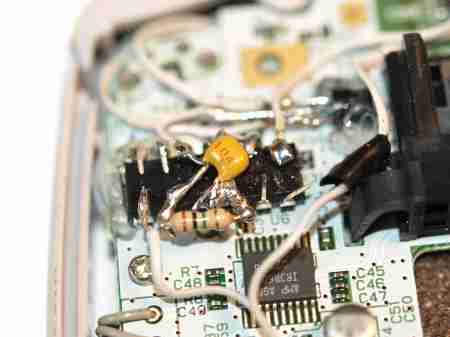
GameBoy Advance Rapid Fire Hack

Ever find yourself in the middle of a Game Boy game and your hand cramps up?  Save that sore wrist for something else because now you can hack the Game Boy Advance to add Rapid Fire for the B button.  [William] has developed a way to do this by creating a simple circuit that generates a square wave on the B button when it is pressed.  To do this hack all that was needed was a short shopping list of:

  • A Couple NAND Gate ICs
  • 2n2222 NPN Transistor
  • 0.1uF ceramic capacitor
  • A Switch
  • 1M ohm resistor
  • Some Thin Wire

After that you’re off to the races as [William] documents how he goes about transforming the Game Boy Advance and includes a ton of great pictures and a schematic.  This operation ends with [William] placing the switch for Rapid Fire excellence next to the Right Bumper where it is inconspicuous and yet easy enough to access.

Via [HackedGadgets]
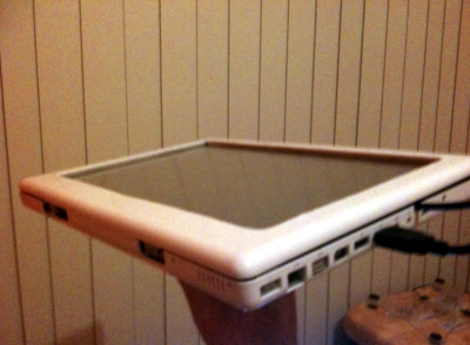
Mac Tablet Keeps The Look Of The Donor-Macbook

[Enigma-penguin] built a tablet computer out of a Core2Duo Macbook circa 2007. The battery exploded, damaging the case and a few components inside. But there was hope for a new life as a tablet computer. He removed the screen and tested to make sure the computer would still function without it by using the video out port.

Putting the whole thing back together as a tablet proved to have some headaches. He worked through problems caused by the addition of a touchscreen between the LCD and the bezel and made the connections work with the screen flipped. The finished product looks so good because the bezel has not been turned around like on other tablet builds. Instead, a viewing window was cut in what would have been the case behind the screen.

There’s a little more to be done yet. The black USB cable seen above is the connector for the touchscreen which he plans to internalize. The magnetic sleep sensor has been relocated to the headphone jack. Inserting a plug (no cord necessary) puts it to sleep for transport. There’s also an on screen keyboard and the ability to change the screen orientation from landscape to portrait. After the break we’ve embedded one of [Enigma-penguin’s] demonstrations. Continue reading “Mac Tablet Keeps The Look Of The Donor-Macbook” →

Launchpad Takes Ultra Low Power To The Extreme

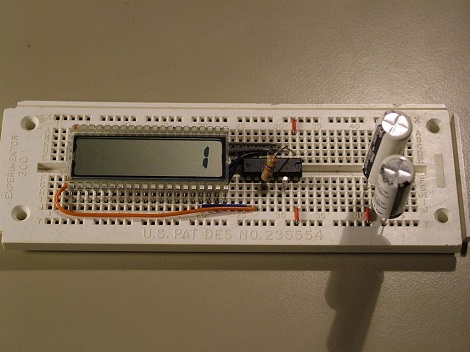
We’ve all known the MSP430s under the Launchpad are designed to be low power, but who wants to bet how long the chip can last on only 20F worth of capacitors? A couple of hours? A day at max? [Kenneth Finnegan] setup a MSP430 with supercaps to find out. To make sure the chip is actually running, [Kenneth] programmed it to count from 0 to 9 over a period of 10 seconds, and then reset. To get it ultra low power, the chip is in sleep mode most of the time, and a raw low current LCD is used to display the output. While [Kenneth] simply checks the chip every few hours to see if it’s still counting, a setup much like the Flash Destroyer, tracking a clock and then storing the current value would get a more exact time of death. Either way, it’s been over 3 weeks…and still counting. Video after the rift.

Continue reading “Launchpad Takes Ultra Low Power To The Extreme” →

C Sharp Development 101 – Part 1: Hello World

In this tutorial we are going to get up close with the Visual Studio 2010 environment. We will learn how to make a console application as well as a form to display our hello world applications.  This will give us an opportunity to view 2 types of solutions of the many available in Visual Studio.  We will start making the console application first then progress to the forms application.

First we must  understand the development environment we are going to use.  On the far left side is the toolbox panel.  This panel gives us access to a lot of controls  that can be used by the Windows Forms.  Next is the Solution Explorer that will allow us to navigate the projects and files we are going to create in this Solution.  The Properties panel is directly under my Solution Explorer and will allow us to change properties of controls and of the form we will create later on.  If any of these are not being displayed they can be retrieved from the View menu at the top under Other Windows.  For more information on the Visual Studio IDE visit MSDN and search for the specific questions you are having.

Continue reading “C Sharp Development 101 – Part 1: Hello World” →

Build A Cutting Laser From An Old PC

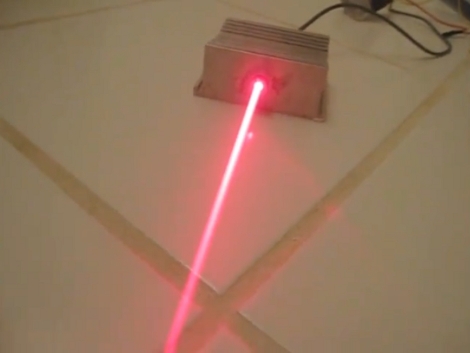
[Drake Anthony] makes building a cutting laser from a PC look easy, and it seems like it actually is. Almost everything you need can be found in a dead desktop unit. The diode is pulled from a DVD writer (16x or faster), with the power supply unit, and heat sinks from the processor and GPU being used as well. You’ll also need a focusing lens (just a few dollars), some thermal glue, an LM317, a resistor, and a pair of protective goggles matching the laser diode’s wavelength.

He fits the diode into the lens, then glues the assembly into a hole drilled through the processor heat sink. A driver is built using the LM317 variable regulator, resistor, power supply, and the GPU heat sink to keep things cool. Check out the video after the break to see the laser cutting tape, burning plastic, and lighting matches. Continue reading “Build A Cutting Laser From An Old PC” →

Printing From A Famicom Clone Computer

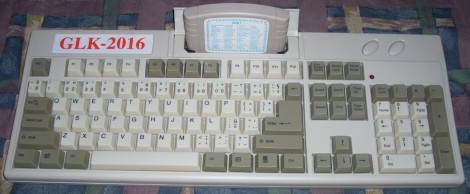
This is an 8-bit computer and Famicom clone that [133MHz] bought for $2. It plays Nintendo games and using an 80-in-1 cartridge it has a rudimentary operating system and set of applications. Seeing a standard DB25 port on the back [133MHz] wondered if he could make the system talk to a printer. His first step was to investigate the electronics inside to find that the connector has a couple of chips that map to the data bus of the CPU and use the same control lines as the cartridge. That means it can be setup to do just about anything in software. After a bit of coding he’s got it printing to a dot-matrix. See for yourself after the break.

Continue reading “Printing From A Famicom Clone Computer” →

The New Apple TV

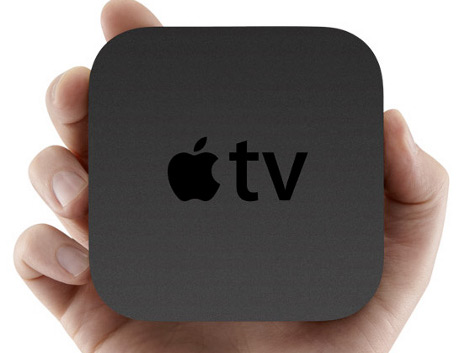
You’ve probably already heard about the Apple TV 2. It retails for $99 and packs a punch with HD video, optical audio, and WiFi in that tiny package. But as always, we like it for its hackability. Even though it’s just starting to ship, the hacks are already rolling in. The firmware is available from Apple’s servers and has already been unlocked with the yet-to-be-release SHAtter exploit. [Das_coach] even sent us a link to a video of the new Frontrow ported for the iPod touch (embedded after the break).

But the holy grail has to be XBMC. We’ve seen it on the first generation Apple TV and it was good. The second generation switches to the A4 processor which is an ARM Cortex-A8. Not quite as easy to port for as the Intel chip on the first generation was. But there is hope, one of the 2010 Google Summer of Code projects worked to port XBMC to another ARM device, it’s just a matter of inspiring some developers to take on the quest to make it happen. We can’t wait for the day that we can just velcro one of these to the back of our TV and be done with it, that first generation Xbox isn’t going to last forever.

Continue reading “The New Apple TV” →