Game Dodecahedron Runs AArch64 Assembly

Operating systems are great things to have for general purpose computing, but sometimes they can just get in the way. There’s RAM overhead and processor cycles required for all that operating, after all. For something like a game system, it seems unnecessary. The NES certainly did well enough without an OS, as did its various successors for several console generations.

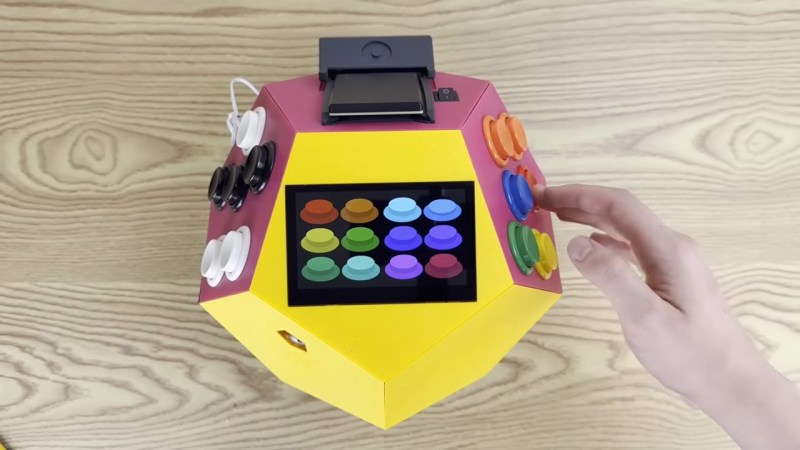
[Inkbox] wanted to get back to those heady days by programming bare-metal games for a Rasberry Pi 3 that had sat unused since 2016. Games are on cartridge, running bare metal, in assembly — as God and Masayuki Uemura intended. Also, the console is a dodecahedron, because the name GameCube was already taken.

The GitHub link above doesn’t exactly have documentation, at least as of this writing, so you’ll need to watch the video to get the full details. The dodecahedron form factor might not be ideal for packing away in a bag, but as a handheld we have to admit it does look comfortable to hold. Two faces of the dodecahedron get a half-dozen buttons each, which are wired to a GPIO pin on the Pi via a Schmitt trigger for hardware debounce. Like all good consoles, it uses cartridges, these ones being adapted from SD cards on large PCBs derived from a project we featured before.

That all sounds great, but it’s the assembly programming we’re really interested in — skip to around the seven-minute mark in the video for that. Ultimately it’s a build video, so not the ideal tutorial for ARM assembly programming, but it might not be a bad introduction for some. Unfortunately you don’t get line-by-line of the PacMan game he put together — but he does have it in the repository for you to examine. The repo also has STLs if you want to make a dodecahedron of your own.

Of course he’s got a RetroPi cartridge as well, loaded with emulators, and we suspect that’s mostly how this GameDodecahedron will get used. Still, we’ll always have a soft spot for assembly code and projects that use it — be it on ARM, good old 6502, the open-source RISC V architecture, or even the absolute monster of op codes that is x86.
Continue reading “Game Dodecahedron Runs AArch64 Assembly”

STM32 Handheld Has OpenGL And All The Classics

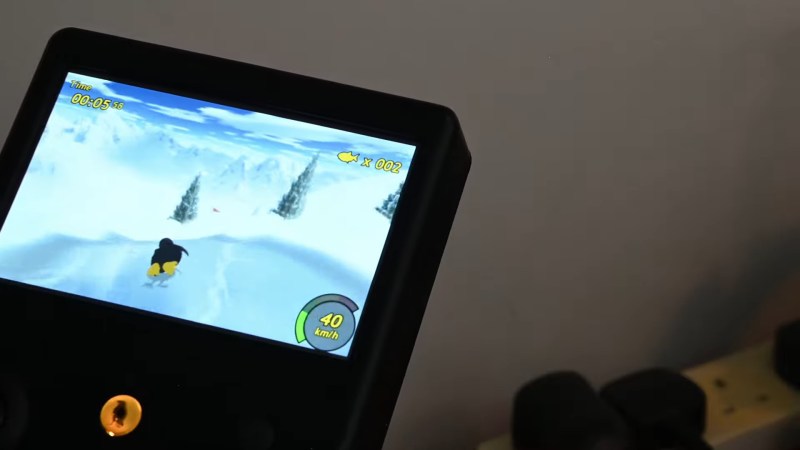
We do sometimes go on about how absurdly powerful microcontrollers are these days, but this time it’s technically a microprocessor, not a microcontroller, at the heart of the build — specifically, an STM32MP2. Still, you know you’re living in the future when an STM32 of any sort can not only run [John Cronin]’s gk handheld game console, but provide 3D acceleration to boot.

Full disclosure: you’ve seen this handheld here before — sorta. That was version 3, which was an STM32-based handheld.  V3 used the much less powerful STM32H7S7L8, with a single Cortex-M7 clocked at 600 MHz and a 2D NeoChrom GPU. The STM32MP2, by contrast, has dual Cortex-A35 cores running 1.5 GHz and a bonus Cortex-M33. It’s running a custom OS called gkos, which is mostly POSIX-compliant and boasts nigh-instantaneous boot times.

As with the last version, you can run a bevy of emulators from the 8-bit to the 32-bit era, but the added power and OpenGL support mean this handheld also runs N64 games via a fork of mupen64. There are also emulators for ‘real’ computers, namely Atari ST and XL, and a little-known thing known as a “PC”. DOSBox gets the equivalent performance of a 50 MHz 486, which means you can run all the classics, including DOOM, though that will be more performant running the native-running port of sdl-DOOM.

You also get extra inputs to play with and a bigger screen compared to the last version. Oh, and WiFi. There are accelerometers for tilt control, and did we mention the screen’s touch input is supported? If it weren’t for the form-factor, we’d call this a capable little computer. The GK handheld looks like an awesome handheld console, check it out in the demo video below.

Continue reading “STM32 Handheld Has OpenGL And All The Classics”

Loading Sega Genesis Games Off A Vinyl Record

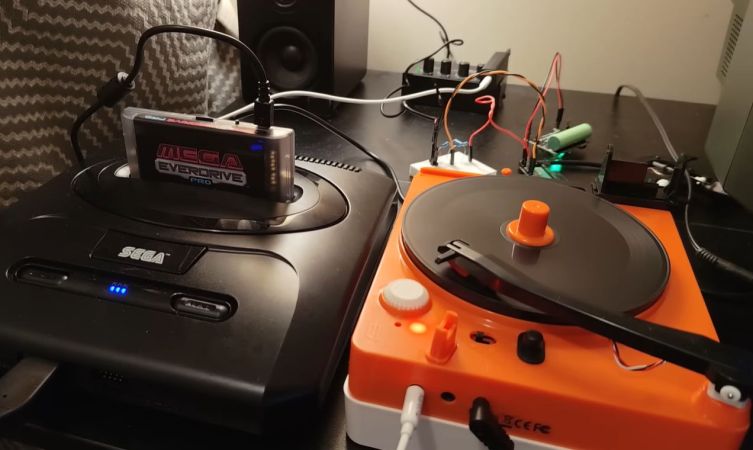
Recently [Throaty Mumbo] took a poke at another daft idea, in the form of loading Sega Genesis games off vinyl records. Although a whacky idea, it’s made possible through the use of a Mega Everdrive Pro and its ability to load games via its USB port, a feature mostly intended for on-the-fly game development without swapping SD cards.

For a few decades in home computing, the loading of software from cassette tapes and similar media was very common. This was due to the low-cost nature of this ubiquitous technology compared to alternatives like cartridges and floppy disks. Even if it was famously unreliable and slow, this accessibility made it a very popular choice. This is where home game consoles were different, as they generally used very fast cartridges, but what if you merge these two worlds?

As demonstrated, a Pico 2 board with its RP2350 MCU is used to convert the audio signal containing the binary data into data for transmission via USB to the Everdrive cartridge. After confirming that it works with a tape drive, he drags in a plastic-y PO-80 5″ record cutter and player, where the mono audio limitation is not a problem.

Unfortunately, this PO-80 turns out to be exactly the kind of toy it looks like, with [Throaty Mumbo] unable to cut and play back a record that gets a clean enough signal to the Pico 2 board, though with a better player and likely record cutter it should work fine. After all, some magazines back in the day came with plastic ‘vinyl’ records that contained programs you could load from your record player.

Although technically a failure, it does demonstrate that if you are very patient, you can totally load Sega Genesis ROMs off a tape or record at a blistering couple of kB/s, tops.

Continue reading “Loading Sega Genesis Games Off A Vinyl Record”

Keychain GameCube Controller Made Functional

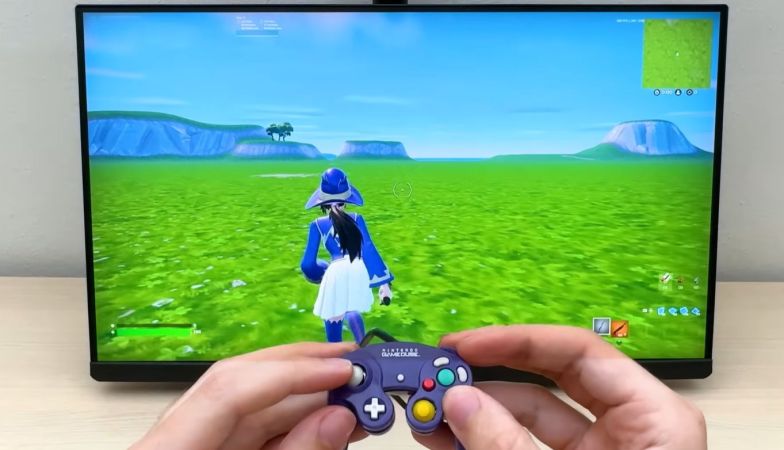
Mini game controllers with buttons and joysticks that move like the real deal are a pretty cool keychain and fidget toy, but at least for some of us there’s this intrusive thought that tells us that it would be so much cooler if it actually was a functional game controller. Enter [Brux] tearing into a miniature GameCube controller and adding the required guts.

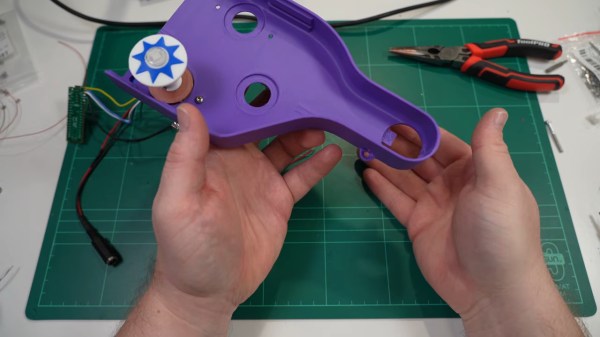
The keychain/fidget toy is made by Backpack Buddies and is one of a range of similar toys that feature buttons you can press and joysticks that move, giving a pretty good start on the externals of the controller. Once cracked open at the seam, some interior redecorating had to be performed to clear space and add something to mount switches onto. Here [Brux] opted to glue SMD switches to custom 3D components in lieu of a PCB. These were subsequently wired up with thin enameled wire, before attaching the original buttons to them following some more plastic surgery.

Some tiny joystick innards were then installed before gluing on the final buttons and joystick caps. As for how it all connects to a real GameCube, here an RP2040 was used to handle the translation of control inputs to the GameCube controller protocol. Then a GameCube controller was sacrificed for its cable and controller connector, but as can be seen in the video it does all work and creates the perfect controller for guests.

Continue reading “Keychain GameCube Controller Made Functional”

3D Printing Space Cadet Pinball Into The Real World

Unless you’ve managed to avoid touching a Windows computer until after the Windows XP era, it’s pretty good odds you’ve played Space Cadet Pinball. Some of you may have even paid for the Mac port of Full Tilt! Pinball, the actual game the Windows freebee was supposed to demo. Unofficial ports exist for Linux as well, which means the one place nobody has ever played the game is, ironically, on a pinball table. [CNCDan]aims to change that in a video embedded below.

Ironically given [CNCDan]’s name, the parts he starts with — the two sorts of pop bumpers, the drop targets, slingshots, and delayed-drop hole– are all largely 3D-printed. While some of these parts are available commercially, it turns out that the scaling of the virtual pinball machine doesn’t match anything on offer, and rather than compromise [CNCDan] decided to do it himself, an attitude we absolutely respect.

All that’s left are the flippers– his first prototype wasn’t powerful enough–and a couple minor mechanisms before building the table. To do that, he’ll need high-resolution art worth printing. Not surprisingly, a game dating from 1995 doesn’t have high resolution assets available with which to do that. That kind of creativity isn’t in [CNCDan]’s wheelhouse, so if it is in yours and you want to collaborate, or know someone who does, you can reach [CNCDan] at his YouTube page. At the very least, he can pay you in playtime.

[CNCDan] often goes beyond his namesake, like with his SteamDeck-like handheld, or his 3D printed VR headset. Still, no guesses how he’s going to build the cabinet.

Continue reading “3D Printing Space Cadet Pinball Into The Real World”

Slightly Sentient D20 Might Subtly Shift Your Rolls

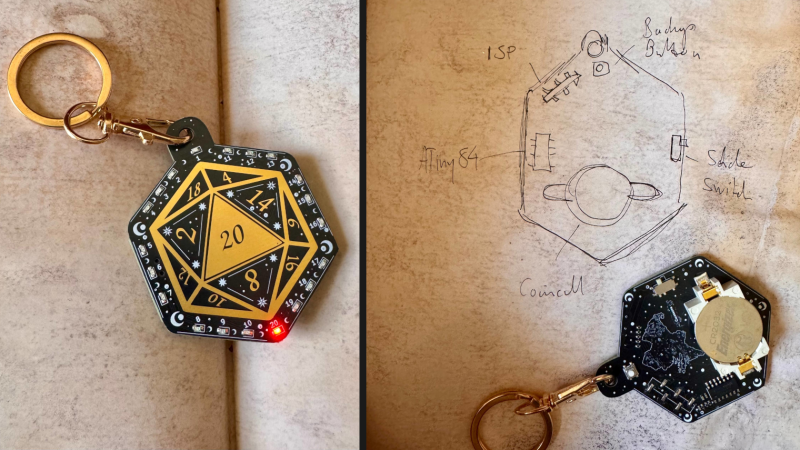
A twenty-sided die (d20) is a common thing in tabletop gaming, and [kati]’s slightly sentient d20 is a PCB that not only delivers random results on demand, but responds to hot and cold streaks and may even tweak the results a little to reflect its mood.

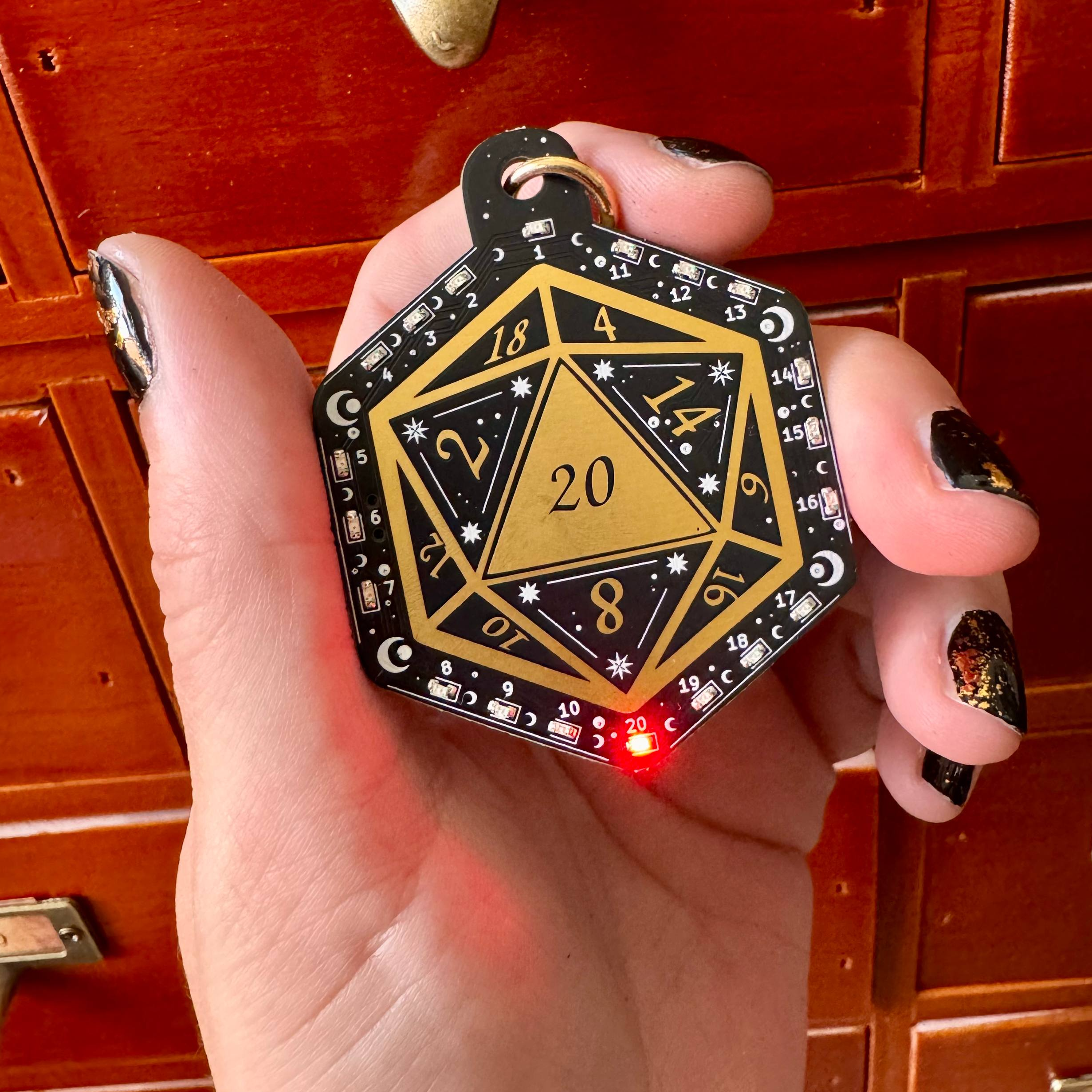
On its face the unit is a touch-sensitive PCB with twenty small charlieplexed LEDs around its perimeter, one for each die result. When activated by a touch on the center pad, the die dutifully animates a die roll and delivers a result. But something happens if the RNG (random number generator) coughs up results that are unusually lucky, or unlucky.

In addition to moods, there are reportedly other hidden features to discover.

After a streak of natural 1s, the device gets cranky. It begins to ignore the occasional activation input, and may glitch before a roll, reflecting a low mood. In addition, future rolls while in a low mood have a slight chance of being silently discarded and re-rolled into a low range (1-6), prolonging the unlucky streak. The inverse is true of a die that encounters a lucky run of natural 20s, with the die’s mood shifting to high spirits and having a slight chance of re-rolling future results into a high range (16-20).

The idea is to create (and feed) the feeling of lucky and unlucky streaks. Gamers are of course perfectly capable of projecting such feelings all on their own, which means the die acts as both mirror and amplifier of these emotions. In addition, each die acts slightly differently as a result of being imprinted with different RNG seeds, timing values, and response times which makes each one feel unique. There are reportedly other hidden features as well.

If you’d like to try making your own, keep an eye on the GitHub repository. The originals have design elements that were heavily personalized for [kati]’s gaming group, so the design files are in the process of being turned into a meaningful public release. Of course, there’s more than enough detail already to roll your own if you are so inclined.

Hacking A Video Walkie Talkie’s TXW818 MCU And Running DOOM

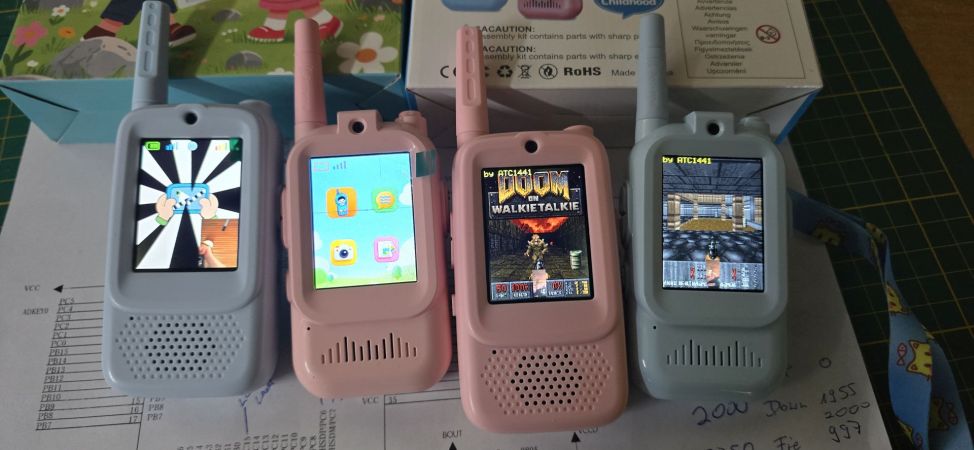
Recently cheapo video walkie-talkies popped up on everyone’s favorite online retailers, which naturally lured in the usual gaggle of reverse-engineering enthusiasts of cheap tat to see what’s inside these devices, as well as what more they can be made to do. Cue [Aaron Christophel] doing just that, with the typical DOOM demo as proof of concept.

Inside these cheerful little devices is a TXW818 MCU, made by TaiXin Semiconductor. It provides its own CK803 CPU core at 240 MHz with 272 kB of SRAM, as well as BLE and 2.4 GHz Wi-Fi support. For these walkie-talkies an additional 4 MB of PSRAM is provided as well as 2-4 MB of SPI Flash.

The display is a glorious 240×320 LCD, which actually fits rather well with a game like DOOM. As also explained on the GitHub project page, to build the project you simply have to fetch the CDK IDE and build the binary. After that it can be flashed with an STM32F103 ‘Blue Pill’ based board.

According to [Aaron] the SDK is rather convoluted and not that nice to work with, so it’s not a sleeper ESP32 alternative, but these cheap walkie-talkies could be nice to tinker with anyway. Other than playing games, of course, as the side buttons aren’t very conducive to gaming, and the limited Flash space required compressing the WAD game file.

Continue reading “Hacking A Video Walkie Talkie’s TXW818 MCU And Running DOOM