Inside CHIP-8

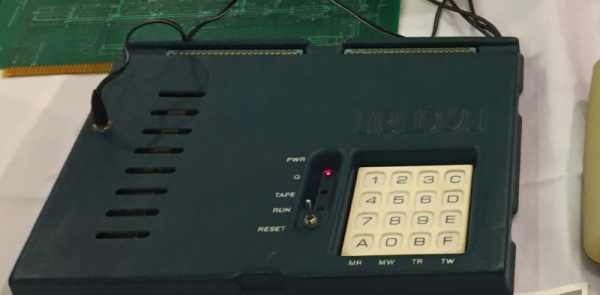
Certain old computers — most frequently those using the RCA 1802 — were fond of using an early form of byte-code interpreter for programs, especially games. The interpreter, CHIP-8, was very simple to create but offered high-level features that were tedious to recreate in the native assembly language. Because there are a fair number of simple games written in CHIP-8, there are of course, emulators for it, and [River Gillis] decided to look inside the CHIP-8 byte code interpreter.

Part of the power of CHIP-8 was it only had 35 virtual instructions. That was important when you were trying to shoehorn a game and the interpreter into a very small memory. Remember, in those days 1K of memory wasn’t an unusual number, although the prototypical CHIP-8 host would have 4K.

Continue reading “Inside CHIP-8”

Sinclair QL Repairs And Restoration

[Noel] was in possession of two non-working Sinclair QLs and made a series of videos about his attempts to repair and restore them. If you don’t remember the QL, it was a computer by the famous Clive Sinclair and while it was ahead of its time in some ways, it didn’t become as ubiquitous as some of its siblings or the IBM PC. It did, however, develop an almost cult-like following. You can see the trilogy of videos, below.

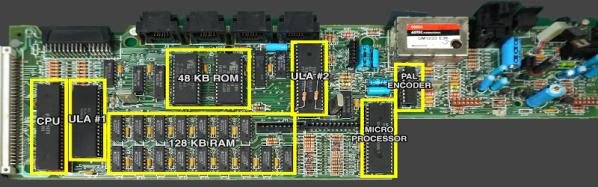
The machine was sophisticated for its day–after all, the QL was for quantum leap. Based on a Motorola 68008 processor running at 7.5 MHz, the QL included 128 KB of RAM and could handle up to 896 KB, a respectable amount for 1984. It even had a proprietary network interface. However, it was especially well known for having a pair of microtape drives. These were nicer than cassette tapes but perhaps not as handy as floppy disks. They were, however, cheaper to put into a computer. While there was an official operating system, it wasn’t long before most QL users switched to Minerva, a better OS.

Continue reading “Sinclair QL Repairs And Restoration”

Giving Micro Channel Bus Computers A Sound Blaster Bark

Not many people today probably remember what ‘Micro Channel Architecture’ was about, though its acronym ‘MCA’ might ring a bell. Created by IBM to replace ISA (Industry Standard Architecture) and presumably claw back some of that sweet, sweet licensing money, it didn’t quite pan out as IBM hoped. As history shows us, PCI ended up replacing MCA in all of IBM’s systems. The IBM PS/2 systems that used MCA didn’t miss out on classic 1990s cards, such as the original Sound Blaster, but today MCA versions of the Sound Blaster are admittedly rather… rare, not to mention expensive.

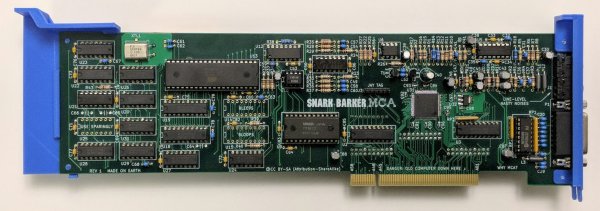
But, no longer: decades after the last PS/2 users have moved on, [Tube Time] proudly presents the Snark Barker MCA. It’s a fully Sound Blaster compatible sound card. It supports AdLib synthesis, digital sound playback and recording, as well as a joystick input and MIDI. Based around a Xilinx XC9572XL CPLD and featuring what looks like a full-length MCA card, it would have made an original Sound Blaster card proud.

The GitHub repository not only contains the schematics, BOM and Verilog-based HDL for the CPLD, but also extensive documentation on the assembly and programming. As a bonus, there’s a troubleshooting section which covers some of the joys that came with the sloppy implementations of MCA across systems. Definitely worth a read.

If anyone decides to build this project and use it in their IBM PS/2 system, we would love to hear about it.

Of course, if all you need is a garden variety PCI Sound Blaster clone, the original Snark Barker is the way to go.

(Thanks, Darry)

Urban Explorers Reveal A Treasure Trove Of Soviet Computing Power

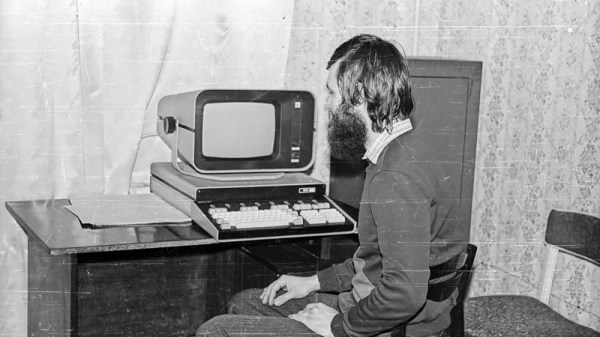
It’s probably a dream most of us share, to stumble upon a dusty hall full of fascinating abandoned tech frozen in time as though its operators walked away one day and simply never returned. It’s something documented by some Russian urban explorers who found an unremarkable office building with one of its floors frozen sometime around the transition from Soviet Union to Russian Federation. In it they found their abandoned tech, in the form of a cross-section of Soviet-era computers from the 1970s onwards.

As you might expect, in a manner it mirrors the development of civilian computing on the capitalist side of the Iron Curtain over a similar period, starting with minicomputers the size of several large refrigerators and ending with desktop microcomputers. The minis seem to all be Soviet clones of contemporary DEC machines. with some parts of them even looking vaguely familiar. The oldest is a Saratov-2, a PDP/8 clone which we’re told is rare enough for no examples to have been believed to have survived until this discovery. We then see a succession of PDP/11 clones each of which becomes ever smaller with advancements in semiconductor integration, starting with the fridge-sized units and eventually ending up with desktop versions that resemble 1980s PCs.

While mass-market Western desktop machines followed the path of adopting newer architectures such as the Z80 or the 8086 the Soviets instead took their minicomputer technology to that level. It would be interesting to speculate how these machines might further have developed over the 1990s had history been different. Meanwhile we all have a tangible legacy of Soviet PDP/11 microcomputers in the form of Tetris, which was first written on an Elektronika 60.

We know that among our readers there is likely to be a few who encountered similar machines in their heyday, and we hope they’ll share their recollections in the comments. Meanwhile we hope that somehow this collection can be preserved one day. If your thirst for dusty mincomputers knows no bounds, read about the collectors who bought an IBM machine on eBay and got more than they bargained for.

Via Hacker News.

DVK-1 desktop computer, «Переславская неделя» / В. С. Спиридонов  CC-BY-SA 3.0.

TMD-2: A Bigger, Better, More Collaborative Turing Machine

One of the things we love best about the articles we publish on Hackaday is the dynamic that can develop between the hacker and the readers. At its best, the comment section of an article can be a model of collaborative effort, with readers’ ideas and suggestions making their way into version 2.0 of a build.

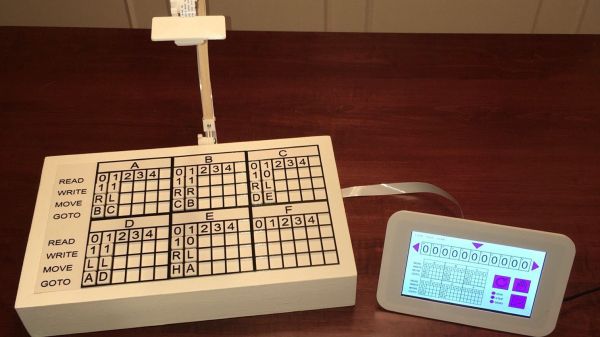
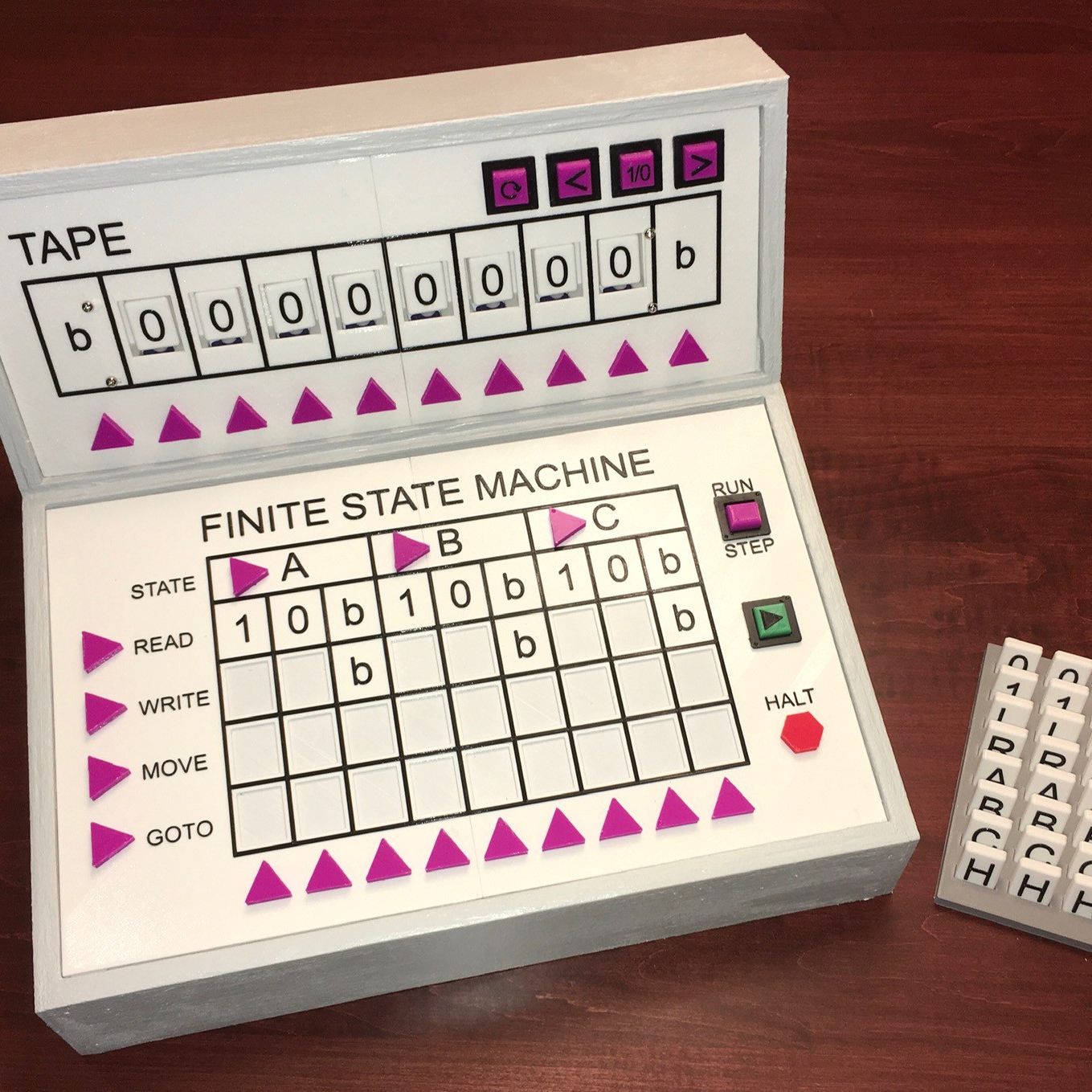
This collegial dynamic is very much on display with TMD-2, [Michael Gardi]’s latest iteration of his Turing machine demonstrator. We covered the original TMD-1 back in late summer, the idea of which was to serve as a physical embodiment of the Turing machine concept. Briefly, the TMD-1 represented the key “tape and head” concepts of the Turing machine with a console of servo-controlled flip tiles, the state of which was controlled by a three-state, three-symbol finite state machine.

TMD-1

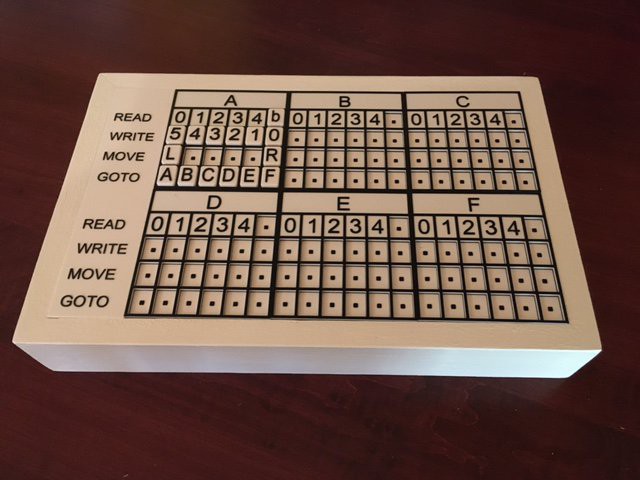
TMD-1 was capable of simple programs that really demonstrated the principles of Turing machines, and it really seemed to catch on with readers. Based on the comments of one reader, [Newspaperman5], [Mike] started thinking bigger and better for TMD-2. He expanded the finite state machine to six states and six symbols, which meant coming up with something more scalable than the Hall-effect sensors and magnetic tiles of TMD-1.

TMD-2 has a camera for computer vision of the state machine tiles

[Mike] opted for optical character recognition using a Raspberry Pi cam along with Open CV and the Tesseract OCR engine. The original servo-driven tape didn’t scale well either, so that was replaced by a virtual tape displayed on a 7″ LCD display. The best part of the original, the tile-based FSM, was expanded but kept that tactile programming experience.

Hats off to [Mike] for tackling a project with so many technologies that were previously new to him, and for pulling off another great build. And kudos to [Newspaperman5] for the great suggestions that spurred him on.

Finally! The ROM You Wished Your Sinclair Spectrum Had!

If there is one thing that Sir Clive SInclair was famous for, it was producing electronic devices that somehow managed to squeeze near-impossible performance out of relatively meagre components. This gave us some impressive products, but it’s fair to say that sometimes this philosophy pushed the envelope a little too far. Thus even some of the most fondly remembered Sinclair products concealed significant flaws, and this extended to both their hardware and their software.

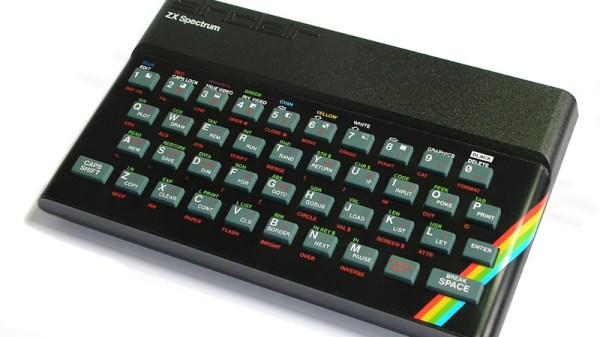
Sir Clive never gave us this!

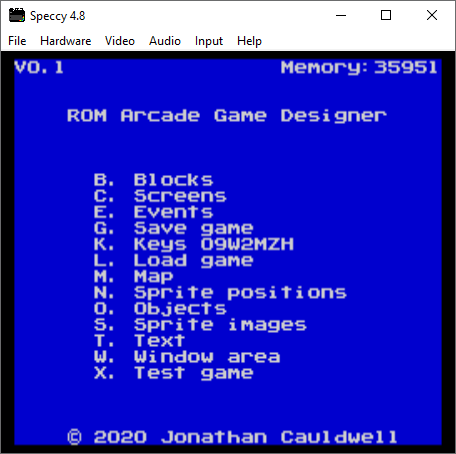
The SInclair ZX spectrum’s ROM for example had more than its fair share of bugs, and its BASIC programming experience with single keypress was unique but also slow to run. It’s something [Jonathan Cauldwell] has addressed with his Arcade Game Designer ROM, a complete and ready to run replacement for the original Spectrum ROM that contains a scripting language, a compiler, editors for in-game assets, and a game engine upon which to run your games. It’s the ROM you wanted back in 1983, when you were struggling to fit a bit of Z80 code in a Sinclair Basic REM statement.

If you’re a Spectrum enthusiast and think this sounds a little familiar then you are of course correct. It builds upon his past work with his Arcade Game Designer, with the distribution by ROM allowing the developer to use the full 48k available on all but a very few early 16k machines. You’ll need your own EPROM on which to burn it, but we suspect that if you’re the kind of person who has a Spectrum and has writing these games in mind, you already have access to the relevant equipment.

If you’re new to all this Spectrum stuff and where its ROM came from, then maybe it’s time for a trip down memory lane.

A CPU-Less Computer With A Single NOR-Gate ALU

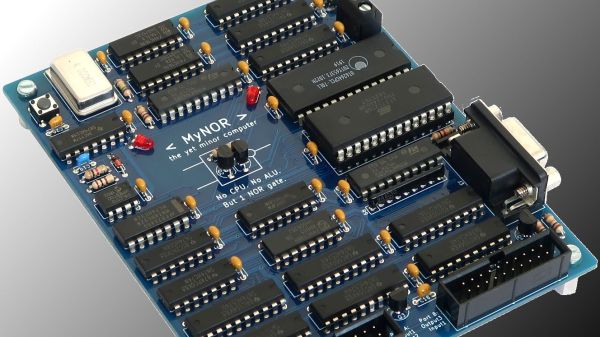
We see a lot of discrete-logic computer builds these days, and we love them all. But after a while, they kind of all blend in with each other. So what’s the discrete logic aficionado to do if they want to stand out from the pack? Perhaps this CPU-less computer with a single NOR-gate instead of an arithmetic-logic unit is enough of a hacker flex? We certainly think so.

We must admit that when we first saw [Dennis Kuschel]’s “MyNor” we thought all the logic would be emulated by discrete NOR gates, which of course can be wired up in various combinations to produce every other logic gate. And while that would be really cool, [Dennis] chose another path. Sitting in the middle of the very nicely designed PCB is a small outcropping, a pair of discrete transistors and a single resistor. These form the NOR gate that is used, along with MyNor’s microcode, to perform all the operations normally done by the ALU.

While making the MyNor very slow, this has the advantage of not needing 74-series chips that are no longer manufactured, like the 74LS181 ALU. It may be slow, but as seen in the video below, with the help of a couple of add-on cards of similar architecture, it still manages to play Minesweeper and Tetris and acts as a decent calculator.

We really like the look of this build, and we congratulate [Dennis] on pulling it off. He has open-sourced everything, so feel free to build your own. Or, check out some of the other CPU-less computers we’ve featured: there’s the Gigatron, the Dis-Integrated 6502, or the jumper-wire jungle of this 8-bit CPU-less machine.

Continue reading “A CPU-Less Computer With A Single NOR-Gate ALU”