The First Real Palmtop

Back before COVID-19, I was walking through the airport towards the gate when suddenly I remembered a document I wanted to read on the flight but had forgotten to bring along. No worry, I paused for a bit on the concourse, reached into my pocket and proceeded to download the document from the Internet. Once comfortably seated on the plane, I relaxed and began reading. Afterwards, I did a little programming in C on a shareware program I was developing.

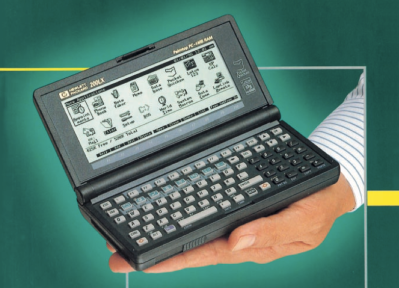
Today this would be an ordinary if not boring recollection, except for one thing: this happened in the 1990s, and what I pulled out of my pocket was a fully functional MS-DOS computer:

Introducing the HP-200LX, the first real palmtop computer. I used one of these daily up until the mid-2000s, and still have an operational one in my desk drawer. Let’s step back in time and see how this powerful pocket computer began its life. Continue reading “The First Real Palmtop”
This Expedient Microfiche Reader Illuminates Retro Datasheets

You have to be of a certain vintage to remember doing research on microfilm and microfiche. Before the age of mass digitization of public records, periodicals, and other obscure bits of history, dead-tree records were optically condensed onto fine-grain film, either in roll form or as flat sheets, which were later enlarged and displayed on a specialized reader. This greatly reduced the storage space needed for documents, but it ended up being a technological dead-end once the computer age rolled around.

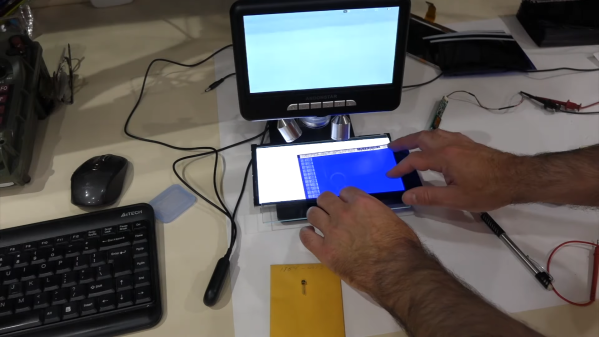
This was the problem [CuriousMarc] recently bumped into — a treasure trove of Hewlett-Packard component information on microfiche, but no reader for the diminutive datasheets. So naturally, he built his own microfiche reader. In a stroke of good luck, he had been gifted a low-cost digital microscope that seemed perfect for the job. The scope, with an HD camera and 5″ LCD screen, was geared more toward reflective than transmissive use, though, so [Marc] had trouble getting a decent picture of the microfiches, even with a white paper backing.

Version 2.0 used a cast-off backlight, harvested from a defunct DVD player screen, as a sort of light box for the stage of the microscope. It was just about the perfect size for the microfiches, and the microscope was able to blow up the tiny characters as well as any dedicated microfiche reader could, at a fraction of the price. Check out the video below for details on the build, as well as what [Marc] learned from the data sheets about his jackpot of HP parts.

With the wealth of data stored on microforms, we’re surprised that we haven’t seen any readers like this before. We have talked about microscopic wartime mail, though.

Continue reading “This Expedient Microfiche Reader Illuminates Retro Datasheets”

Making A Little Smalltalk

While things like object oriented computing and model-view-controller are old hat these days, when Smalltalk burst on the scene, many people had never heard of these new ideas. While the little language with roots at Xerox and based on Simula never caught fire, it was very influential in a number of ways. Now Smalltalk luminary [Dan Ingalls] has the Smalltalk Zoo, a collection of Smalltalk-related items including several historical simulations you can run in your browser.

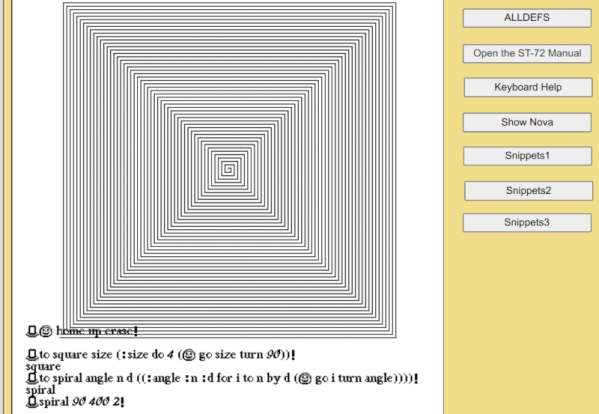
We were especially impressed with the AltoSmalltalk-72 simulation since our chances of running a real Alto are pretty slim. The JavaScript behind it actually implements the Alto’s Nova instruction set. The emulator then runs a 45-year old memory dump from a real Alto. According to [Dan], there’s no file system and the microcoded music and animation instructions are missing, but he hopes someone will add them as a spare-time project.

Continue reading “Making A Little Smalltalk”

Surfing The Web With 7400 Logic

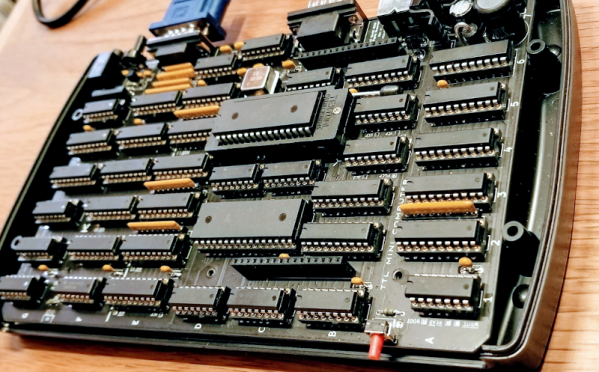
We see more computers built from logic gates than you might expect. However, most of them are really more demonstration computers and can’t do much of what you’d consider essential today. No so with [Alastair Hewitt’s] Novasaur. Although built using 34 TLL chips (and a few memory and analog chips, too, along with one PAL), it boasts some impressive features:

  • Dual Processor CPU/GPU (Harvard Architecture).
  • 33 MHz dot clock, 16.5 MHz data path, 8.25 MHz per processor (~3.5 CPU MIPs)
  • 256k ROM: 96k ALU, 64k native program, 64k cold storage, 32k fonts.
  • 128/512k RAM: 1-7 banks of 64k user, 60k display, 4k system.
  • 76 ALU functions including multiply/divide, system, and math functions.
  • Bitmapped Graphics: Hi-res mode up to 416×240 with 8 colors and 4 dithering patterns. Lo-res mode up to 208×160 with 256 colors, double-buffered.
  • Text Mode: 8 colors FG/BG, 256 line buffer, up to 104×60 using 8×8 glyphs, 80×36, and 64×48 rows using  8×16 glyphs.
  • Audio: 4 voice wavetable synthesis, ADSR, 8-bit DAC, 8Hz-4.8kHz.
  • PS2 Keyboard: Native interface built-in.
  • RS232 Serial Port: Full duplex, RTS/CTS flow control, 9600 baud.
  • Expansion Port: 7 addressable 8-bit register ports, 4 interrupt flags

Continue reading “Surfing The Web With 7400 Logic”

A Lambda 8300 Lives Again

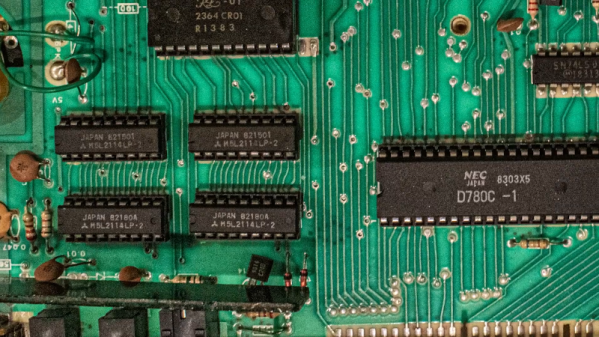
If you follow retrocomputing — or you are simply old enough to remember those days — you hear the same names over and over. Commodore, Apple, Radio Shack, and Sinclair, for example. But what about the Lambda 8300? Most people haven’t heard of these but [Mike] has and he has quite a few of them. The computer is similar to a Sinclair ZX81, but not an exact clone. All of his machines need some repairs (he’s promised repair videos are on their way), but for the video below he wired a monitor directly to the PCB to get steady output, so apparently the RF modulator is the failing subsystem in this case.

Once the video cleared up, you can see a walkthrough of running a simple BASIC program. As was common in those days, the computer used an audio cassette recorder for data storage. [Mike] picked up some dedicated recorders meant for computer use, but neither were in working shape. However, a consumer player works fine.

Continue reading “A Lambda 8300 Lives Again”

PET 2001 Emulator On $2 Of Hardware

Since the late 60s, Moore’s law has predicted with precision that the number of semiconductors that will fit on a chip about doubles every two years. While this means more and more powerful computers, every year, it also means that old computers can be built on smaller and cheaper hardware. This project from [Bjoern] shows just how small, too, as he squeezes a PET 2001 onto the STM32 Blue Pill.

While the PET 2001 was an interesting computer built by Commodore this project wasn’t meant to be a faithful recreation, but rather to test the video output of the Blue Pill, with the PET emulation a secondary goal. It outputs a composite video signal which takes up a good bit of processing power, but the PET emulation still works, although it is slightly slow and isn’t optimized perfectly. [Bjoern] also wired up a working keyboard matrix as well although missed a few wire placements and made up for it in the software.

With his own home-brew software running on the $2 board, he has something interesting to display over his composite video output. While we can’t say we’d emulate an entire PC just to get experience with composite video, we’re happy to see someone did. If you’d like to see a more faithful recreation of this quirky piece of computing history, we’ve got that covered as well.

Continue reading “PET 2001 Emulator On $2 Of Hardware”

A Portable Serial Terminal That Should Be From The 1970s

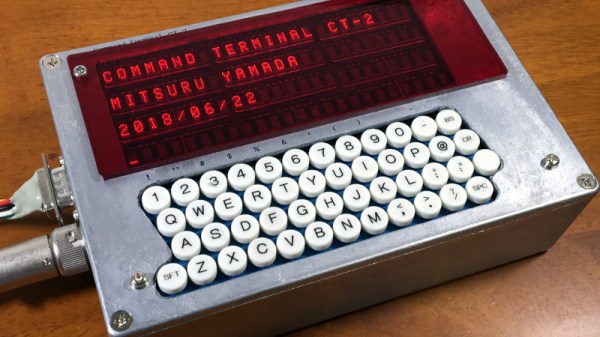
The humble standalone serial terminal might be long gone from the collective computing experience, but in the ghostly form of a software virtual terminal and a serial converter it remains the most basic fall-back and essential tool of the computer hardware hacker. [Mitsuru Yamada] has created the product that should have been made in the serial terminal’s heyday, a standalone handheld terminal using a 6809 microprocessor and vintage HP dot matrix LEDs. In a die-cast box with full push-button keyboard it’s entirely ready to roll up to a DB-25 wall socket and log into the PDP/11 in the basement.

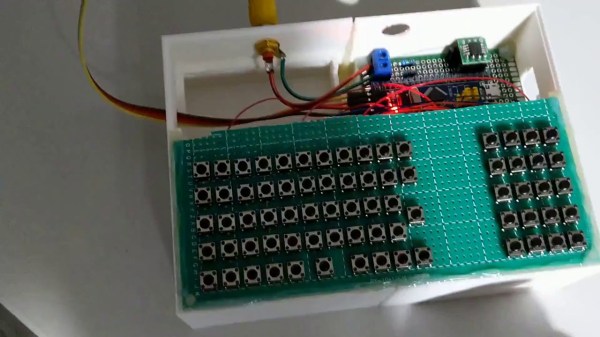
Using today’s parts we might achieve the same feat with a single-chip microcontroller and a small LCD or OLED panel, but with an older microcomputer there is more system-building required. The 6809 is a wise choice from the 1970s arsenal because it has some on-board RAM, thus there’s no need for a RAM chip. Thus the whole thing is achieved with only a 2716 EPROM for the software, a 6850 UART with MAX232 driver  for the serial port, and a few 74 chips for glue logic, chip selects, and I/O ports to handle keyboard and display. There’s no battery in the case, but no doubt that could be easily accommodated. Also there’s not much information on the keyboard itself, but in the video below we catch a glimpse of its wiring as the box is opened.

The value in a terminal using vintage parts lies not only in because you can, but also in something that can’t easily be had with a modern microcontroller. These parts come from a time when a computer system had to be assembled as a series of peripherals round the microprocessor because it had few onboard, leading to a far more in-depth understanding of a computer system. It’s not that a 6809 is a sensible choice in 2020, more that it’s an interesting one.

By comparison, here’s a terminal using technology from today.

Continue reading “A Portable Serial Terminal That Should Be From The 1970s”