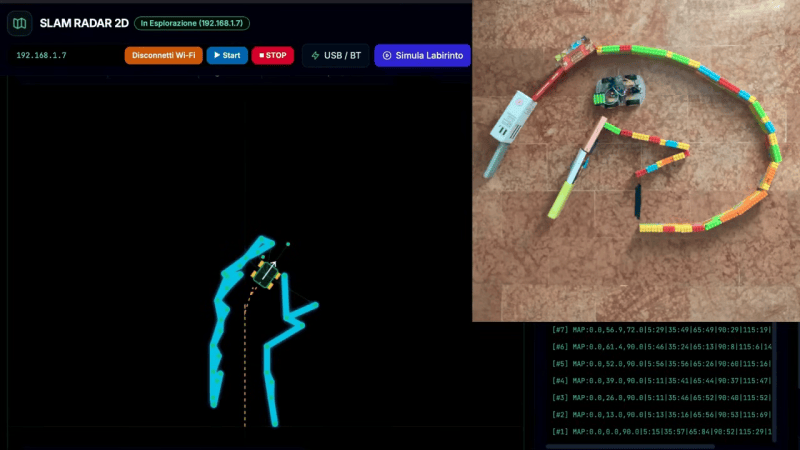
There are plenty of “robot” projects out there that are really just a small remote control platform of some sort. We often like to think of robots of having some sort of autonomy though. [Luca Fagioli] demonstrates a great example of this with his explorer robot that uses Simultaneous Localization and Mapping (SLAM) to navigate its environment.
The robot is a built on a small plastic chassis, with one gear motor per drive wheel. Running the show is an Arduino Uno R4 Wi-Fi, paired with the Sensor Shield 5.0 and an L298N motor driver board. There’s also an HC-SR04 ultrasonic sensor module onboard, mounted atop an SG-90 servo motor so it can be panned around. The ultrasonic sensor determines the range between the robot and surrounding walls, and a map is constructed at the same time as the robot is localizing itself within it. There are also infrared sensors on the bottom of the robot for detecting tape marks on the floor for checkpointing purposes.
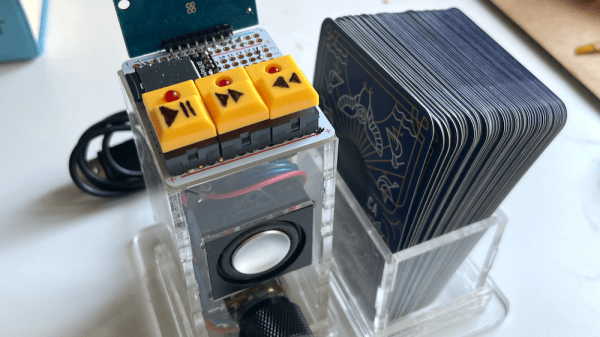
All [Hannah Robertson]’s Birduino needs is for one to tap an NFC-enabled card to the reader, and the device plays one of the vocalizations associated with the bird shown on the card. It ties together a few different components into a whole, and acts as a good reference design for similar work. There are a few time-saving construction tips worth keeping in mind, too.
The major components are an Arduino Nano, an RC522 RFID reader, and an MP3 player module. Using hardware modules and breakout boards means simpler wiring and being able to take advantage of existing libraries and sample code. There are also a few other things in this build that avoid re-inventing the wheel.
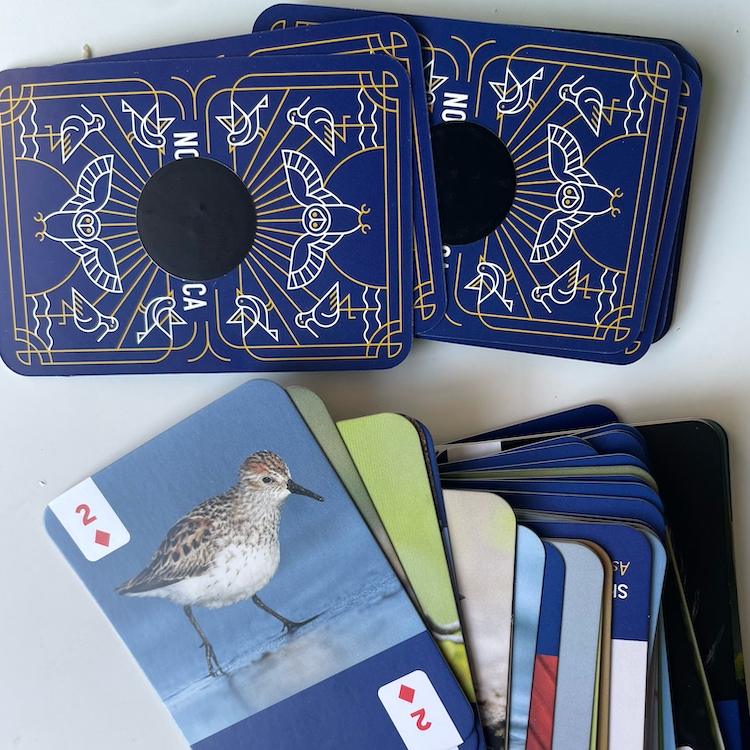
A deck of bird cards plus a roll of NFC stickers equals a ready-to-scan assortment without having to design it oneself.
Rather than design, print, and cut a set of bird cards, [Hannah] found a set of bird-themed playing cards with a different North American bird on each. The back of each card gets an NFC sticker off a big roll purchased online. The result? A set of NFC-enabled bird cards with a minimum of work and fuss. The RC522 RFID reader doesn’t fully support NFC, but it works well enough to read the ID off the stickers.
When the user touches a card to the reader, the device plays one of the vocalizations from a collection of sounds for each bird. Creating the manifests and linking each card’s ID to them was a lot of manual work, but the result is great. The sound themselves come from the Cornell Guide to Bird Sounds of the United States and Canada, a $20 USD curated compilation of vocalizations from a staggering 908 bird species of North America. In a way, the biggest bottleneck is the card deck itself. At 52 cards plus two Jokers, it contains only a small subset of the total birds in the Cornell collection.
The enclosure is laser-cut clear acrylic, and here [Hannah] offers some time- and money-saving advice for anyone looking to glue acrylic to acrylic in a way that doesn’t frost or cloud the clear acrylic: Clear Gorilla Glue Gel. There are of course other glues made for this purpose, but Clear Gorilla Glue Gel (the one in a squeeze tube) is something one should be able to find in just about any hardware store. Another tip: double-check before buying, because many Gorilla Glue products are very similarly named despite being significantly different products.
Watch (and listen to) the video embedded below. If birds and their vocalizations are something that intrigues and inspires you, Cornell also has a resource for identifying birds by sound alone — we’ve seen it implemented with a Raspberry Pi and USB microphone.
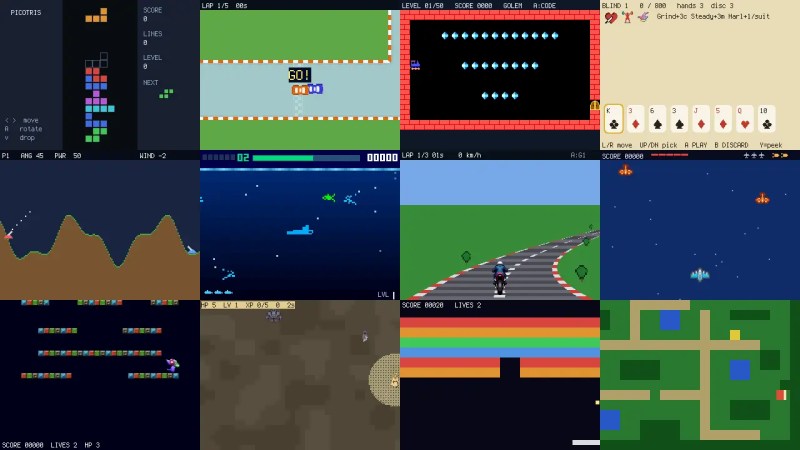
The ability to write Python on microcontrollers with the likes of MicroPython and later CiruitPython has made them much more accessible. [MakerClassCZ] brings that to game development with PicoGame.
Like any good project, it starts with a problem that needs solving. Put simply, the existing CircuitPython libraries aren’t too impressive for gaming. The DisplayIO library tends to do full display refreshes, which are slow on such tiny displays, and the Stage library just wasn’t flexible enough for [MakerClassCZ]’s liking. So he built his own.
PicoGame, like the others, implements the performance-sensitive things in C, but does partial updates for the screen, on its own massively increasing the framerate. On the other end, it uses fixed-point math–much cheaper than soft-float–and makes an active effort to keep the RAM usage low so Python can have it. What’s even more clever is using the downtime between sending one tiny portion of frame to calculate the next just in time.
Of course, the display is still the limit. If you need to update a lot of it, you might end up with 10 FPS if you’re lucky. But if you can settle for less motion, you could see 100.
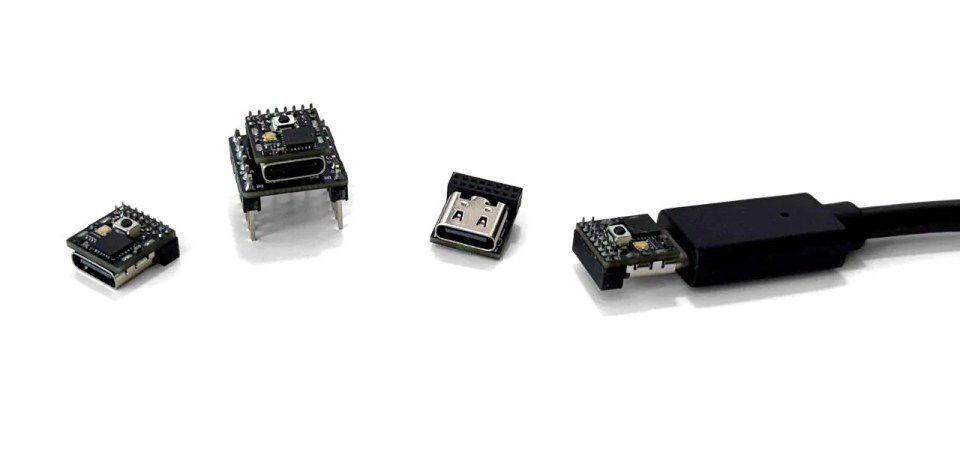
Compared to the Arduino Uno of old, modern microcontrollers are absolutely tiny — especially for the amount of processing power and I/O you get. But if you need something really small, like fits-on-the-tip-of-your-finger small, most of the turn-key development boards on the market are still a bit too big.
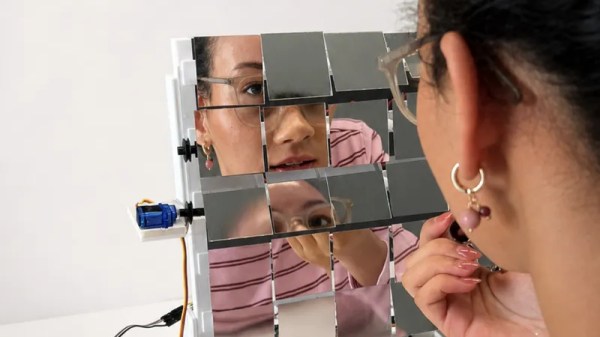
The value of a mirror is in its clarity. If the reflection is cast by [danicakostic17]’s Uncooperative Mirror though, you’ll find anything but. It’s described as a useless machine, because it appears as a tiled mirror. As you approach it though, the tiles shake around and make it very difficult to follow what’s in front of you. It’s an art piece and a prank all in one, and we like it.
Behind the mirror is a 3D printed frame and a set of small servos with what look like some belts to hitch them up. There’s an ultrasonic sensor and an Arduino Uno, that sets those servos going as soon as the ultrasonic sensor sees anything. We can see this thing would be fun at a party.
Everything you’ll need is on the Instructables page linked above should you be foolhardy enough to want your own, and there’s even a YouTube video which we’ve placed below.
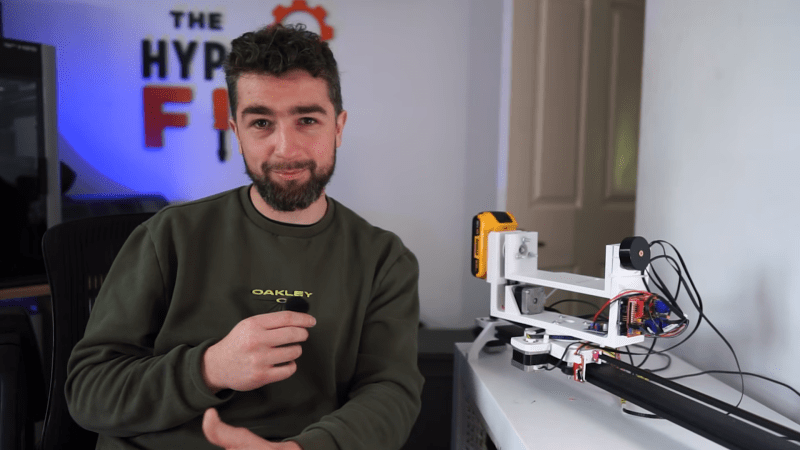
[TheHyperFix] had a problem. He’d spied a brilliant camera slider, but didn’t want to lay out big money to acquire it. The natural solution? Build one! Only, life is seldom so straightforward.
The plan was straightforward – take an old broken 3D printer, and repurpose its parts to make a camera slider instead. The build started with a aluminium extrusion, some V-slot wheels, and a 3D printed platform to hold the camera. Moving the platform was done via a belt drive, using the stepper motors and some software to tell the original printer controller what to do.
Unfortunately, the early experiments failed when the controller blew up under load. An Arduino was subbed in with a CNC shield, which got things back on track, and [TheHyperFix] had a somewhat functional slider with relatively jerky movement. A tough iterative design process ensued to work out problems with bearings and the Arduino’s pulse limit, among others.
As it stands, the slider is semi-functional, but it’s not quite well behaved enough to use for professional shooting. Still, for a first attempt at electronics prototyping, we think [TheHyperFix] did a pretty solid job. It might not be all there yet, but it’s well on the way, and a great deal was learned in the process.
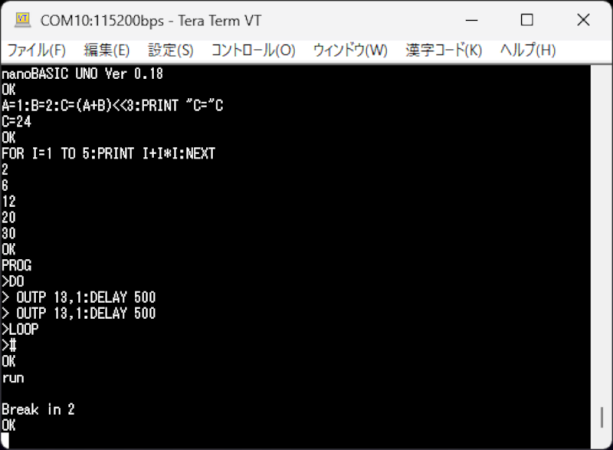
If you miss the days when you used Basic on your classic computer or wrote embedded software with a Basic Stamp, then maybe dust off your Arduino UNO or any similar AVR board and try nanoBASIC_UNO from [shachi-lab].
Apparently, the original code was meant for the STM8S, but this port targets the ATmega328P. It is Basic more or less as you remember it. There are enough extensions to deal with GPIO, the analog systems, and so forth. At build time, you can decide if you want 16-bit or 32-bit integers.