Take Your PCBs From Good To Great: Toner Transfer

dscf8697
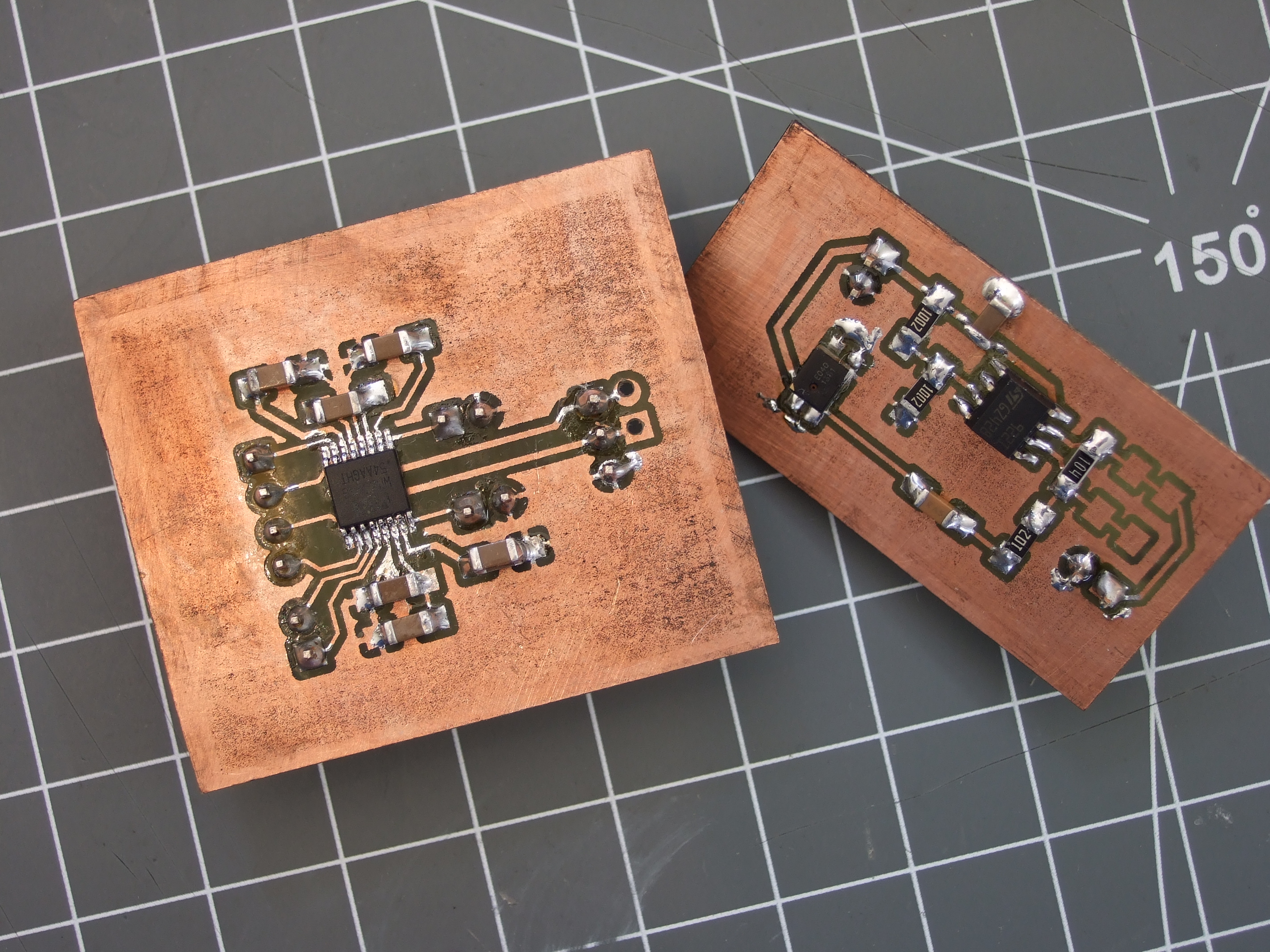
One-offs that I never would have gotten professionally made, but that were infinitely handy during development

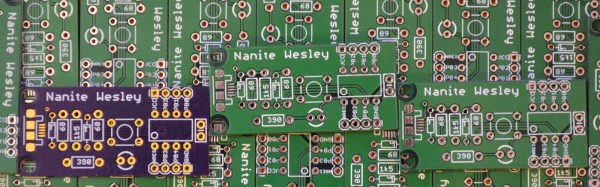
A lot of us make circuit boards at home. I find it a useful skill to have in my bag of tricks for intermediate steps along the way to a finished project, even if the finished version is going to be sent out to a PCB fab. When I need a breakout board that meshes with other development tools, for instance, there’s nothing like being able to whip something up that plugs right in. Doing it quickly, and getting on with the rest of the project instead of placing an order and waiting for delivery, helps keep me in the flow.

Toner transfer is by far the fastest way to make a circuit board at home — simply print the circuit out on a laser printer, iron it onto the copper, and etch. When it works, it’s awesome. When it doesn’t, it can be a hair-pulling exercise in figuring out which of myriad factors are misaligned.

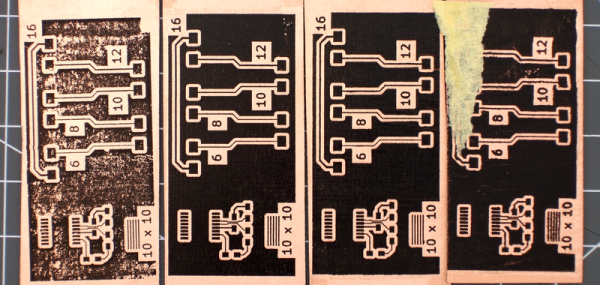
For a long time now, I’ve been using a method that’s very reliable and repeatable. Recently, I’ve been tweaking a bit on the performance of the system, and I thought I’d share what I’ve got. At the moment, I’m able to very reliably produce boards with 6 mil (0.15 mm) traces and 8 mil (0.20 mm) spacing. With a little care in post-production, 4 mil / 6 mil is entirely plausible.

Continue reading “Take Your PCBs From Good To Great: Toner Transfer”

How To Use Docker To Cross Compile For Raspberry Pi (and More)

It used to be tedious to set up a cross compile environment. Sure you can compile on the Raspberry Pi itself, but sometimes you want to use your big computer — and you can use it when your Pi is not on hand like when on an airplane with a laptop. It can be tricky to set up a cross compiler for any build tools, but if you go through one simple step, it becomes super easy regardless of what your real computer looks like. That one step is to install Docker.

Docker is available for Linux, Windows, and Mac OS. It allows developers to build images that are essentially preconfigured Linux environments that run some service. Like a virtual machine, these images can run together without interfering with each other. Unlike a virtual machine, Docker containers (the running software) are lightweight because they share the same underlying kernel and hardware of the computer.

The reality is, setting up the Raspberry Pi build environment isn’t any easier. It is just that with Docker, someone else has already done the work for you and you can automatically grab their setup and keep it up to date. If you are already running Linux, your package manager probably makes the process pretty easy too (see [Rud Merriam’s] post on that process). However, the nice thing about the images is it is a complete isolated environment that can move from machine to machine and from platform to platform (the Windows and Mac platforms use a variety of techniques to run the Linux software, but it is done transparently).

Continue reading “How To Use Docker To Cross Compile For Raspberry Pi (and More)”

Circuit Design? Spread The Joy

Accountants and MBAs use spreadsheets to play “what if” scenarios with business and financial data. Can you do the same thing with electronic circuits? The answer–perhaps not surprisingly–is yes.

Consider this simple common emitter amplifier (I modeled it in PartSim, if you’d like to open it):

In this particular case, there are several key design parameters. The beta of the transistor (current gain) is 220. The amplifier has an overall voltage gain of about 3 (30/10). I say about, because unless the transistor is ideal, it won’t be quite that. The supply voltage (Vcc) is 12 volts and I wanted the collector voltage (VC) to idle at 6V to allow the maximum possible positive and negative swing. I wanted the collector current (IC) to be 200mA.

Continue reading “Circuit Design? Spread The Joy”

Tips For Buying Your First Milling Machine

If you’re interested in making things (and since you’re reading this, we’re going to assume you are), you’ve almost certainly felt a desire to make metal parts. 3D printers are great, but have a lot of drawbacks: limited material options, lack of precision, and long printing times. If you want metal parts that adhere to even moderately tight tolerances, a milling machine is your only practical option. There is, after all, a very good reason that they’re essential to manufacturing.

However, it can be difficult to know where to start for the hobbyist who doesn’t have machining experience. What kind of milling machine should you get? Should you buy new or used? What the heck is 3-phase power, and can you get it? These questions, among many others, can be positively overwhelming to the uninitiated. Luckily, we — your friends at Hackaday — are here to help give you some direction. So, if you’re ready to learn, then read on! Already an expert? Leave some tips of your own in the comments!

Continue reading “Tips For Buying Your First Milling Machine”

How To Build Anything With Delrin And A Laser Cutter — Advanced Tricks

Everyone wants their prototypes to look polished, as opposed to looking like 3D-squirted weekend afterthoughts. The combination of Delrin and a Laser Cutter make this easy, especially if you learn a few tricks-of-the-trade that will make your assemply pop, both functionally and aesthetically.

Last time, we took a deep dive into fabbing parts with Delrin and a typical 40-watt laser cutter, and we discussed some of the constraints of the material. More recently, [Gerrit] gave us a close look at the material itself. It’s been about a year since our first post, but the list of tricks is far from complete.

If you’re just getting started in this domain, let me introduce you to two classic techniques for laser-cut prototypes: puzzle-piecing and the T-nut-slotting. While these techniques are tried-and-true, I hope, fearless reader, that they’ll leave you hungry for something cleaner, something more refined. If that’s the case, read on!

Continue reading “How To Build Anything With Delrin And A Laser Cutter — Advanced Tricks”

Electrostatic Loudspeakers: High End HiFi You Can Build Yourself

If you have an interest in audio there are plenty of opportunities for home construction of hi-fi equipment. You can make yourself an amplifier which will be as good as any available commercially, and plenty of the sources you might plug into it can also come into being on your bench.

There will always be some pieces of hi-fi equipment which while not impossible to make will be very difficult for you to replicate yourself. Either their complexity will render construction too difficult as might be the case with for example a CD player, or as with a moving-coil loudspeaker the quality you could reasonably achieve would struggle match that of the commercial equivalent. It never ceases to astound us what our community of hackers and makers can achieve, but the resources, economies of scale, and engineering expertise available to a large hi-fi manufacturer load the dice in their favour in those cases.

The subject of this article is a piece of extreme high-end esoteric hi-fi that you can replicate yourself, indeed you start on a level playing field with the manufacturers because the engineering challenges involved are the same for them as they are for you. Electrostatic loudspeakers work by the attraction and repulsion of a thin conductive film in an electric field rather than the magnetic attraction and repulsion you’ll find in a moving-coil loudspeaker, and the resulting very low mass driver should be free of undesirable resonances and capable of a significantly lower distortion and flatter frequency response than its magnetic sibling.
Continue reading “Electrostatic Loudspeakers: High End HiFi You Can Build Yourself”

Single Board Revolution: Preventing Flash Memory Corruption

An SD card is surely not an enterprise grade storage solution, but single board computers also aren’t just toys anymore. You find them in applications far beyond the educational purpose they have emerged from, and the line between non-critical and critical applications keeps getting blurred.

Laundry notification hacks and arcade machines fail without causing harm. But how about electronic access control, or an automatic pet feeder? Would you rely on the data integrity of a plain micro SD card stuffed into a single board computer to keep your pet fed when you’re on vacation and you back in afterward? After all, SD card corruption is a well-discussed topic in the Raspberry Pi community. What can we do to keep our favorite single board computers from failing at random, and is there a better solution to the problem of storage than a stack of SD cards?

Continue reading “Single Board Revolution: Preventing Flash Memory Corruption”