On the 14th of January, 2022, the Hunga Tonga-Hunga Ha’apai volcano began a gigantic eruption that would go on to peak in ferocity the next day. The uninhabited island volcano would quickly make headlines as the country of Tonga was cut off the world and tsunamis bore out from the eurption zone.
In a volcanic event of this size, the effects can be felt around the world. With modern instruments, they can be properly understood too. Let’s take a look at how the effects of the Hunga Tonga eruption were captured and measured across the globe.
There’s an old joke about the Thermos bottle that keeps things hot and cold, so someone loaded it with soup and ice cream. That joke is a little close to home when it comes to FDM 3D printers.
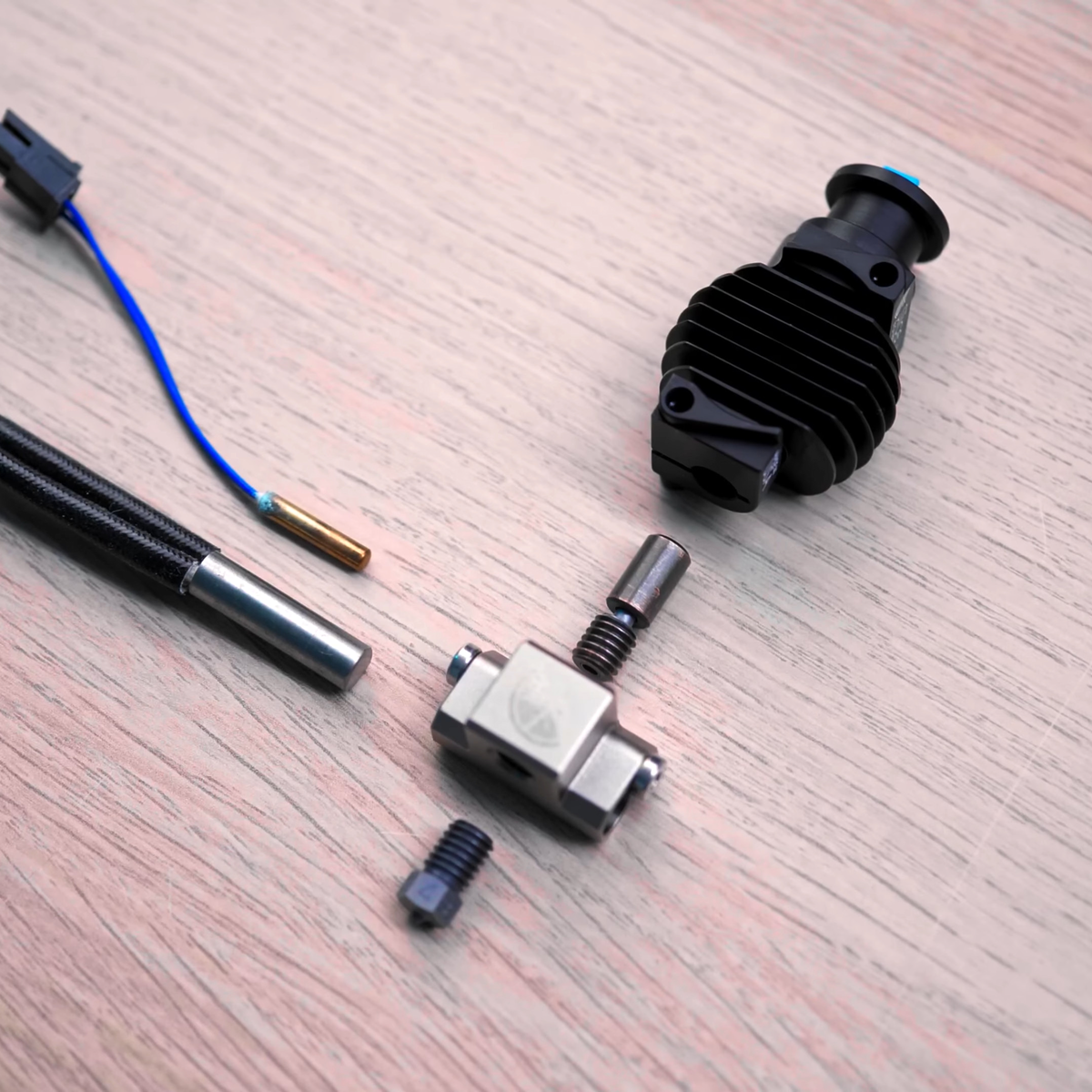
You want to melt plastic, of course, or things won’t print, so you need heat. But if the plastic filament gets hot too early, it will get soft, expand, and jam. Heat crawling up the hot end like this is known as heat creep and there are a variety of ways that hot ends try to cope with the need to be hot and cold at the same time. Most hotends today are air-cooled with a small fan. But water-cooled hotends have been around for a while and are showing up more and more. Is it a gimmick? Are you using, planning to use, or have used (and abandoned) water cooling on your hot end?
Heat Break
The most common method is to use a heat-break between the heating block and the rest of the filament path. The heat-break is designed to transfer as little heat as necessary, and it usually screws into a large heat sink that has a fan running over it. What heat makes it across the break should blow away with the fan cooling.
High tech solutions include making heat-breaks out of titanium or even two dissimilar metals, all with the aim of transferring less heat into the cooler part of the hot end. More modern hot ends use support structures so the heatbreak doesn’t need mechanical rigidity, and they can make very thin-walled heatbreaks that don’t transmit much heat. Surely, then, this is case closed, right? Maybe not.
While it is true that a standard heat-break and a fan can do the job for common 3D printing tasks, there can be problems. First, if you want to print fast — time is money, after all — you need more power to melt more filament per second. If a heatbreak transfers 10% of the heat, this increases demands on the upstream cooling. Some engineering materials want to print at higher temperatures, so you can have the same problem there as well. If you want to heat the entire print chamber, which can help with certain printing materials, that can also cause problems since the ambient air is now hotter. Blowing hot air around isn’t going to cool as effectively. Not to mention, fans that can operate at high temperatures are notoriously expensive.
There are other downsides to fans. Over a long print, a marginal system might eventually let enough heat creep up. Then there’s the noise of a fan blowing during operation. True, you probably have other fans and noisy parts, but it is still one more noise source. With water cooling, you can move the radiator outside a heated enclosure and use larger, slower, and quieter fans while getting more cooling right where you want it. Continue reading “3D Printering: Water-Cooled Hotends”→
A few months ago, I was discussing the control of GPIB equipment with a colleague. Based on only on my gut feeling and the briefest of research, I told him that the pricey and proprietary GPIB controller solutions could easily be replaced by open-source tools and Linux. In the many weeks that followed, I almost abandoned my stance several times out of frustration. With some perseverance, breaking the problems into bite-sized chunks, and lots of online searching to learn from other people’s experiences, my plan eventually succeeded. I haven’t abandoned my original stance entirely, I’ve taken a few steps back and added some qualifiers.
What is GPIB?
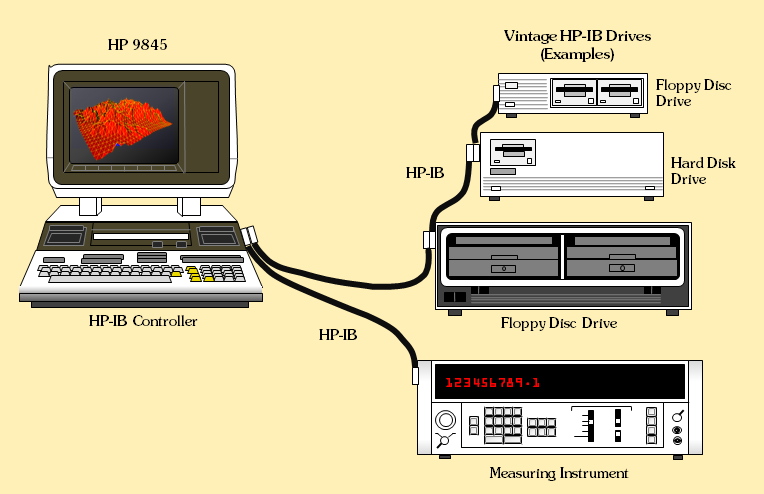
Example of HP-IB block diagram from the 1970s, from hp9845.net
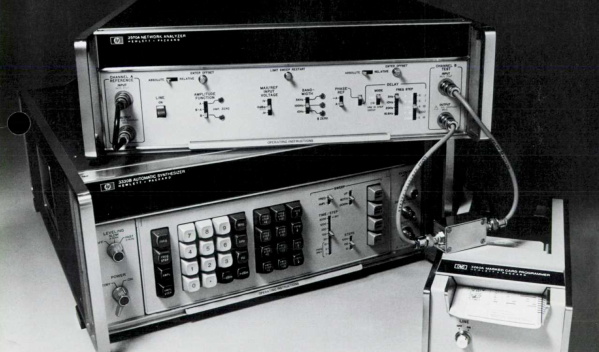
Back in the 1960s, if test equipment was interconnected at all, there weren’t any agreed-upon methods for doing so. By the late 60s, the situation was made somewhat better by card-cage controller systems. These held a number of interface cards, one per instrument, presenting a common interface on the backplane. Although this approach was workable, the HP engineers realized they could significantly improve the concept to include these “bridging circuit boards” within the instruments and replacing the card cage backplane with passive cables. Thus began the development of what became the Hewlett-Packard Interface Bus (HP-IB). The October 1972 issue of the HP Journal introduced HP-IB with two main articles: A Practical Interface System for Electronic Instruments and A Common Digital Interface for Programmable Instruments: The Evolution of a System. Continue reading “Save Money And Have Fun Using IEEE-488”→
After all the fuss and bother along the way, it seems a bit anticlimactic now that the James Webb Space Telescope has arrived at its forever home orbiting around L2. The observatory finished its trip on schedule, arriving on January 24 in its fully deployed state, after a one-month journey and a couple of hundred single-point failure deployments. The next phase of the mission is commissioning, and is a somewhat more sedate and far less perilous process of tweaking and trimming the optical systems, and getting the telescope and its sensors down to operating temperature. The commissioning phase will take five or six months, so don’t count on any new desktop photos until summer at the earliest. Until then, enjoy the video below which answers some of the questions we had about what Webb can actually see — here’s hoping there’s not much interesting to see approximately in the plane of the ecliptic.
The really nice thing about doing something the “wrong” way is that there’s just so much variety! If you’re doing something the right way, the fastest way, or the optimal way, well, there’s just one way. But if you’re going to do it wrong, you’ve got a lot more design room.
Case in point: esoteric programming languages. The variety is stunning. There are languages intended to be unreadable, or to sound like Shakespearean sonnets, or cooking recipes, or hair-rock ballads. Some of the earliest esoteric languages were just jokes: compilations of all of the hassles of “real” programming languages of the time, but yet made to function. Some represent instructions as a grid of colored pixels. Some represent the code in a fashion that’s tantamount to encryption, and the only way to program them is by brute forcing the code space. Others, including the notorious Brainf*ck are actually not half as bad as their rap — it’s a very direct implementation of a Turing machine.
So you have a set of languages that are designed to be maximally unlike each other, or traditional programming languages, and yet still be able to do the work of instructing a computer to do what you want. And if you squint your eyes just right, and look at as many of them all together as you can, what emerges out of this blobby intersection of oddball languages is the essence of computing. Each language tries to be as wrong as possible, so what they have in common can only be the unavoidable core of coding.
While it might be interesting to compare an contrast Java and C++, or Python, nearly every serious programming language has so much in common that it’s just not as instructive. They are all doing it mostly right, and that means that they’re mostly about the human factors. Yawn. To really figure out what’s fundamental to computing, you have to get it wrong.
This article is part of the Hackaday.com newsletter, delivered every seven days for each of the last 200+ weeks. It also includes our favorite articles from the last seven days that you can see on the web version of the newsletter.
Want this type of article to hit your inbox every Friday morning? You should sign up!
If you are old enough, you may remember that, for a time, almost every year was the year that home video was going to take off. Except it never was, until VHS tape machines appeared. We saw something similar with personal computers. Nowadays, we keep hearing about the home robot, but it never seems to fully materialize or catch on. If you think about it, it could be a problem of expectations.
What we all want is C3PO or Rosie the Robot that can do all the things we don’t want to do. What we usually get is something far less than that. You either get something hideously expensive that does a few tasks or something cheap that is little more than a toy.
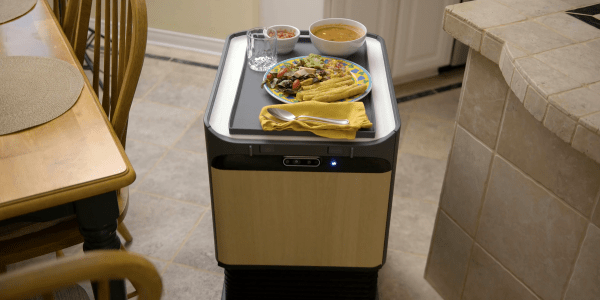
Labrador Systems is trying to hit the middle ground. While no one would confuse their Caddie and Retriever robots with C3PO, they are useful but also simple, presumably to keep the cost down which are expected to cost about $1,500. The robots have been described as “self-driving shelves.” You can watch a video about the devices below.
Join Hackaday Editor-in-Chief Elliot Williams and Managing Editor Tom Nardi on another whirlwind tour of the week’s top stories, hacks, and projects. We start off with some breaking Linux security news, and then marvel over impeccably designed pieces of hardware ranging from a thrifty Z table for the K40 laser cutter to a powerful homebrew injection molding rig. The finer technical points of a USB device that only stores 4 bytes at a time will be discussed, and after taking an interactive tour through the internals of the 555 timer, we come away even more impressed by the iconic 50 year old chip. We’ll wrap things up by speculating wildly about all the bad things that can happen to floating solar panels, and then recite some poetry that you can compile into a functional computer program should you feel so inclined.
Take a look at the links below if you want to follow along, and as always, tell us what you think about this episode in the comments!