FPGA Hack Becomes An Atari Game Genie

The Game Genie is a classic of the early 90s video game scene. It’s how you would have beaten the Ninja Turtles game, and it’s why the connector in your NES doesn’t work as it should. They never made a Game Genie for the Atari 2600, though, because by the time the Game Genie was released, the Atari was languishing on the bottom shelves of Toys R Us. Now though, we have FPGAs and development tools. We can build our own. That’s exactly what [Andy] did, and his Game Genie for the 2600 works as well as any commercial product you’d find for this beleaguered console.

To understand how to build a Game Genie for an Atari, you first have to understand how a Game Genie works. The hacks for a Game Genie work by replacing a single byte in the ROM of a game. If your lives are stored at memory location 0xDEAD for example, you would just change that byte from 3 (the default) to 255 (because that’s infinite, or something). Combine this with 6-letter and 8-letter codes that denote which byte to change and what to change it to, and you have a Game Genie.

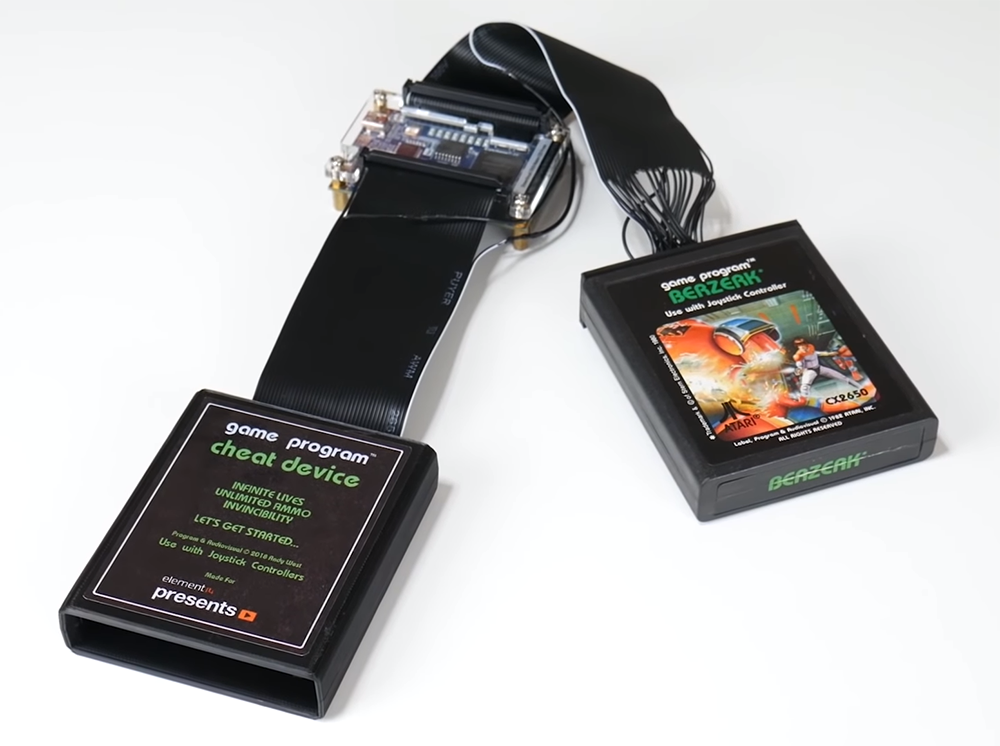
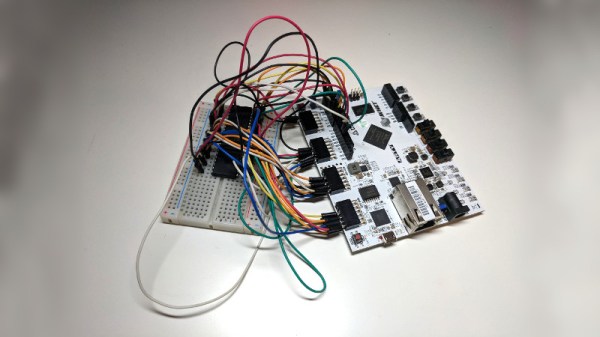
This build began by setting up a DE0 Nano FPGA development board to connect to an Atari 2600 cartridge. Yes, there are voltage level differences, but this can be handled with a few pin assignments. Then, it’s just a matter of writing Verilog to pass all the data from one set of address and data pins to another set of address and data pins. The FPGA becomes a man-in-the-middle attack, if you will.

With the FPGA serving as a pass-through for the connections on the cartridge, it’s a simple matter to hard-code cheats into the device. For the example, [Andy] found the code for a game, figured out where the color of the fireballs were defined as red, and changed the color to blue. It worked, and all was right with the world. The work was then continued to create a user interface to enter three cheat codes, and finally wrapped up in a 3D printed enclosure. Sure, the Atari Game Genie works with ribbon cables, but it wouldn’t be that much more work to create a similar project with Lock-On™ technology. You can check out the entire build video below, or get the info over on Element14

Continue reading “FPGA Hack Becomes An Atari Game Genie”

FPGA Used VHDL For Fractals

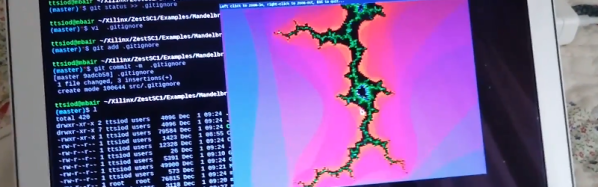
Over on GitHub, [ttsiodras] wanted to learn VHDL. So he started with an algorithm to do Mandelbrot sets and moved it to an FPGA. Because of the speed, he was able to accomplish real-time zooming. You can see a video of the results, below.

The FPGA board is a ZestSC1 that has a relatively old Xilinx Spartan 3 chip onboard. Still, it is plenty powerful enough for a task like this.

Continue reading “FPGA Used VHDL For Fractals”

VexRISC-V Exposed

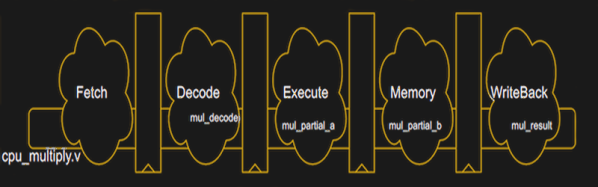
If you want to use FPGAs, you’ll almost always use an HDL like Verilog or VHDL. These are layers of abstraction just like using, say, a C compiler is to machine language or assembly code. There are other challengers to the throne such as SpinalHDL which have small but enthusiastic followings. [Tom] has a post about how the VexRISC-V CPU leverages SpinalHDL to make an extremely flexible system that is as efficient as plain Verilog. He says the example really shows off why you should be using SpinaHDL.

Like a conventional programming language, it is easy to find niche languages that will attract a little attention and either take off (say, C++, Java, or Rust) or just sort of fade away. The problem is you can’t ever tell which ones are going to become major and which are just flashes in the pan. Is SpinalHDL the next big thing? We don’t know.

Continue reading “VexRISC-V Exposed”

Racing The Beam On A Thin Client, In FPGAs

A few years back, a company by the name of Pano Logic launched a line of FPGA-based thin clients. Sadly, the market didn’t eventuate, and the majority of this stock ended up on eBay, to eventually be snapped up by eager hackers. [Tom] is one of those very hackers, and decided to try some raytracing experiments with the hardware.

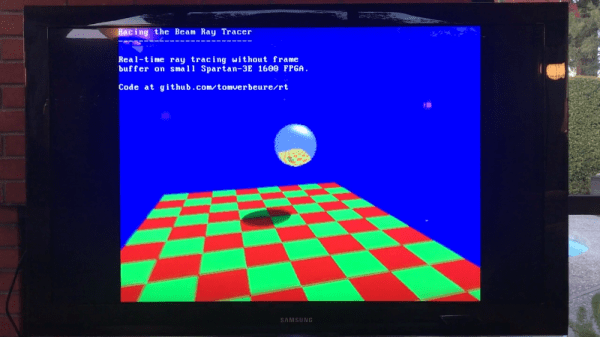
[Tom] has one of the earlier Pano Logic clients, with VGA output and a Xilinx Spartan-3E 1600 FPGA under the hood. Due to limited RAM in the FPGA, and wanting to avoid coding a custom DRAM controller for the memory on the board, there just wasn’t room for a framebuffer. Instead, it was decided that the raytracer would instead “race the beam” – calculating each pixel on the fly, beating the monitor’s refresh rate.

This approach means that resource management is key, and [Tom] notes that even seemingly minor changes to the raytracing environment require inordinately large increases in calculation. Simply adding a shadow and directional light increased core logic utilisation from 66% to 92%!

While the project may not be scalable, [Tom] was able to implement the classic reflective sphere, which bounces upon a checkered plane and even added some camera motion to liven things up through an onboard CPU core. It’s a real nuts-and-bolts walkthrough of how to work with limited resources on an FPGA platform. Code is available on Github if you fancy taking a further peek under the hood.

If you’re new to FPGAs yourself, why not check out our FPGA bootcamp?

Getting Started With Free ARM Cores On Xilinx

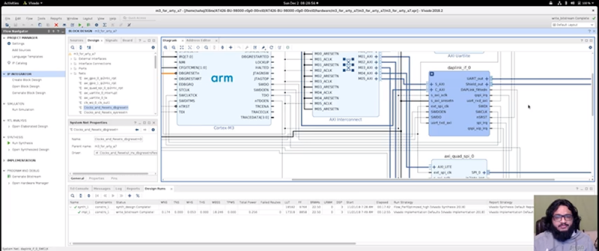
We reported earlier about Xilinx offering free-to-use ARM Cortex M1 and M3 cores. [Adam Taylor] posted his experiences getting things working and there’s also a video done by [Geek Til It Hertz] based on the material that you can see in the second video, below.

The post covers using the Arty A35T or Arty S50 FPGA boards (based on Artix FPGAs) and the Xilinx Vivado software. Although Vivado will allow you to do conventional FPGA development, it also can work to compose function blocks to produce CPUs and that’s really what’s going on here.

Continue reading “Getting Started With Free ARM Cores On Xilinx”

Packing Decimal Numbers Easily

While desktop computers have tons of computing power and storage, some small CPUs don’t have a lot of space to store things. What’s more is some CPUs don’t do multiplication and division very well. Same can be said for FPGAs. So suppose we are going to grab a bunch of three-digit decimal numbers from, say, a serial port. We want to store as many as we can, and we don’t want to do a lot of math because we can’t, it is slow, or perhaps it keeps our processor awake longer and we want to sleep to conserve power. We want a way to pack the numbers as close to the theoretical maximum as we can but with little or no math.

The simple approach is to store the numbers as ASCII. Great for processing since they are probably in ASCII already. If they aren’t, you just add 30 hex to each digit and you are done. That’s awful for storage space, though, since we can store 999 in 10 bits if it were binary and now we are using 24 bits! Storing in binary isn’t a good option, if you play by our rules, by the way. You need to multiply by 10 and 100 (or 10 twice) to get the encoding. Granted, you can change that to two shifts and an add (8x+2x=10x) but there’s no easy way to do the division you’ll have to do for the decode.

Of course, there’s no reason we can’t just store decimal digits. That’s call binary coded decimal or BCD and that has some advantages, too. It is pretty easy to do math on BCD numbers and you don’t get rounding problems. Some CPUs even have specific instructions for BCD manipulation. However, three digits will require 12 bits. That’s better than 24, we agree. But it isn’t as good as that theoretical maximum. After all, if you think about it, you could store 16 distinct codes in 4 bits, and we are storing only 10, so that 6 positions lost. Multiply that by 3 and you are wasting 18 codes.

But there is a way to hit that ten-bit target without doing any math. Its called DPD or densely packed decimal. You can convert three decimal digits into ten bits and then back again with no real math at all. You could implement it with a small lookup table or just do some very simple multiplexer-style logic which means it is cheap and easy to implement in software or onboard an FPGA.

Continue reading “Packing Decimal Numbers Easily”

MIPI CSI-2 Implementation In FPGAs

[Adam Taylor] always has interesting FPGA posts and his latest is no exception. He wanted to use a Zynq for image processing. Makes sense. You can do the high-speed parallel parts in the FPGA fabric and do higher-level processing on the built-in CPU. The problem is, of course, you need to get the video data into the system. [Adam] elected to use the Mobile Industry Processor Interface (MIPI) Camera Serial Interface Issue 2 (CSI-2).

This high-speed serial interface is optimized for data flowing in one direction. The camera, or the master, sends a number of bits (at least one) serially with one clock. To increase speed, data transfers on both rising and falling clock edges. The slave also has a pretty standard I2C master to send commands to the camera which, for the purposes of I2C, is the slave.

Continue reading “MIPI CSI-2 Implementation In FPGAs”