Xbox One X Gets Aluminum Laptop Makeover

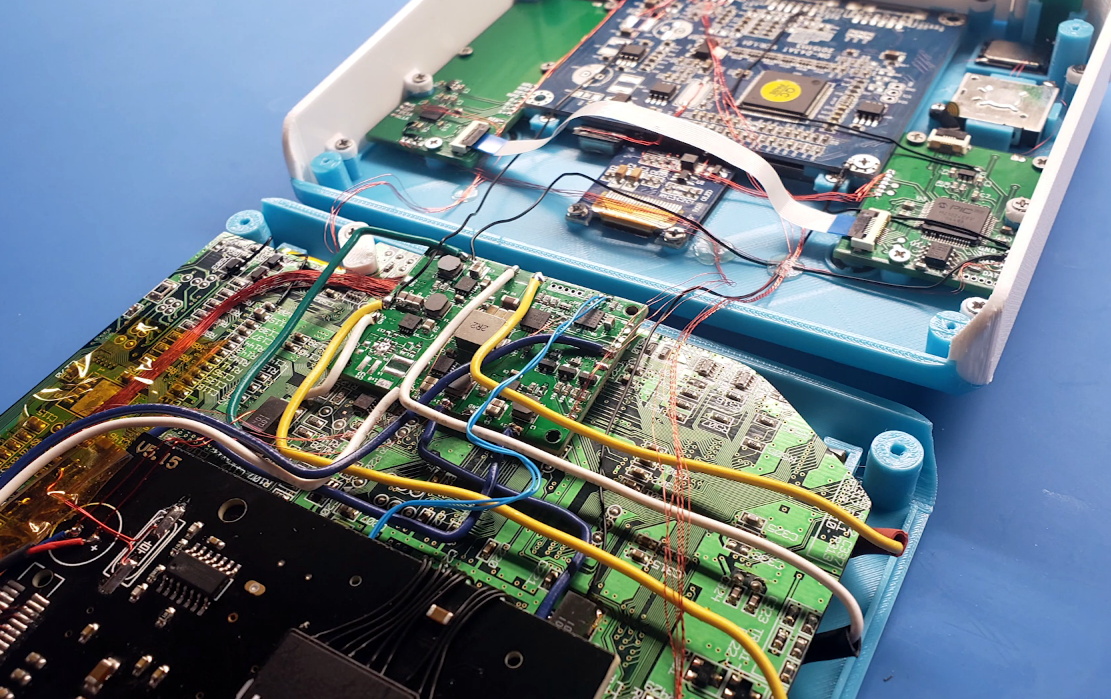
While many a gamer was willing to brave hand-to-hand combat this Black Friday just to get a few bucks off of Microsoft’s premium-tier game console, [jomega] was already cutting his to pieces from the comfort of his own home. Not dissuaded by the system’s fairly high sticker price or relatively limited modding scene, he decided to transplant his Xbox One X into an incredibly slick laptop-style aluminum enclosure.

Turning a game console into a “laptop” is hardly new, Ben Heck has been doing it for over a decade now, but in general they tend to look pretty clunky. With a few exceptions, the builder’s goal is not so much to make the final result look sleek and professional, but simply to take their favorite games on the go. But from the start [jomega] wanted something that would not only allow him to take long walks in the park with Master Chief, but look gorgeous doing it.

One of his goals was to make the final device thinner than the original system, so the first step was to assemble virtual representations of the Xbox’s principal components in CAD to find the most efficient placement for everything. Long before the first pieces of aluminum were cut, [jomega] already knew where each part and screw was going to end up. The time he invested in planning out the build in CAD more than made up for itself when it came time to assemble the final product, and also means this design is highly reproducible should he decide to build another one on commission.

Even though the final system seems impossibly thin, no hardware or functionality had to be left out. Even the optical drive, which on the stock console is something of an afterthought to begin with in an era of digital downloads (rumor has it the next Xbox will drop optical discs entirely), has been retained. Special consideration did need to be given to cooling the 4K powerhouse though, and [jomega] warns that running the system with the case open or the fans off can have dangerous consequences.

Thanks to the Xbox One’s wireless capabilities (for both Internet connection and controllers), there’s a notable lack of ports on the case. This made the design a bit easier, as [jomega] really only needed to have a connector for the AC power cord in the back and a couple of holes for the system’s power, eject, and controller sync buttons. He did add in a USB port for convenience, but even that could be skipped to make things easier.

In the past we’ve seen some rather husky Xbox 360 laptop builds, and at least one attempt to build a more slimline version, but this latest entry in the long line of portable-ized Xboxen has set the bar very high.

Continue reading “Xbox One X Gets Aluminum Laptop Makeover”

Xbox One Adaptive Controller Mod

Dad’s Custom Xbox Adaptive Controller Build For His Child

When Microsoft announced the Xbox adaptive controller earlier this year, many were pleasantly surprised at how adaptive it truly was. The controller features 3.5mm jacks for easily connecting any external input device and sports an impressive build quality given its price tag, but the most impressive part was the fact that the design was so open in nature. Rather than seeking to create a specific design solution tailored to a subset of users the adaptive controller acts more as a hub for the community’s designs. One of those brilliant designs comes from [Colton] who posted a five-part series on his custom controller build for his daughter.

Xbox One Adaptive Controller Build Push Button Switches

His daughter, Ellie, has Cornelia de Lange syndrome which prevents her from being able to use more conventional pressure sensitive input devices. So [Colton] devised a way for buttons to be pressed using an alternate range of motion. By attaching foam massage inserts to standard paint rollers, the buttons could be triggered by allowing the peaks and valleys of the foam to roll over the top of each button. He could achieve even better accuracy by attaching braided ribbon over the buttons in order to prevent binding.

After finding that setup to be successful, [Colton] went about designing a frame. He arrived at using PVC pipe and utilizing tees as anchor points for the rollers. A couple of steel hose clamps are enough to hold each of the foam rollers in place, and the contact distance can be dialed in with buttons housed in threaded PVC adapters (shown right). After the addition of a little colored wrap here and there the build has a decidedly cheery exterior.

However, the build was not complete without a custom piece of software to match. [Colton] reached out for help from his nephew to program a “RGB Etch-a-Sketch” they called Sundoodler. The game runs on a small form factor PC hooked up to a projector so Ellie can play lying down. [Colton] has some future plans for his daughter’s custom Xbox adaptive controller build, but for now you can see the results in the video below.

Continue reading “Dad’s Custom Xbox Adaptive Controller Build For His Child”

Neo Geo Mini Gets The Ben Heck Portable Treatment

It feels like that Neo Geo Mini kinda came and went. All the hype surrounding the idea of having a tiny usable arcade machine melted away when the original system’s fans first touched the “non-clicky” joystick. While it was encouraging to see the inclusion USB-C power, there was no internal battery to allow players to use the system untethered. Not satisfied with the product in its current state [Ben Heck] shot a video detailing his latest portable creation using the Neo Geo Mini internals.

The design of the portable focuses around incorporating aspects of the Neo Geo MVS arcade system that the Neo Geo Mini lacks. The D-pad includes tiny micro-switches, or as [Ben Heck] calls them nano-switches, for a decidedly more tactile feel. He was able to re-purpose the speakers and headphone jack from the original PCB along with the 4:3 aspect ratio LCD. The custom faceplate wraps everything in the familiar red and white insignia while the 3D printed face buttons come in the classic red, yellow, green, and blue. Don’t worry, they are finally in the right button configuration here.

It’s great to see [Ben Heck] still making portable magic since his YouTube show ended earlier this year. He has contributed a lot to the modding community over the years, and there are plenty of helpful tips scattered throughout this Neo Geo Mini portable video as well. Note that the build is split into two separate videos (part two is below). We look forward to many more projects like this from [Ben Heck] in the future.

Continue reading “Neo Geo Mini Gets The Ben Heck Portable Treatment”

Gorgeous Bartop Arcade Build Is A Cut Above

At this point we’ve seen a good number of desktop-sized arcade cabinets, and while they’ve naturally all been impressive in their own ways, they do tend to follow a pretty familiar formula. Cut the side panels out of MDF (or just buy a frame kit), stick a Raspberry Pi and an old LCD monitor in there, and then figure out how to control the thing. Maybe a couple strategically placed stickers and blinking LEDs to add a few extra horsepower, but nothing too surprising.

[Andy Riley] had seen plenty of builds like that, and he wasn’t having any of it. With the heart of an old laptop and bones made of IKEA cutting boards, his build is proof positive that there’s always more than one way to approach a problem that most would consider “solved” already. From the start, he set out to design and build a miniature arcade cabinet that didn’t look and feel like all the other ones he’d seen floating around online, and we think you’ll agree he delivered in a big way.

Powering the arcade with an old laptop is really a brilliant idea, especially since you can pick up older models for a song now that they’re considered nearly disposable by many users. As long as it doesn’t have a cracked display, you’ll get a nice sized LCD panel and potentially a rather powerful computer to drive it. Certainly the graphical capabilities of even the crustiest of used laptops will run circles around the Raspberry Pi, and of course it opens the possibility of playing contemporary PC games. As [Andy] shows in his detailed write-up, using a laptop does take more custom work than settling for the Pi, but we think the advantages make a compelling case for putting in the effort.

Of course, that’s only half the equation. Arguably the most impressive aspect of this build is the cabinet itself, which is made out of a couple IKEA bamboo cutting boards. [Andy] used his not inconsiderable woodworking skills, in addition to some pretty serious power tools, to turn the affordable kitchen accessories into a furniture-grade piece that really stands out from the norm. Even if you aren’t normally too keen on working with dead trees, his step-by-step explanations and pictures are a fascinating look at true craftsman at work.

If you’re more concerned with playing Galaga than the finer points of varnish application, you can always just turbocharge the old iCade and be done with it. But we think there’s something to be said for an arcade cabinet that could legitimately pass as a family heirloom.

How The Xbox Was Hacked

The millennium: a term that few had any use for before 1999, yet seemingly overnight it was everywhere. The turning of the millenium permeated every facet of pop culture. Unconventional popstars like Moby supplied electronica to the mainstream airwaves while audiences contemplated whether computers were the true enemy after seeing The Matrix. We were torn between anxiety — the impending Y2K bug bringing the end of civilization that Prince prophesied — and anticipation: the forthcoming release of the PlayStation 2.

Sony was poised to take control of the videogame console market once again. They had already sold more units of the original PlayStation than all of their competition combined. Their heavy cloud of influence over gamers meant that the next generation of games wasn’t going to start in until the PS2 was on store shelves. On the tail of Sony announcing the technical specs on their machine, rumors of a new competitor entering the “console wars” began to spread. That new competitor was Microsoft, an American company playing in a Japanese company’s game.
Continue reading “How The Xbox Was Hacked”

Digital Picture Frame Turned Vectrex Overlay

For Hackaday readers which might not be so well versed in the world of home video gaming before the 1983 crash, the Vectrex was an interesting attempt at bringing vector graphics into player’s living rooms. Priced around $500 in today’s dollars, the machine was unique in that it included its own black and white CRT display rather than requiring the owner to plug it into their television. To spice things up a little bit, games would include a thin plastic overlay you could put over the screen to give the game faux colors. What can we say? It was the 1980’s.

Like many vintage gaming systems, the Vectrex still commands a devoted following of fans, some of which continue to find ways to hack and mod the system nearly 40 years after its release. One such fan is [Arcade Jason], who’s recently been fiddling with the idea of creating a modern take on the overlay concept using a hacked LCD display. While it’s still a bit rough around the edges, it does hold promise. He hopes somebody might even run with the idea and turn it into a marketable product for the Vectrex community.

[Jason] started by getting an old digital picture frame and tearing it down until he liberated the LCD panel. By carefully disassembling it, he was able to remove the backlight and was left with a transparent display. He then installed the panel over the display of the Vectrex, leaving the picture frame’s PCB and controls dangling off to the side. Extending the display’s ribbon cable should be easy enough for a more robust installation.

He then loaded the frame with random psychedelic pictures he found online, as well as some custom overlays which he quickly whipped up using colored blocks in an art program. In the video after the break, [Jason] shuffles through images on the frame using the buttons on the PCB while loading different demos to show the kind of visual effects that are possible.

While a neat concept, there are a couple of issues that need to be resolved before this could really be put into practice. For one, the LCD panel isn’t the proper size or aspect ratio to match the Vectrex display, so it doesn’t cover the whole CRT. It’s also rather difficult to select images to show on the LCD panel; an improved version might use something like the Raspberry Pi to load images on the panel while exposing a control interface on a secondary screen of some type.

This isn’t the first time [Jason] has experimented with the Vectrex, or even the first time he’s tried to add color to the classic system. We’re interested to see what he comes up with next.

Continue reading “Digital Picture Frame Turned Vectrex Overlay”

Put An ItsyBitsy Zork In Your Pocket

Before computer games had all these fancy graphics, text based games were a very popular genre. Rather than move a character on the screen, you’d type out commands for your player in sentence form which the game would interpret; decades before the “cloud” language processing technology that the likes of Amazon and Google currently use to power their virtual assistants. In some ways the genre was ahead of its time, but it didn’t survive the graphical revolution for home computers. Of course, these games still have some diehard fans out there.

[Dan The Geek] is one such fan. He loves text based adventure games like Zork so much that he wanted to create his own implementation of the core technology that made these games possible all those years ago. But he didn’t want to just do it on this desktop computer, there’s already projects that let you run these classic games on modern hardware. He wanted to see if he could run these classic games on a modern microcontroller, and create a authentic retro experience on a handy portable device.

[Dan] starts by explaining the technology used to make titles like these possible in the days when the wide array of home computer types required a nuanced approach. By separating the story files from the actual interpreter, developers could more easily port the games to various computers. In theory these interpreters, known as “Z-machines”, could be written for any computer that could compile C code, had enough RAM to hold the story, and had a terminal and keyboard. Not exactly the kind of system requirements we’re used to seeing for modern PC games, but it was the 1980’s.

In theory a modern microcontroller will meet these requirements, so [Dan] wanted to create his own Z-machine for one. But rather than “cheat” by using an SD card like previous Arduino Z-machines have, he wanted to see if there was a development board out there that could do it all internally. The answer came in the form of the  Adafruit ItsyBitsy M4 Express, with its 192 kB of RAM and 2 MB of SPI flash.

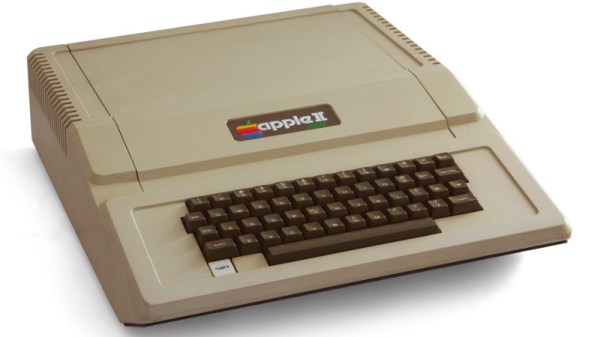
The Z-machine created by [Dan], which he’s calling A2Z, allows users to run Zork and other compatible interactive text games on the ItsyBitsy without any additional hardware. Just plug the board into your computer and you’ll be able to play the games over the the serial connection. He’s even implemented some retro color schemes to make the experience more authentic, like the blue of the Amiga or Compaq green.

We’ve covered previous projects that brought Zork and friends to the Arduino, your web browser via a virtual Altair 8800, and even some more exotic targets like custom FPGAs. You can play cave adventure, the game that inspired Zork, on the Supercon Badge.