Automated Chess Board Plays You

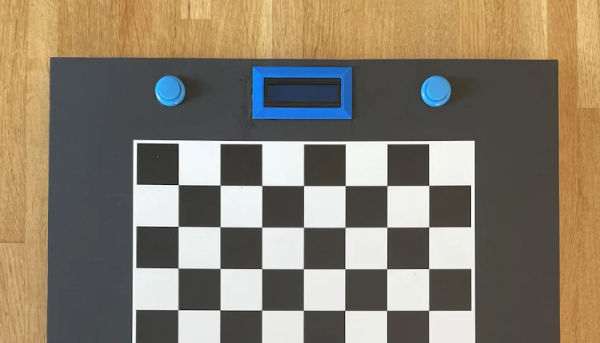
If you’ve ever played chess or even checkers, you’ve probably thought about making a board that lets a computer play you without having to enter your moves and look at the board on a screen. [Greg06] not only thought about it, but he built it.

The board looks great and uses foamboard which makes it easy to reproduce. Each piece has a small magnet within and an electromagnet on an XY motion system can selectively pick up and move pieces. In addition, a reed switch under each square can tell if a square is occupied or not.

Continue reading “Automated Chess Board Plays You”

Mortal Kombat Stand Up Arcade machines

Mortal Kombat ROM Hack Kontinues Arcade Legacy

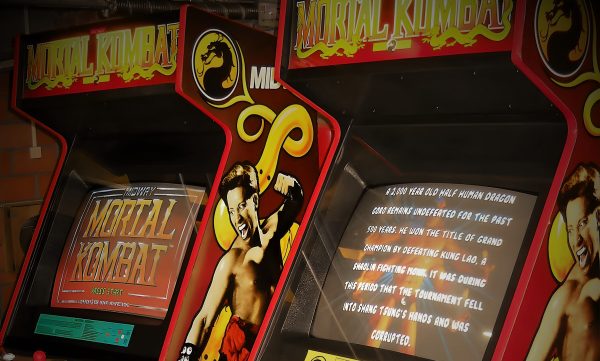
September 13th 1993, colloquially known as Mortal Monday, became a dividing line in the battle for 16-bit supremacy. The mega popular arcade game Mortal Kombat was ported to Super Nintendo and Sega Genesis consoles, and every fanboy and fangirl had an opinion on which version truly brought the hits.

Nintendo’s version opted to remove the blood and gore in an attempt to preserve the company’s family-friendly image, while Sega’s offering merely locked the game’s more violent content behind a cheat code that so many fans learned by heart: ABACABB. Nintendo’s decision to censor Mortal Kombat on their console pushed public opinion in favor of the Sega Genesis version being superior, though it was clear that corners were cut in order to squeeze it onto a cartridge. Recently a group of developers led by [Paulo] sought to restore the Genesis version to its full potential with a ROM hack they’re calling Mortal Kombat Arcade Edition.

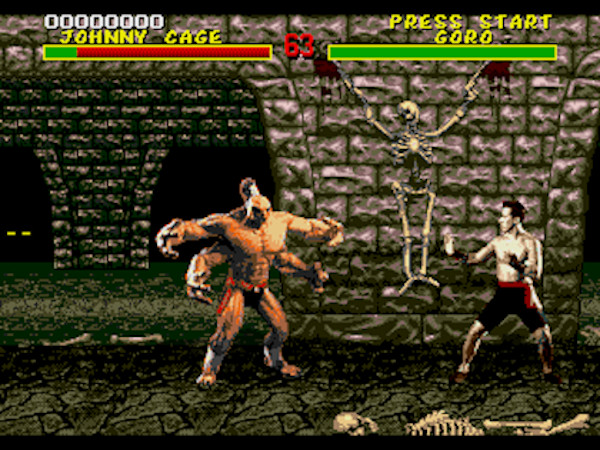
Mortal Kombat Arcade Edition is the sort of ROM hack where every facet of the game has been retouched. All sorts of sound effects and animations that were omitted in the 1993 translation to the Genesis have now been restored in higher quality. Every fighter’s look was remastered to more closely match the arcade presentation complete with move timing tweaks. Secret characters like Reptile, Noob Saibot, and Ermac are all playable, plus all the character bios from the arcade game’s attract mode make an appearance. An SRAM save feature was implemented in order to save high scores, and for an additional dose of authenticity there’s even a “DIP switch” configuration screen where you can set it to free play.

This ROM hack comes as an IPS patch that can be applied to a legitimate dump of the user’s Sega Genesis or Mega Drive cartridge. The site hosting the Mortal Kombat Arcade Edition patch features an online IPS patching tool called Rom Patcher JS that makes the patching process more convenient for those attached to their browser. The patched ROM can then be enjoyed in the user’s favorite emulator of choice, though running it on original hardware via a ROM cart is also possible (even encouraged). Considering the limitations of the Sega Genesis’ color palette the revamped look of Mortal Kombat Arcade Edition is all the more impressive. It just goes to show you that Genesis still does!

Not ready to FINISH HIM? Check out this countertop arcade build featuring some Mortal Kombat II art, or marvel at the incredible effort that went into creating the Knights of the Round ROM hack known as Warlock’s Tower.

Continue reading Mortal Kombat ROM Hack Kontinues Arcade Legacy”

Wordle bot

Solving Wordle By Adding Machine Vision To A 3D Printer

Truth be told, we haven’t jumped on the Wordle bandwagon yet, mainly because we don’t need to be provided with yet another diversion — we’re more than capable of finding our own rabbit holes to fall down, thank you very much. But the word puzzle does look intriguing, and since the rules and the interface are pretty simple, it’s no wonder we’ve seen a few efforts like this automated Wordle solver crop up lately.

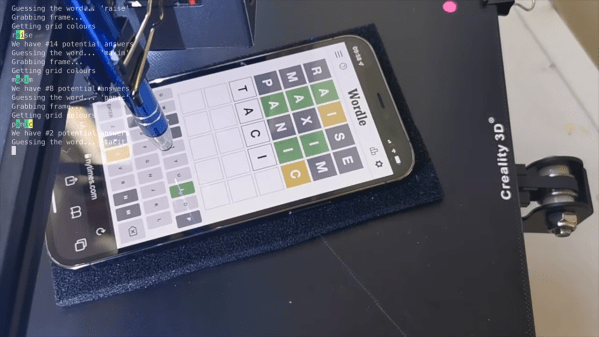
The goal of Wordle is to find a specific five-letter, more-or-less-common English word in as few guesses as possible. Clues are given at each turn in the form of color-coding the letters to indicate whether they appear in the word and in what order. [iamflimflam1]’s approach was to attach a Raspberry Pi camera over the bed of a 3D printer and attach a phone stylus in place of the print head. A phone running Wordle is placed on the printer bed, and Open CV is used to find both the screen of the phone, as well as the position of the phone on the printer bed. From there, the robot uses the stylus to enter an opening word, analyzes the colors of the boxes, and narrows in on a solution.

The video below shows the bot in use, and source code is available if you want to try it yourself. If you need a deeper dive into Wordle solving algorithms, and indeed other variant puzzles in the *dle space, check out this recent article on reverse engineering the popular game.

Continue reading “Solving Wordle By Adding Machine Vision To A 3D Printer”

Make Your Own Tabletop Game Organizers With Online Tool

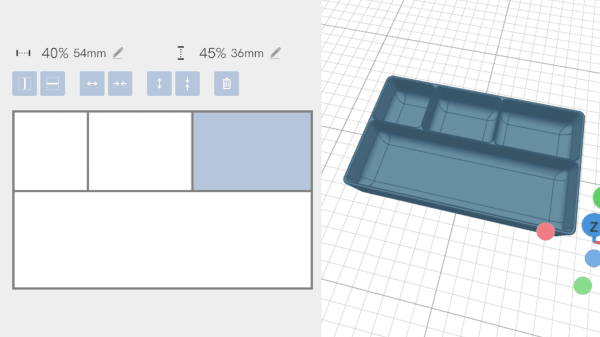
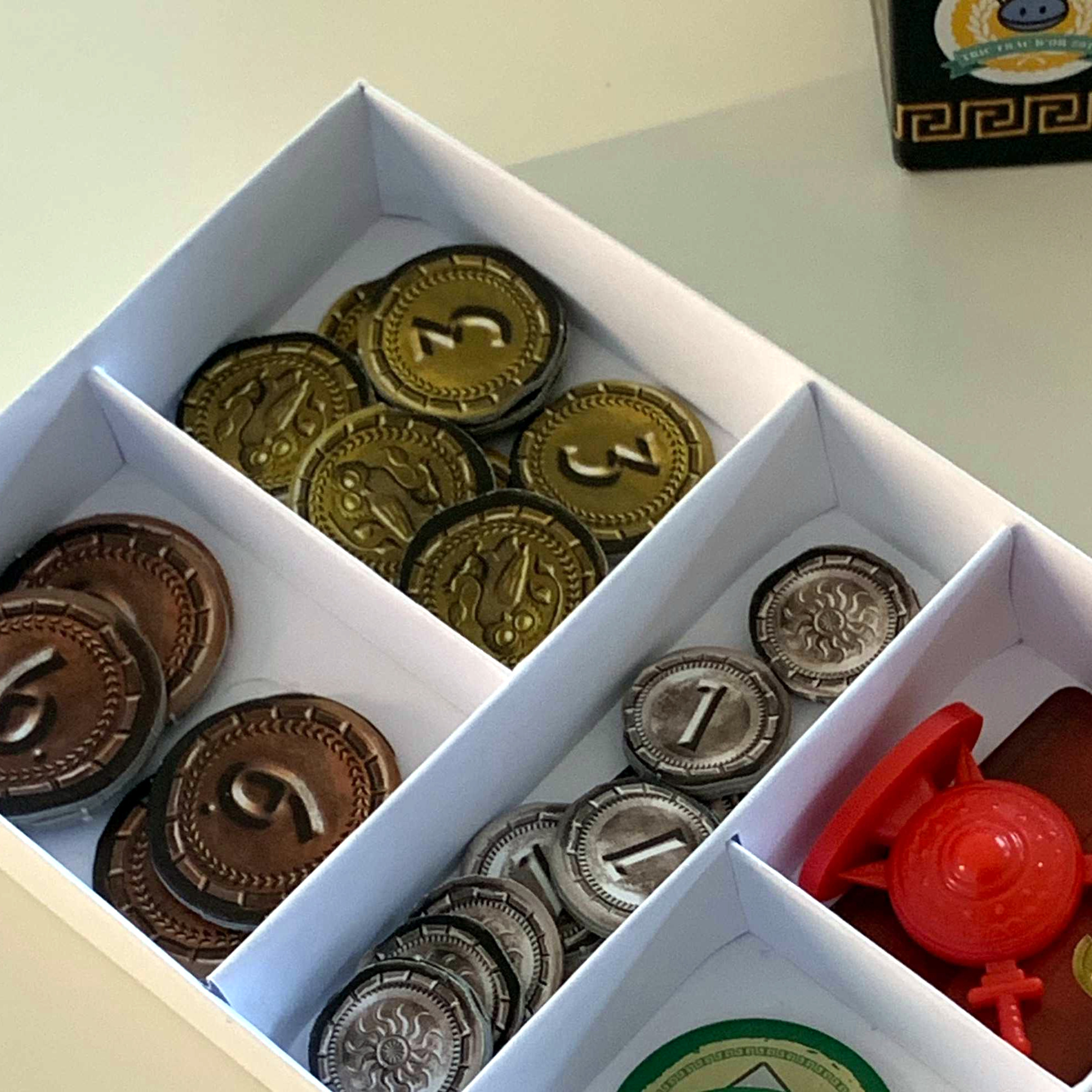
There is a vibrant cottage industry built around selling accessories to improve the storage and organization of tabletop games, but the more DIY-minded will definitely appreciate [Steve Genoud]’s deckinabox tool, which can create either 3D-printable designs, or ones more suited to folded paper or cardstock. Making your own organizer can be as satisfying as it is economical, and [Steve]’s tool aims to make customization simple and easy.

The tool can also generate models for folded paper or cardstock.

The interface for customizing the 3D-printable token tray, for example, begins with a simple filleted receptacle which one can split into additional regions by adding horizontal or vertical separators. The default is to split a given region down the middle, but every dimension can of course be specified.  Things like filleting of edges (for easier token scooping) and other details are all handled automatically. A handy 3D view gives a live render of the design after every change.

[Steve] has a blog post that goes into some added detail about how the tool was made, and it makes heavy use of replicad, [Steve]’s own library for generating browser-based 3D models in code. Intrigued by the idea of generating 3D models programmatically, and want to use it to make your own models? Don’t forget to also check out OpenSCAD; chances are it’s both easier to use and more capable than one might think.

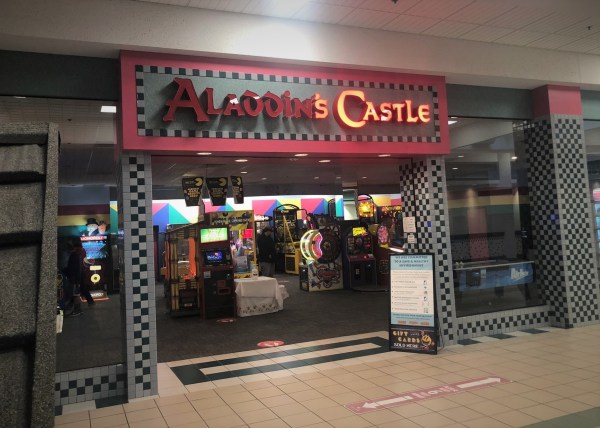
Featured image of Aladdin's Castle Arcade

Retrotechtacular: Raw Video From Inside A 1980s Arcade

It was just this year that Sega left the arcade business for good. A company synonymous with coin-op games for over a half century completely walked away from selling experiences you can only get on location. No more Outrun or Virtua Fighter machines, because arcades these days tend to resemble The House of the Dead. Arcades still exist to a degree, it’s just that headlines like that serve only as a reminder of an era gone by. Which is what makes raw footage like the video [Jon] posted of an Aladdin’s Castle arcade from the 1980s so compelling.

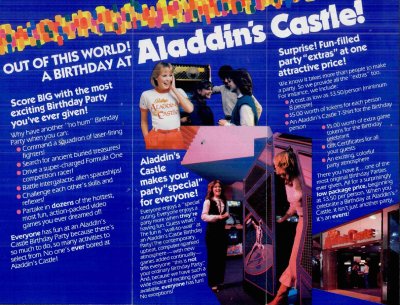
scan of Aladdin's Castle Arcade pamphlet ad
Aladdin’s Castle ad brochure circa 1983. Credit: John Andersen

The raw VHS footage starts with a sweep around the location’s pinball machines and arcade cabinets. There’s an extended shot of a rare TX-1 tri-monitor sitdown cabinet. The racing game was the first of its kind to feature force feedback in the steering wheel, so it’s no wonder it received the focus. The arcade’s lighting tech was also a point of pride as it allowed for programmable lighting cues. A far cry from the flickering fluorescent tubes no doubt in use elsewhere. Eventually the employee filming takes us to the back room where it the owner has made it abundantly clear that they are not a fan of Mondays, judging by the amount of Garfield merchandise.

Bally’s Aladdin’s Castle was a chain of arcades and had nearly 400 locations across the US at its height in the mid 1980s (at least according to their brochure seen above). Those neon red letters were a mainstay of American shopping malls throughout the decade. Namco, the Pac-Man people, acquired Aladdin’s Castle in 1993 and the brand faded away soon after. Although there is a lone location in Quincy, IL that is still open for business today.

Continue reading “Retrotechtacular: Raw Video From Inside A 1980s Arcade”

The Coolest Controller Mod, Hands Down

Video games are a great way to relax, and sometimes get your heart rate up at the same time. But unless you’re playing something like Dance Dance Revolution, the controls pretty much always require the use of both hands. Even the old Atari controller benefited from using the other hand for support.

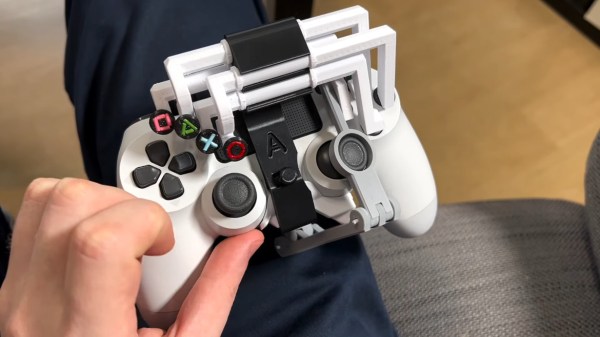
But what if you don’t have the use of both hands? Or you have a repetitive stress injury? Or you just want to eat cheese curls with chopsticks while you play? [Akaki Kuumeri] has you covered with one of the hands-down greatest uses for 3D printing we’ve seen — a PlayStation DualShock 4 controller modified for one-handed use. If this looks familiar, it may be because [Akaki] made a PS5 controller version a while back, but who can get one of those, anyway?
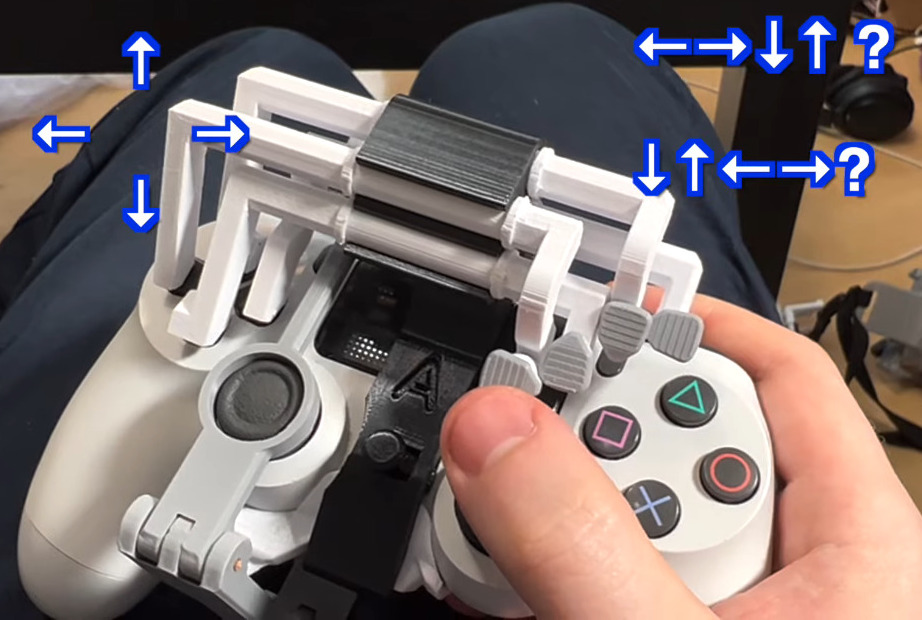
Though [Akaki] does most of the demonstrating in the video below with their left hand, they were cool enough to make a right-handed version as well. In the left-handed version, the symbol buttons and right trigger are actuated with the left hand, and the right joystick is used by moving the whole controller against your leg, the table, the arm of the couch, or whatever you wish.

[Akaki] even designed some optional pieces, including a leg strap. The right-hand version of course does the D-pad instead. But what should the order of the arrow buttons be? After much contemplation, [Akaki] settled on the standard DDR configuration of ←↓↑→.

We love that the symbols are made from raw filament pressed into grooves, and think it’s totally awesome that this is made to be attached to the controller and removed with one hand. Check out the video below to see it in action with a handful of games.

Continue reading “The Coolest Controller Mod, Hands Down”

Retro Gaming With Retro Joysticks

One of the biggest reasons for playing older video games on original hardware is that emulators and modern controllers can’t replicate the exact feel of how those games would have been originally experienced. This is true of old PC games as well, so if you want to use your original Sidewinder steering wheel or antique Logitech joystick, you’ll need something like [Necroware]’s GamePort adapter to get them to communicate with modern hardware.

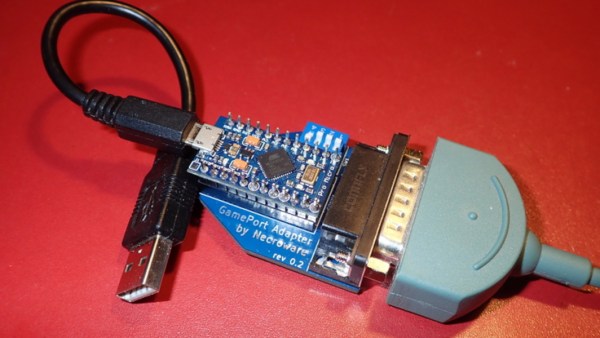
In a time before USB was the standard, the way to connect controllers to PCs was through the GamePort, typically found on the sound card. This has long since disappeared from modern controllers, so the USB interface [Necroware] built relies on an Arduino to do the translating. Specifically, the adapter is designed as a generic adapter for several different analog joysticks, and a series of DIP switches on the adapter select the appropriate mode. Check it out in the video after the break. The adapter is also capable of automatically calibrating the joysticks, which is necessary as the passive components in the controllers often don’t behave the same way now as they did when they were new.

Plenty of us have joysticks and steering wheels from this era stored away somewhere, so if you want to experience Flight Simulator 5.0 like it would have been experienced in 1993, all it takes is an Arduino. And, if you want to run these programs on bare metal rather than in an emulator, it is actually possible to build a new Intel 486 gaming PC, which operates almost exactly like a PC from the 90s would have.

Continue reading “Retro Gaming With Retro Joysticks”