Putting Thousands Of Minecraft Players On The Same Server

Multi-threading was the common go-to technique for extracting more performance from a machine for several years. These days it’s all about horizontal scaling or adding more virtual machines to a pool of workers. The Minecraft server is still stuck in the past in some ways as it supports neither multi-threading nor horizontal scaling. [Jackson Roberts] decided to change all that by hacking Minecraft to support thousands of players rather than dozens.

Since the server is single-threaded, having more than 100 players on a single server can slow it to a crawl. Some mods try to optimize and speed up the existing server but [Jackson] wanted more. An early proof of concept was to slice the world into separate servers, each holding 64×64 chunks (chunks are what Minecraft defines as a 16x256x16 volume of the world). When crossing a boundary, entities such as players and zombies were transferred from one server to another. While workable, the demo had issues such as parts of the world being inaccessible if a server went down. The boundaries were also jarring as you had to reconnect and couldn’t see players outside your server.

Instead of splitting the world, [Jackson] took the approach to split the players and have some backing store for persisting and broadcasting changes. A proxy sits in front of several Minecraft servers, which each have a connection to a WorldQL server (a spatial database based on Postgres). Each server reports the player’s location to the WorldQL server and receives updates for their loaded locations. When a server comes online, it catches up with the changes stored in WorldQL and starts syncing, allowing servers to auto-scale. There are still a few core game mechanics that aren’t quite ready for prime-time such as NPCs and Redstone, but the progress so far is remarkable.

The code for the Minecraft plugin is up on GitHub, but more is coming in the future. So if you’re interested in something a little more vanilla, why not marvel at the completely playable Pokemon Red inside vanilla Minecraft?
Streetfighter 2 placed on table top display with separate arcade control box

Game Like It’s 2021 On A McDonald’s Touchscreen Table

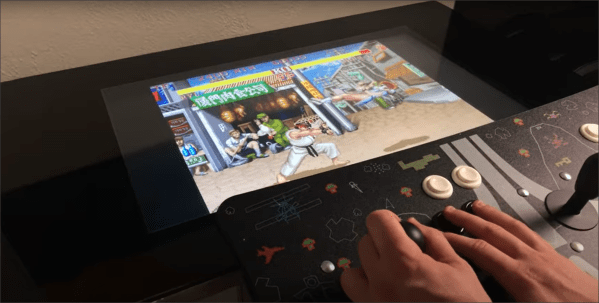
Some of you around the world may have come across these Android-based gaming tables installed in your local fast-food outlet, and may even have been lucky enough to paw at one that was actually working at the time.

Originally based on an ancient mini PC, with a 1080p flat panel LCD and a touch overlay, they would have been mind-blowing for small children back in the day, but nowadays we expect somewhat more. YouTuber [BigRig Creates] got his hands on one, in a less than pleasant condition, but after a lot of soap and water, it was stripped down and the original controller junked in favour of a modern mini PC. To be clear, there isn’t much left beyond the casing and display from the original hardware, but we don’t care, as a lot of attention was paid to the software side of things to get it to triple-booting into Windows 10, Android x86 and Linux running emulation station, covering all those table-gaming urges you may have.

Internally, there is a fair amount of room for improvement on the wiring side of things, and [BigRig] is quick to admit that, but that’s what this learning game is all about. Now, many of you will choke on the very idea of playing games on a table system like this, after all, it’s pretty obvious this will be really hard on the back and neck. But, it does offer the easy option to switch from landscape to portrait orientation, simply by walking around the side, so it does have an upside. Also you’ve got a handy place to dump your beer and the takeaway when it arrives, so maybe not such a bad thing to have in your apartment? And, yes, it does run Doom.

We were particularly amused by the custom boot logo as well as the slick custom art in emulation station. It’s attention to detail like this that makes a build a great one and a conversation piece at parties. Now if only he could sort out that wiring job.

Continue reading “Game Like It’s 2021 On A McDonald’s Touchscreen Table”

a render of the curved bartop arcade machine in fusion 360

Bartop Arcade Machine That Isn’t Afraid Of Change

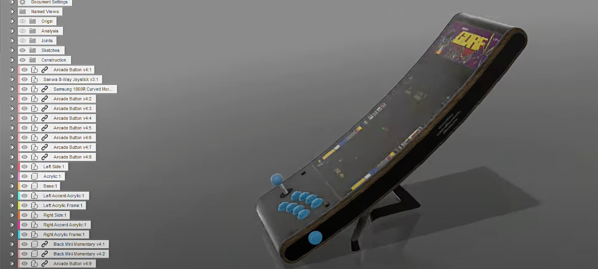
Arcade machines have a distinct look and feel with large imposing cabinets and smaller bartop machines that try to keep the look and feel of a traditional upright arcade cabinet while taking up less space. An entirely new aesthetic has been given for this engineering marvel of a bartop arcade that [DIY Engineering] has made. Gone is the expansive angular box, and in its place are sleek and slender curves. The key piece that makes this build work is the curved monitor.

He started with a detailed design in Fusion360 that really focused on the tools and techniques that [DIY Engineering] knew would work. The backbone of the device was formed from wooden dowels around which 3d printed parts slid on. To the sides of the dowels, two pieces of acrylic are screwed on to act as an LED diffusor. To that acrylic, two pieces of CNC’d red oak are attached with two arcade buttons for pinball-style actuation. Over the top, cast acrylic was heated and then bent into the desired shape with the help of a two-part mold press. The screen slotted right in perfectly. Part of the display at the top was reserved for a marquee, and the look is extraordinary with the dark acrylic. Ten arcade buttons and an eight-way joystick offer an array of options for input.

Internally, a temperature-controlled fan and a Raspberry Pi are running the show. Controls are wired as GPIO and read by the Pi. So naturally, the games on the SD card tend to look best on a long vertical screen: vertical shooters and the like.

Arguably, the best thing about this project isn’t just the execution (which is fantastic) but the look behind the curtain at the process. So many potential problems were solved in the modeling stage, and fabrication went fairly smoothly as a result (or so we think youtube hides a multitude of sins). The results speak for themselves, and we think this is an enviable arcading machine. [DIY Engineering] has mentioned providing files in the future for you to build your own. If perhaps it seems a little intimidating, why not give a smaller 3D printable bartop a try?

Video after the break.

Continue reading “Bartop Arcade Machine That Isn’t Afraid Of Change”

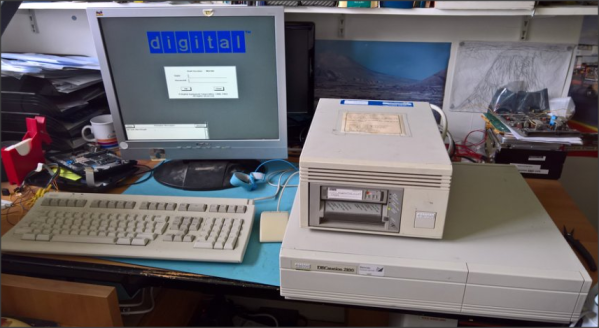
DEC microVAX with tape drive

Bake It To ReMake It: Cooking Old Magnetic Tape To Recover Data

Those of us old enough may remember the heyday of the text adventure game genre from the first time around. London-based Magnetic Scrolls was an early pioneering company producing titles for the first Amiga and Atari ST platforms. Fast-forward to 2017 and [Hugh Steers], the original co-founder and core developer for Magnetic Scrolls has formed an initiative to revive and re-release the original games on modern platforms. Since the 1980s-era DEC MicroVAX used originally for development is not particularly rare in retro computing circles, and media containing source code was found in someone’s loft space, reviving the games was not a tall order.

First, he needed to recover a copy of the original source code from the backup tapes. But there was a problem, it turns out that the decaying tapes used a unstable polyurethane-based binder to stick the oxide material (which is what stores the data) to the backing tape, and this binder can absorb water over the years.

Not much happens until you try to read the tape, then you trip over the so-called sticky-shed syndrome. Secondly you may find that a small amount of the oxide layer sheds from the tape, coating the read head, rollers and guides inside the complicated tape mechanism. This quickly results in it gumming up, and jamming, potentially chewing up the tape and destroying it permanently.

This was further exacerbated by the behaviour of the DEC TK50Z tape drive, which needed to shuttle the whole length of the tape as part of its normal operation.

A temporary solution was to bake the tape in an oven to drive out the moisture and reduce the stickiness enough to run it through the drive safely. Then only the oxide-shedding problem remained. The TK50Z drive was swapped for a TZ30 which shuttles the tape less, but also critically with a simple hack, would allow the heads to be cleaned with IPA between read passes. This was enough to keep the gumming up at bay and allow enough data to be read from the tapes to recover several games worth of code, ready for the re-releasing process.

The video after the break shows [Rob Jarratt] working through the process of the data recovery.

Continue reading “Bake It To ReMake It: Cooking Old Magnetic Tape To Recover Data”

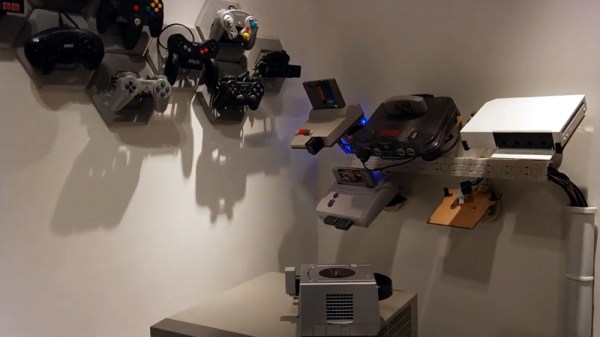
Wall of video games

Consoles, Consoles On The Wall, Can Alexa Help Me Play Them All?

If you’ve got a collection of classic game consoles, finding the space to set them all up can be a challenge. But the bigger problem is figuring out how to hook them all up to a TV that, at best, might only have two or three inputs. [odelot] recently wrote in to tell us how he solved both problems with his voice-controlled wall of gaming history.

To mount the systems to the wall, [odelot] designed and printed angled brackets that attach to specially shaped pieces of 3 mm MDF. They do a pretty good job of holding the systems at a visually interesting angle while making themselves scarce, with only the notoriously slick-bottomed Wii needing some extra clips on the front to keep it from sliding off. He also printed up a series of blocks and pipes, no doubt a reference to Mario Bros., to hold the power and video cables for each system.

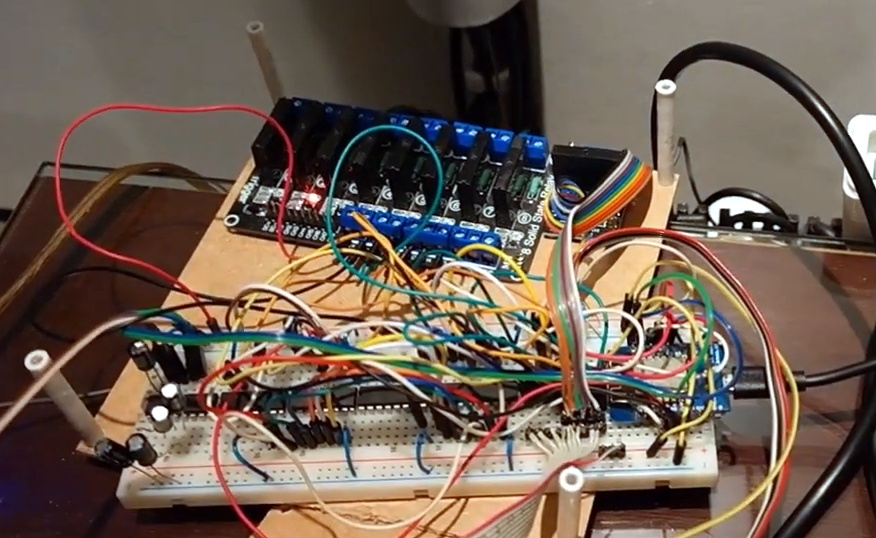
Prototype version of electronics on breadboardAs to connecting them all up to his TV, [odelot] picked up an eight-device Extron VGA switch that features a serial port for remote control. After getting all the systems adapted over to the appropriate video standard, he then wired an ESP8266 to the switch and wrote some code that ties it into Amazon’s Alexa voice assistant.

By just saying the name of the system he wants to play, the microcontroller will flick the switch over to the appropriate input and turn on a ring of blue LEDs under the appropriate shelf to signify which console has been selected. There’s even an array of solid state relays that will eventually control the mains power going to each system, though [odelot] hasn’t fully implemented it yet. Currently the electronics for this project live on a fairly packed breadboard, but it looks like he’s in the early stages of designing a proper PCB to clean it all up.

Not content to simply control a commercial A/V switch? In the past we’ve seen truly dedicated console collectors design their own custom switches from the ground up, complete with a display to show the currently selected system’s logo.

Continue reading “Consoles, Consoles On The Wall, Can Alexa Help Me Play Them All?”

Valve Sells Software, So What’s With All The Hardware?

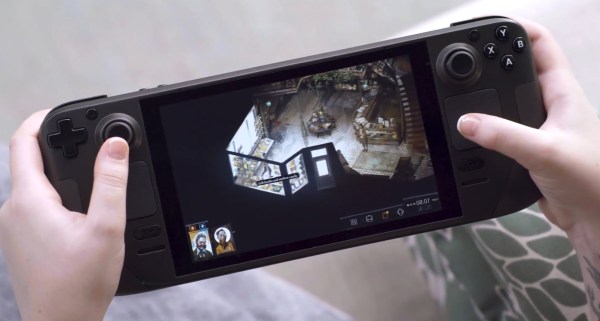
Steam branding is strong. Valve Corporation has turned their third-party marketplace into the first place millions choose to buy their PC games. The service has seen record-breaking numbers earlier this year with over 25 million concurrent users, so whatever they are doing is clearly working. Yet with all those software sales, last month Valve announced a new piece of hardware they call the Steam Deck.

Use the colloquialism you’d like, “not resting on your laurels” or “Mamba Mentality”, it’s not as if competitors in the handheld PC space are boasting ludicrous sales numbers. At their core, Valve is in the business of selling computer games. So why venture into making hardware? Continue reading “Valve Sells Software, So What’s With All The Hardware?”

Virtual Racers Battle It Out On Portable WS2812 Track

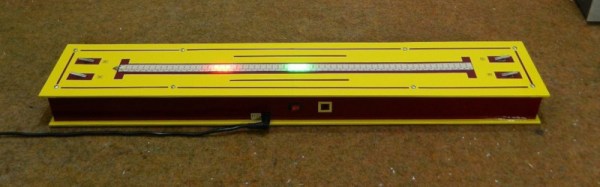
Sure modern video games are impressive, but you certainly don’t need a 4K display or high speed Internet connection to have a good time. For a perfect example, take a look at this unique one-dimensional racing game put together by [mircemk]. This variation of [Gerardo Barbarov Rostan]’s Open LED Race project has been scaled down so it can be transported easily, though at least for now, you’ll still need to plug it into an external power supply.

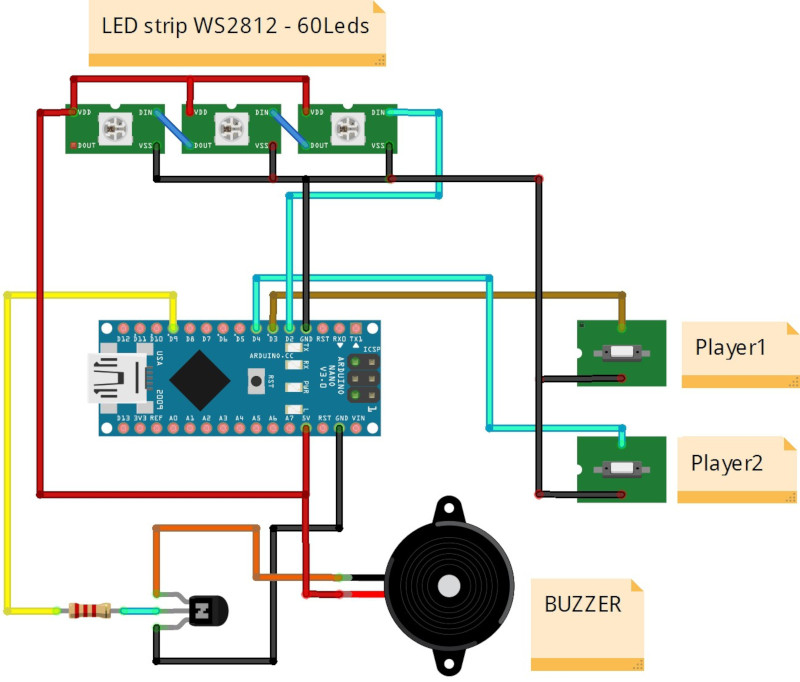
The game is pretty straightforward. By rapidly pressing their respective buttons, players race their virtual vehicles on a linear “track” made of 60 WS2812 RGB LEDs. In the most basic of terms, the faster they press their button, the faster the red or green illuminated LED that represents their car moves.

But in practice, things are made a bit more interesting with the addition of simulated gravity for the “hills” the racers will encounter. The cars also have a bit of inertia, and will coast along even when you aren’t mashing the button. There are even optional engine sounds, though as with the visual representation of the cars, a certain degree of imagination is required for the desired effect.

The hardware requirements for this game are minimal, and can easily be adapted to what you have in the parts bin. Beyond the strip of WS2812 LEDs, all you really need is a microcontroller and two buttons. Here [mircemk] is using an Arduino Nano, but you could press pretty much any MCU into service. To make this version as portable as possible, the buttons are built right into the PVC sheet enclosure, but putting them in some wired remotes would make for a bit more comfortable gameplay.

We’ve covered several projects that have aimed to turn the humble string of RGB LEDs into an interactive electronic game over the years. As long as you’ve got an open mind, you can find a whole world hidden inside some blinking lights.

Continue reading “Virtual Racers Battle It Out On Portable WS2812 Track”