Retro Game Bow Tie

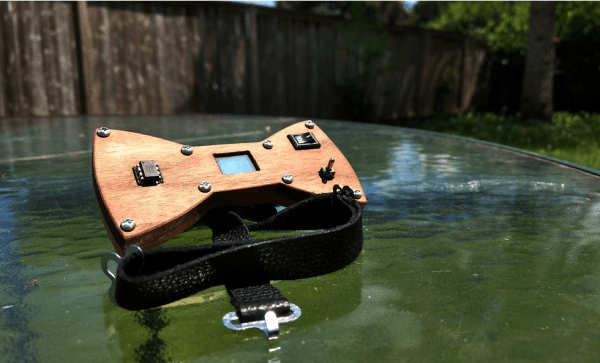
[Greg] loves hacking his bow ties. Back in high school, he added some bright RGB LEDs to the bow tie he wore to prom and even won the male best-dressed award. Recently he decided to try another bow tie hack, this time giving his tie some retro arcade game feels.

He decided to use an ATtiny85 and to experiment doing some more lower-level programming to refresh his skills. He wrote all his libraries from scratch which really helped him learn a lot about the ATtiny in the process. This also helped him make sure his code was as efficient as possible since he had quite a bit of memory constraints using the ATtiny85 (only 512 bytes of RAM).

He designed the body of the bow tie with wood. He fit all the electronics inside the body while allowing the ATtiny to protrude out of the body giving his bow tie some wanted hacker aesthetic. Of course, he needed to access the toggle switch to play the game, so he made a slot for that as well.

Nice addition to the electronics bow tie collection on Hackaday. Really aesthetic design if you ask us. And you know how much we love retro games.
Continue reading “Retro Game Bow Tie”

Myst ‘Demake’ For The Apple II

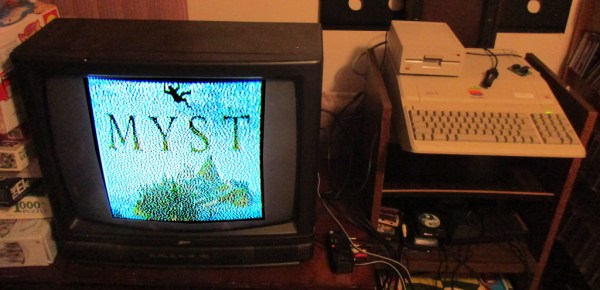
Making certain games run on systems which were never designed to run such games (or any games at all) is a favorite hobby of some, with [deater] being no exception. His latest creation involves porting Myst to the Apple II, or ‘demake’ in his own words. This means taking a game that was released in 1993 for MacOS and later for Windows 3.1 and the original PlayStation, and creating a version that works on an 8-bit system from 1977.

Obviously the graphical fidelity has been turned down some compared to the 1990s version, but at this stage much of the game’s levels have been implemented. For anyone who has ever played the game before, much of the visuals will be instantly recognizable. According to [deater], the game should run on any Apple II/II+/IIe, with at least 48 kB of RAM, but 64 kB needed for sound effects. If a Mockingboard sound card is installed, it will even play the intro theme.

On the project page the (currently) three floppy disks can be downloaded, with the source available on Github. While one is there, one can also check out [deater]’s ‘Another World’ port to the Apple II which we covered last year.

Continue reading “Myst ‘Demake’ For The Apple II”

RGB Minecraft Sign Isn’t Just For Looks

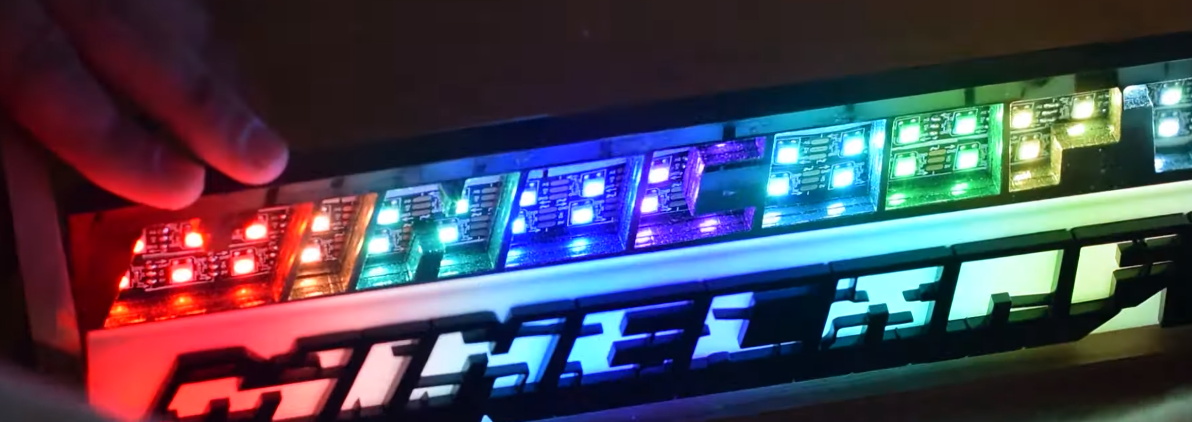
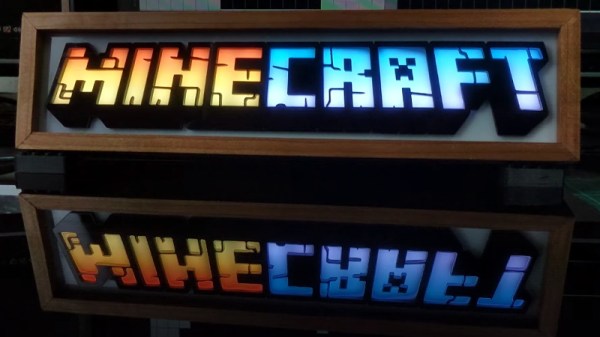
This laser cut and LED illuminated version of the Minecraft logo created by [Geeksmithing] looks good enough to occupy a place of honor on any gamer’s shelf. But it’s not just decoration: it can also notify you about your Minecraft’s server status and tell you when players are online by way of its addressable LEDs.

In the first half of the video after the break, [Geeksmithing] shows how the logo itself was built by cutting out pieces of white and black acrylic on his laser cutter. When stacked up together, it creates an impressive 3D effect but also isolates each letter. With carefully aligned rows of RGB LEDs behind the stack, each individual letter can be lit in its own color (or not at all) without the light bleeding into either side.

Once he had a way of lighting up each letter individually, it was just a matter of writing some code for the Raspberry Pi that can do something useful with them. Notifying him when the server goes down is easy enough, just blink them all red. But the code [Geeksmithing] came up with also associates each letter with one of the friends he plays with, and lights them up when they go online. So at a glance he can not only tell how many friends are already in the game, but which ones they are. Naturally this means the display can only show the status of nine friends…but hey, that’s more than we have anyway.

We’ve been seeing people connect the real world to Minecraft in weird and wonderful ways for years now, and it doesn’t seem like there’s any sign of things slowing down. While we recognize the game isn’t for everyone, but you’ve got to respect the incredible creativity it’s inspired in young and old players alike.

Continue reading “RGB Minecraft Sign Isn’t Just For Looks”

Life Size Lancer Becomes Gears Of War Motion Controller

Gears of War is a franchise famous for its giant gun with a big chainsaw on the front. [Eric] laid his hands on a toy replica, and decided it had to become a usable motion controller for the game.

The build is straightforward, following the usual format for motion controller builds. Fitted with a gyroscope and accelerometer, it’s interfaced to the PC using a microcontroller. The toy has a trigger which is hooked up to the fire button in game. Additional buttons were added to the shell for movement and other actions such as reloading and finding cover. As a nice final touch, the large pull handle on the left of the weapon is used to activate the chain saw in-game.

While it’s unlikely to be competitive with a mouse or even gamepad in practice, it’s hard to argue against the fun of wielding a full-size, 10-pound weapon when playing Gears of War 5. [Eric] has also shared a basic controller hacking guide for those eager to get into similar builds themselves. We’ve featured [Eric]’s work before, too – with this epic Minecraft pickaxe build. Video after the break.

Continue reading “Life Size Lancer Becomes Gears Of War Motion Controller”

Skee-Ball Scoring With Coin Slot Switches

Bowling is great and all, but the unpredictability of that little ball jump in Skee-Ball is so much more exciting. You can play it straight, or spend a bunch of time perfecting the 100-point shot. And unlike bowling, there’s nothing to reset, because gravity gives you the balls back.

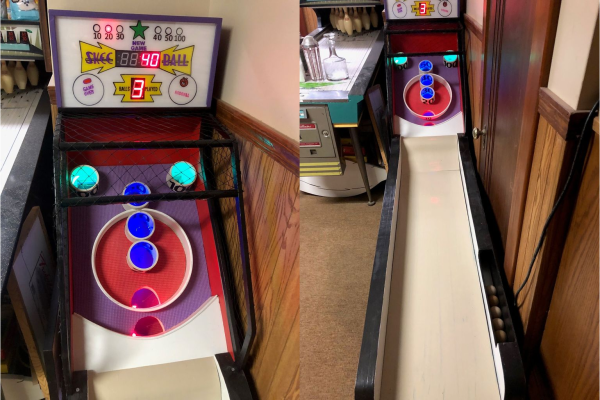
In one of [gcall1979]’s earlier Skee-Ball machines, gravity assisted the scoring mechanism, too: each ball rolls back to the player and lands in a lane labeled with the corresponding score, which is an interesting engineering challenge in its own right. He decided to build automatic scoring into his newest Skee-Ball machine.

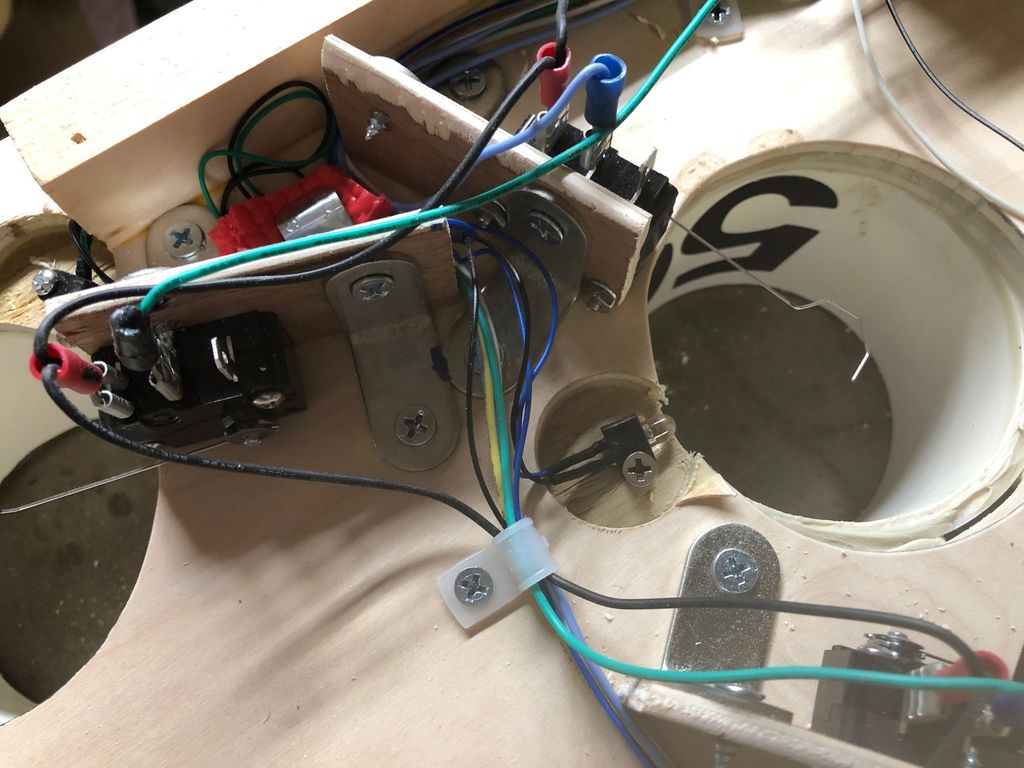
At the bottom of each cylinder is an arcade machine coin door switch with a long wire actuator. These had to be mounted so they’re close enough to the hole, but out of the way of the balls.

Each switch is wired up to an Arduino Mega along with four large 7-segments for the score, and a giant 7-segment to show the number of balls played. Whenever the game is reset, a servo drops a door to release the balls, just like a commercial machine.

The arcade switches work pretty well, especially once he bent the wire into hook shape to cover more area. But they do fail once in a while, maybe because the targets are full-size, but the balls are half regulation size. For the next one, [gcall1979] is planning to use IR break-beam targets which ought to work with any size ball. If you prefer bowling, you won’t strike out with break-beam targets there, either.

Finding The Random Seed Of Minecraft’s Title Screen

Minecraft is a game about exploring procedure-generated worlds. Each world is generated from a particular “seed” value, and sharing this seed value allows others to generate the same world in their own game. Recently, the distributed computing project Minecraft@Home set about trying to find the seed value of the world shown in the Minecraft title screen, and have succeeded in their goal.

The amount of work required to complete this task should not be underestimated. 137 users contributed 181 hosts with 231 GPUs to the effort, finding a solution in under 24 hours. The list of contributors to the project is a long one. It appears the method to find the seed involved comparing screenshots from various seed worlds to the original image. This took a lot of reverse engineering in order to calculate the camera FOV and other settings of the original capture, such that the results could be compared accurately. Interestingly, the group found two seeds that can generate the requisite world, suggesting the world generator code has some collisions between seed values.

We’re not sure what’s more astounding, the amount of work that went into the project, or that there’s a distributed computing project tackling advanced Minecraft research. Either way, we’re no strangers to Minecraft hacks around these parts. Video after the break. Continue reading “Finding The Random Seed Of Minecraft’s Title Screen”

Four On The Floor For Your Virtual Race Car

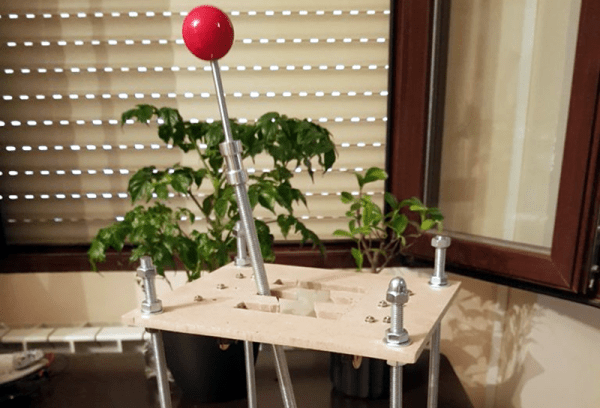
There was a time when building realistic simulations of vehicles was the stuff of NASA and big corporations. Today, many people have sophisticated virtual cockpits or race cars that they use with high-resolution screens or even virtual reality gear. If you think about it, a virtual car isn’t that hard to pull off. All you really need is a steering wheel, a few pedals, and a gear shifter. Sure, you can build fans to simulate the wind and put haptics in your seat, but really the input devices alone get you most of the way there. [Oli] decided he wanted a quick and easy USB gear shifter so he took a trip to the hardware store, picked up an arcade joystick, and tied it all together with an Arduino Leonardo. The finished product that you can see in the video below cost about $30 and took less than six hours to build.

The Leonardo, of course, has the ability to act like a USB human interface device (HID) so it can emulate a mouse or a keyboard or a joystick. That comes in handy for this project, as you would expect. The computer simply has to read the four joystick buttons and then decide which gear matches which buttons. For example up and to the left is first gear, while 4th gear is only the down button depressed. A custom-cut wooden shifter plate gives you the typical H pattern you expect from a stick shift.

Continue reading “Four On The Floor For Your Virtual Race Car”