Monitoring A Cat’s Litter Box Usage With AI

[Estefannie] is a proud cat owner, but one of her cats has a bad habit of eating plastic. That means she needs to keep an eye on that cat’s bowel movements, but with two cats in the house, it’s difficult to know who did what. Thus, she whipped up an AI system to log her cats bathroom visits and give her peace of mind.

It’s not the most glamorous project — [Estefannie] notes she took over 50,000 pictures of her cats using the litterbox to train Microsoft Azure’s Custom Vision model. But after some work, it could readily identify which cat was using the litter box when fed images from a NoIR camera. The system then differentiates between number 1 and number 2 via the time the cat spends in the litter box. It’s not perfect, but it works.

The Raspberry Pi runs a Node.JS server to collate the results, paired with a website front-end for easy data display. That way, anyone on [Estefannie’s] WiFi network can see who did what from a browser. We’ve seen cat litter boxes put on the Internet of Things before, and we’ve even seen people hack litterbox DRM, too.

Continue reading “Monitoring A Cat’s Litter Box Usage With AI”

Automate Your Desk With The Upsy Desky

It might be surprising for some, but humans actually evolved to be long-distance runners. We aren’t very fast comparatively, but no other animal can run for as long or as far as a human can. Sitting at a desk, on the other hand, is definitely not something that we’re adapted to do, so it’s important to take some measures to avoid many of the problems that arise for those that sit at a desk or computer most of the day. This build takes it to the extreme, not only implementing a standing desk but also a ton of automation for that desk as well.

This project is an improvement on a prior build by [TJ Horner] called the WiFi Standing Desk Controller. This new version has a catchier name, and uses an ESP32 to run the show. The enclosure is 3D printed and the control board includes USB-C and a hardware UART to interface with the controller. The real perks of this device are the automation, though. The desk can automatically lift if the user has been sitting too long, and could also automatically lift if it detects no one is home (to help keep a cat off of the desk, for example). It also includes presets for different users, and can export data to other software to help analyze sitting and standing patterns.

The controller design is open source and could be adapted to work on a wide-array of powered desks. As we’ve seen in the past, with the addition of a motor, even hand-crank standing desks can be upgraded. If you haven’t gotten into the standing desk trend yet, we hope that you are at least occasionally going for a run.

A Brief History Of Drywall Or: How Drywall Came To Dominate The World Of Construction

Drywall is common and ubiquitous in commercial and residential buildings today. Many of us barely think about it until we have to repair a hole smashed in it.

However, drywall has not been around forever, and actually took many years to establish itself as a popular building material. Today, we’ll look at how it came about, and why it went on to dominate the world of construction.

Continue reading “A Brief History Of Drywall Or: How Drywall Came To Dominate The World Of Construction”

Is This The Oldest Open Source HVAC Project In Existence?

Homebrew HVAC systems are one of those projects that take such a big investment of time, effort and money that you’ve got to be a really dedicated (ideally home-owning) hacker with a wide variety of multidisciplinary skills to pull off an implementation that can work in reality. One such HVAC hacker is [Vadim Tkachenko] with his multi-zone Home Climate Control (HCC) project that we covered first back in 2007. We now have rare opportunity to look at the improvements fifteen years of part-time development can produce, when a project is used all day, all year round in their own home. At the start, things were simple, just opening and closing ventilators with none of those modern MQTT-driven cloud computing stuff. Continue reading “Is This The Oldest Open Source HVAC Project In Existence?”

Reverse-Engineering A Smoker

In certain parts of the world, cooking meat in a regionally-specific way is a critical part of the local culture. From barbeque in the American south to boerewors and braaivleis in South Africa to MontrĂ©al smoked meat in French Canada, almost every location has its cookout specialty. So much so that various manufacturers of the tools used for these foods include all kinds of gadgets to monitor the sometimes days-long process of cooking various cuts of meat. [megamarco833]’s smoker, though, includes some tools of his own design.

The smoker is made by a company called Pitboss and includes a rotary switch and control board for maintaining a precise temperature in the smoker. The switch works by changing the voltage value sent to a small microcontroller. By interfacing an ESP32 to this switch, [megamarco833] can remotely change the smoke level and temperature of the smoker. On the software side, it uses a combination of Node-RED and Domoticz to handle the automation and control.

For a cookout that can last hours (if not days) a remotely accessible smoker like this is an invaluable tool if you want to do something other than manually monitor the temperature of your meat for that much time. And, if your barbeque grill or smoker of choice doesn’t already have an embedded control board of some type, we’ve seen analog cooking tools adapted to much the same purpose as this one.

Thanks to [Peter] who sent in the tip and also helped [megamarco833] with the reverse-engineering of the control board!

ESP8266 Smart Vents Keep Tabs On Home Temps

Have you ever found that, despite having a central heating and air conditioning system, that not all the rooms in your home end up being the temperature you want them to be? Maybe the dining room gets too hot when the heater is running, or the bedroom never seems to cool off enough in the summer months. If that sounds like your house, then these motorized “smart vents” from [Tony Brobston] might be exactly what you need.

The idea here is pretty simple: an ESP8266 and a servo is built into the 3D printed vent register, which allows it to control the position of its louvers. When connected to your home automation system via MQTT, the vents allow you to control the airflow to each room individually based on whatever parameters you wish. Most likely, you’ll want to pair these vents with an array of thermometers distributed throughout the house.

While [Tony] says the design still needs some testing, he’s released smart vents in a range of sizes from 2×10 to 6×12 inches. He’s also provided excellent documentation on how to print, assemble, and program the devices. It’s clear that a lot of care and thought went into every element of this project, and we’re excited to see how it can be developed further by the new ideas and contributors that will inevitably pop up now that it’s gone public.

Want to add some automation to your HVAC, but don’t have a fancy central unit? Don’t worry, as long as your heater or air conditioner has an infrared remote, you should be able to wedge a WiFi-enabled microcontroller in into the equation.

Continue reading “ESP8266 Smart Vents Keep Tabs On Home Temps”

Ask Hackaday: How Can You Store Energy At Home?

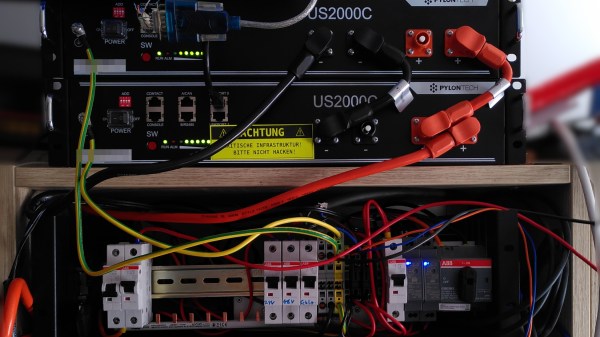
Amidst the discussions about grid-level energy storage solutions, it is often easy to forget that energy storage can be done on the level of a single house or building as well. The advantages here are that no grid management is needed, with the storage (electrical, thermal, etc.) absorbing the energy as it becomes available, and discharging it when requested. This simplifies the scale of the problem and thus the associated costs significantly.

Perhaps the most common examples of such systems are solar thermal collectors with an associated hot water storage tank, and of course batteries. More recently, the idea of using a battery electric vehicle (BEV, ‘electric car’) as part of a home storage solution is also gaining traction, especially for emergencies where the grid connection has failed due to a storm or similar emergencies. But all-in-all, we don’t see many options for home-level energy storage.

Continue reading “Ask Hackaday: How Can You Store Energy At Home?”