ESP32 Refines Game Boy Bluetooth Adapter

Last year we brought word of a project from [Shyri Villar] that turned a stock Game Boy Advance into a Bluetooth controller by exploiting the system’s “multiboot” capability. The prototype hardware was a bit ungainly, but the concept was certainly promising. We’re now happy to report that the code has been ported over to the ESP32, making the project far more approachable.

To clarify, the ESP32 is now theĀ only component required for those who want to play along at home. Just five wires connect the microcontroller to the GBA’s Link Cable connector, which is enough to transfer a small ROM over to the system and ferry user input to the Bluetooth hardware. Even if you aren’t interested in using it as a game controller, this project is an excellent example of how you can get your own code running on a completely stock GBA.

While the original version of the hardware was a scrap of perfboard dangling from the handheld’s expansion connector, reducing the part count to one meant [Shyri] was able to pack everything into a tidy enclosure. Specifically, a third party GBA to GameCube link cable. This not only provides a sleek case for the microcontroller that locks onto the handheld with spring loaded tabs, but also includes a male Link Cable connector you can salvage. It looks as though there’s a bit of plastic trimming involved to get the ESP32 to fit, but otherwise its a very clean installation.

The GBA will be 20 years old soon, but that doesn’t mean the hardware and software exploration is over. The original Game Boy is over 30, and people are still giving talks about it.

Roll Your Own Automation With ESPHome

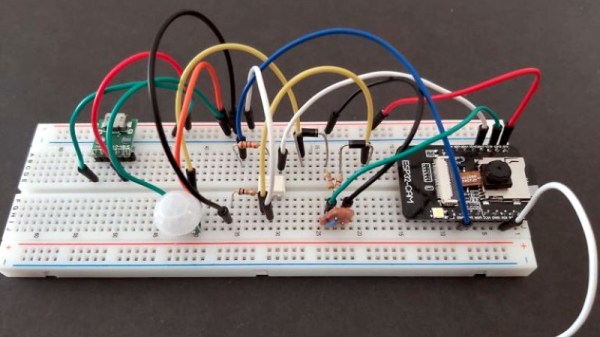
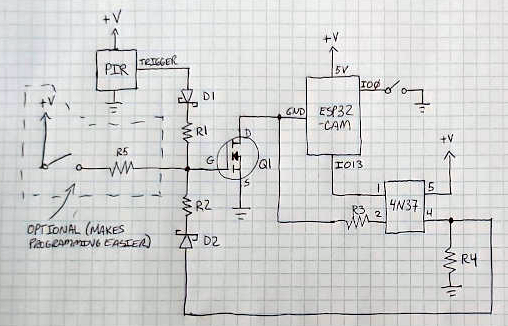
There are several different paths to a smart home, and [Marcus] eventually settled on using ESPHome and ESP8266/ESP32 based devices to create a complete DIY smart home solution which covers his garage door, sprinklers, LED strips, light bulbs, and outlets. There’s even an experimental (and very economical) ESP32-CAM based camera, shown here.

In fact, [Marcus]’s write-up could double as a sort of reference design. If you’re curious about ESPHome, be sure to read what he has to say because he explains exactly how he configured each device and any challenges he encountered in the process.

Beyond the software guidance, the post is also a great resource on how to flash a new firmware onto several different smart devices. [Marcus] provides nicely labeled images of the boards that show where you need to connect your programmer, which just might save you some trouble down the line. Though he did manage to set fire to one of the bulbs, so keep an eye out for that.

Tasmota is another open source option for controlling ESP8266-based devices, and if you’d like to explore that direction don’t forget that flashing Sonoff devices with Tasmota firmware recently got much, much easier.

Global Status Board Keeps Eye On COVID-19 Situation

When it comes to keeping abreast of the COVID-19 pandemic, there are basically two schools of thought. Some people would rather not hear the number of confirmed cases or deaths, and just want to focus on those who recovered. That’s fair enough. But others want to have all of the available data at their disposal so they can form their own conclusions about what’s happening with this virus on a global scale. Looking at this incredible COVID-19 status board, we’ll give you one guess which category [Reuben] falls into.

Note the laser engraved component labels

Constructed out of 2020 extrusion with both 3D printed and laser cut parts, this wall-mounted display is built to last. Clearly [Reuben] believes we’re in this one for the long haul, and taking a peek at the plethora of data points this device can show at once, it’s not hard to see why.

Stats are pulled down every hour from a JSON API by an ESP32 and stored on an SD card. A running total of confirmed cases, deaths, and recoveries are shown on several TFT displays located behind the face of the display. On the right, the relative severity of the infection in 32 different countries is visualized with LEDs of varying brightness.

Perhaps the most visually striking element of the display is the large annunciator panel on the left side, which lights up to show various conditions all over the world. We appreciate that [Reuben] has thought ahead and added a light that can be used once a vaccine is deployed for COVID-19, but the inclusion of a “MARTIAL LAW” indicator certainly doesn’t help us shake the feeling we’ve all found ourselves in a proper dystopia.

For those who’d would rather get their information from the source rather than have it filtered through the media, we’ve recently covered a few APIs that will allow you to pull your own up-to-date COVID-19 stats. Whether you’re looking to build something as elaborate as this display, or just want to echo it out to the terminal, making sure you’re seeing accurate data is key to identifying the turning point.

Continue reading “Global Status Board Keeps Eye On COVID-19 Situation”

An Adapter To Solve Your ESP-01 Breadboard Woes

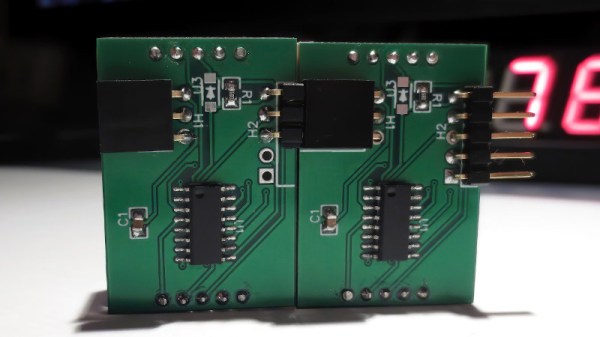
The ESP-01 launched the ESP8266 revolution back in 2014, and while today you’re far more likely to see somebody use a later version of the chip in a Wemos or NodeMCU development board, there are still tasks the original chip is well suited for. Unfortunately, they can be tricky to use while prototyping because they aren’t very breadboard friendly, but this adapter developed by [Miguel Reis] can help.

Of course, the main issue is the somewhat unusual pinout of the ESP-01. Since it was designed as a daughter board to plug into another device, the header is too tight to fit into a breadboard. The adapter that [Miguel] has come up with widens that up to the point you can put it down the centerline of your breadboard and have plenty of real estate around it.

The second issue is that the ESP-01 is a 3.3 V device, which can be annoying if everything else in the circuit is running on 5 V. To get around this, the adapter includes an SPX3819 regulator and enough capacitors that the somewhat temperamental chip gets the steady low-voltage supply it needs to be happy.

[Miguel] has released the schematics and board files so you can spin up your own copy of the adapter, but they’re also available for around $3 USD from his Tindie store.

DIY ESP32 Alarm System Leverages 433 MHz Sensors

There’s a huge market for 433 MHz alarm system hardware out there, from PIR motion detectors to door and window sensors. If you want to put them to work, all you need is a receiver, a network-enabled microcontroller, and some code. In his latest video, [Aaron Christophel] shows how easy it can be.

In essence, you connect a common 433 MHz receiver module to an ESP32 or ESP8266 microcontroller, and have it wait until a specific device squawks out. From there, the code on the ESP can fire off using whatever API works for your purposes. In this case [Aaron] is using the Telegram API to send out messages that will pop up with a notification on his phone when a door or window is opened. But you could just as easily use something like MQTT, or if you want to go old-school, have it toggle a relay hooked up to a loud siren.

Even if you aren’t looking to make your own makeshift alarm system, the code and video after the break are a great example to follow if you want to get started with 433 MHz hardware. Specifically, [Aaron] walks the viewer through the process of scanning for new 433 MHz devices and adding their unique IDs to the list the code will listen out for. If you ever wondered how quickly you could get up and running with this stuff, now you’ve got your answer.

In the past we’ve seen the Raspberry Pi fill in as an RF to WiFi gateway for these type of sensors, as well as projects that pulled them all together into a complete home automation system on the cheap.

Continue reading “DIY ESP32 Alarm System Leverages 433 MHz Sensors”

Using The Steam Controller With LEGO Motors

While Valve’s Steam Controller was ultimately a commercial failure, there’s no denying it’s an interesting piece of hardware. With dual trackpads, a wealth of buttons, and Bluetooth capability, it could be the ideal way to control your next build. Thanks to a recent project by [geggo], now you’ve even got an example you can follow.

A custom PCB holding an ESP32 and DRV8833 dual H-bridge motor controller is used to interface with standard LEGO motors using their stock block-like connectors. That means the board is a drop-in upgrade for whatever motorized creation you’ve already built.

Since the ESP32 obviously has WiFi in addition to Bluetooth, that also means this little board could be used to control LEGO projects over the local network or even Internet with some changes to the firmware.

Interestingly, while Valve officially enabled Bluetooth on the Steam Controller back in 2018, it sounds like some undocumented poking and reverse engineering was necessary to get it working here. That’s great for those of us who like a good hack, but if you’re more interested in just getting things working, [geggo] has been good enough to release the source code to get you started.

If you’re not interested in Bluetooth but want to get your creation up and moving, we’ve recently covered how one hacker used the ESP8266 to bring his LEGO train to life by integrating it into his smart home.

Continue reading “Using The Steam Controller With LEGO Motors”

Thunder Pack Is A Bolt Of Lightning For Wearables

Do you need portable power that packs a punch? Sure you do, especially if you want to light up the night by mummifying yourself with a ton of LED strips. You aren’t limited to that, of course, but it’s what we pictured when we read about [Jeremy]’s Thunder Pack. With four PWM channels at 2.3 A each, why not go nuts? [Jeremy] has already proven the Thunder Pack out by putting it through its paces all week at Burning Man.

Click to embiggen!

After a few iterations, [Jeremy] has landed on the STM32 microcontroller family and is currently working to upgrade to one with enough flash memory to run CircuitPython.

The original version was designed to run on a single 18650 cell, but [Jeremy] now has three boards that support similar but smaller rechargeable cells for projects that don’t need quite as much power.

We love how small and powerful this is, and the dongle hole is a great touch because it opens up options for building it into a wearable. [Jeremy] made a fantastic pinout diagram and has a ton of code examples in the repo. If you want to wade into the waters of wearables, let whimsical wearables wizard [Angela Sheehan] walk you through the waves.