One Micro Bit Accomplishes Its Goal

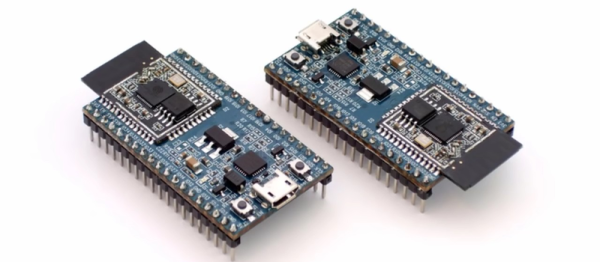
Like the Raspberry Pi, the BBC Micro Bit had a goal of being foremost an educational device. Such an inexpensive computer works well with the current trend of cutting public school budgets wherever possible while still being able to get kids interested in coding and computers in general. While both computers have been co-opted by hackers for all kinds of projects (the Pi especially), [David]’s latest build keeps at least his grandkids interested in computers by using the Micro Bit to add some cool features to an old toy.

The toy in question is an old Scalextric slot car racetrack – another well-known product of the UK. But what fun is a race if you can’t keep track of laps or lap times? With the BBC Mirco Bit and some hardware, the new-and-improved racetrack can do all of these things. It also implements a drag race-style light system to start the race and can tell if a car false starts. It may be a little difficult to intuit all of the information that the Micro Bit is displaying on its LED array, but it shouldn’t take too much practice.

The project page goes into great detail on how the project was constructed. Be sure to check out the video below for some exciting races! The build is certain to entertain [David]’s grandkids for some time, as well as help them get involved with programming and building anything that they can imagine. Maybe they’ll even get around to building a robot or two.

Thanks to [Mark] for sending in this tip!
Continue reading “One Micro Bit Accomplishes Its Goal”

Reading The Unreadable SROM: Inside The PSoC4

Wow. [Dmitry Grinberg] just broke into the SROM on Cypress’ PSoC 4 chips. The supervisory read-only memory (SROM) in question is a region of proprietary code that runs when the chip starts up, and in privileged mode. It’s exactly the kind of black box that’s a little bit creepy and a horribly useful target for hackers if the black box can be broken open. What’s inside? In the manual it says “The user has no access to read or modify the SROM code.” Nobody outside of Cypress knows. Until now.

This matters because the PSoC 4000 chips are among the cheapest ARM Cortex-M0 parts out there. Consequently they’re inside countless consumer devices. Among [Dmitry]’s other tricks, he’s figured out how to write into the SROM, which opens the door for creating an undetectable rootkit on the chip that runs out of each reset. That’s the scary part.

The cool parts are scattered throughout [Dmitry]’s long and detailed writeup. He also found that the chips that have 8 K of flash actually have 16 K, and access to the rest of the memory is enabled by setting a single bit. This works because flash is written using routines that live in SROM, rather than the usual hardware-level write-to-register-and-wait procedure that we’re accustomed to with other micros. Of course, because it’s all done in software, you can brick the flash too by writing the wrong checksums. [Dmitry] did that twice. Good thing the chips are inexpensive.

The nitty-gritty on the ROP (return oriented programming) tricks that [Dmitry] had to pull, and a good look into the design of the system itself, are all up on [Dmitry]’s blog. We can’t wait to see what other buried treasure he’s going to find as he continues to play around with these chips. And in case you’re wondering what type of mad genius it takes to pull this off, consider that [Dmitry] runs Linux on AVRs, fools nRF24 chips into transmitting Bluetooth LE beacons, and re-writes his own airplane’s GPS.

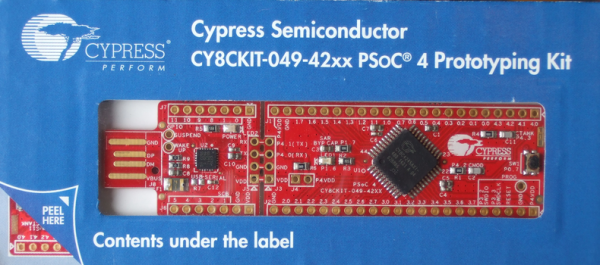
[Main image is a PSoC4200 dev kit, and [Dmitry] has only been working with the 4000 and 4100 series. Just so you know.]

Good USB – Protecting Your Ports With Two Microcontrollers

If you’ve ever needed an example of why you should not plug random USB peripherals into your computer, you need only look at BadUSB. The BadUSB attack relies on the fact that the microcontroller inside every USB device is a black box. If you plug a USB thumb drive into your computer, the microcontroller could quickly set up an additional network interface, forward all your traffic to the attacker’s server, and still keep serving up all those files and documents on the drive. Do you want a thumb drive that attaches a virus to every file? Bad USB can do that.

Until now, there is no cure or fix for a device using an implementation of BadUSB. [Robert Fisk] just came up with the first prophylactic USB device, designed to keep BadUSB off your computer. He’s calling it USG, and it’s basically a hardware firewall for USB devices.

The basic design of the system goes something like this: take an ARM microcontroller with a USB host port, take another microcontroller with a USB device port, and have these devices talk to each other over SPI. The command protocol between these two microcontrollers is very simple, and thus decreases the attack surface.

[Robert] is building USG dongles, but in the spirit of Open Hardware and verifiable hardware, he’s also released a design based on two dev boards wired together. This DIY version is basically two STM32F4 dev boards smashed together with bodge wires. The total cost – less solder and a JTAG programmer – is about $50 USD. No, it doesn’t look as pretty as [Robert]’s commercial version of USG, but it does the same job of keeping your computer safe from BadUSB devices.

ESP32 Tutorials

The ESP8266 has become one of those ubiquitous parts that everyone knows. However, the new ESP32 has a lot of great new features, too. If you want to take the ESP32 for a spin, you should check out [Neil Kolban’s] video series about the device. When we say series, we aren’t kidding. At last count, there were nineteen videos. Some are only a few minutes long, but some weigh in at nearly twenty minutes and the average is somewhere in between.

The topics range from setting up tools and using Eclipse and GDB. There are also tutorials on specific tasks like PWM, analog conversion, real-time operating systems, and more.

Continue reading “ESP32 Tutorials”

Understanding DMA

In the world of computers, the central processing unit (CPU) is–well–central. Your first computer course probably explained it like the brain of the computer. However, sometimes you can overload that brain and CPU designers are always trying to improve both speed and throughput using a variety of techniques. One of those methods is DMA or direct memory access.

As the name implies, DMA is the ability for an I/O device to transfer data directly to or from memory. In some cases, it might actually transfer data to another device, but not all DMA systems support that. Sounds simple, but the devil is in the details. There’s a lot of information in this introduction to DMA by [Andrei Chichak]. It covers different types of DMA and the tradeoffs involved in each one.

Continue reading “Understanding DMA”

Jean-Luc PYcARD Is A Pocketable Python Development Platform

It’s a good thing that a ridiculous pun and a screenprint of Jean-Luc Picard on the bottom of the board is enough to qualify for the 2017 Hackaday Sci-Fi Contest, because [bobricius]’s Python-plus-Arduino card and environmental sensor potpourri is very cool.

The PCB design itself is great. It’s got a gigantic LED array, cutout for a wrist strap, and an onboard USB plug so you can program it just by sticking it in your computer; it shows up as a USB mass storage device when you plug it in. The files that show up on the “drive” are Micropython code that you can edit, save, and then run directly on the device. You can hardly beat that for convenience.

And there’s a full complement of sensors: not one but two temperature and humidity sensors, including our recent favorite BME280, which also reads barometric pressure. (We suspect that makes it a tri-corder.) There’s a real-time clock, a buzzer, and some buttons. Want to add more sensors? I2C ports are broken out for your convenience.

Besides having Star Trek flair, this board would give the various educational platforms a run for their money: Micro:bit, we’re looking at you. Very cool indeed!

Microchip Launches New Family Of PICs

Over the last few years, we’ve seen projects and products slowly move from 8-bit microcontrollers to more powerful ARM microcontrollers. The reason for this is simple — if you want to do more stuff, like an Internet-connected toaster, you need more bits, more Flash, and more processing power. This doesn’t mean 8-bit microcontrollers are dead, though. Eight bit micros are still going strong, and this week Microchip announced their latest family of 8-bit microcontrollers.

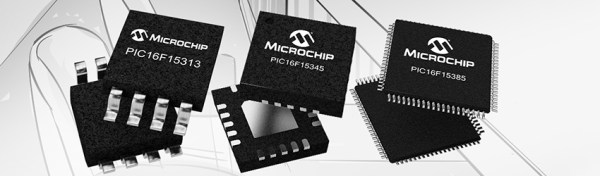
The PIC16F15386 family of microcontrollers is Microchip’s latest addition to their portfolio of 8-bit chips. This family of microcontrollers is Microchip’s ‘everything and the kitchen sink’ 8-bit offering. Other families of PICs have included features such as a complementary waveform generator, numerically controlled oscillator, a configurable logic controller, power saving functionality and the extreme low power features, but never before in one piece of silicon.

This feature-packed 8-bit includes a few new tricks not seen before in previous Microchip offerings. Of note are power management features (IDLE and DOZE modes), and a Device Information Area on the chip that contains factory-calibrated data (ADC voltage calibration and a fixed voltage reference) and an ID unique to each individual chip.

As you would expect from a new family of PICs, the 16F15386 is compatible with the MPLAB Xpress IDE and the MPLAB Code Configurator, a graphical programming environment. The products in the family range from 8-pin packages (including DIP!) with 3.5kB of program Flash to 48-pin QFPs with 28kB of program Flash. The goal for Microchip is to provide a wide offering, allowing designers to expand their builds without having to change microcontroller families.

All of these chips can be sampled now, although the lower pin count devices won’t be available through normal means until next month.