Super Mario 64, Now With Microtransactions

Besides being a fun way to pass time, video gaming is a surprisingly affordable hobby per unit time. A console or budget PC might only cost a few hundred dollars, and modern games like Hollowknight: Silksong can provide 40-60 hours of experience for only around $20 USD. This value proposition wasn’t really there in the 80s, where arcade cabinets likeĀ Gauntlet might have cost an inflation-adjusted $8 per hour in quarters. This paradigm shift is great for gamers, but hasn’t been great for arcade owners. [PrintAndPanic] wanted to bring some of that old coin munching vibe into console gaming, and so added a credit system to Super Mario 64.

The project is a fork of a decompilation of Super Mario 64, which converts the original machine code into a human-friendly format so bugs can be fixed and other modern features added. With the code available, essentially anyone can add features into the game that weren’t there already. In this case, [PrintAndPanic] is using a Raspberry Pi connected to a coin slot, so when coins are put into the game like an old arcade machine, the Raspberry Pi can tell the modified version of Super Mario 64 to add credits. These credits allow the player to run and jump, and when the credits run out Mario becomes extremely limited and barely able to outrun even the slowest Bombombs and Goombas.

With some debugging out of the way and the custom game working, [PrintAndPanic] built a custom enclosure for the game and the coin slot to turn it into a more self-contained arcade-style machine. The modified code for this project is available on the project’s GitHub page for those who want to play a tedious version of a favorite video game that costs more money than it should.

There are plenty of other modifications for this classic as well, most of which involve improving the game instead of adding a modern microtransaction-based system.

Continue reading Super Mario 64, Now With Microtransactions”

Turn ‘Em On: Modern Nintendo Cartridges May Have A Limited Lifespan

Cartridge-based consoles have often been celebrated for their robust and reliable media. You put a simple ROM chip in a tough plastic housing, make sure the contacts are fit for purpose, and you should have a game cart that lasts for many decades.

When it comes to the Nintendo 3DS, though, there are some concerns that its carts aren’t up to snuff. Certain engineering choices were made that could mean these carts have a very limited lifespan, which could now be causing failures in the wild. It may not be the only Nintendo console to suffer this fate, either, thanks to the way modern cart-based consoles differ from their forebearers.

Continue reading “Turn ‘Em On: Modern Nintendo Cartridges May Have A Limited Lifespan”

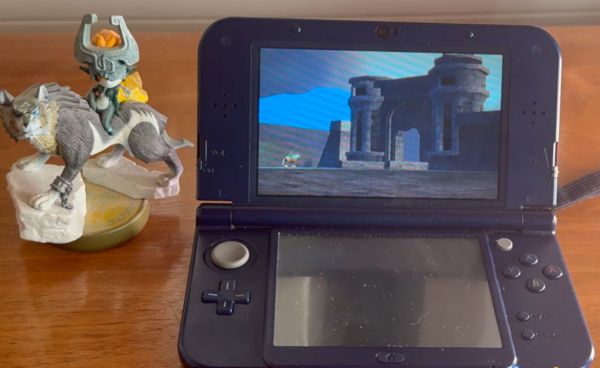
One Lucky 3DS Gets A Switch-Style Dock

The Nintendo Switch dock set a new bar for handheld docking user experience – just plug your console in to charge it, output image to your monitor, and keep it working with any USB peripherals of your choice. What if a 3DS is more your jam? [KOUZEX] shows off a Switch-style dock design for his gorgeous yellow 3DS, with Switch Pro controller support, and this dock wasn’t just a 3D printing job – there’s a fair bit of electronics to show, too.

While the 3DS looks stock at a glance, it has already been upgraded internally – there’s a USB-C capture card built in, half-ticking the “monitor output” requirement, and a Raspberry Pi board turns that output into HDMI. Building a charging dock is also pretty simple, with just two contacts on the side that desire 5V. Now, the pro controller support was a fair bit harder – requiring an internal modchip for emulating buttons, and trying out receiver boards for the Switch controller until a well-functioning one was found.

The build video is quite satisfying to watch, from assembling some QFNs onto tiny OSHPark boards using a hotplate and soldering them into the 3DS, to planning out, building, and dremeling some prints to create a true slide-console-into-dock experience, same way the Switch pulled it off. It even has the same USB-C and HDMI arrangement as the Switch dock, too! Want a simpler dock for your 3DS? Don’t forget that you can build a charger dock for yours with just a 3D print and a few wires.

Continue reading “One Lucky 3DS Gets A Switch-Style Dock”

Computer rendering of a DIY, purple Nintendo Wavebird controller adapter

Wavebird Controller Soars Once More With Open Source Adapter

After scouring the second-hand shops and the endless pages of eBay for original video game hardware, a pattern emerges. The size of the accessory matters. If a relatively big controller originally came with a tiny wireless dongle, after twenty years, only the controller will survive. It’s almost as if these game controllers used to be owned by a bunch of irresponsible children who lose things (wink). Such is the case today when searching for a Nintendo Wavebird controller, and [James] published a wireless receiver design to make sure that the original hardware can be resurrected.

Continue reading “Wavebird Controller Soars Once More With Open Source Adapter”

Switch Switch 2 To CRT

Have you ever imagined what the Nintendo Switch would look like if Nintendo had produced it in the mid-1990s? [Joel Creates] evidently did, because that’s exactly what this retro CRT-toting Switch 2 dock looks like.

Yes, it is portable, thanks to a 100W power bank torn apart and built into the 3D printed case. The full-color CRT comes from a portable TV, so it’s got portability in its heritage. Fitting all that chunky CRT goodness into a hand-held was, of course, a challenge. [Joel] credits AI slop with inspiring the 45-degree angle he eventually settled on. However, the idea of recessing handles inside the case so it could be thick enough but still comfortable to hold was all base-model H.Sap brainpower. There are shoulder controls hidden in those recesses, too, for the games that can use them.

We particularly like the cartridge-like way the Switch 2 slides into place with a satisfying click as its USB-C port connects. It’s plugging into an extension cable that leads to the guts of an official Nintendo dock, buried deeply (and conveniently) inside the 3D-printed box, stacked neatly with the HDMI-to-VGA and VGA-to-Composite converters [Joel] needed to get a nice 4:3 image on the CRT. No word on if he blows on the Switch 2 before plugging it in, but we certainly would.

We’ve featured plenty of portable game systems over the years, and some have been very well done, like this exquisitely done PS2 conversion — but very few have brought CRTs to the party. This retrofitted Game Boy is about the only exception, and [Joel] calls it out in his video as inspiration.

It looks like this is the first Switch 2 hack we’ve featured (with the exception of a teardown or two), so if you know of more, please let us know.

Continue reading “Switch Switch 2 To CRT”

Animal Crossing keyboard banner

Making GameCube Keyboard Controller Work With Animal Crossing

[Hunter Irving] is a talented hacker with a wicked sense of humor, and he has written in to let us know about his latest project which is to make a GameCube keyboard controller work with Animal Crossing.

This project began simply enough but got very complicated in short order. Initially the goal was to get the GameCube keyboard controller integrated with the game Animal Crossing. The GameCube keyboard controller is a genuine part manufactured and sold by Nintendo but the game Animal Crossing isn’t compatible with this controller. Rather, Animal Crossing has an on-screen keyboard which players can use with a standard controller. [Hunter] found this frustrating to use so he created an adapter which would intercept the keyboard controller protocol and replace it with equivalent “keypresses” from an emulated standard controller.

Continue reading “Making GameCube Keyboard Controller Work With Animal Crossing”

Game Boy? NES? Why Not Both!

If you’re a retro Nintendo fan you can of course carry a NES and a Game Boy around with you, but the former isn’t very portable. Never fear though, because here’s [Chad Burrow], who’s created a neat handheld console that emulates both.

It’s called the Acolyte Handheld, and it sports the slightly unusual choice for these parts of a PIC32 as its main processor. Unexpectedly it can use Sega Genesis controllers, but it has the usual buttons on board for portable use. It can drive either its own LCD or an external VGA monitor, and in a particularly nice touch, it switches between the two seamlessly. The NES emulator is his own work, while Game Boy support comes courtesy of Peanut-GB.

We like the design of the case, and particularly that of the buttons. Could it have been made smaller by forgoing some of the through-hole parts in favour of SMD ones? Quite likely, but though it’s chunky it’s certainly not outsized.

Portable Nintendo-inspired hardware is popular around here, as you can see with this previous handheld NES