Switching Regulators For Dummies

We often use linear regulators in our designs. They are cheap and simple – you put the regulator chip itself on the board, add two capacitors, and get a voltage. Linear regulators are imperfect, of course – they can’t help but waste the voltage difference as heat, for a start, which straight up excludes them for high-current purposes, or significant voltage difference conversions, unless you have a hefty heatsink handy. They also can’t boost voltage, which means you can only go from high to low – a bit of a disappointment.

Of course, we haven’t been just throwing our hands up in the air if a linear regulator doesn’t fit our purpose. Switching regulators have none of these disadvantages, which is why your mobile phone alone has a few dozen of these. They are way more efficient and hi-tec, able to convert one voltage into another while losing hardly any power into heat. All that you need to do is switch an inductor at a somewhat high frequency!

However, for some, switching regulators might look a bit intimidating. They tend to have higher standards for board layout compared to linear regulators, and, they do need an inductor – sometimes, a few more components too. Inductors alone are somewhat intimidating components, with a fair few more parameters than we’d expect, and you might get confused when looking into adding a switching regulator to your circuit.

No more! In this article, I shall give you the switching regulator basics, remove any fog of war that might be clouding your vision, and show you just how easily you can get a good few amps at your favourite voltage whenever you need it. Continue reading “Switching Regulators For Dummies”

Erasing EEPROMs Isn’t Always As Easy As It Seems

When is 14 volts not actually 14 volts? Given [Anders Nielsen]’s recent struggles with erasing an old-school EEPROM, it’s when you really need it that things tend to go pear-shaped.

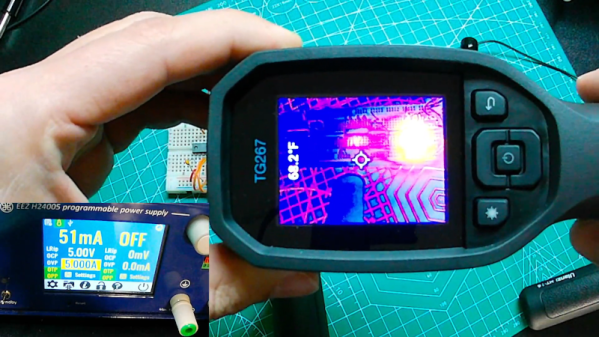
A little background is perhaps in order. [Anders] is working on a scratch-built programmer for ROMs to complement his 65uino project, which puts a complete 6502 computer into the footprint of an Arduino Uno. He wisely started the ROM programmer project at the beginning, which was to generate the correct voltages for programming. This turned out to be not as easy as you might think thanks to the solderless breadboard’s parasitic effects on the MIC2288 switching boost regulator he chose.

The video below is a continuation of the programmer build, which ends up being just as fraught as the first part. Being able to generate the programming voltages is one thing; getting them onto the right pins at the right time using nothing but the 5-volt GPIOs on a microcontroller is another. In true retro fashion, [Anders] tackled that problem with a pair of small-signal transistors, which seemed to work once the resistor values were sorted, at least when applying a 12-volt signal intended to show the ROM’s hard-coded manufacturer ID on the data bus.

But erasing the ROM, which requires 14 volts while the chip enable line is held high for 100 ms, proved a little trickier. Despite multiple tries, the ROM wouldn’t erase thanks to the 14-volt rail being dragged down to around 9 volts. [Anders] fixed that with a new base resistor on the driver, to increase the current and keep the voltage up where it needs to be. Just goes to show you that the data sheets don’t always tell the whole story.

We’ve been enjoying the unfolding story of this programmer, and we’re looking forward to the next installment.

Continue reading “Erasing EEPROMs Isn’t Always As Easy As It Seems”

Displays We Love Hacking: SPI And I2C

I’ve talked about HD44780 displays before – they’ve been a mainstay of microcontroller projects for literal decades. In the modern hobbyist world, there’s an elephant in the room – the sheer variety of I2C and SPI displays you can buy. They’re all so different, some are LCD and some are OLED, some have a touchscreen layer and some don’t, some come on breakouts and some are a bare panel. No matter which one you pick, there are things you deserve to know.

These displays are exceptionally microcontroller-friendly, they require hardly any GPIOs, or none extra if you already use I2C. They’re also unbelievably cheap, and so tiny that you can comfortably add one even if you’re hurting for space. Sure, they require more RAM and a more sophisticated software library than HD44780, but with modern microcontrollers, this is no problem at all. As a result, you will see them in almost every project under the sun.

What do you need for those? What are the requirements to operate one? What kind of tricks can you use with them? Let’s go through the main aspects.

Continue reading “Displays We Love Hacking: SPI And I2C”

Cheap Computer PSU Puts On Weight With Box Of Iron

Humans are funny creatures. For whatever reason, when handling a piece of electronics, we tend to equate heft with value.  If something feels too light, it gives the impression of being cheap or inferior. As such, it’s not unheard of for gadgets to include a little chunk of metal that serves no purpose other than to add weight.

But a recent discovery by the aptly named [RedditCringe990] really takes things to a new low. Upon opening up the cheap power supply that came with their computer case, they noticed an odd little box that didn’t appear to have any electrical connection to the rest of the device. After unscrewing it from the metal body of the power supply and pulling the bottom panel off, they found it was packed full of iron filings.

At some level, you have to appreciate the attention to detail here. At first glance, especially if you were peeking through the PSU’s air vents, you could be forgiven for thinking the box was some kind of transformer. It’s even got some alphanumeric gibberish written on the side to help complete the look. Makes us wonder how many of these things might actually have gone undetected by less curious PC-builders.

As you might expect, the weighted box is only one of the issues with this particular PSU. As pointed out by fellow Redditor [Hattix], even the functional components are worthy of suspicion. There’s no protection on the input or output, no safety capacitor, and (unsurprisingly) no regulatory marks.

We’d say the thing might still be useful as a boat anchor, but now that the box of iron fillings has been removed, it’s probably not even heavy enough. Stay safe out there, folks.

New Part Day: Flush-mount Touchscreen For Retro PC Build

I recently had the opportunity to purchase an early version of a new display, and it happened to be just the thing I needed to make a project work. That display is the Elecrow 11.6″ CrowVision touchscreen slated for release in 2024. Preorders are being accepted on Crowd Supply.

I had an idea for a retro-inspired PC build that was just waiting for a screen like this. I’ll talk about the display and what’s good about it, then showcase the build for which it was the missing piece. If you’ve got a project waiting for something similar, maybe this part will provide what you need or at least turn on some new ideas.

What Is It?

The CrowVision 11.6″ 1366 x 768 touchscreen has an HDMI input, USB output for touch data, and accepts 12 V DC. It’s made to interface easily with a Raspberry Pi or other SBC (single-board computer).

Personally I consider a display like this to be the minimum comfortable size for using desktop type applications in a windowed environment. Most displays in this space are smaller. But aside from that, what helps make it useful for embedding into a custom enclosure is the physical layout and design.

Since I was looking for the largest display that could be flush-mounted in an enclosure without a lot of extra space around the display’s sides, it was just what I needed. The integrated touchscreen is a nice bonus.

Continue reading “New Part Day: Flush-mount Touchscreen For Retro PC Build”

When Is A 6502 Not Quite A 6502?

We all know that fake chips are a risk when it comes to buying parts on eBay or from Chinese markets such as AliExpress. It’s a simple enough scam, take a cheap chip and mark it as an expensive one, pocket the difference. It’s happened in several different forms, with everything from completely different devices through cheaper equivalents to incredibly, chips purpose fabricated to emulate better-known ones. We have a chance to see such a scam in action via [LinuxJedi], with a 6502 that wasn’t quite as it seemed.

The chip in question was a Rockwell 65C02 destined for an Acorn Atom, and when installed it failed to deliver the expected power consumption saving. Unsurprisingly when tested it turned out to be a fake, in this case a run-of-the-mill 6502 with new markings. The interesting part for Hackaday readers comes in the physical clues. The too-bright markings started to dissolve with a bit of acetone. A deeper investigation revealed the date and wafer codes did not agree with the branding. A new chip was secured which also turned out to be a fake, though in this case a real 65C02 rated for a lower clock speed than marked.

It’s evident that in-demand retro chips are likely to be an ever-greater minefield of fakes as time passes, and the number of survivors dwindles. It’s as well to be aware then and learn from any fakes like these posted online. It’s not the first fake chip we’ve brought you.

MOSFETs — The Hidden Gate

How many terminals does a MOSFET have? Trick question since most have three leads, even though there are really four connections to the underlying device. It isn’t a conspiracy, though and [Aaron Lanterman] talks about how MOSFETs really work and why thinking of them as three-terminal devices can lead you astray in a recent video that you can watch below.

Like many people, [Aaron] points out the parallel between a triode vacuum tube and a MOSFET. That’s not surprising, since a solid-state tube was exactly what they were looking for when they developed the FET. Since tubes and FETs are both voltage controllers, it is easy to think of the gate as the grid, the source as the cathode, and the drain as the plate. But, [Aaron] shows this isn’t really a very accurate picture.

Continue reading “MOSFETs — The Hidden Gate”