Hackaday Prize Entry: Polling The Polling Places

A decade and a half ago, a developer testified that he was contracted to make code that would swing an election using electronic voting machines. In this year’s presidential primaries, exit polling significantly differed from official results, but only in precincts using unverifiable electronic voting machines. A democracy can only exist if the integrity of the voting process can be assured, and there is no international electoral oversight committee that would verify the elections in every precinct of the United States.

Your vote may not count, but that doesn’t mean you should wait for hours to cast it. This Hackaday Prize aims to end excessive waiting times at polling places, by giving voters a handy app to check the wait times they’re about to face.

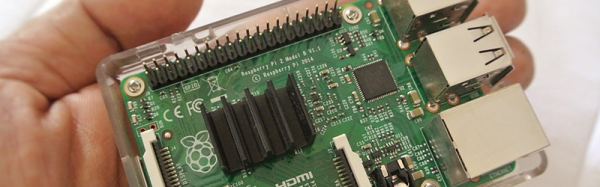
The Qubie is a device that simply keeps track of how long voters are waiting in line at their polling place. The tech behind this is extremely simple – just a Raspberry Pi, WiFi adapter, and a battery. The device keeps track of how long voters have been waiting in line by looking at WiFi coming from smartphones. This data, which has a MAC address in there somewhere, is pseudorandomized and checked every minute or so to get a very good idea of how long a specific smartphone has been in range of the Pi. This data is then broadcast out to a server which figures out how long wait times are at a specific polling place.

In the recent California primary election, the Qubie was used at ten polling places in Shasta county. They logged a total of over 30,000 WiFi contacts and after a cursory examination of the data, saw the phenomena you would expect: surges in activity around lunchtime and at the end of the day. It’s a great project that gathers data that should be automated and public, and a great entry for the Hackaday Prize.

Secret Riddle Retro Radio

When [the-rene] was building an escape room, he decided to have a clue delivered by radio. Well, not exactly radio, but rather an old-fashioned radio that lets you tune to a faux radio station that asks a riddle. When you solve the riddle, a secret compartment opens up. [the-rene] says you could have the compartment contain a key or a clue or even a cookie.

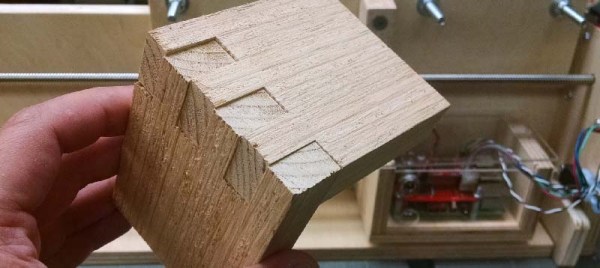
The outer case is actually an old radio gutted for this purpose. In addition, a laser cut box and a servo motor form the secret compartment.

Continue reading “Secret Riddle Retro Radio”

3.3V Is Not Enough For This Raspberry Pi Zero

A Raspberry Pi Zero is down to a price and size where it’s just begging to be integrated into your projects. Unless, that is, if your project involves a lot of 5 V equipment. Then it’s just begging to be fried.

[David Brown] solved this problem by breaking out pins with level converters. He used flat-flex cable and some pin-headers. While he was at it, he added a full-sized USB port and power headers. (Extra hack points are awarded for connecting the USB to the board through pogo pins.)

Continue reading “3.3V Is Not Enough For This Raspberry Pi Zero”

Raspberry Pi 3 Gets USB, Ethernet Boot

The Raspberry Pi is a great computer, even if it doesn’t have SATA. For those of us who have lost a few SD cards to the inevitable corruption that comes from not shutting a Pi down properly, here’s something for you: USB Mass Storage Booting for the Raspberry Pi 3.

For the Raspberry Pi 1, 2, Compute Module, and Zero, there are two boot modes – SD boot, and USB Device boot, with USB Device boot only found on the Compute Module. [Gordon] over at the Raspberry Pi foundation spent a lot of time working on the Broadcom 2837 used in the Raspberry Pi 3, and found enough space in 32 kB to include SD boot, eMMC boot, SPI boot, NAND flash, FAT filesystem, GUID and MBR partitions, USB device, USB host, Ethernet device, and mass storage device support. You can now boot the Raspberry Pi 3 from just about anything.

The documentation for these new boot modes goes over the process of how to put an image on a USB thumb drive. It’s not too terribly different from the process of putting an image on an SD card, and the process will be streamlined somewhat in the next release of rpi-update. Some USB thumb drives do not work, but as long as you stick with a Sandisk or Samsung, you should be okay.

More interesting than USB booting is the ability for the Pi 3 to boot over the network. Booting over a network is nothing new – the Apple II could do it uphill both ways in the snow, but the most common use for the Pi is a dumb media player that connects to all your movies on network storage. With network booting, you can easily throw a Pi on a second TV and play all that media in a second room. Check out the network booting tutorial here.

An Apple II Joystick Fix For Enjoyable Gameplay

We all remember the video games of our youth fondly, and many of us want to relive those memories and play those games again. When we get this urge, we usually turn first to emulators and ROMs. But, old console and computer games relied heavily on the system’s hardware to control the actual gameplay. Most retro consoles, like the SNES for example, rely on the hardware clock speed to control gameplay speed. This is why you’ll often experience games played on emulators as if someone is holding down the fast forward button.

The solution, of course, is to play the games on their original systems when you want a 100% accurate experience. This is what led [FozzTexx] back to gameplay on an Apple II. However, he quickly discovered that approach had challenges of its own – specifically when it came to the joystick.

The Apple II joystick used a somewhat odd analog potentiometer design – the idea being that when you pushed the joystick far enough, it’d register as a move (probably with an eye towards smooth position-sensitive gameplay in the future). This joystick was tricky, the potentiometers needed to be adjusted, and sometimes your gameplay would be ruined when you randomly turned and ran into a pit in Lode Runner.

The solution [FozzTexx] came up with was to connect a modern USB gamepad to a Raspberry Pi, and then set it to output the necessary signals to the Apple II. This allowed him to tune the output until the Apple II was responding to gameplay inputs consistently. With erratic nature of the original joystick eliminated, he could play games all day without risk of sudden unrequested jumps into pits.

The Apple II joystick is a weird beast, and unlike anything else of the era. This means there’s no Apple II equivalent of plugging a Sega controller into an Atari, or vice versa. If you want to play games on an Apple II the right way, you either need to find an (expensive) original Apple joystick, or build your own from scratch. [FozzTexx] is still working on finalizing his design, but you can follow the gits for the most recent version.

Single Board Revolution: Preventing Flash Memory Corruption

An SD card is surely not an enterprise grade storage solution, but single board computers also aren’t just toys anymore. You find them in applications far beyond the educational purpose they have emerged from, and the line between non-critical and critical applications keeps getting blurred.

Laundry notification hacks and arcade machines fail without causing harm. But how about electronic access control, or an automatic pet feeder? Would you rely on the data integrity of a plain micro SD card stuffed into a single board computer to keep your pet fed when you’re on vacation and you back in afterward? After all, SD card corruption is a well-discussed topic in the Raspberry Pi community. What can we do to keep our favorite single board computers from failing at random, and is there a better solution to the problem of storage than a stack of SD cards?

Continue reading “Single Board Revolution: Preventing Flash Memory Corruption”

Sniffing Bluetooth Devices With A Raspberry Pi

Hackaday was at HOPE last weekend, and that means we got the goods from what is possibly the best security conference on the east coast. Some of us, however, were trapped in the vendor area being accosted by people wearing an improbable amount of Mr. Robot merch asking, ‘so what is Hackaday?’. We’ve all seen The Merchants Of Cool, but that doesn’t mean everyone was a vapid expression of modern marketing. Some people even brought some of their projects to show off. [Jeff] of reelyActive stopped by the booth and showed off what his team has been working on. It’s a software platform that turns all your wireless mice, Fitbits, and phones into a smart sensor platform using off the shelf hardware and a connection to the Internet.

[Jeff]’s demo unit (shown above) is simply a Raspberry Pi 3 with WiFi and Bluetooth, and an SD card loaded up with reelyActive’s software. Connect the Pi to the Internet, and you have a smart space that listens for local Bluetooth devices and relays the identity and MAC address of all Bluetooth devices in range up to the Internet.

The ability to set up a hub and detect Bluetooth devices solves the problem Bluetooth beacons solves — identifying when people enter a space, leave a space, and with a little bit of logic where people are located in a space — simply by using what they’re already wearing. Judging from what [Jeff] showed with his portable reelyActive hub (a Pi and a battery pack) a lot of people at HOPE are wearing Fitbits, wireless headphones, and leaving the Bluetooth on the phone on all the time. That’s a great way to tell where people are, providing a bridge between the physical world and the digital.