If you want the classic experience of working with an IBM mainframe or another classic computer like a DEC VAX, you have a few choices. You could spend a lot of money trying to find one, transport it, and refurbish it. But, of course, most of us will settle for an emulator. While there are great emulators out there, most of the time you aren’t interested in running just the bare machine — you want the operating systems, the compilers, and the other software that made these machines so interesting. Running your three lines of machine code isn’t as much fun as playing hunt the wumpus or compiling some Fortran IV code. Unfortunately, finding copies of all this old software can be daunting. But thanks to the efforts of [Rattydave], you can do it with no problems at all. The secret? Pre-built docker images that have everything you need in one place.
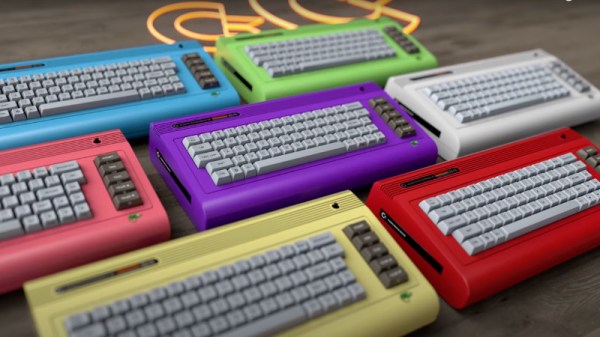
The Commodore 64 is a much-loved 8-bit retro computer that first appeared in 1982 and finally faded away around a decade later. The Commodore company started by [Jack Tramiel] went on to make the Amiga, and eventually ceased trading some time in the late 1990s. All history, now kept alive only by enthusiasts, right? Well, not quite, as the C64 has been the subject of a number of revivals both miniature and full-sized over the years. The latest came in the form of a Kickstarter for the C64x, a seemingly legitimately-branded Commodore 64-shaped PC, but it seems that has now been paused due to a complaint from an Italian company claiming to be the real heirs of Commodore. So will the real Commodore please stand up?
The origin of the Kickstarter C64x breadbin C64 PC is well enough documented, having its roots in a legitimate 2010 offering for which the person behind the C64x appears to have gained the rights. The Italian company is also called Commodore and uses the familiar branding from the glory days to sell some Commodore-themed games, novelties, and a tablet computer, but its website is a little tight-lipped about how it came by the use of that IP. Could it have come upon those rights through the 1990s German owner of the brand, Escom? We’d be fascinated to know.
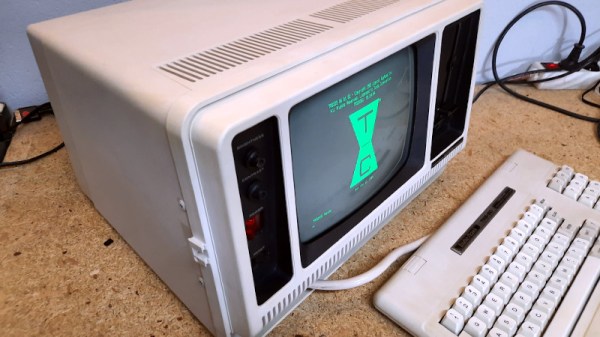
It’s true that this TRS-80 Model 4P “luggable” was in better shape than many of the vintage machines that pass through the hands of [Drygol], but that doesn’t make the end result of its refurbishment and upgrade process any less impressive. After all, not every rebuild has to be a once-in-a-lifetime achievement.
No, the case didn’t have to get pieced back together by hand, and the board didn’t need to have half of its traces recreated. But the outer plastic was certainly in need of a good retrobright treatment, the keyboard was overdue for a cleaning, and the capacitors in the PSU were predictably due for retirement. After [Drygol] got through with it, the machine was back in like-new condition. But then, we can do a little better than that…
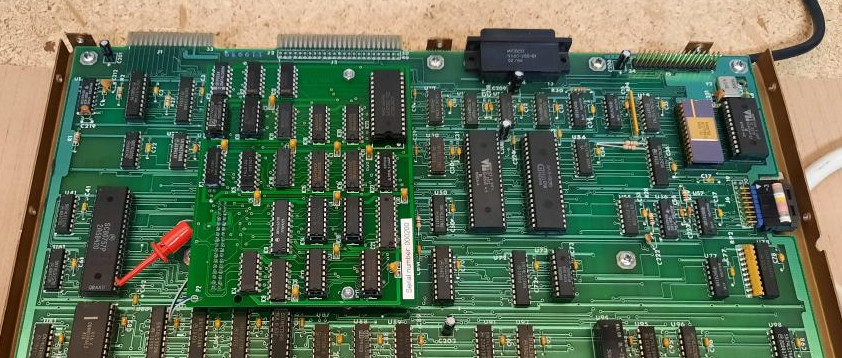
Installation of the new Grafyx board.
So into the refreshed computer went several community-developed modifications, including a M3SE expander that adds Compact Flash and Ethernet support to the TRS-80 and a high-resolution Grafyx video board. In classic [Drygol] style, every effort was made to integrate these upgrades as seamlessly as possible. After struggling for a bit to find a 5.25″ drive that would write a disk the TRS-80 would actually read, all the necessary files to get the upgrades working were transferred over, and the system was booting into TRSDOS.
We’ve covered a lot of [Drygol]’s restorations, and never get tired of seeing how these old and broken machines get a new lease on life once they come out the other end. Whether it’s a relatively easy task of swapping out some dud chips, or using every trick in the book to piece together what’s left of a computer’s case, they always show an incredible level of dedication and attention to detail that you can’t help but admire.
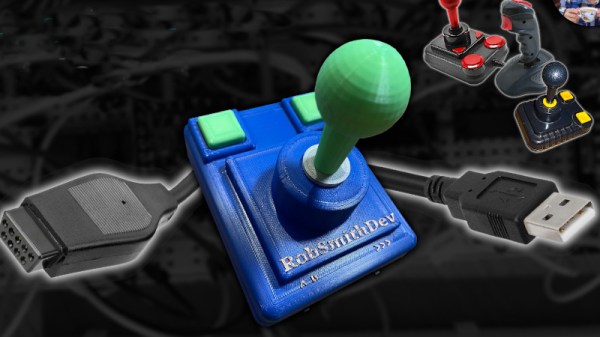
With the rise of the gamepad courtesy of several generations of game consoles, the joystick has become an almost forgotten peripheral, sidelined into the world of flight simulators with its design tending towards copying that of aircraft joysticks. Classic joysticks from the 8- and 16-bit eras were far more workaday devices, more suitable for Space Invaders than Microsoft Flight Simulator, and it’s one of these that [Rob Smith] has recreated in 3D printed form.
The design he’s come up with bears a strong resemblance to the Zipstik, a classic stick that he already owned. It’s a fairly simple device that uses microswitches for all contacts, and is thus very tough. He’s produced a 3D-printed shaft but didn’t trust its strength, so copied the original by using a metal shaft with a pair of circlips. We remember our Zipstik as having a steel shaft; he replaces that with aluminium. A handy jig and a hacksaw allows him to create grooves for circlips, resulting in a sturdy ZipStik clone that should satisfy any retro gamer.
The stick is wired for an Amiga and includes a 555-based rapid-fire circuit, but that’s not the end of the electronics as he’s also created a USB interface for Amiga joysticks to go with it. Not everyone has a classic machine, so now everyone can enjoy the retro peripheral experience! Both builds can be seen in the videos below the break.
It wasn’t long after early humans started banging rocks together that somebody in the tribe thought they could improve on things a bit by doing it with a little rhythm. As such the first musician was born, and since it would be a couple million years before humanity figured out how to record sound, musical performances had to be experienced live throughout most of history. On the cosmic scale of things, Spotify only shows up about a zeptosecond before the big bash at midnight.
So its only fitting that [Linus Åkesson] has perfected the musical floppy drive to the point that it can now be played live. We understand the irony of this being demonstrated via the video below the break, but we think it still gets the point across — rather than having to get a whole array of carefully-scripted drives going to perform something that even comes close to a musical number, he’s able to produce tones by manipulating a single drive in real-time.
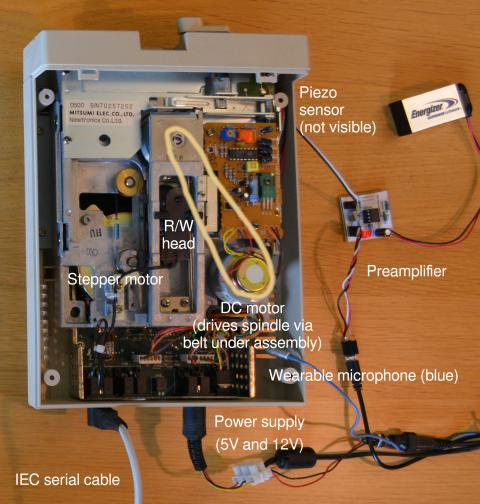
In his write-up, [Linus] not only goes over the general nuts and bolts of making music with floppy drives, but specifically explains how this Commodore 1541-II drive has been modified for its new life as a digital virtuoso. From his experiments to determine which drive moves corresponded to the most pleasing sounds, to the addition of a small microphone and a piezo sensor paired with an LMC662-based amplifier to provide a high-fidelity capture of the drive’s sounds and vibrations, there’s a lot of valuable info here for anyone else looking to make some sweet tunes with their old gear.
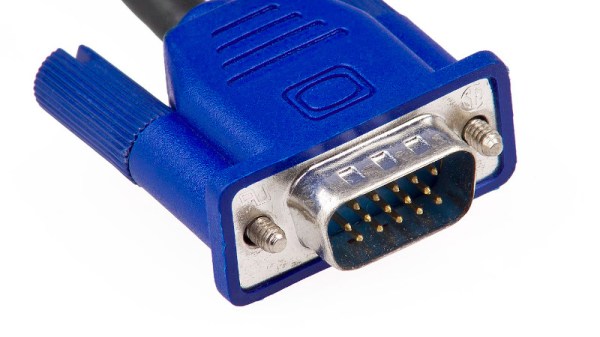
In the world of PC graphics, the early standards followed the various video cards of the day. There was MDA, familiar through the original text-based DOS prompt, CGA, then EGA, and the non-IBM Hercules along the way. Finally in 1987 IBM produced the VGA, or Video Graphics Array standard for their PS/2 line of computers, which became the bedrock on which all subsequent PC graphics cards, even those with digital outputs, have been built. It’s interesting then to read an account from [Dave Farquhar] of the other now-forgotten video standard that made its debut with the PS/2, MCGA, or Multicolor Graphics Array. This was intended as an entry-level graphics system to compete with the more multimedia-oriented home computers of the day such as the Commodore Amiga and Atari ST.
Offering 320×200 graphics at 256 colors but only two colors at 640×480 it’s difficult to see how it could have been a viable competitor to the Amiga’s 4096-color HAM mode, but it did offer the ability to drive an RGB monitor through its VGA-like socket. The story goes that IBM intended it to provide an upgrade incentive for PS/2 customers to buy a more powerful model with VGA, but in the event a host of third-party VGA-compatible cards emerged and allowed more traditional ISA computers from third parties to retain a competitive edge and eventually sideline the PS/2 line entirely.
We called time on VGA back in 2016, and it’s fair to say that it’s disappeared from PC hardware since then even if much of its technologies still lurk within. It’s pleasing to see though that it remains a stalwart of hacked-together display interfaces, with efforts such as this 7400-based VGA card continuing to impress us.
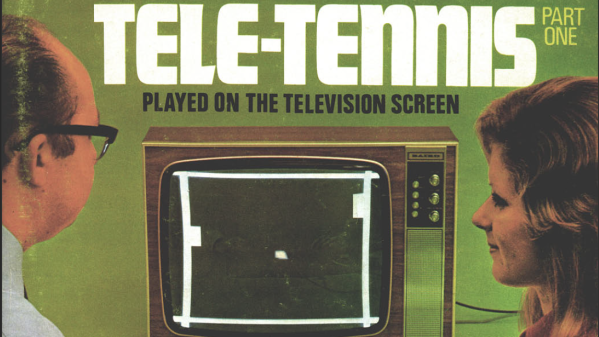
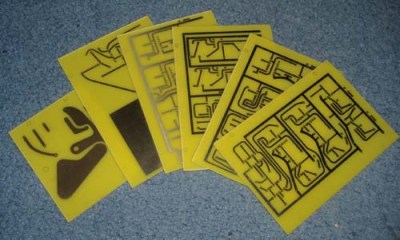
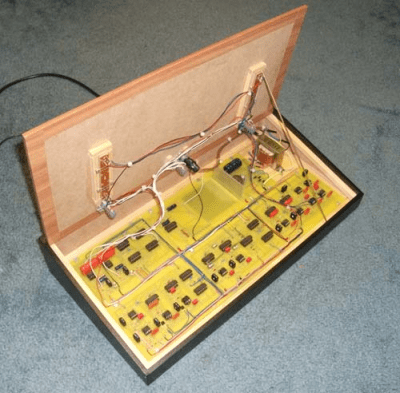
Back in November 1974 the publication “Practical Wireless” produced a five-part article series showing the reader how to construct a version of the popular “pong” game that could be played on the television screen available in the typical British home. [Grant Searle] had wanted to build this project for years, but it took him until 2008 to find the opportunity to do so. The magazine article printed PCB layouts to 1:1 scale, with a bill of materials and assembly instructions. After each month, the reader would have an assembled the project a little more, with the final month dedicated to point-to-point wiring and final setup. Subsequent months contained some enhancements such as a scoring system and sound effects, but these are not yet part of the main build. In order to understand the build, you will need to download the PDF copy of the magazines prints. (And if you’re an electronics nerd like this scribe, you’ve already done that right?)
A tidy assembly job with an authentic retro style
The electronics are based upon pure discrete 7400-series logic, 741 opamp-based ramp generators and, you guessed it, 555 timers. The way the various boards have discrete functions is particularly interesting. For example, in part 3, the PCB described (board A) not only is the master field/line sync generator, but also generates the video signals for the ball, with its position and size determined in an analogue fashion. Signals coming into the board from Board C (top/bottom base) cause a discrete flip-flop to toggle, changing the ball’s direction as it ‘bounces’ off the edge of the screen. Each board generates its own video signal, which are then all combined in the final video mixer (board E) that simply wire-OR’s them all with the composite sync to generate the composite video needed. This would have been tapped off and fed to a UHF video modulator, but [Grant] chose not to install that for the build. The whole thing was wrapped up inside an MDF case, coated in that dubious fake-wood plastic wrap, for that very 70’s aesthetic some of us remember fondly.