The Famous Basic Computer Games Book Gets A 2021 Update

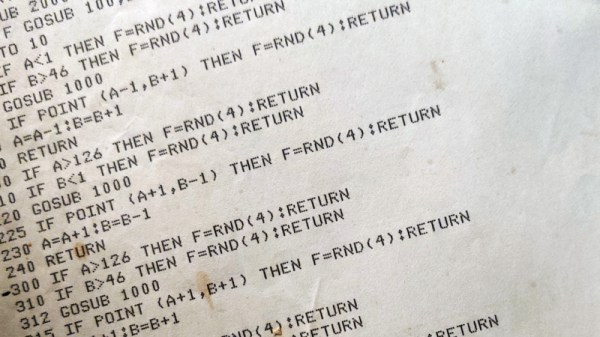
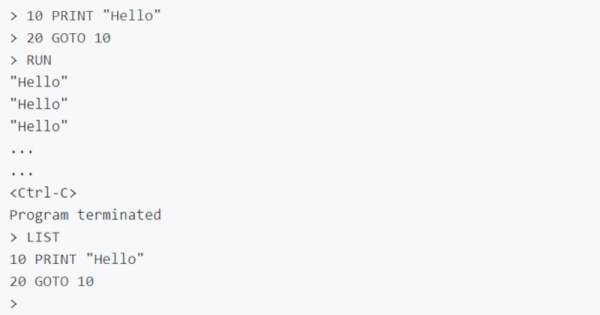
If you are a certain age, your first programming language was almost certainly BASIC. You probably at least saw the famous book by Ahl, titled BASIC Computer Games or 101 BASIC Computer Games. The book, published in 1973 by [David Ahl] was a staple in its day and the first computer book to sell over one million copies. Of course, if you want to run Super Star Trek or Hamurabi, you better fire up an old retrocomputer or a simulator because BASIC in 1973 doesn’t look like what we have today. Or, you can head to GitHub where [coding-horror] is inviting people to help update the programs using modern languages.

One of our favorites, Bagels, is there with directories for C#, Java, Javascript, Python, Ruby, and VB.net. It doesn’t appear that all of the games are in all the languages, though. There’s also a .Net solution file that apparently has a few entries in it. We were also happy to see Super Star Trek represented, along with a link to an article about a C++ language port. The original games were tweaked to run on VintageBasic.

Continue reading “The Famous Basic Computer Games Book Gets A 2021 Update”

Apple II Talks To 3D Printer With A Little Modern Help

Controlling most desktop 3D printers is as easy as sending them G-code commands over a serial connection. As you might expect, it takes a relatively quick machine to fire off the commands fast enough for a good-quality print. But what if you weren’t so picky? If speed isn’t a concern, what’s the practical limit on the type of computer you could use?

In an effort to answer that question, [Max Piantoni] set out to control his Ender 3 printer with an authentic Apple IIc. Things were made a bit easier by the fact that he really only wanted to use the printer as a 2D plotter, so he could ignore the third dimension in his code. All he needed to do was come up with a BASIC program that let him create some simple geometric artwork on the Apple and convert it into commands that could be sent out over the computer’s serial port.

Unity controlling the Ender 3

Unfortunately, [Max] ran into something of a language barrier. While the Apple had no problem generating G-code the Ender’s controller would understand, both devices couldn’t agree on a data rate that worked for both of them. The 3D printer likes to zip along at 115,200 baud, while the Apple was plodding ahead at 300. Clearly, something would have to stand in as an interpreter.

The solution [Max] came up with certainly wouldn’t be our first choice, but there’s something to be said for working with what you know. He quickly whipped up a program in Unity on his Macbook that would accept incoming commands from the Apple II at 300 baud, build up a healthy buffer, and then send them off to the Ender 3. As you can see in the video after the break, this Mac-in-the-middle approach got these unlikely friends talking at last.

We’re reminded of a project from a few years back that aimed to build a fully functional 3D printer with 1980s technology. It was to be controlled by a Commodore PET from the 1980s, which also struggled to communicate quickly enough with the printer’s electronics. Bringing a modern laptop into the mix is probably cheating a bit, but at least it shows the concept is sound.

Continue reading “Apple II Talks To 3D Printer With A Little Modern Help”

Vintage Calculator Design Shows Just How Much We Take For Granted Today

[Amen]’s Rockwell 920 calculator from the 70s was a very impressive piece of hardware for its time. It sported a 16-digit display, a printer, and it could run programs. It even had a magnetic card reader/writer that could be used to store programs and data externally. Seen through today’s eyes, it was less like a calculator and more like what we would call a single-board computer. They are also a window into another era, a time when many of the electrical design assumptions we take for granted hadn’t happened yet. When the time came to dig into what made the calculator tick, [Amen] had a lot of work to do just to get basic tools running.

For example, [amen]’s Blue Pill (an open-source, multipurpose test and measurement tool) is, on one hand, the perfect tool to snoop on the inner workings. However, those inner workings happen to use negative logic at -17 Volts, which means a logical zero is -17 V and a one is 0 V. Oh, and it uses an oddball clock rate, to boot. Since the Blue Pill doesn’t support -17 V negative logic (does anything?) a bit of custom work was needed to craft an interface. Once that was working, the Blue Pill was off to the races.

The unfamiliar elements didn’t end there. The pins on each IC, for example, are in a staggered layout quite unlike the DIP pattern most of us (and our tools, breadboards, and IC clips) are familiar with. As for the processor itself, [amen] has access to low-level documentation on Rockwell processors and instruction sets, but the timing diagrams are puzzling until one realizes the processor has two clock inputs at two different frequencies, resulting in what [amen] describes as four separate “clock phases”.

These design decisions were certainly made for good reasons at the time, and they even have a certain internal harmony to them, but it’s still a window into an era when the elements underpinning much of what we now have and work with had not yet happened.

Check out the video embedded below to see [amen] explain what it took to hook the Blue Pill up to a Rockwell 920. Also, if you’d like to see one of these vintage machines demonstrated in all its functioning glory, here’s a video of one being put through its paces.

Continue reading “Vintage Calculator Design Shows Just How Much We Take For Granted Today”

Writing Pretty Flux Patterns To Old Floppy Disks

Floppy disks are rapidly aging, and archivists are working hard to preserve what data is left. This has led to the development of advanced floppy controllers capable of capturing the raw flux data from disks. [bzotto] was experimenting with the Applesauce archival hardware, and had some fun with the tools.

The result is a highly esoteric Easter egg. [bzotto]’s Picturedsk tool takes a bitmap image as input, and imprints that image into the magnetic flux of the disk. Thus, when viewing a dump of the disk’s magnetic flux on an archival program, the hidden image will be revealed. As an extra treat, it also writes a 1-bit version of the image to track 0, along with a barebones Apple ][ program to display the image and implore the user to investigate further.

It’s a fun hack that we could imagine being used as part of a game at a retro computing con, when we get to go back to those of course. We’ve seen Applesauce used before, too. If you’ve got your own archival projects on the go, be sure to let us know!

Building Replica Amigas To Preserve Digital Artwork

A few years back, the Andy Warhol Museum ran into an unusual problem. They wanted to display digital pieces the pop artist created on his Amiga 1000 back in the 1980s, but putting the vintage computers on the floor and letting the public poke around on them wasn’t really an option. So the team at [Iontank] were tasked with creating an interactive display that looked like a real Amiga, but used all modern technology under the hood.

The technical details on the electronics side are unfortunately a bit light, as the page on the [Iontank] site simply says all of the internals were replaced with “solid-state hardware” and an Amiga emulator. To us that sounds like a Raspberry Pi is now filling in for the Amiga’s original motherboard, but that’s just a guess. The page does note that they went through the trouble of making sure the original mouse and keyboard still worked, so it stands to reason a couple microcontrollers are also along for the ride doing translation duty.

Milling the curved display lens.

While we don’t know much about the computers, [Iontank] do provide some interesting insight into developing the faux CRTs sitting atop the non-Amigas. There were some promising rear-projection experiments conducted early on, but in the end, they decided to use a standard LCD behind a milled acrylic lens. This not only made for a perfect fit inside the original monitor enclosures, but gave the screen that convex depth that’s missing on modern flat panels.

The end result looks like the best of both worlds, combining the sharp bright image of an LCD with just a hint of retro distortion. With a scanline generator in the mix, this technique would be a great way to simulate the look of a CRT display in an arcade cabinet, though admittedly being able to mill down an acrylic lens of the appropriate size would be a tough job for most home gamers.

[Thanks to Derek for the tip.]

BASIC: Cross-Platform Software Hacking Then And Now

Surely BASIC is properly obsolete by now, right? Perhaps not. In addition to inspiring a large part of home computing today, BASIC is still very much alive today, even outside of retro computing.

There was a time, not even that long ago, when the lingua franca of the home computer world was BASIC. This wasn’t necessarily always the exact same BASIC; the commands and syntax differed between whatever BASIC dialect came with any given model of home computer (Commodore, Atari, Texas Instruments, Sinclair or any of the countless others). Fortunately most of these licensed or were derived from the most popular microcomputer implementation of BASIC: Microsoft BASIC.

BASIC has its roots in academics, where it was intended to be an easy to use programming language for every student, even those outside the traditional STEM fields. Taking its cues from popular 1960s languages like FORTRAN and ALGOL, it saw widespread use on time-sharing systems at schools, with even IBM joining the party in 1973 with VS-BASIC. When the 1970s saw the arrival of microcomputers, small and cheap enough to be bought by anyone and used at home, it seemed only natural that they too would run BASIC.

The advantage of having BASIC  integrated into these systems was obvious: not only were most people who bought such a home computer already familiar with BASIC, it allows programs to be run without first being compiled. This was good, because compiling a program takes a lot of RAM and storage, neither of which were plentiful in microcomputers. Instead of compiling BASIC source code, BASIC interpreters would interpret and run the code one line at a time, trading execution speed for flexibility and low resource use.

After turning on one’s microcomputer, the BASIC interpreter would usually be loaded straight from an onboard ROM in lieu of a full-blown operating system. In this interpreter shell, one could use the hardware, write and load BASIC programs and save them to tape or disk. Running existing BASIC code as well as compiled programs on one’s computer, or even typing them in from a listing in a magazine all belonged to the options. As BASIC implementations between different home computers were relatively consistent, this provided for a lot of portability.

That was then, and this is now. Are people actually still using the Basic language?

Continue reading “BASIC: Cross-Platform Software Hacking Then And Now”

The Tube Map, In Glorious 8-Bit!

There was a time when visitors to London would carry an A to Z map to navigate the city’s Undergound railway system, referring to the iconic London Transport map printed on its back as they did so. Now it’s likely they’ll do the same with their smartphones, with apps ranging from simple analogues of the printed version through to fully annotated route planners with up to the minute train information. Is this a new technology, something only possible in the last decade? Serial British rail YouTuber [Geoff Marshall] thinks otherwise, and has programmed a Tube map on a vintage BBC Micro.

We don’t expect anyone to heft a pile of vintage hardware onto the Central Line at rush hour even though in reality he’s running it on an emulator due to his real BBC Micro being kaput. Perhaps someone should drop him a line about capacitor replacement in that power supply. But it does provide an entertaining jaunt back into afternoons in a 1980s school computer lab, with MOVE, DRAW, and PLOT commands as he wrestles with the limited colour palette of MODE 2.  The result only covers Tube Zone 1, or the very centre of London, so to visit London Hackspace you’ll have to remember to take the Bakerloo line northbound out to Zone 4 and disembark at Wembley Central.

Happily as you can see in the video below the break he enlists the help of a friend to run it on real hardware. He posted the code as a comment to the video but it’s really hard to find. Try this direct link and scroll down, it should be the first comment but you need to click “Read more” to unfold the code. We think the Tube Map would make a great test for any retrocomputer, so we look forward to this feat being repeated.

Continue reading “The Tube Map, In Glorious 8-Bit!”