Suitcase Computer Reborn With Raspberry Pi Inside

Fun fact, the Osborne 1 debuted with a price tag equivalent to about $5,000 in today’s value. With a gigantic 9″ screen and twin floppy drives (for making mix tapes, right?) the real miracle of the machine was its portability, something unheard of at the time. The retrocomputing trend is to lovingly and carefully restore these old machines to their former glory, regardless of how clunky or underpowered they are by modern standards. But sometimes they can’t be saved yet it’s still possible to gut and rebuild the machine with modern hardware, like with this Raspberry Pi used to revive an Osborne 1.

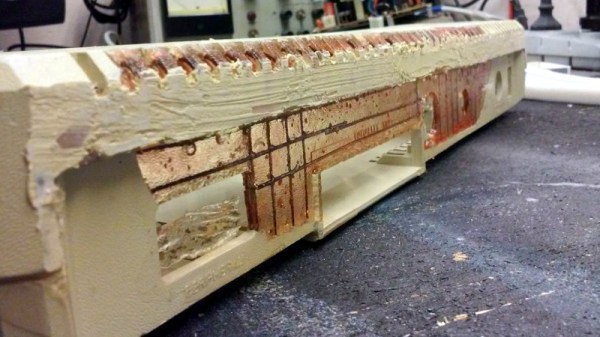
Purists will turn their nose up at this one, and we admit that this one feels a little like “restoring” radios from the 30s by chucking out the original chassis and throwing in a streaming player. But [koff1979] went to a lot of effort to keep the original Osborne look and feel in the final product. We imagine that with the original guts replaced by a Pi and a small LCD display taking the place of the 80 character by 24 line CRT, the machine is less strain on the shoulder when carrying it around. (We hear the original Osborne 1 was portable in the same way that an anvil is technically portable.) The Pi runs an emulator to get the original CP/M experience; it even runs Wordstar. The tricky part about this build was making the original keyboard talk to the Pi, which was accomplished with an Arduino that translates key presses to USB.

As an aside, if reading this has given you a twinge of nostalgia and you’re on the Eastern seaboard you may want to check out more vintage gear at the VCF East this weekend. If you hail from Europe, get your hack on with CP/M and a retrocomputing badge at Hackaday Belgrade one wee from now.

We’ve seen the Raspberry Pi pressed into retrocomputing duty before, of course. Here’s one used to emulate a Commodore 1541 disk drive, and another in the laptop Clive Sinclair never built.

Continue reading “Suitcase Computer Reborn With Raspberry Pi Inside” →

Retro Computer Badge For Hackaday Belgrade Has Everything You Wished For Back In The Day

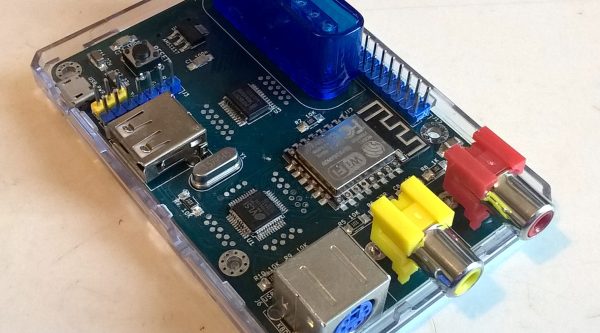
The hardware badge for the Hackaday Belgrade conference is a Retro Computer that you wear around your neck. I have one in my hands and it’s truly a work of art. It’s beautiful, it’s fun to play with, and it will be an epic platform for a glorious weekend of badge hacking! Check out the first look video, then join me below as I drill down into the details.

Get your ticket now for Hackaday Belgrade, our premier European hardware conference at the end of this month. It’s a day filled with talks, works, food, fun, and of course everyone through the door gets one of these incredible badges. The best part is the community that turns out for this event and that includes the Hacker Village that takes hold in the evening. We’ll be hacking the badges until the wee hours of the morning alongside hardware demos, presentations, lightning talks, and live IDM and DJ sets.

Continue reading “Retro Computer Badge For Hackaday Belgrade Has Everything You Wished For Back In The Day” →

Shirt Pocket Slide Rule: History Of The HP-35

In a recently updated post, [Codex99] has a detailed history of the HP-35 pocket calculator. Unless you are a certain age, you probably don’t think much of calculators. They are cheap and not very essential in this day of cell phones and PCs. But in the 1970s they were amazing technology and the desire of every engineer and engineering student.

The story opens in 1965 when Tom Osborne — who was not an HP employee — build a floating point calculator he called the Green Machine. Apparently, he had painted the balsa wood case green. He had been showing it around but failed to get any interest until he showed it to Bill Hewlett. Hewlett wanted it to do trig functions and offered him a six-week consulting gig to work on improvements.

HP engineer Dave Cochran helped out and also helped envision making the device keystroke-programmable. By 1968, this collaboration led to a 40-pound desktop calculator — the HP 9100 — that was the size of a typewriter. It could be yours for only $4900. Keep in mind, that same amount would buy two brand new cars in 1968.

Continue reading “Shirt Pocket Slide Rule: History Of The HP-35” →

Diablo Drive Appears To Be Cursed

[CuriousMarc] didn’t think it would be a big deal when a former Xerox employee sent him an Alto Diablo drive for service. Turns out the drive was cursed — it would destroy everything it touched including a set of heads and an alignment cartridge. [Marc] and a partner spent two months trying to get the drive operable and the video of their process is pretty interesting.

We were interested in the troubleshooting, but we were really envious of their lab, full of HP workstations, an IBM mainframe, and even a Selectric. We kept having to rewind the video because we had tuned out while we were staring at some of the equipment in the background.

The guys got a lot of practice aligning the heads on the drive. Because the crashed head was bent, it actually dug into the alignment cartridge so on subsequent attempts they had to manually load the disk past the damage. They learned to leave the disk a little out of alignment because tightening the assembly will move it a little bit. If you were already aligned, the heads would be off after you did the tightening.

They used a custom FPGA-based tester that [Carl] developed after reverse engineering the disk format. It is amazing to watch the big drive in action and realize that a standard cartridge for this machine was 2.5 megabytes. There was another controller and disk system called the Trident that would get you a whopping 80 megabytes, but we don’t think this is one of those.

Did they succeed in exorcising whatever demons lived in the drive? Watch the video and find out. Even if you never have to fix a Diablo drive yourself, you’ll be entertained. Especially when they work out how to do a current adjustment on the drive by simulating the circuit in Spice.

We’ve seen a lot about the Alto which is surprising considering how few of them were built. We’ve seen a restoration and even an odd use for a light bulb related to the Alto’s CRT.

Continue reading “Diablo Drive Appears To Be Cursed” →

Making Vintage Computing Easy, The Hard Way

If you want to not take for granted how easy and seamless computers have become, take up vintage computing as a hobby. If you venture down the retro path, you’ll quickly question how anyone ever got any useful work done with computers, and the farther back you go in computer history, the more difficult everything seems to become.

Case in point: how do you easily transfer files between a home-brew PC/XT and your modern desktop? Back in the day we did it with null modem cables or by sneaker-netting stacks of floppies, but [Scott M. Baker] found another way — putting a Raspberry Pi on the ISA bus as a virtual floppy drive. The heart of the ISA card is an IDT7130, a 1-kb RAM chip that allows simultaneous asynchronous access over dual ports. One port talks to the ISA bus and the other talks to the GPIO of the Pi, after level-shifting to make everything voltage compatible, of course. [Scott] wrote a driver for the card, plugged a Pi Zero W into the header pins, and threw a Python server together that makes local images available to the shared memory on the card. The upshot of this is that the retro machine thinks it has a floppy in it, but it’s actually a server. The video below has tons of detail and shows the card in action. Pretty slick.

[Scott]’s projects are always fun to check out, and he really seems to have the retro life dialed in. Whether it’s old jukebox hacks or a Unix-ish OS for Z80s, there’s plenty to learn. Although we’d like to see more about that PC/XT in the video; are those Nixies we spy along the front panel?

Continue reading “Making Vintage Computing Easy, The Hard Way” →

Commodore 64 To Raspberry Pi Conversion Is Respectful & Complete

We’re big fans of taking old computers and giving them a new lease on life, but only when it is done respectfully. That means no cutting, no hot glue, and no gouging out bits to make the new computer fit. It’s best if it can be done in a way that the original parts can be restored if required.

This Commodore 64 to Raspberry Pi conversion from [Mattsoft] definitely fits our criteria here, as it uses the old keyboard, joystick connectors and output portholes for the required authentic look. It does this through the clever use of a couple of 3D-printed parts that hold the Raspberry Pi and outputs in place, mounting them to use the original screw holes in the case.

Combine the Pi with a Keyrah V2 to connect the C64 keyboard and a PowerBlock to juice up all of the parts, and you’ve got a fully updated C64 that can use the keyboard, joysticks or other peripherals, but which also comes with a HDMI port, USB and other more modern goodies.

[Mattsoft] suggests using Combian 64, a C64 emulator for the Pi for the authentic look and feel. Personally, I might use it as a thin client to the big-ass PC with 16 CPU cores and 32GB of memory that’s hidden in my basement, but that’s just because I enjoy confusing people.

Milspec Teardown: AH-64A Apache Data Entry Panel

It’s time once again to see how those tax dollars are spent, this time in the form of a “Data Entry Keyboard” manufactured by Hughes Helicopters. This device was built circa 1986 or so, and was used in the AH-64A Apache. Specifically, this panel would have been located by the gunner’s left knee, and served as a general purpose input device for the Apache’s Fire Control System. Eventually the Apache was upgraded with a so-called “glass cockpit”; consolidating various vehicle functions into a handful of multi-purpose digital displays. As such, this particular device became obsolete and was pulled from the active Apache fleet.

The military vehicle aficionados out there may know that while the Apache is currently a product of Boeing, it was originally designed by Hughes Helicopter. In 1984, McDonnell Douglas purchased Hughes Helicopter and took over production of the Apache, and then McDonnell Douglas themselves were merged with Boeing in 1997.

So it’s somewhat interesting that this device bears the name of Hughes Helicopter, as of the time it was manufactured, they would have been known as McDonnell Douglas Helicopter Systems. Presumably they had to work through existing stock of components that already had Hughes branding on them, leaving some transitional examples such as this one.

But you didn’t come here for a history lesson on the American military-industrial complex, you want to know about the hardware itself. So let’s crack it open to see what we can learn about this piece of aviation history.

Continue reading “Milspec Teardown: AH-64A Apache Data Entry Panel” →